Parallel Coding Agents: The Complete Guide
What parallel coding agents are, why one agent session stops being enough, and how to run many agents on one repository without losing track of any of them.
Parallel coding agents means running more than one AI coding agent at the same time, each on its own task, instead of watching a single session work through your backlog one item at a time. It is the workflow that emerges naturally once agents get good enough that you, not the agent, become the bottleneck.
This guide covers what the workflow actually looks like, the problems that show up as you scale it, and the tooling landscape around it. It stays useful whether you run two agents or two hundred.
Why one session stops being enough
The first time you use a serious coding agent like Claude Code or Codex, the loop is conversational: prompt, watch, correct, repeat. That loop has a hidden cost. While the agent works, you wait. While you review, the agent waits. Neither of you is saturated.
The fix is boring: stop watching one agent and dispatch several. One agent writes tests for the module you just finished. Another chases a flaky CI failure. A third updates dependencies. You switch from operator to reviewer, and your throughput is no longer capped by any single session.
Then the practical problems start.
The four problems parallelism creates
1. Collisions
Two agents editing the same checkout will overwrite each other's work, fight over the index, and leave you with a working directory neither of you can explain. Any serious parallel setup needs isolation: each agent gets its own working directory and its own branch.
The standard mechanism is the Git worktree: multiple directories, one repository, every agent on its own branch with shared history. Containers and full clones also work, but worktrees are the cheapest isolation that preserves a normal Git workflow, which is why most parallel-agent tools are built on them.
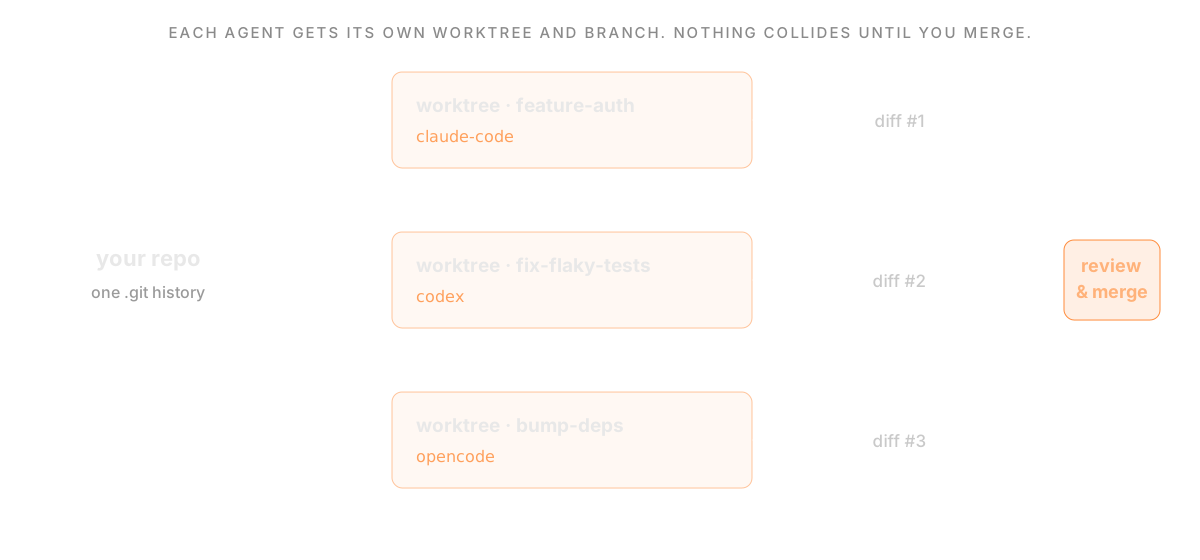 How parallel coding agents stay isolated: one repository fans out into a Git worktree per task, each running its own agent (Claude Code, Codex, OpenCode) on its own branch, producing independent diffs that you review and merge
2. Session sprawl
Terminal tabs don't scale. Around four or five concurrent sessions, you start losing track of which agent is doing what, which ones are blocked on a question, and which ones finished an hour ago. The failure mode is not dramatic; it is quiet waste. An agent sits idle waiting for input while you babysit a different one.
At small scale, discipline and tmux can carry you. Past that, you want a surface that shows every session, its status, and its diff in one place.
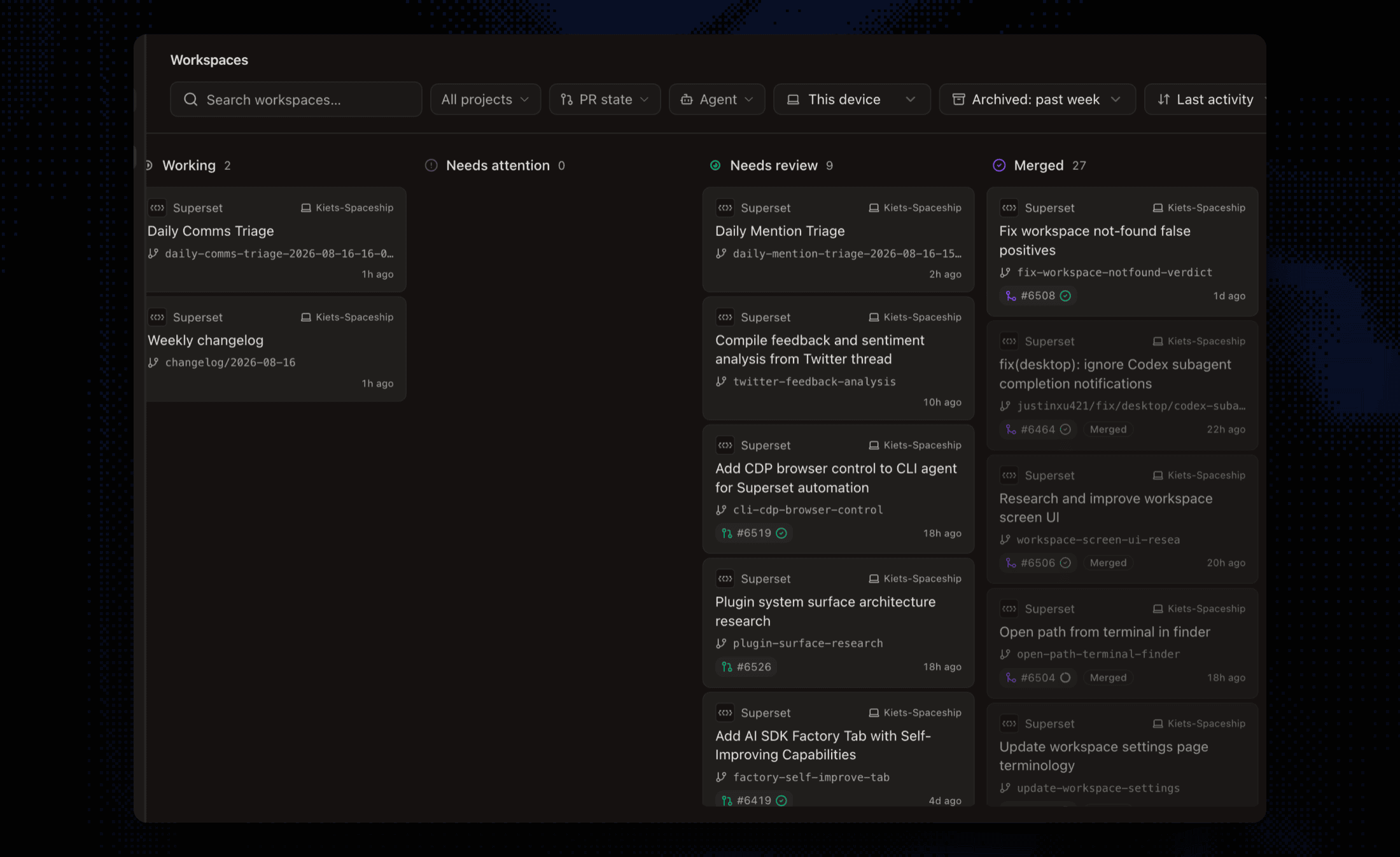 A workspace board triaging a fleet of coding agents by status: working, needs attention, needs review, and merged, with branch names and pull requests on every card
3. Review
Parallel agents produce parallel diffs. Ten agents can easily generate more code in an afternoon than you used to review in a week. If each task lives in its own worktree, each produces an independent diff you can review, merge, or throw away on its own. If tasks were not isolated, the diffs tangle and review cost explodes.
The habit that makes this manageable: decompose work into tasks that do not overlap on files, keep each task PR-sized, and review per-task rather than per-agent-message.
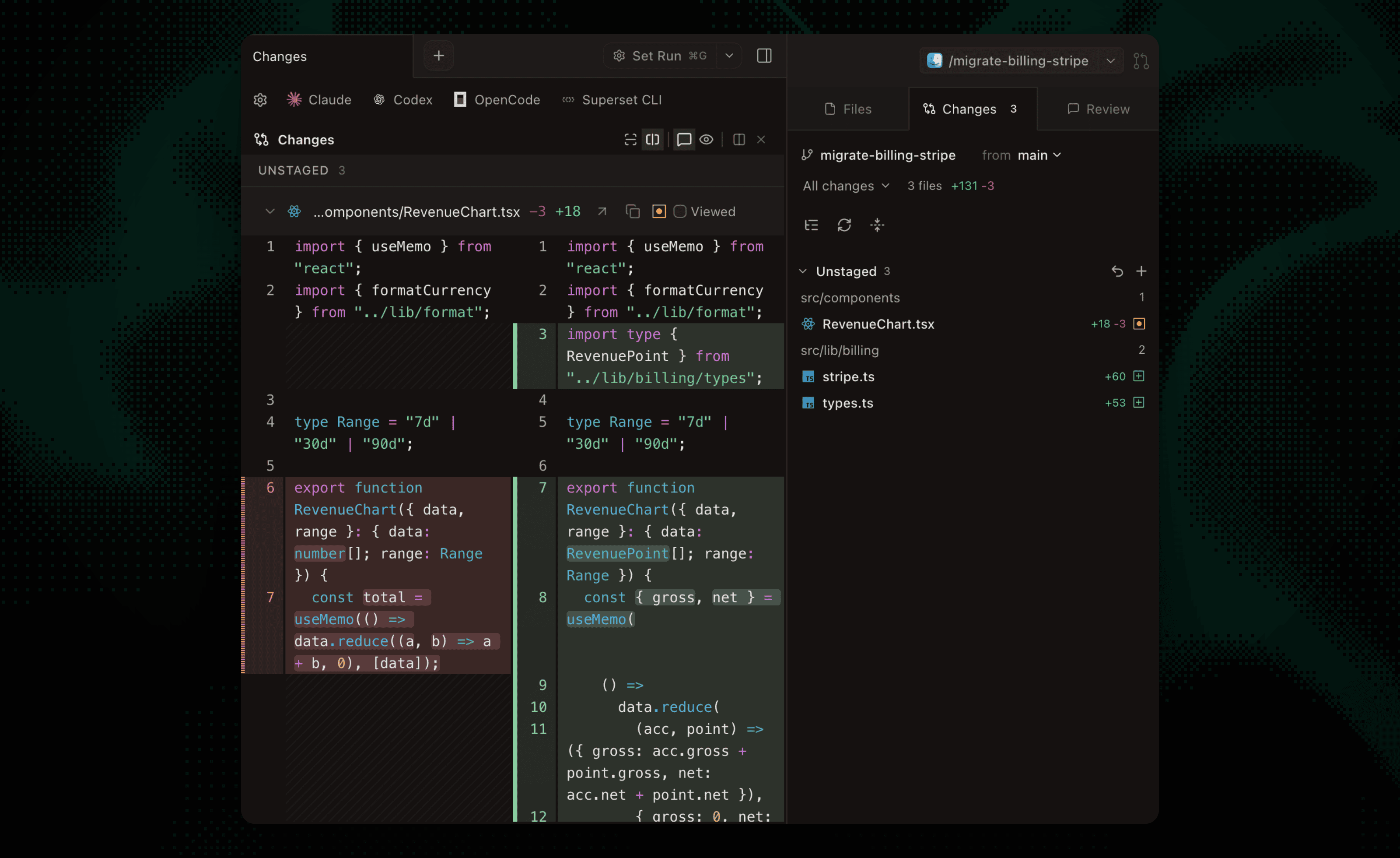 Reviewing one agent's isolated diff before merging: each task produces its own reviewable changeset
4. Lifecycle
Sessions die when laptops sleep. Worktrees accumulate until your disk complains. Dev servers collide on ports. Each of these is small, and together they are the tax that determines whether the workflow sticks. Handling them automatically is the difference between a demo and a daily driver.
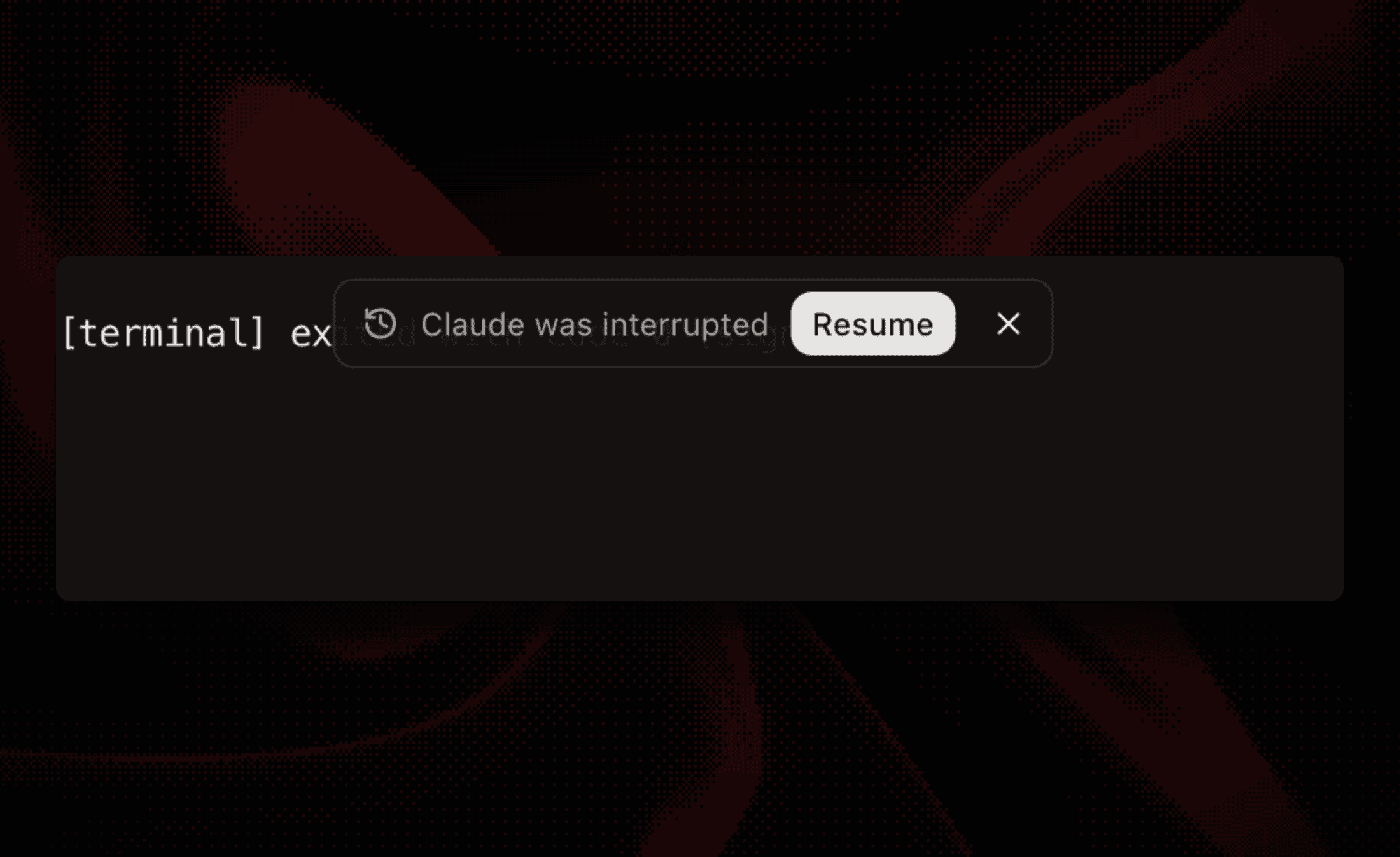 An interrupted Claude Code session offering a one-click Resume: persistent sessions survive sleeps and restarts instead of losing the conversation
The workflow, concretely
- Split the work. Independent tasks parallelize well: tests, docs, isolated bugs, refactors in separate modules. Tasks that fight over the same files belong in sequence, not in parallel.
- One worktree per task. Manually via
git worktree add, or automatically via a workspace tool. The agent gets a directory, a branch, and a focused prompt. - Dispatch and detach. Start each agent, then stop watching. Check in when an agent needs input or finishes, not continuously.
- Review each diff independently. Merge the wins, discard the rest, and delete the worktree.
Teams that run this at scale add two more layers: orchestration, so agents can be launched, monitored, and scheduled programmatically rather than by hand, and automations, so recurring work (nightly dependency bumps, triage passes) runs without anyone dispatching it.
How many agents is realistic?
You do not need dozens of agents for the workflow to pay off; at three concurrent tasks, isolation and a decent dashboard already earn their keep. Past a few dozen, new things break: machine resources, review bandwidth, and task decomposition itself become the constraints. We wrote up what changes at the high end in The Roadmap to 100 Agents, based on running Superset's own development this way.
The honest answer for most teams: the ceiling that matters is not how many agents your tooling can run, it is how many independent, well-scoped tasks you can produce and review.
The tooling landscape
Three kinds of tools support parallel coding agents today, and they compose rather than compete.
The agents themselves. Claude Code, Codex, OpenCode, Gemini CLI, Copilot CLI, and friends. They do the coding. Most are single-session by design; parallelism is something you build around them.
Editors with parallel modes. Cursor runs multiple agents in local worktrees, and Zed's Parallel Agents manages agent threads in a sidebar with optional worktree isolation. Strong choices when you want parallelism inside the editor you already type in.
Dedicated orchestration workspaces. Tools built around the fleet rather than the file: Superset, Conductor, Parallel Code, and others. Worktree-per-task by default, every session visible in one place, diffs reviewed centrally. Reach for this layer once you are running parallel agents most days, not once a month.
For a full comparison across all three layers, see Best AI Coding Tools and Agents.
A reproducible isolation check
We checked this on September 23, 2026 with Git 2.52.0 in a temporary repository: two task branches changed the same line independently. The main checkout stayed unchanged. After merging the first branch, merging the second returned a conflict in README.md. No coding agent was involved in this check; it tests Git isolation, not agent performance.
To repeat the check in a disposable repository, commit a one-line README.md, then create two worktrees:
Change the same line to different text in each worktree and commit each change on its own branch. In the original checkout, run:
The last command should list README.md. Use git merge --abort to leave that deliberate conflict. The Git reference explains which repository state worktrees share.
For real tasks, give dev servers separate ports and use separate test data where needed. Review and test the combined branch after integration, even when Git merges it without a conflict. The three-task walkthrough covers prompts, previews, and review; the Claude Code guide covers session setup.
Where Superset fits
Superset is a workspace built specifically for this workflow: every task gets an isolated worktree with a persistent terminal, any CLI agent works, and monitoring, diff review, port handling, automations, and an MCP server for programmatic control sit on top. If the problems in this guide are the ones you are hitting, that is exactly what it exists for. Download it or read how it compares to everything else in the space.
Frequently Asked Questions
What are parallel coding agents?
Running more than one AI coding agent at the same time, each on its own task, typically with each agent in its own Git worktree and branch so they edit separate working files. Changes can still conflict when merged. The point is throughput: you review and direct while agents work concurrently.
Do I need special tooling to run agents in parallel?
Not to start. Two terminal tabs and two Git worktrees are enough to try it. Tooling becomes worth it when you hit the predictable problems: losing track of sessions, reviewing many diffs, sessions dying on sleep, and worktree cleanup. That is the point of orchestration workspaces like Superset.
How do parallel agents avoid conflicts?
Give each agent its own working directory and branch, and assign tasks with limited overlap. Worktrees do not restrict an agent's filesystem permissions or isolate shared services. Merge conflicts and behavioral conflicts can still occur, so review the combined diff and run the relevant tests after integration.
How many coding agents can I run at once?
Tooling-wise, dozens to hundreds locally; Superset is built to handle 100+ workspaces, and The Roadmap to 100 Agents shows what that takes in practice. The real limit is how many independent tasks you can define and how much review you can absorb. Start with a few concurrent agents and scale as your decomposition and review habits improve.
Which coding agents work in parallel setups?
Any agent that runs in a terminal: Claude Code, Codex, OpenCode, Gemini CLI, Copilot CLI, Aider, and custom scripts. Agent-agnostic orchestrators do not care which one you pick, and mixed fleets (different agents for different task types) are common.