Superset vs Conductor: local agents, cloud workspaces, and review
Compare Superset and Conductor for parallel coding agents, cloud workspaces, team collaboration, and iPhone access.
Superset and Conductor both organize parallel coding tasks into isolated workspaces. Conductor now includes cloud workspaces, shared team conversations, an API and MCP server, scheduled Routines, and, since October 2, 2026, an iOS app that works with its cloud workspaces. Superset's iPhone and iPad app connects to the hosts you own, so you can continue workspace terminals and review diffs for agents running on your own machines.
At a Glance
| Requirement | Superset | Conductor |
|---|---|---|
| Agents | Claude Code, Codex, OpenCode, Gemini CLI, Cursor Agent, Copilot, Amp, and any custom CLI agent you add | Claude Code, Codex, Cursor, OpenCode |
| Work location | Local workspaces and connected hosts | Local Mac workspaces and cloud sandboxes |
| Review | Changes pane commits, pushes, and opens PRs; PR pane shows checks, review threads, and merge | Diffs, checks, pull requests, merge and archive |
| Team access | Hosts you add, with access granted per member, plus organization access | Shared cloud workspaces and conversations |
| Browser | In-app browser pane with Design Mode: pick an element and send it to an agent | Browser preview |
| Automations | Pro scheduled agent runs on a selected host, with run history and retry for failed runs | Routines on a schedule or from a GitHub action, run in the cloud (Pro and Teams) |
| Programmatic control | CLI, TypeScript SDK, and MCP server | API and Conductor MCP |
| Phone | iPhone and iPad app on the App Store, iOS or iPadOS 26+, Pro; works with your own hosts | iOS app (since October 2, 2026, Pro); works with cloud workspaces |
| Pricing | Free; Pro at $20 per user/month, or $15 billed yearly; Enterprise custom | Free (local Mac workspaces); Pro $50/month; Teams $60 per user/month; Enterprise custom |
Conductor's current introduction lists four agent harnesses and its review path. Its Cloud documentation explains shared environments and isolated sandboxes. Its iOS app shipped on October 2, 2026 for Pro users and works with cloud workspaces.
Superset requirements
Superset runs CLI coding agents in separate workspaces, with terminals and diff review in one app. Desktop supports macOS and an experimental Linux AppImage. Windows is not yet available. Superset is source-available under Elastic License 2.0.
For many sessions at once, the Workspaces page groups workspaces by state (Needs attention, Working, Needs review, Idle, Merged) across all your hosts. Interrupted agent sessions resume in the same pane, and subagents that Claude Code or Codex start show under their parent agent.
To use Superset on iPhone and iPad, you need iOS 26 or iPadOS 26 or later, Pro, and a host that stays online. Remote access and automations also require a paid plan. See pricing and remote access setup.
Try it in your repository
This comparison is published by Superset. The linked Conductor documentation supports the feature descriptions; the trial below is an evaluation method, not a measured performance ranking.
Use the same repository commit, agent, model, and two independent task prompts in each app. Record the app and agent versions, the date, and any setup differences. The parallel-task guide includes scoped prompts.
| Trial step | Evidence to record |
|---|---|
| Create two independent tasks | Workspace paths and branch names; setup steps needed before tests run |
| Let each agent finish a small change | Prompt, model, changed files, and check output |
| Ask for one correction | Whether you can find and resume the correct session |
| Review and integrate both changes | Review steps, conflicts, and combined test result |
| Try remote access if you need it | Host availability, required plan, and what happens when disconnected |
Measure setup and review time separately from agent execution time. Repeat before drawing a speed conclusion: agent output varies, and a faster run can still produce a worse diff. Git worktrees separate working files; they do not guarantee conflict-free integration or sandbox agent permissions.
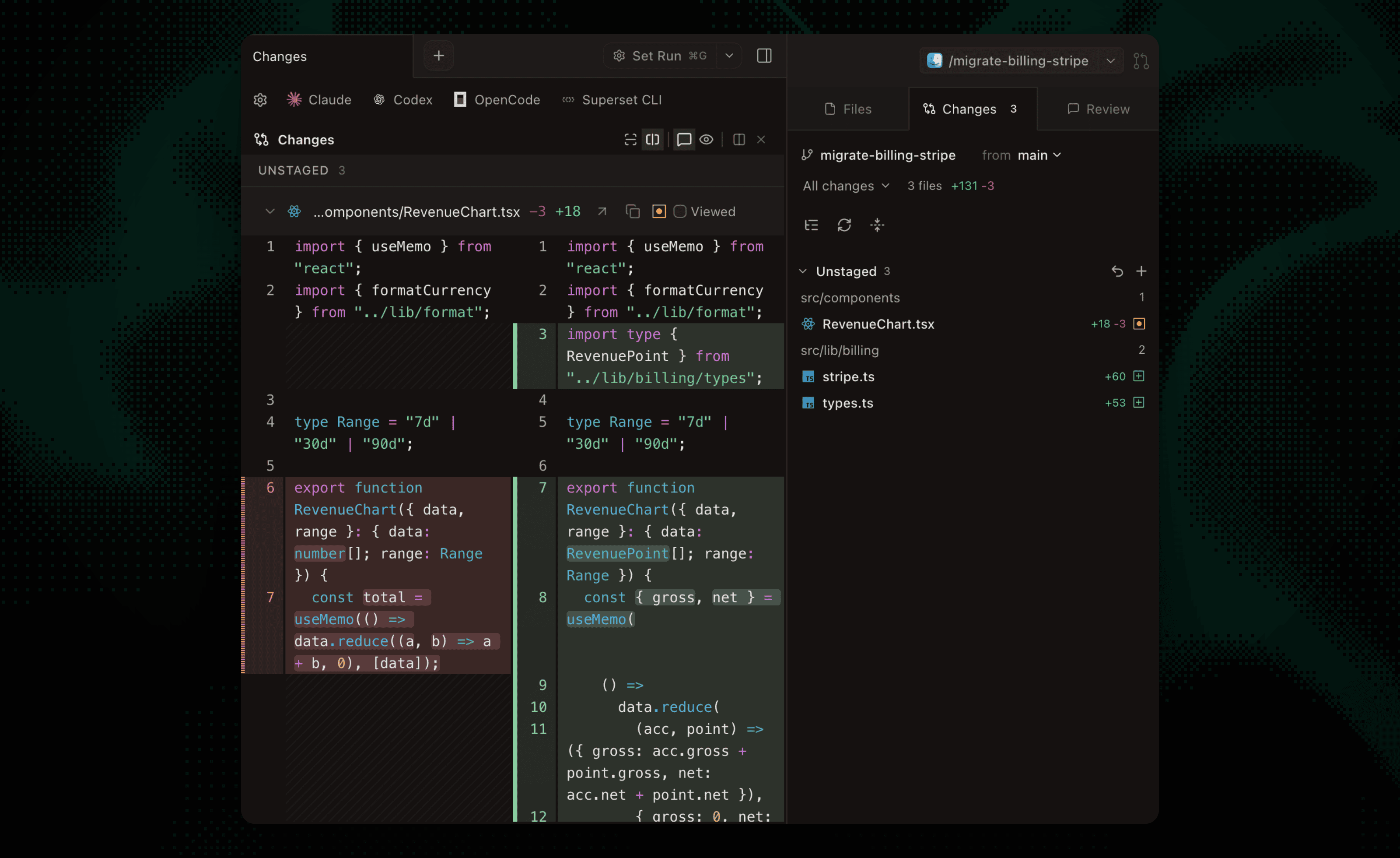 Reviewing a change in Superset.
Which should you choose?
Choose Superset if you want to answer an agent from your iPhone and review its changes while the task runs on your own computer or host, with any CLI agent. Validate the setup with the phone walkthrough.
Choose Conductor if its Mac app, supported harnesses, and managed cloud collaboration match your team's workflow. Its cloud workspaces, Routines, and iOS app need Pro or Teams. Its cloud offering deserves a direct trial if shared agent conversations are central to your process.
Compare the current Superset plans and Conductor pricing, including compute and agent-provider costs. Agent-provider usage is billed separately.
Frequently Asked Questions
Is Conductor only for local work?
No. Conductor documents both local Mac workspaces and cloud sandboxes, including team collaboration.
Can Conductor run OpenCode?
Yes. Its current introduction lists OpenCode alongside Claude Code, Codex, and Cursor.
Does Superset require switching editors?
No. You can open a workspace directory in your editor while Superset manages its terminals and workspaces. Keep one owner for overlapping edits.