Run three AI coding tasks in parallel, then review each change
A practical Claude Code and Codex workflow: scope three tasks, isolate them in Git worktrees, handle a blocked agent, and test the combined result before merging.
Last updated
To run coding agents in parallel, give each independent task its own workspace and branch, define what it may change, and review the results separately. Git worktrees prevent agents from editing the same working copy. They do not prevent merge conflicts or incompatible changes when you combine the branches.
Start with three small tasks in your repository: a test, a copy change, and a documentation fix.
Choose three tasks with separate ownership
For a small application, use these task shapes and replace the paths with ones that exist in your project:
- Tests: cover an existing formatting helper without changing its behavior.
- Interface: improve a search empty-state message without changing the search API.
- Documentation: clarify an existing setup step without changing dependencies or configuration.
Avoid pairing an API rewrite with tests that depend on the old API. Different filenames alone do not make two tasks independent.
Record the starting commit with git rev-parse HEAD. Use that same base for all three workspaces. This gives you a known point to compare against during review.
Create one worktree per task
In Superset, open your project and create three workspaces, each with its own branch. Use descriptive names such as demo/format-tests, demo/search-copy, and demo/setup-docs. Start Claude Code or Codex in each workspace.
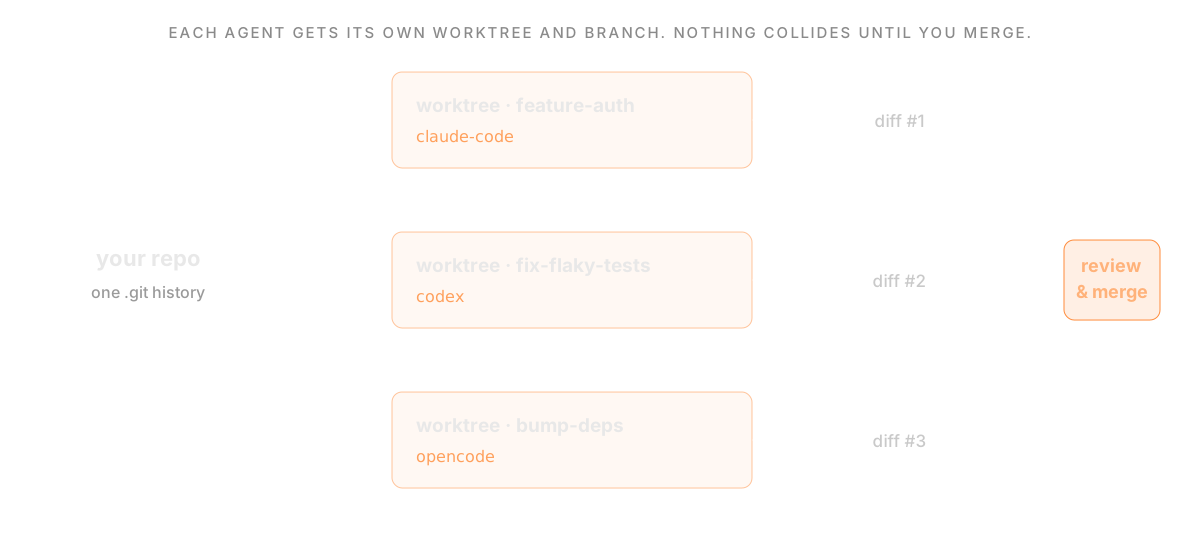 One repository with a separate worktree and branch for each task.
You can also create the worktrees manually from a clean repository:
In a separate terminal for each directory, launch the installed agent with claude or codex. For example:
Use a worktree per independent writer. Opening three terminals inside one workspace does not give them three isolated working directories.
Give every agent an acceptance check
For the test task:
For the interface task:
For the documentation task:
If two tasks need to change the same dependency, assign that change to one agent before the others continue.
Handle a blocked agent without losing the other tasks
The interface agent should pause for wording approval. Open its workspace, read the proposed message, and reply. The test and documentation tasks remain in their own workspaces.
If you leave your desk, the iPhone walkthrough explains how to continue the same session. That requires Pro, an eligible iPhone, and a reachable host; a sleeping laptop cannot keep an agent working.
Give previews and services their own resources
A Git worktree separates files and the index. It does not allocate a new database, port, container name, or provider rate limit.
If two tasks need web previews, give their dev servers distinct ports using the project's supported configuration. Use separate test data or isolated databases for tasks that write data. Install dependencies and configure the environment in each workspace according to the project's setup instructions.
Watch memory, build load, and provider limits. Start fewer agents if the machine becomes slow or the review queue grows.
Review each diff, then test the combined result
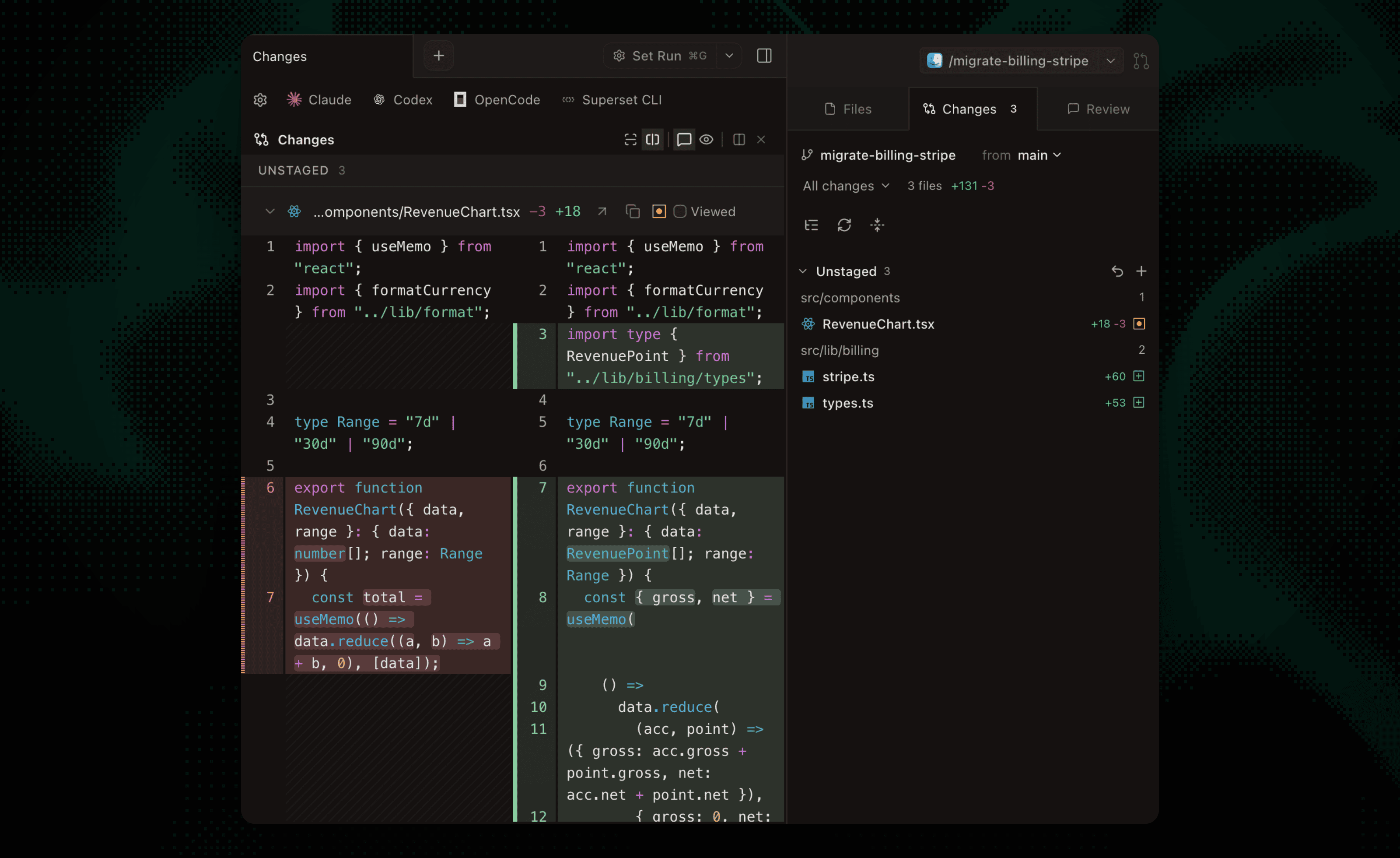 Superset's diff viewer showing an isolated change.
For each workspace:
- Inspect
git status --shortfor unexpected files. - Read the diff, including changes outside the requested scope.
- Check the exact test command and its output. A skipped or failed check stays unresolved.
- Ask for corrections in that workspace before accepting the patch.
- Commit and open a pull request through your normal review process.
git diff shows unstaged changes; git diff --cached shows staged changes. For committed changes, compare with the base you recorded. Do not mistake an empty unstaged diff for “nothing changed.”
Integrate accepted branches one at a time. Run the relevant checks on the combined result after each merge. Two individually passing branches can still fail together, even when Git reports no textual conflict. Review changed code in context, especially contracts, permissions, and error paths.
Clean up only after accepting the result
Stop the workspace's dev server and agent before removing its worktree. If you used manual worktrees, remove each completed directory from your main checkout:
Git refuses removal when a worktree contains changes it needs you to handle. Inspect those changes instead of adding --force. Removing a worktree keeps its branch; decide separately whether the branch should be retained.
For the underlying Git behavior, read the worktree walkthrough and Git's worktree documentation. For product selection, compare Superset and Orca, Conductor, and Emdash.
Related Posts
Working with Git Worktrees in Superset
Create separate workspaces for coding agents, review their diffs, and merge changes. Learn what Git worktrees isolate and which resources remain shared.

Manage Claude Code and Codex from your iPhone
Connect an iPhone to your Superset workspaces, unblock Claude Code or Codex, and inspect changes. Includes Pro requirements, host setup, and offline troubleshooting.
Schedule an agent maintenance check you can review
Set up a recurring Superset agent check on a connected host, inspect its workspace, and handle offline runs. Includes a bounded maintenance prompt and review checklist.