Managing Several Coding Agents at Once
Give coding agents separate workspaces, keep track of blocked tasks, and review changes while other agents keep working.
One coding agent is easy to follow. With several running at once, you need to know which task each one owns, which agent needs an answer, and which changes are ready to review.
That's the problem we built Superset to help with. It runs the agents you already use in separate workspaces and gives you a place to manage their output.
Start with independent tasks
A test for an existing helper, a documentation correction, and a small UI change can often run separately. An API rewrite and tests that depend on that rewrite need an order.
Parallel work helps when one task can progress while you're reviewing another. More agents also create more output to check. Add tasks at a pace you can review, and watch for shared dependencies that make them less independent than they look.
The parallel coding guide walks through three tasks, with prompts and review steps.
Give each task its own workspace
Agents editing the same working directory can overwrite each other's changes or mix them in the staging area. A Git worktree gives each task a separate checkout and index while sharing the repository's history.
In Superset, create a workspace and branch for each independent task. The agent works there while you keep using your main checkout. When it's ready, review its diff before merging.
Worktrees separate files. They don't isolate ports, databases, credentials, or machine resources. Two branches can also make incompatible changes, so test the combined result after merging.
Keep sessions separate from the app window
Closing the interface shouldn't end the work running inside it. Superset's terminal daemon owns terminal sessions separately from the desktop UI, so you can reconnect after an app restart.
The host and daemon still need to be running. A machine reboot stops the processes; saved terminal history helps you recover context, but it doesn't keep an agent executing through a reboot. After the reboot, Superset relaunches an interrupted agent with its own resume command, if the agent has an ID-based one set under Settings → Agents, such as claude --resume or codex resume, in the same pane, so the conversation comes back. The terminal daemon deep dive explains the design.
See what needs your attention
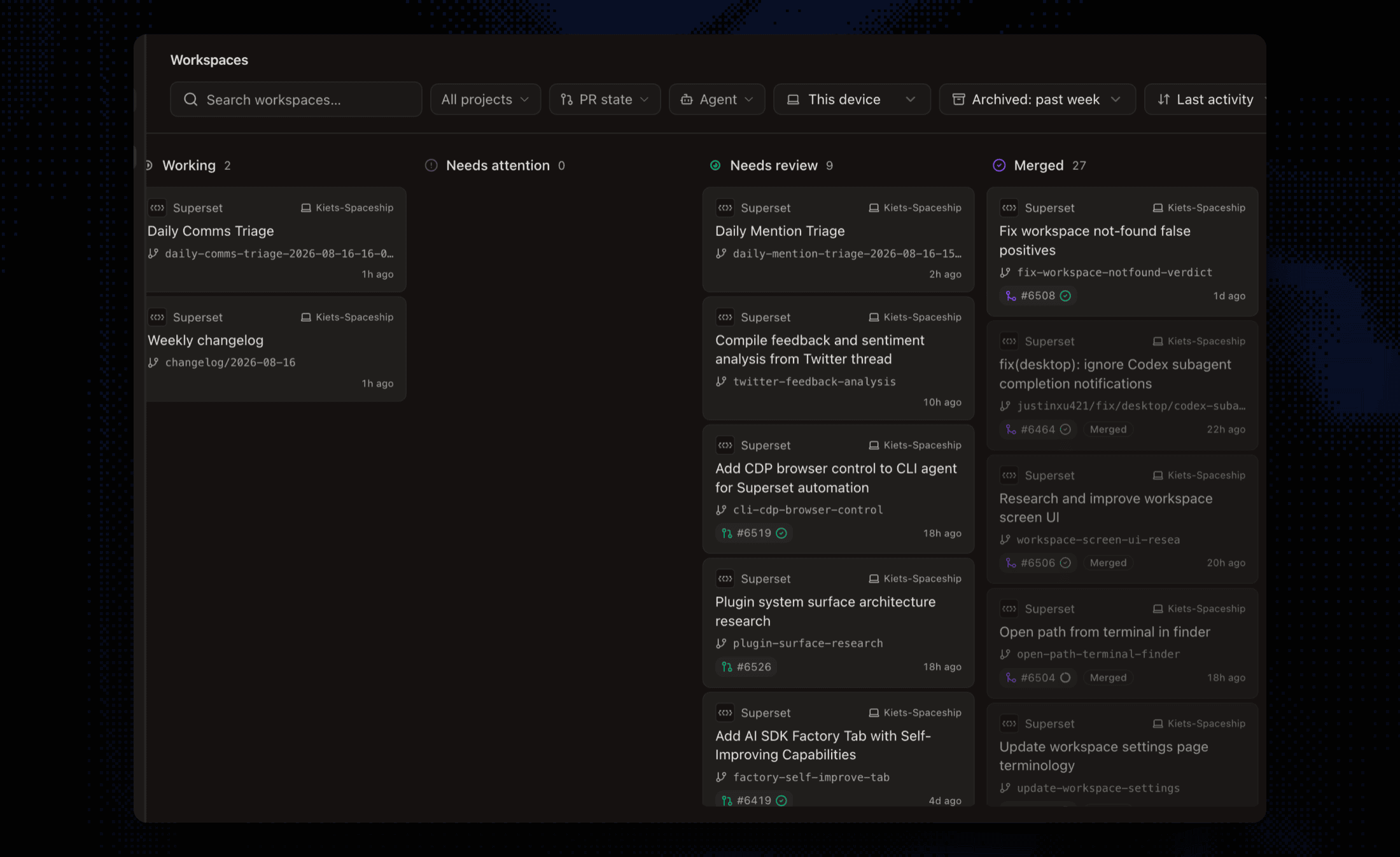 Superset's workspace board showing tasks that are working, need attention, or are ready for review.
A useful workspace view tells you where to act next. Answer the agent waiting for a decision, then review a completed task while the others keep running.
For each change, check what the agent edited and whether it ran the right tests. Open the workspace in your editor when you need more context. A short diff can still change important behavior.
Choose agents without rebuilding your workflow
Use the agent and model that work for your repository. Keep the task description and acceptance checks consistent when trying another tool so you can compare the results.
Superset runs CLI agents in workspace terminals. You can use Claude Code for one task and Codex for another, then review both through the same workspace workflow. Your editor stays part of the process: open the worktree in VS Code, Cursor, JetBrains, Xcode, or the editor you prefer.
Start with two tasks
Give each agent a clear scope and a check it must run. When one finishes, review it while the other continues. If the review queue grows faster than you can clear it, start fewer tasks or make them smaller.
The point is to finish useful work with less waiting. The number of open terminals is only part of that.
Related: Working with Git Worktrees in Superset · Best Agentic IDE in 2026
Related Posts
Run three AI coding tasks in parallel, then review each change
A practical Claude Code and Codex workflow: scope three tasks, isolate them in Git worktrees, handle a blocked agent, and test the combined result before merging.

Our Plan for Running 100 Coding Agents
An attempt to crystallize our plans for 2026

Working with Git Worktrees in Superset
Create separate workspaces for coding agents, review their diffs, and merge changes. Learn what Git worktrees isolate and which resources remain shared.
