You give an agent a task, then step away from your desk. A few minutes later, it needs an answer. Or the work is ready to review. Either way, the next step is waiting on you.
Superset Mobile brings that next step to your iPhone.
Open the workspaces you already use on your computer. Send a follow-up prompt, check the terminal, or review what changed. You can keep work moving without opening your laptop.
Requires iOS 26 or later and Superset Pro. See everything it does on the Superset for iPhone page.
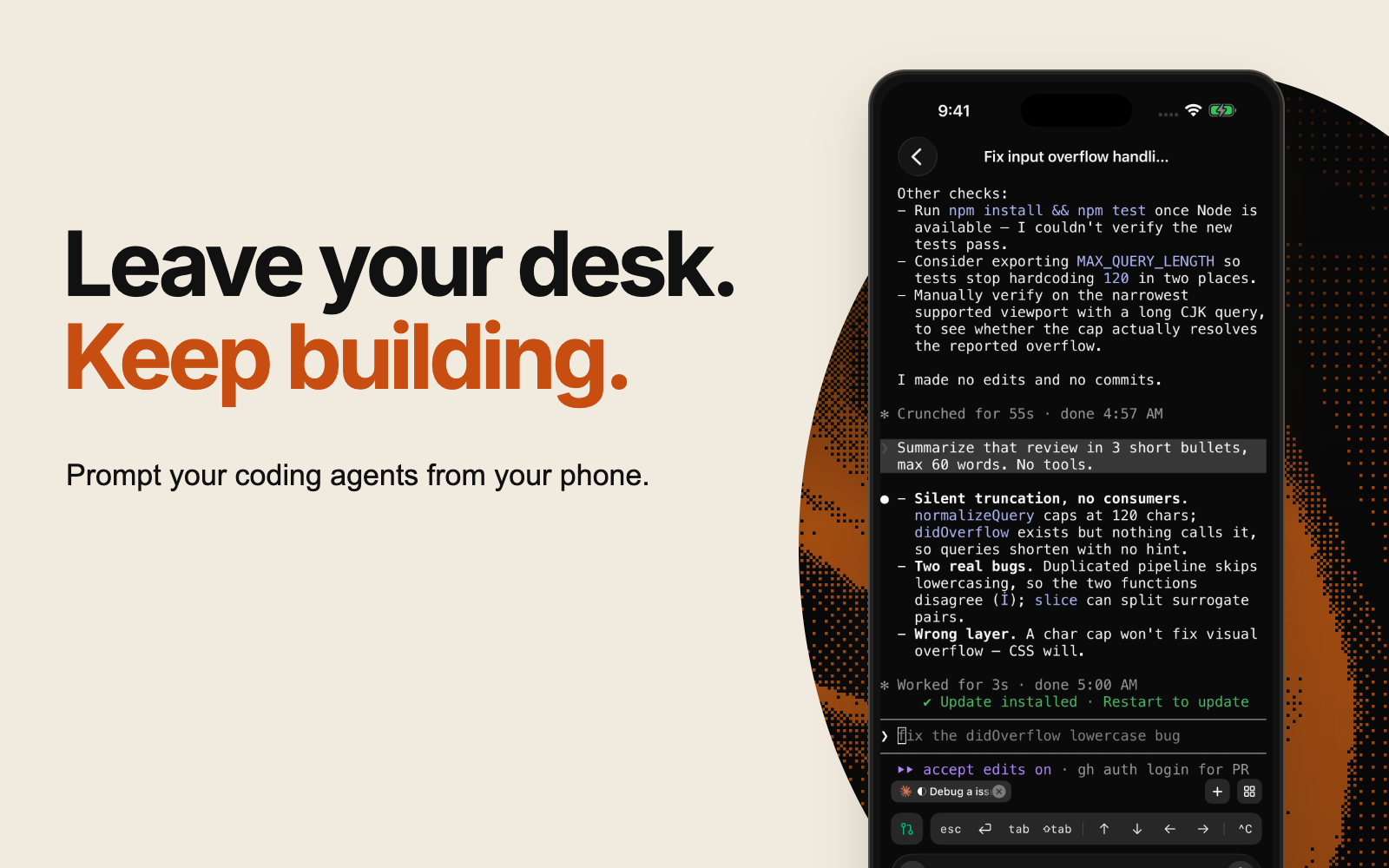 Superset Mobile terminal on an iPhone, with the headline Leave your desk. Keep building.
Same workspaces. Wherever you are.
Superset Mobile connects you to your workspaces and sessions on your connected machine. Your agents run there; your phone gives you a way to pick up the conversation.
Your code, credentials, and agents stay on your machines. The phone is a window into them, not a copy. Sign in with the same account and every connected machine shows up with its workspaces and sessions.
It works with Claude Code, Codex, and other terminal agents you use in Superset. You don't need to start a new session or explain the task again just because you've switched screens.
Built for the moments you're not at your desk
An agent asks a question while you're at dinner. Open the workspace, type the one line it needs, and it carries on.
Production breaks while you're across town. Start an agent on the machine that has the repo, watch the terminal, and read the fix before you're back.
An idea lands on a morning walk. Start a session, let it work, and come home to a pull request.
Unblock an agent in one line
Check what an agent is doing in its terminal session. Answer its question, clarify the task, or send the next prompt from your phone. Type it, dictate it, or attach a photo.
That small interaction can be enough to keep a task moving while you're away from your desk.
Review before you merge
Check pull request status and open syntax-highlighted diffs to see what changed. Read the full diff file by file, then give your agent feedback from the same workspace.
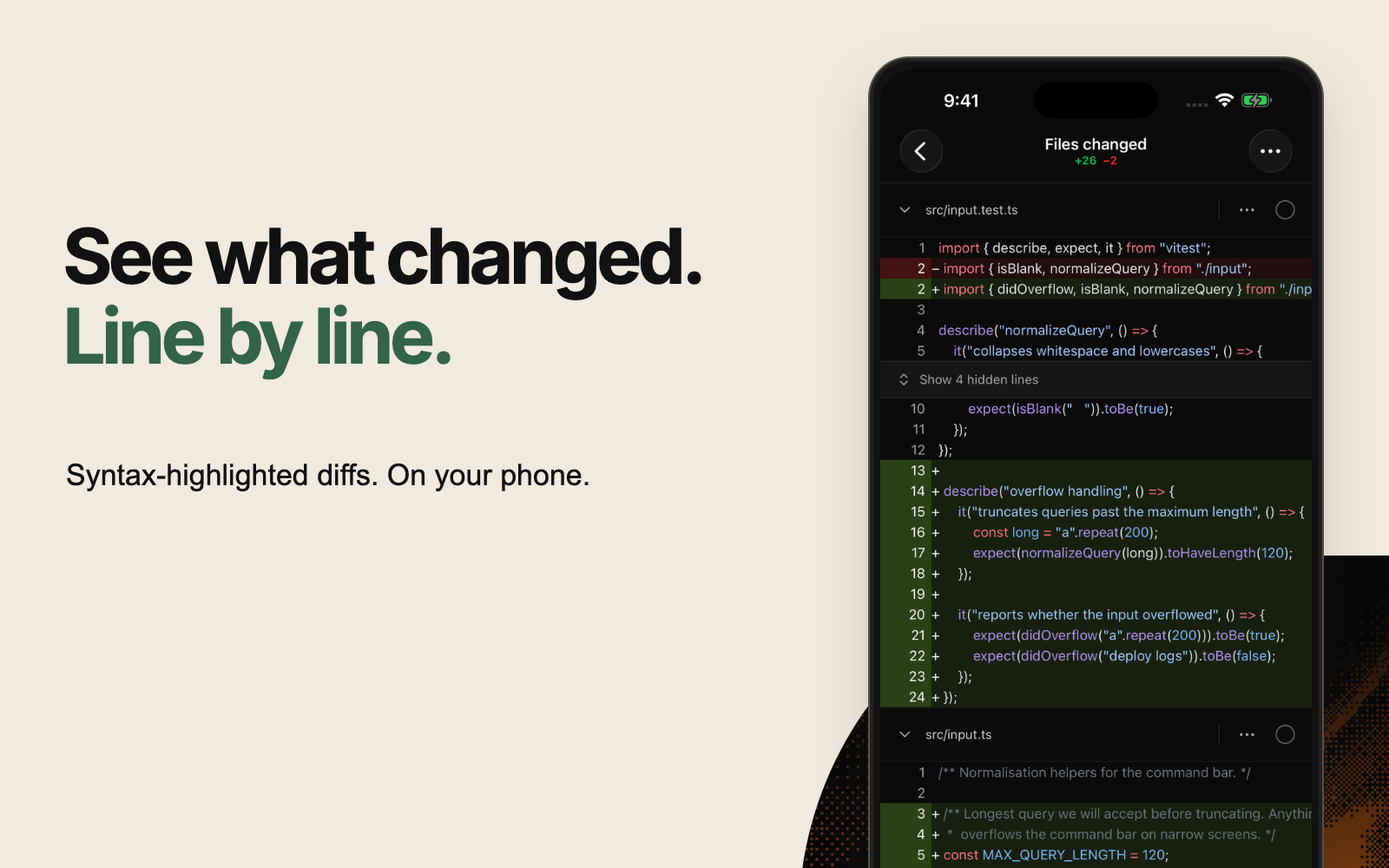 Superset Mobile showing a syntax-highlighted code diff on an iPhone.
What early users say
Superset's mobile app lets me keep my agents moving and unblock them from anywhere, even when I'm nowhere near my computer. It's made agentic coding feel genuinely portable, which is great for productivity and absolutely terrible for my crippling vibe coding addiction.
I used to feel a little guilty leaving my desk, because every agent I had running would stall the moment it needed me. Now I open the workspace on my phone, type the one line it's waiting for, and it carries on. The app shows me only what I need, which I think comes from the team having real design taste, and when I report something they fix it fast. I got my evenings back.
On superset I've built music apps, study aids, internal tracking tools, CRM tools, chat and community for c0mpiled, portfolio analysis, video games, research papers, robotic firmware, AI enabled phones and more - all within the last month. Superset mobile has given me the ability to build and manage and advance all of these inbetween meetings, in transition, and in so many other spaces where I would have just simply lost that opportunity.
Superset mobile gives me the power of my desktop anywhere I go.
As CTO, I often have to deal with fires when I'm away from my computer. With the Superset mobile app, I can address production issues from anywhere.
I use the Superset app to manage agents on the go. I start my morning walks with an idea, and end with a pull request.
 Michael GallagherCreative Manager, Valid
I visit my friends' offices a lot and when I go they find it hilarious that I can perform my full job function from my phone. It's so easy to manage threads across different hosts so I never hit the Claude's session limit. A guilty habit I have is waking up with an idea in the middle of the night and opening the app. By morning it's ready for review.
I use Superset on my phone and iPad. Remote access is key. I no longer sit and wait for a long task to finish. I can be in a café with my coffee while the work keeps moving forward.
Get started
- Set up Superset on your computer and keep your machine online and connected.
- Download Superset Mobile on your iPhone and sign in to your Superset account.
- Open a workspace to continue an agent session or review its changes.
Mobile access requires Superset Pro and iOS 26 or later. The iPhone app is free to download.
To celebrate the launch, use MOBILELAUNCH at checkout on the monthly Pro plan for your first month free. The code is valid through September 28, 2026, and existing subscribers can use it too. After that first month, Pro renews at $20 per seat per month unless you cancel. The offer applies to monthly Pro.
Download Superset Mobile on the App Store · Get Superset for your computer
What's next
Android is next. Join the waitlist and we'll email you when it ships.
We'd love to hear what you build, and where mobile fits into your day. Send your feedback to [email protected].
Related Posts
Switching Between AI Coding Agents Without Losing Context
Claude Code wedges, runs out of context, or turns out to be the wrong tool. Moving that session to another agent means moving the context. Here is what context actually is, why it does not travel, and the fork commands every major agent CLI ships.

The Production Run
Our prediction for when the software factory actually arrives, the four tiers on the way there, and the first production run, starting in September.
You Don't Need Another AI Coding Agent: You Need an Orchestrator
The AI coding tools landscape is flooded with agents. The real bottleneck isn't agent quality. It's managing multiple agents at scale. Here's why orchestration is the missing layer.
