Pull requests split view for everyone, multiple windows, and design mode in the browser
Pull Requests, Open to Everyone #6710 #6715 #6716
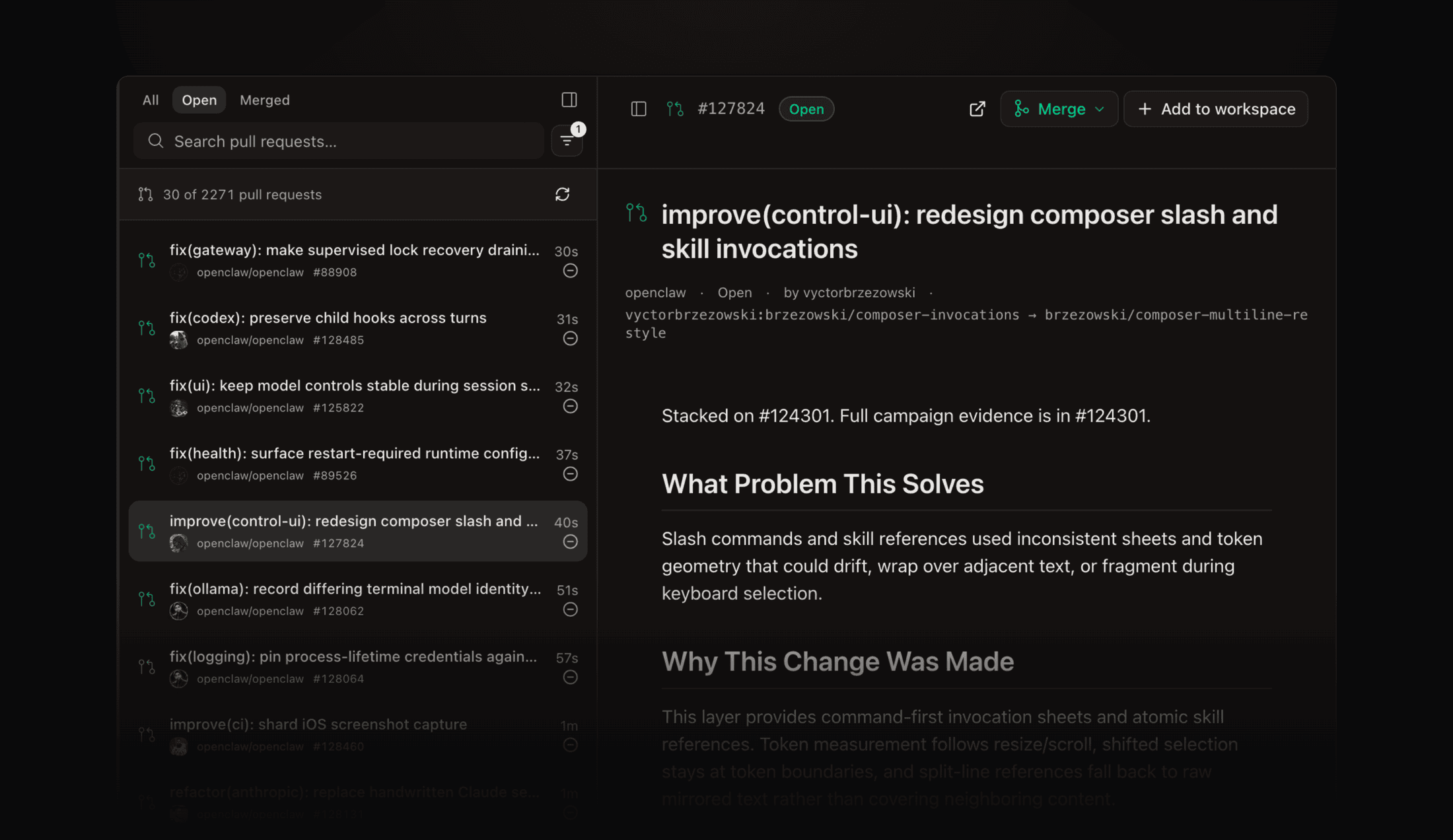
The Pull Requests page is now a split view: a resizable list on the left, the PR you clicked on the right, and either side collapses when you want the other full width. Merge (squash, merge, or rebase), close, and reopen from the detail header without leaving Superset.
- Filter by repository, author, and review state; tabs for All, Open, and Merged
- The detail header leads with the title, then state, author, number, age, and a copyable branch name
- Cancelled CI runs now count as failed instead of showing green #6611
Pull Requests no longer requires a paid plan. Open it from Pull requests in the sidebar on any account.
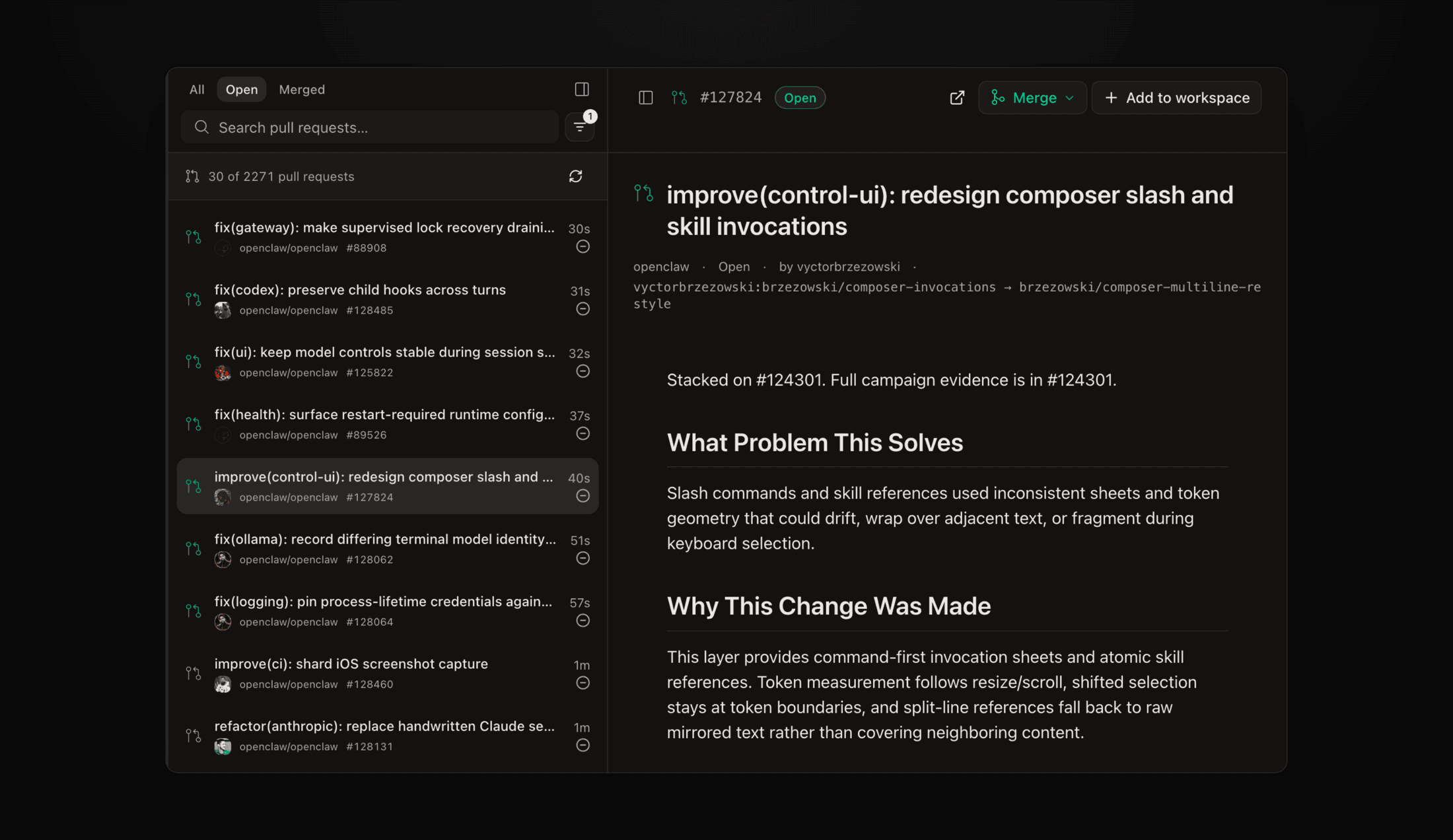 The Pull Requests split view with the list on the left and an open PR with Merge and Add to workspace actions on the right
Multiple Windows #5337
Open a second window with File → New Window and watch several workspaces at the same time, one per screen. Each window can also pin its own organization, so two orgs can sit side by side: switching org in one window never touches another, the title says which is which, and open windows come back on relaunch. Contributed by @ashbrener.
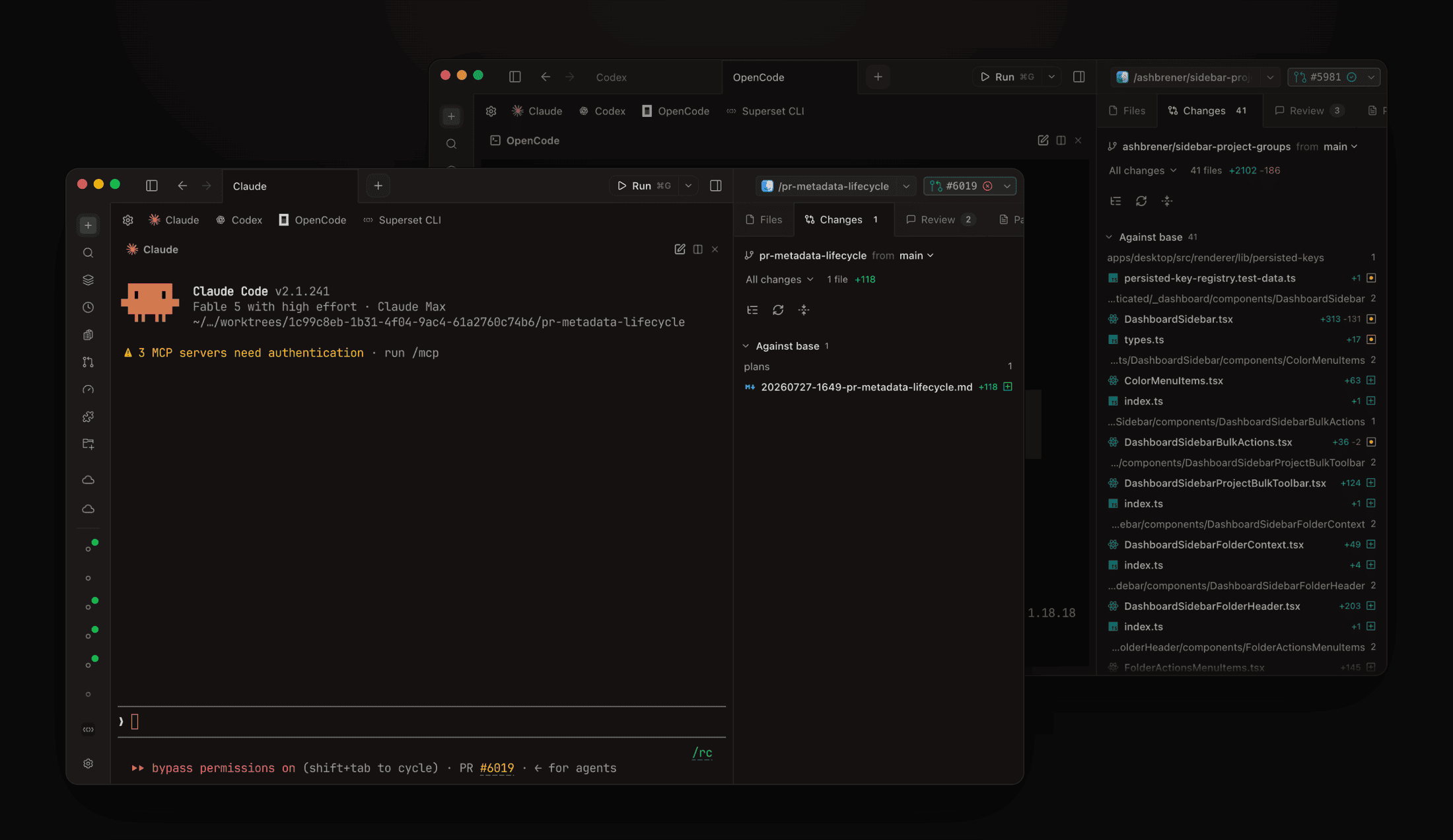 Two Superset windows side by side, one running Claude Code on a pull request workspace and one running OpenCode on another
Design Mode in the Browser Pane #6695
Describing a UI element to an agent in prose is slow. Click Design in the browser pane toolbar, pick any element on the page, and a prompt card opens right under it. Send it and the agent gets the element's DOM, styles, React component info, and a cropped screenshot along with your note, in an existing agent terminal or a fresh session.
Design mode picking the hero on superset.sh and sending it to Claude with full element contextBring Your Chrome Into the In-App Browser #6691
Settings → Browser gains Import from Chrome: copy browsing history and logins from Chrome, Edge, Brave, Arc, Dia, or Comet into Superset's browser pane, per profile, so agent-driven pages are already signed in. The same section sets the browser homepage. Also scriptable:
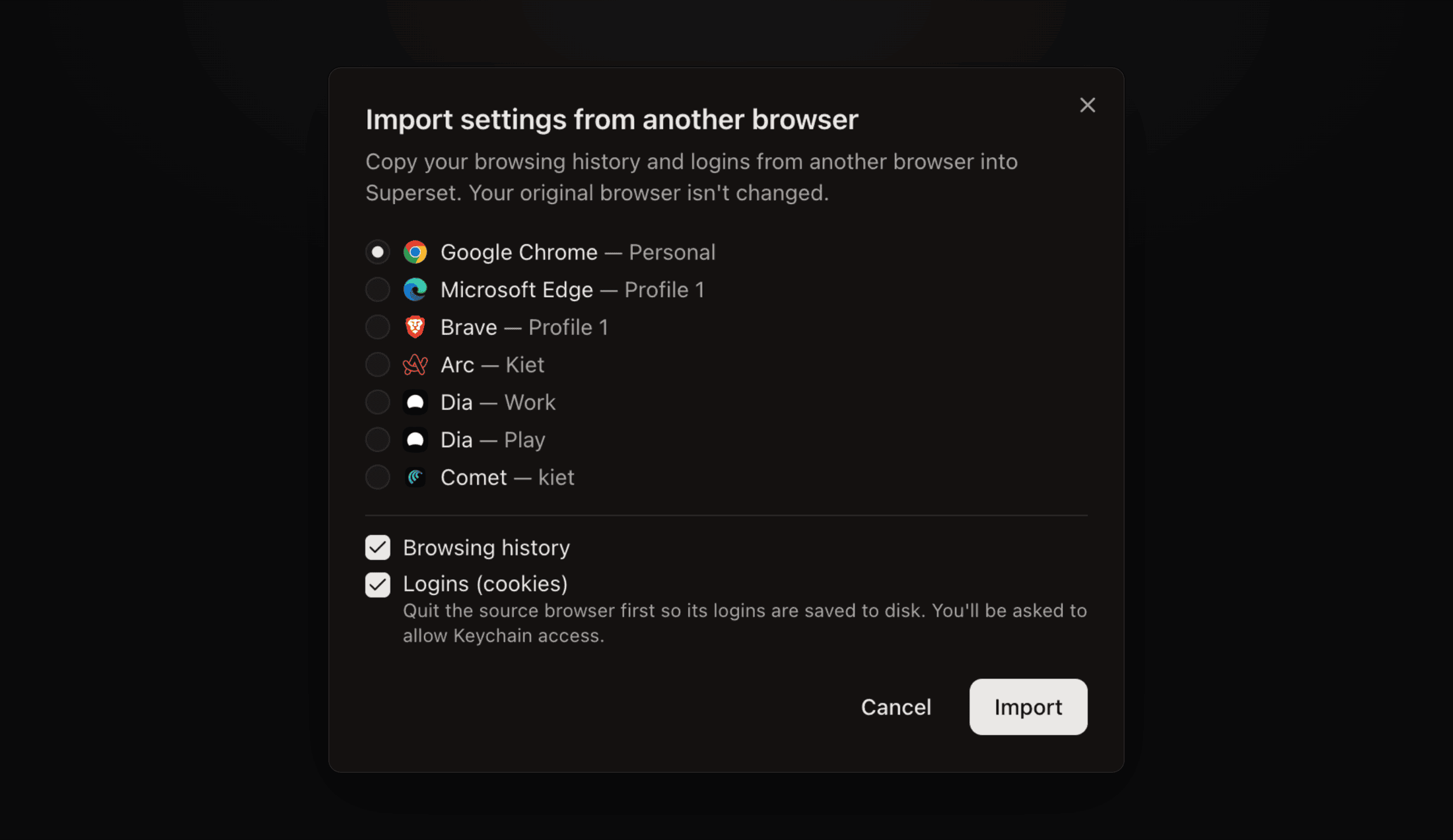 The Import settings from another browser dialog listing Chrome, Edge, Brave, Arc, Dia, and Comet profiles with history and logins checked
Agent Sessions Resume Themselves #6572
When an agent's terminal dies (reboot, killed daemon, crashed process), the pane now resumes the session on its own with a quiet "Resuming…" pill instead of waiting for you to click Resume. Exactly one session comes back, no matter how many panes or windows notice at once.
Track Usage Across Agents and Accounts #6585 #6567 #6645
The Usage tab now shows every Claude Code and Codex login side by side: live session and weekly quotas per account, token spend charted over time, and a breakdown of what each workspace costs. Add a second subscription as its own profile and pick which account new agents launch with, so you can switch when one hits its limit.
- Profiles share your skills, MCP servers, settings, and conversation history, so switching accounts keeps your whole environment
- An expired login shows the exact sign-in command to copy #6628
- Machine resources live in the same tab behind a pill toggle: per-process CPU and memory with click-to-navigate
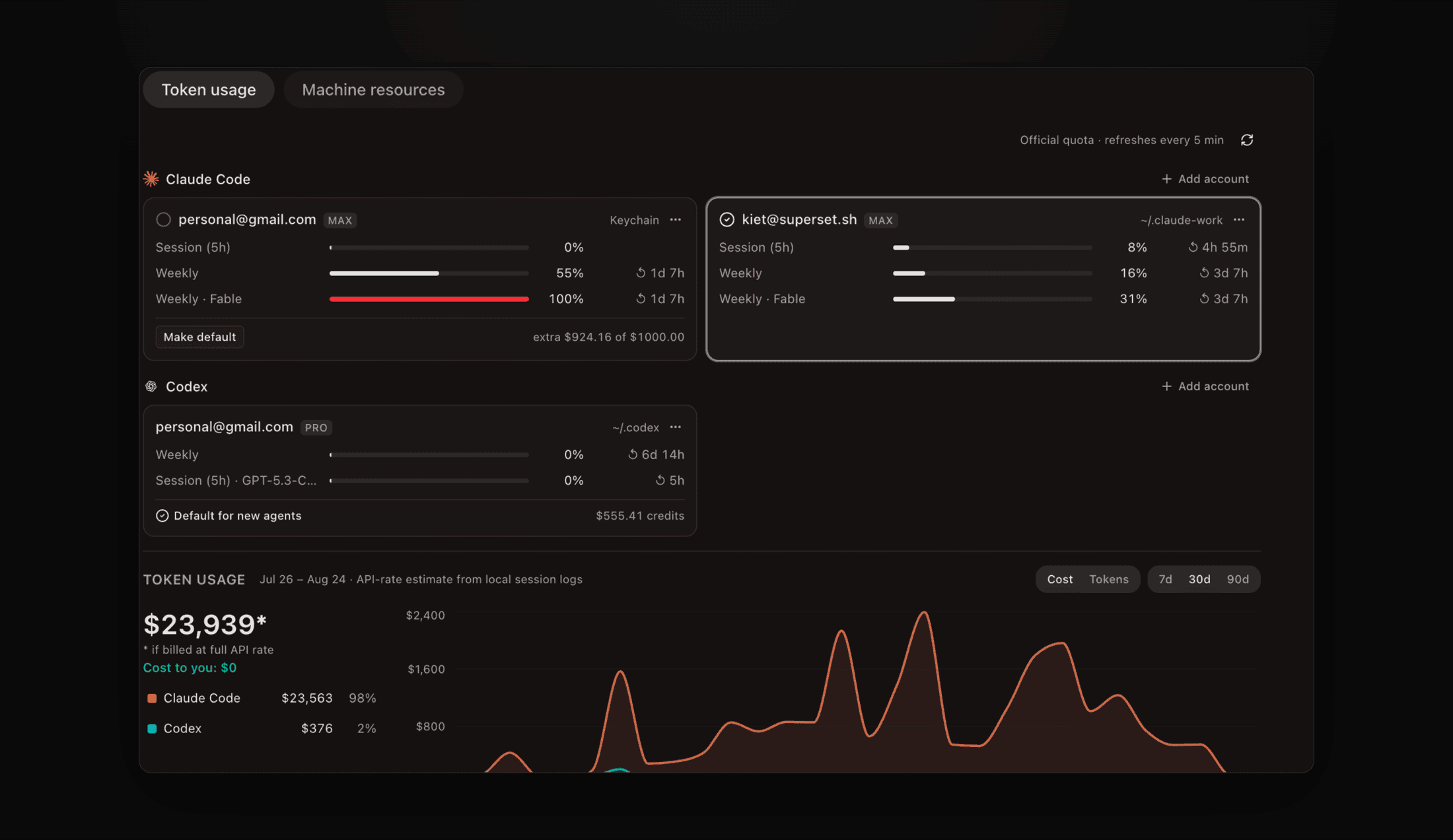 The Usage tab with two Claude Code accounts, quota bars per account, and a token spend chart
Open Usage in the sidebar.
Improvements
- Pages - publish a self-contained HTML file from the CLI, an agent, or MCP and get a stable URL with version history; readers pin comments to any element and a thread can be handed to an agent to answer in place.
superset pages publish report.html#6806 - Workspaces board controls - hide any lane from the Display menu, filter by pinned or unpinned, and the toolbar's seven dropdowns fold into Filter and Display menus #6568 #6561
- New workspace composer grows with your prompt - up to half the screen before it scrolls, and you can drag either edge to widen it symmetrically #6746
- ⌘⇧N creates a workspace instantly - in the current project, skipping the dialog #6727
- Automations start on their page - New automation opens an untitled automation immediately; name it, write instructions, and add triggers in one place instead of a modal #6713
- Cloud workspaces open right away - creation returns immediately and provisioning finishes in the background #6566
- Image paste in remote and cloud terminals - pasted images upload into the workspace and paste as a path, so Claude Code and Codex on another machine can read them #6692
- Two new themes - Obsidian by @joaobnobre and Tokyo Night Blackout by @talarczykco, both on the marketplace #6638 #6095
- Agent skills for desktop and browser control - a
superset:computerskill drives native apps through Cua Driver, contributed by @f-trycua, and the browser skill can now use Browser Use 3.0 for pages the in-app pane can't reach #6644 #6646 - Billing grace period - a declined card no longer drops you to the free plan on the first retry; paid access stays on while Stripe keeps trying #6732
- iOS - a dedicated pull request screen with merge, checks, and reviewers, every PR card action wired up, a native composer, tappable links and text selection in the terminal, and a native attachments sheet, all in the next App Store build #6491 #6796 #6761 #6685 #6688
- Star history - superset.sh/starchart plots the repo's GitHub stars from real timestamps #6683
- Experimental: ports in the top bar - a pill that opens a per-workspace dropdown of running dev servers, under Settings → Experimental #6684 #6726
- Experimental: event triggers for automations - Slack, Linear, GitHub, Notion, Sentry, Google Calendar, Gmail, Teams, Circleback, and plain webhooks, rolling out per provider #6542 #6587 #6586
Bug fixes
- Creating folders and files in the Files tab works reliably, contributed by @distroinfinity, and names that fit are no longer truncated, contributed by @aiwebb #6475 #6264
- The Files tab recovers on its own after a host outage instead of staying empty #6706
- Recreating a workspace on a deleted workspace's branch makes a real workspace again, contributed by @distroinfinity #6552
- A terminal no longer sprays mouse and keyboard garbage after a laptop sleep kills a TUI #6642
- The first click on an unfocused window reaches the pane you clicked #6550
- ⌘⇧0 Equalize Pane Splits actually moves the panes #6776
- The Changes pane no longer hangs on large diffs, and the diff pane stays on the file you clicked while content loads #6658 #6679
- One 1px seam between panes and the sidebar instead of doubled borders, contributed by @0x962 #6777
- Picking a non-git folder during import shows the git init prompt instead of freezing #6703
- The Cloud sidebar section collapses like the others #6754
- Light theme sidebar, background, and muted text match the design spec #6577
- Tokyo Night comments and muted text are readable in diffs, contributed by @hubertmine #5799