How to Run Multiple OpenCode Agents in Parallel
Run OpenCode tasks in separate Git worktrees with concrete setup commands, bounded prompts, and checks for independent edits and safe integration.
Run multiple OpenCode tasks in parallel by giving each task a separate Git worktree and branch, then launching OpenCode from that directory. Review each diff and test the combined changes before merging. Subagents and extra sessions help divide work, but you should verify their working directories rather than assume they isolate edits.
Sessions, subagents, and worktrees
OpenCode's agent documentation distinguishes primary agents from subagents. Those roles describe how work is delegated. A Git worktree addresses a separate question: which checkout the process edits.
| Approach | Working files | What to check |
|---|---|---|
| Several sessions in one directory | Shared checkout | Overlapping edits and shared Git index |
| Delegation to subagents | Depends on execution setup | Actual working directory and tool permissions |
| One OpenCode process per Git worktree | Separate checkout per task | Branch, dependencies, preview ports, and integration tests |
| Superset workspaces with OpenCode | Worktree and terminal per independent task | Same checks, with workspace management and diff review in the app |
Community plugins may add coordination. Evaluate the specific plugin's current documentation, permissions, and maintenance before relying on its isolation guarantees.
Start two independent tasks
From your repository, create two worktrees with unused branch names and paths:
Open a terminal in each directory, follow your project's dependency setup, and launch your installed OpenCode CLI. Authenticate with your chosen provider. Record opencode --version, the selected model, and the repository's starting commit so another developer can reproduce the setup.
Use narrow prompts, adjusted to files that exist in your repository:
Check both sessions with git rev-parse --show-toplevel and git branch --show-current. Independent tasks should have different worktree paths and branches. If you use Superset, create a separate workspace for each task and select OpenCode as its agent.
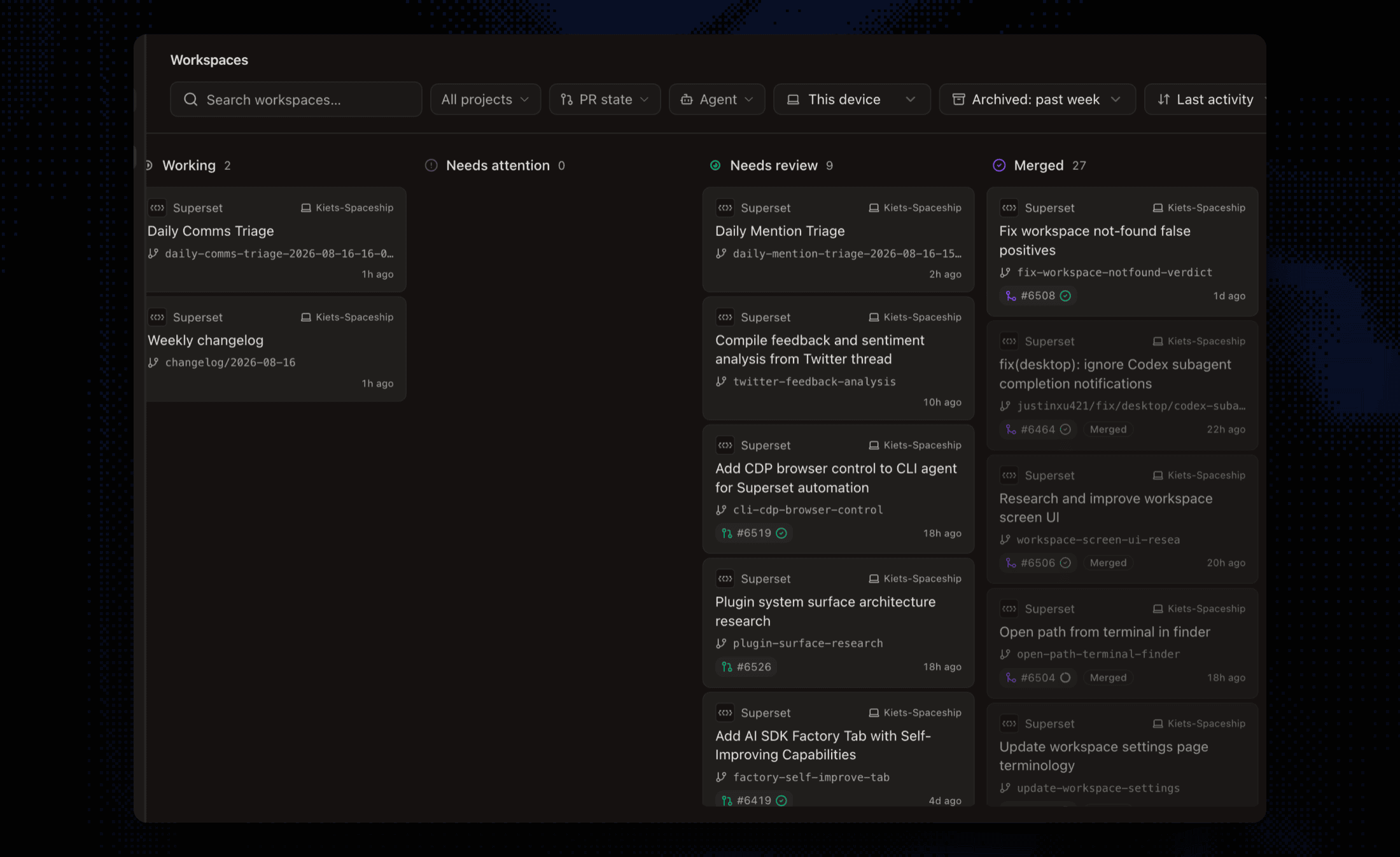 Separate tasks and branches in Superset's workspace board.
What worktrees do not isolate
Worktrees share repository history and run with the host user's permissions. They do not separate network ports, databases, API quotas, or credentials. Two agents can still modify the same external service, and their changes can conflict when merged.
Our Git 2.52.0 isolation check demonstrates separate edits followed by a merge conflict. It measures Git behavior, not OpenCode performance. See the Git worktree reference for the underlying mechanism.
Review before scaling
Inspect each task's diff and command output. Resolve dependencies between tasks before integrating them, then rerun the relevant checks on the combined branch. Record failures and manual corrections as well as successful runs.
Manual worktrees can be enough for occasional parallel tasks. Superset adds persistent terminals, workspace organization, and built-in diff review when tracking those tasks becomes repetitive. See Superset vs OpenCode and the three-task walkthrough.
Frequently Asked Questions
Can I run OpenCode alongside Claude Code and Codex?
Yes. Give each independent task a separate workspace and use the agent you prefer in its terminal. Keep the task boundaries, review process, and integration checks explicit.
Do OpenCode subagents guarantee isolated Git worktrees?
Do not infer filesystem isolation from the agent role. Check the working directory and execution setup. For independent edits, use separate worktrees or another explicitly isolated environment.
Do worktrees eliminate conflicts?
No. They separate working files while tasks run. Merge conflicts and behavioral incompatibilities can still occur when changes are combined; shared services need separate handling too.