A Workspaces page built for triage, editable markdown previews, and settings from the CLI
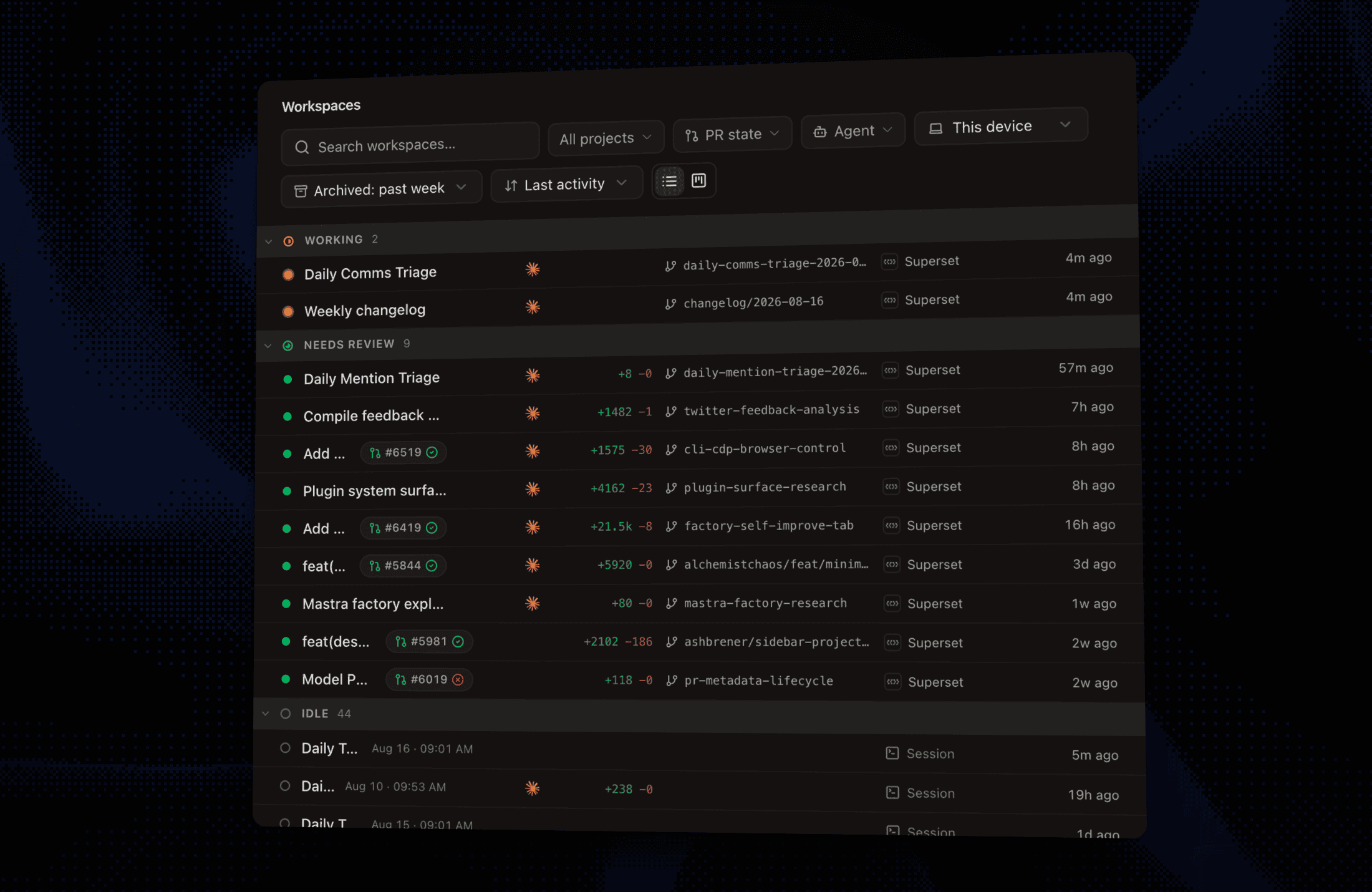
A Workspaces Page Built for Triage #6506
The Workspaces page now groups every workspace by what needs you: Needs attention, Working, Needs review, Idle, Merged. Each row shows live agent status, diff size, PR checks progress, and last activity, so you can sweep a whole fleet of agents without opening anything.
- Sort by last activity, created, diff size, or name; sections collapse and stay collapsed
- A new All devices option in the device filter shows workspaces from every host in one view #6478
Open Workspaces in the sidebar and pick the list view.
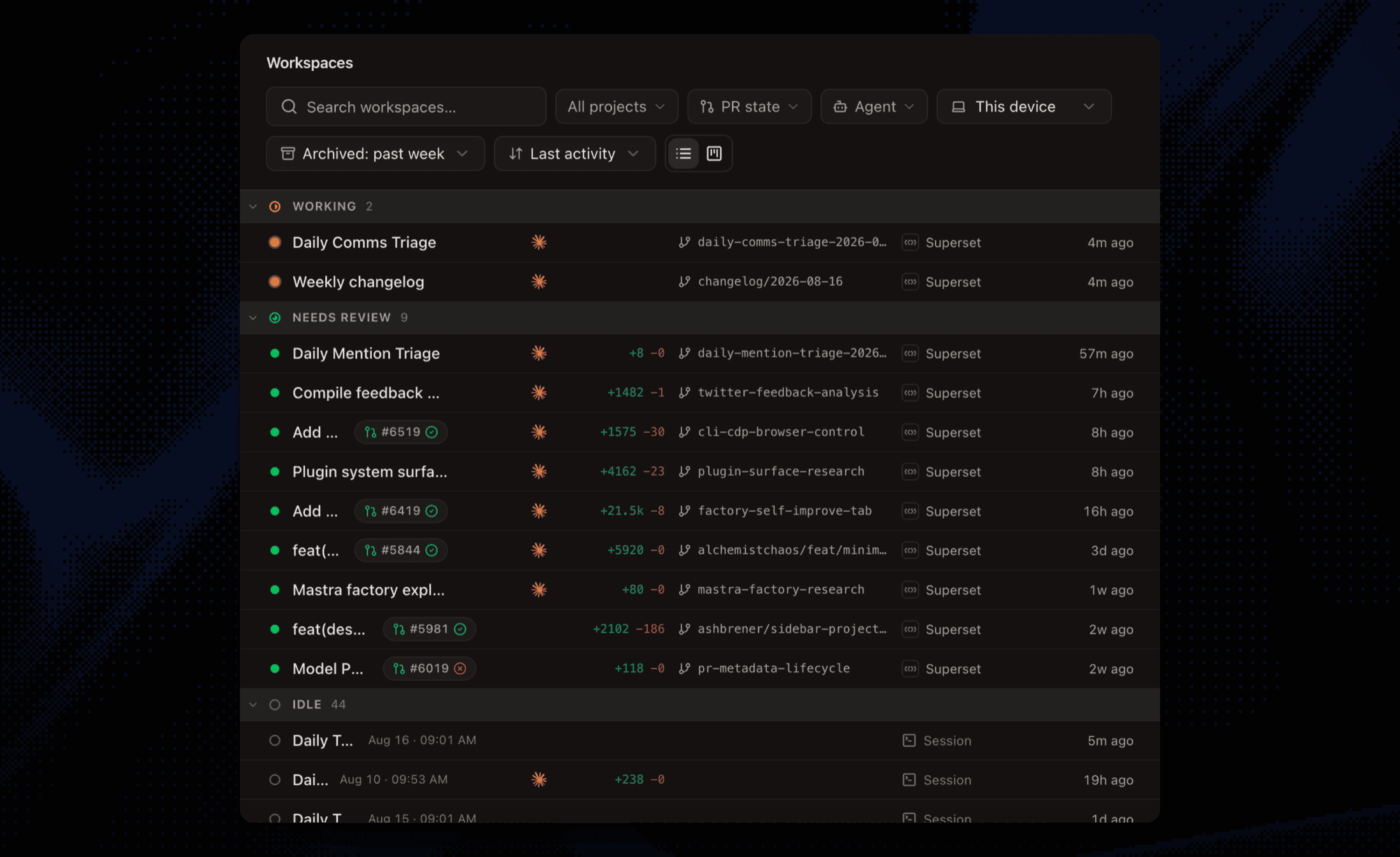 The Workspaces page grouping rows into Working, Needs review, and Idle sections with diff stats and PR checks
The board view walks the same buckets as columns, so the two views can never disagree. Flip between them with the toggle next to the sort control.
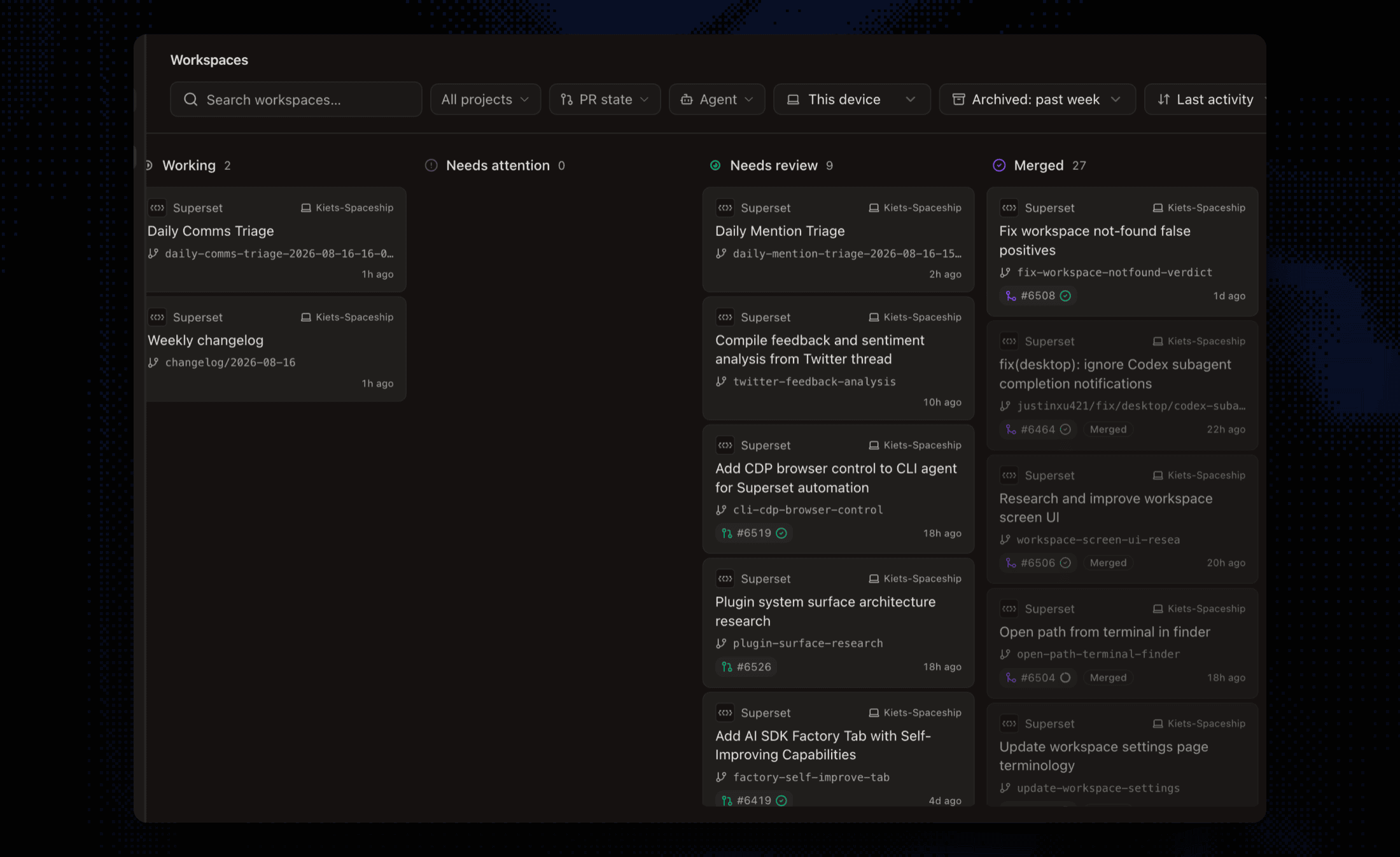 The Workspaces board view with Working, Needs attention, Needs review, and Merged columns of workspace cards
Edit Markdown in the Rendered Preview #6406
Markdown files are now editable straight from the Preview view: type anywhere, click checkboxes, format with the selection menu, ⌘S to save. Saves only rewrite the blocks you touched, so bullet styles, hand-wrapped lines, front matter, and raw HTML stay byte-identical and your git diffs stay clean. The source view is still one toggle away.
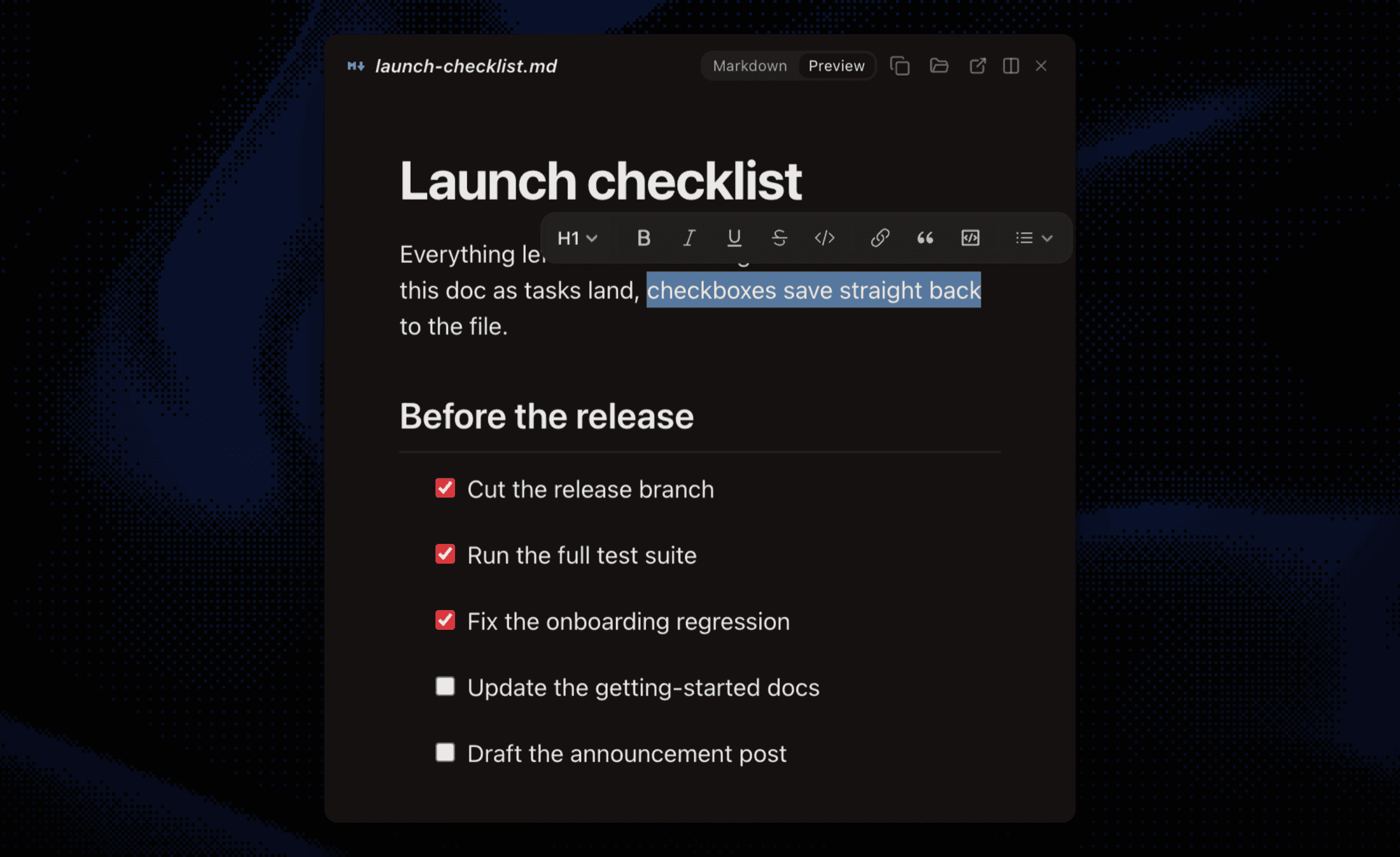 Editing a markdown checklist in the rendered preview with the formatting menu open over selected text
Manage App Settings from the CLI #6402 #6418
Desktop settings and themes are now scriptable: 35 settings across behavior, git, notifications, and typography, no cloud login needed. Changes apply to a running app instantly, themes included.
Typical uses: an agent adjusting your setup from a Superset terminal, dotfiles that configure the app on a new machine, or flipping a toggle without leaving your shell.
Restyling the running desktop app from a terminal: theme set, theme import, and settings resetSidebar Groups Go Anywhere #6514
Groups in the sidebar are no longer pinned to the bottom of a project: drag them above, between, or below ungrouped workspaces and the order sticks. The Pinned and Sessions sections also collapse now, just like Projects #6407.
Improvements
- Host unreachable screen - when a workspace's host stops answering, you get a clear takeover screen with live reconnect status and a retry button instead of failing panes; panes stay mounted underneath, so terminal scrollback and unsaved edits survive the drop #6476
- Folder links open in Finder - terminal folder links are now configurable under Settings → Links, with ⇧ Click bound to Open in Finder; paths outside the worktree open in Finder instead of dead-ending #6504
- Remote Workspaces settings - the Security tab is now called Remote Workspaces, and the relay toggle also lives on your local host's page under Settings → Hosts #6481
- Faster sidebar on big repos - gitignored build directories are excluded from file tracking, cutting background git churn, and files in ignored folders now live-reload in open editors #6379
- Sign in with Apple - on the iOS app #6392
- Mobile composer and sessions - the terminal composer gained dictation and attachments, terminal sessions reorder from the sessions sheet, and home is grouped by project with the active scope named on screen #6482 #6488 #6512
- Mobile requires a paid plan - the iOS app is now Pro-only; free accounts keep home and settings #6414
- Delete your account with a grace period - request deletion from any client and reactivate within 30 days #6395
- Connect any agent to Superset - one-line MCP installs for Claude Code, Codex, Gemini CLI, and more at superset.sh/mcp-install #6493
Bug fixes
- Terminal panes retry attaching after transient server errors instead of giving up #6399
- Click the branch name to rename it, with no layout shift, and renames route to the host that owns the workspace #6400 #6401
- Subagent activity no longer fires completion notifications, for Claude and for Codex, the latter contributed by @justinxu421 #6404 #6464
- Removed unsupported MCP transport types from generated Codex config, contributed by @lizard-kim #6459
- Host cloud-registration failures surface the real error instead of "Not found", and workspaces resolve before being declared missing #6417 #6508
- Agent hooks now provision on hosts created headlessly from the CLI, and hook endpoints re-resolve after a host-service restart so running agents keep reporting status #6479 #6480
- The PR badge no longer clips in the right sidebar at mid widths, contributed by @andyst-dev #6386
- "All tasks" and "All projects" reset the tasks-page filter dropdowns #6403
- Mobile: saved home filters apply before the first render, and the attachments carousel no longer paints corrupted frames #6484 #6449