Automations, CLI, and Slack bot
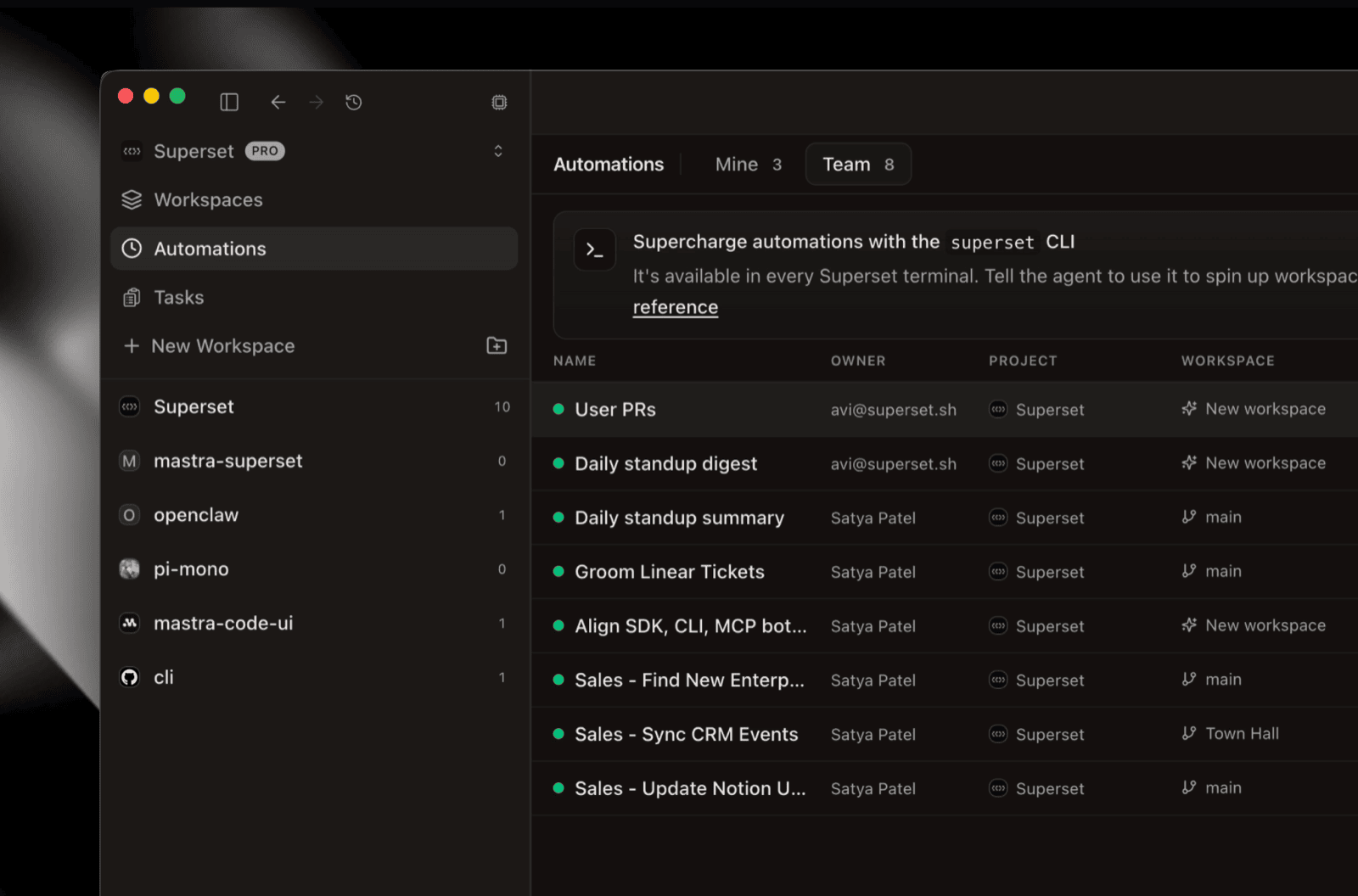
Superset is now usable from a lot more places than the desktop app: a fleshed-out CLI and TypeScript SDK, a Slack agent that spins up workspaces on its own, and a mobile app heading into internal review.
Automations
Automations are cron jobs for agent sessions. Pick a project, write a prompt, set a schedule, and Superset dispatches an agent run against a fresh workspace every time it fires. The output is a live workspace you can open, review, and continue interactively.
Typical uses:
- Nightly standups: summarize PRs, issues, and activity from the last 24 hours
- Release notes: draft from merged commits each week
- Security & dependency sweeps: scan for vulnerable packages or deprecated APIs every morning
- Long-running refactors: "bump TypeScript to 5.7 in the next un-migrated package" on a daily cadence
This batch brings automations into their own as a first-class workflow:
- Prompt version history #3996: every edit to an automation's prompt is snapshotted. Browse previous versions and restore any of them, so an accidental change is no longer a one-way door.
- Redesigned automations tab #4225: new layout that makes a queue of runs easier to scan at a glance.
- Mine vs. Team filter #4403: automations now belong to a team. Filter the runs view between Mine and Team to see only what you ran vs. everything your team kicked off.
Drive them from the CLI
Everything you can do in the UI is now scriptable. New in this batch: prompt get / prompt set #3966 and the --name filter on list #3959.
superset automations run is also exposed via the TypeScript SDK and MCP, so you can dispatch runs from a CI job, an internal admin panel, or a Slack slash command. See the Automations docs for the full surface.
Superset CLI
The superset CLI grew real project and workspace commands and a cross-device login flow.
New commands:
superset projects create#4355: scaffold a new Superset project from your shell.superset projects setup#4356: link an existing local repo to a Superset project.superset workspaces open#4258: open a workspace directly from the terminal.superset auth login#3965: now uses OAuth device code + PKCE, so it works on headless servers and across devices.
Setting it up:
The accompanying TypeScript SDK #3937 (@superset_sh/sdk) mirrors the CLI 1:1 (same procedures, same shapes), so anything you can do from your shell, you can do from a script, a CI job, or an internal tool.
Linux superset start and superset update are now fixed #4635.
Slack bot
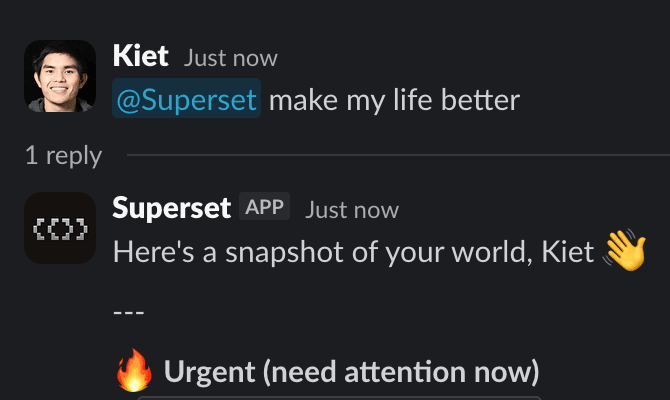 Superset Slack bot spinning up a workspace and reporting back in-thread
@superset in Slack is now an actual agent, not a task-filer. Mention it in a channel or DM it from anywhere, and it can:
- Create, update, search, and triage tasks from the conversation it's standing in, pulling assignees, statuses, and priorities from your team's Linear/Superset setup.
- Spin up a cloud workspace and launch a coding agent to actually do the work. For code-change requests (e.g. "@superset bump our Sentry SDK to v9 across all apps"), it now defaults to spawning a workspace and agent rather than just filing a ticket #4660.
- Read the thread or channel history on its own to gather context: no need to copy-paste the prior messages.
- Search the web with citations when a request needs up-to-date info.
- Unfurl Superset task and workspace links with rich previews when they're shared in a channel.
Setting it up:
- In the dashboard, go to Integrations → Slack.
- Click Connect to install the Superset Slack app into your workspace (OAuth).
- Mention
@supersetin any channel, or open a DM with the bot, and describe what you want done.
If Slack was already connected before this release, no action needed: proactive workspace creation is on by default.
Mobile: internal review
The mobile app is in internal review. Core flows (workspaces list, task triage, agent chat, and the live terminal viewer) are wired up against the same APIs as web and desktop. We're dogfooding on-device now ahead of a wider beta.
Also in this batch
- Teams as a first-class primitive #4403: assign members, workspaces, and automations to a team. Powers the Mine/Team automations split above.
- Terminal sessions survive app updates #3971: the PTY daemon hands off file descriptors on upgrade, so running shells stay alive when Superset auto-updates.
- Web terminal presets #4653: run your common commands with a single click in the web terminal, same as desktop.
Minor updates
V2 changes tab gained inline stage/unstage/discard controls #4022 and diff comments gained a copy action #4389. Workspaces can be started with a preset for repeatable agent runs #4335. The relay server now drains tunnel connections cleanly on shutdown ahead of the multi-region rollout #4594. Theme search in the command palette #4573. macOS notifications now include workspace and project context #4614. MCP OAuth access token TTL bumped to 7 days #4365.