Chat UX overhaul, v2 early access, brand refresh, and standalone CLI
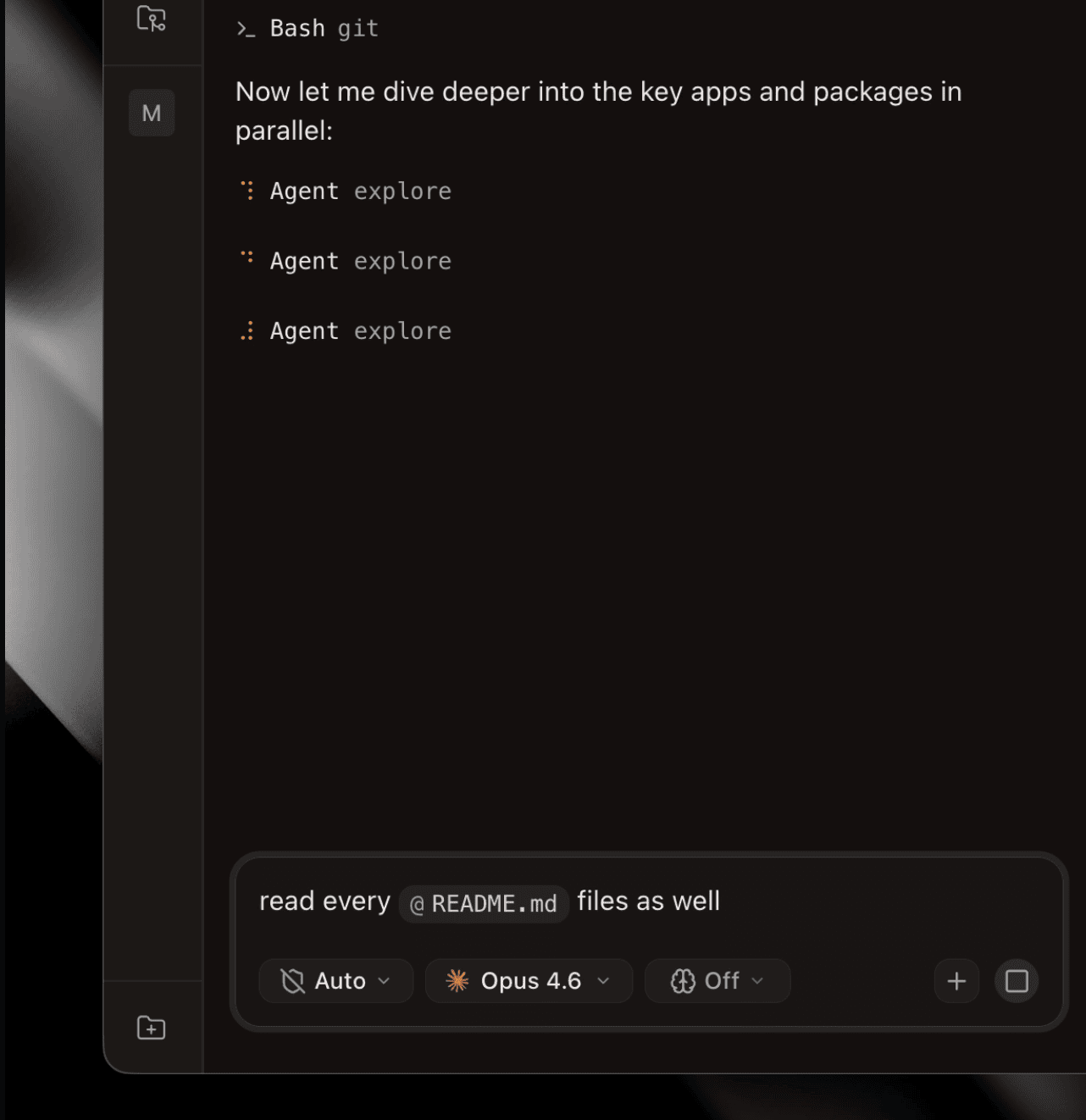
A big update covering the last three weeks. The chat interface got a top-to-bottom UX overhaul with a new rich-text prompt editor, slash-command and file-mention chips, and a redesigned tool-call system. The v2 workspace is now in early access, with panes, a diff viewer, a file editor, a review tab, and a browser pane. The Superset CLI shipped and then grew a self-contained tarball that can run the host-service anywhere. The desktop app got a full brand refresh, and GitHub integration is now free on every plan.
Chat UX overhaul #3039
Tiptap prompt input
The prompt is now a ProseMirror-based rich text editor with inline chips for commands and file references.
- Slash command chips: type
/to open a command menu; the command becomes an inline chip anywhere in the message instead of submitting immediately. Chips with anargumentHintexpose an inline editable input with auto-sizing and keyboard nav;/modelshows a dropdown of available models. - File mention chips: type
@to open a file-search popover anchored to the cursor. Picking a file inserts a chip that serializes to@pathon send. - Skill preload:
/commandchips are extracted before the LLM turn so the harness loads the right skill first. ASkillToolCallrow shows in the message while the skill loads. - Preview on hover: hovering a chip shows a popover with its description (hidden while an arg input is focused).
- IME composition guard prevents submit while CJK input is pending; Tab no longer auto-selects commands (Enter or click only).
Redesigned tool calls
- Compact, monospaced
ToolInput/ToolOutput/ToolHeaderlayout with a braille spinner and left-side icons - Subagent activity rendered inline as a collapsible tool wrapper, with full markdown for task prompt and response
- Clickable file names on every file-related tool call row (read, write, LSP inspect): clicking opens the file in the editor pane
- Syntax-highlighted read-file output with filename header and line-range label; expand/collapse and copy on every code block
ask_user flow
- Footer overlay with pinned header/footer and scrollable option buttons: no more inline question UI
- Status chips (Awaiting Response / Answered / Cancelled) with a collapsible answer bubble; cancelled shows immediately when aborted
- Optimistic dismiss on submit; prompt textarea auto-focuses after answering
ask_useris now required for all Superset questions: no plain-text fallbacks
Workspace status and notifications
- A pending question puts an orange dot on the workspace nav and fires a native OS toast, driven server-side through the lifecycle event pipeline so it works when the tab is unfocused
- Orange dot clears immediately on answer submit
- Auto-scroll to bottom on message send, new question arrival, and answer submit
The v2 workspace is in early access
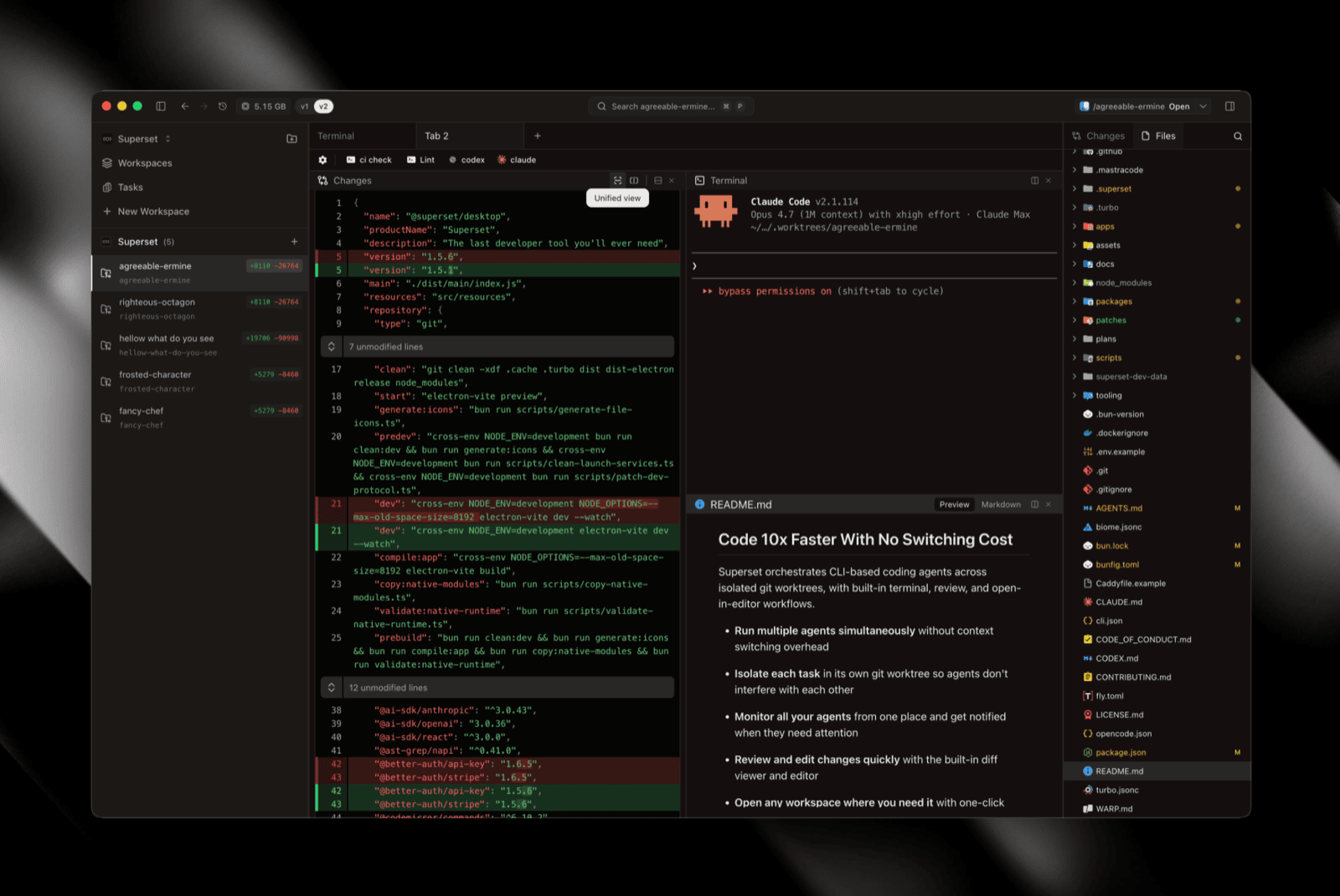 v2 workspace early access
v2 is a ground-up rebuild of the workspace aimed at cloud. We tore out v1's accumulated cruft, rewrote the terminal from scratch to fix the rendering glitches, and re-architected the app like a real IDE: Tab → Split → Pane, a proper file tree with git decorations, a full editor, and a diff viewer that handles large changesets. Opt-in for now; here's what's in the box:
Pane layout system #3088
A new flexible Tab → Split → Pane structure built on the @superset/panes package, with weighted resizable splits.
- Drag and drop panes to rearrange them #3090
- Drag to reorder tabs within a tab group #3094
- Right-click pane headers for split / close / close others #3196
- Double-click a split separator to equalize pane sizes #3101
- Cmd+Alt+Arrow moves focus between panes #3403 #3460
- Closing the active pane focuses the nearest sibling #3198
Diff viewer #3384
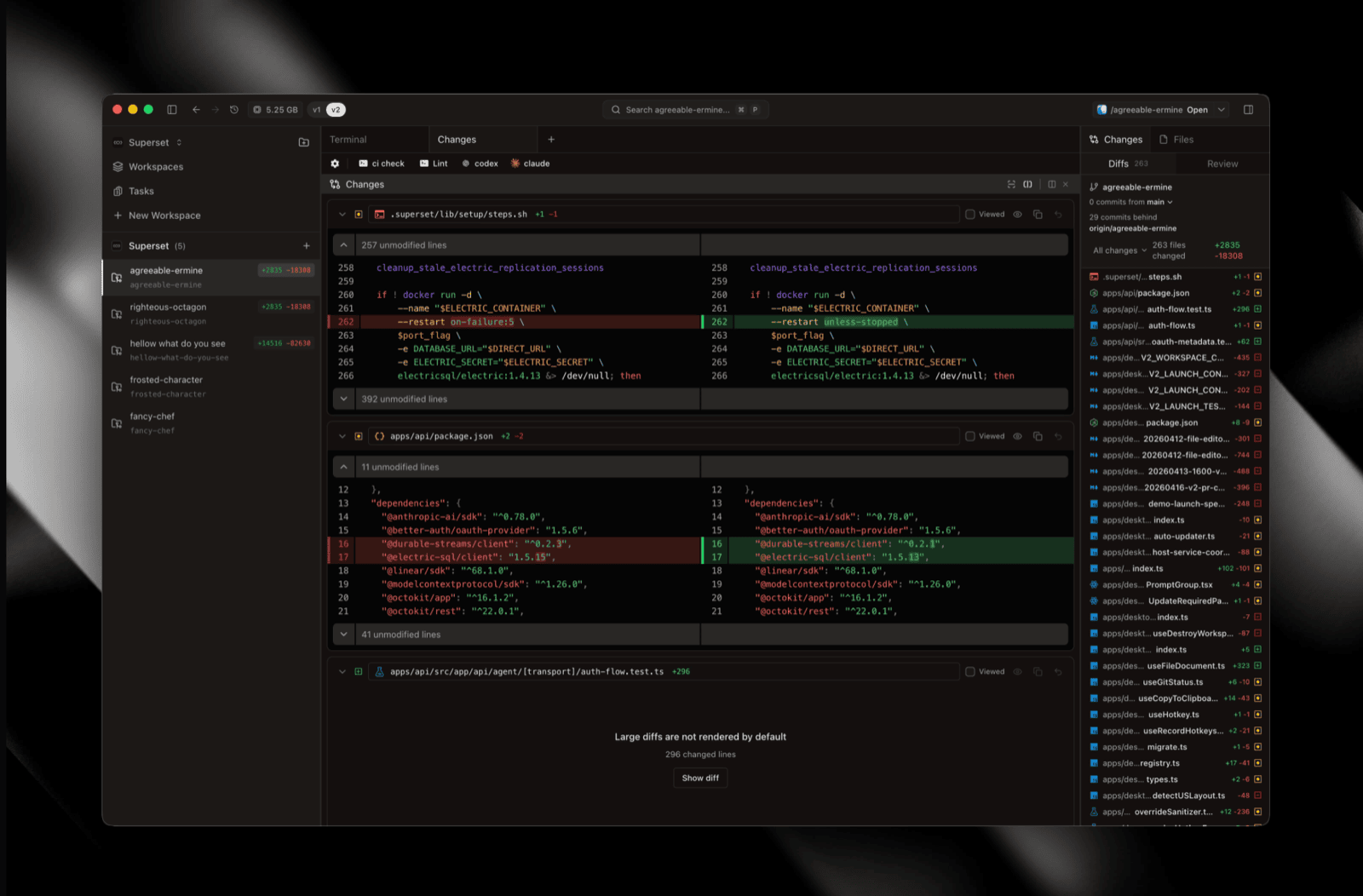 v2 diff viewer
A GitHub-style multi-file diff pane with lazy loading, a persistent "Viewed" state synced to the sidebar Changes list, unified/split view toggles, and header actions for collapse, expand unchanged, copy, and revert. Open it in its own tab with ⌘⇧L #3420 #3556.
File editor #3526
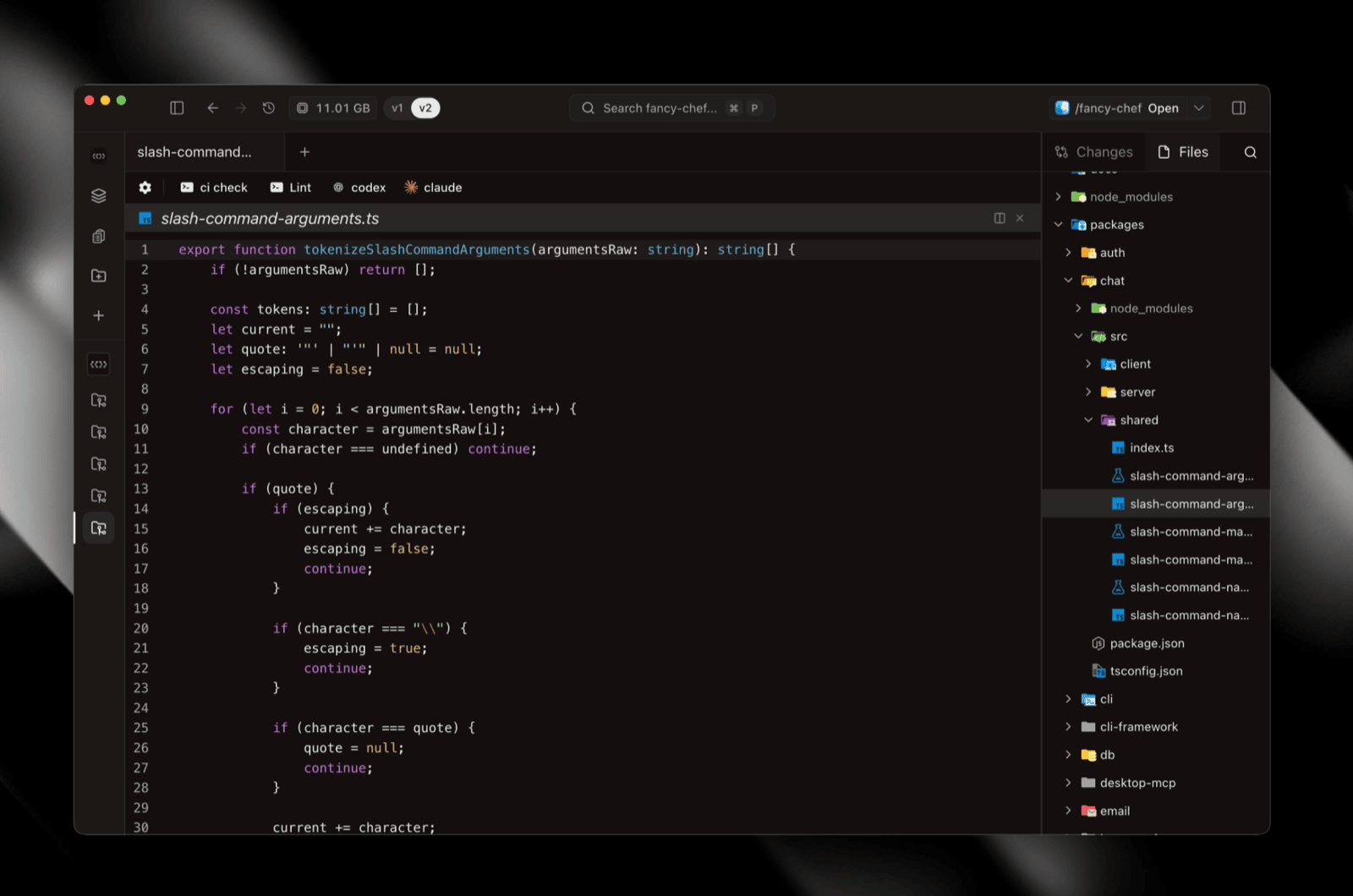 v2 file tree and editor
A full editor pane: foundation, views, and a large stability pass. The file tree shows git decorations inline #3320.
Review tab #3463
PR info, checks, and comments rendered inline in the v2 workspace, matching the v1 review experience.
PR checkout and launch context #3525 #3467
Check out a PR directly from v2 via a widened checkout procedure, and compose a full launch context (selected files, instructions, branch state) before starting work.
Browser pane #3346
Pages stay loaded across tab switches and workspace navigations: no reloads, no lost scroll or form state. URL bar, back/forward/reload, history autocomplete, DevTools, screenshots, and hard reload from the overflow menu.
Git Changes sidebar #3177
A Changes tab in the right sidebar showing ahead/behind status, commit count, and a filterable file list. Filter by all changes, uncommitted only, a single commit, or a commit range. Searchable base-branch picker and inline rename for unpushed branches.
Superset CLI #3194
The superset CLI lets you manage Superset from your terminal, and ships as a self-contained tarball #3298 so you can run the host-service on a remote server, CI box, or cloud VM without the desktop app.
Binaries for macOS (arm64, x64) and Linux x64. --json output mode for scripting and agent use.
Brand refresh #3367
 Brand refresh: new logo and icon treatment
New logo and icon treatment across the desktop app, DMG installer background, tray icon, and wordmark. In dev builds, each workspace gets a color-coded corner fold on the dock icon so open workspaces are distinguishable at a glance.
GitHub integration is free #3152
PR review, issue linking, and push-from-desktop are available on every plan, no Pro subscription required.
Improvements
- V2 file editor foundation: editor views plus a large stability pass #3526
- V2 review tab: PR info, checks, and comments inline #3463
- V2 PR checkout: checkout a PR directly in a v2 workspace #3525
- V2 launch context composition: prep files, instructions, and branch state before launching #3467
- Recently Viewed in Quick Open: surfaces files you were just looking at #3488
- Paginated branch picker: scales to thousands of branches with inline checkout + open actions #3397
- Modifier-keyed terminal file links: ⌘/Ctrl+click opens in external editor or new tab #3512 #3398
- Drag-and-drop into v2 terminal panes: drop files to insert their paths #3542
- Tasks link restored in v2 dashboard sidebar #3553
- Escape closes settings #3466
- Hotkey defaults: unbound defaults plus restored prev/next tab and workspace shortcuts #3422 #3472
- Allow hotkeys in editable content #3418
- Terminal search: ⌘F / Ctrl+Shift+F in the v2 terminal #3289
- Kitty keyboard protocol: better modifier support in neovim, fish 4+, and others #3289
- Terminal theme and font settings in v2 (parity with v1) #3155
- Fast file search: VS Code's path-aware fuzzy scorer with pre-warmed index #3136
- V2 top bar: right sidebar toggle, org dropdown, unified "Open In" button #3197
- Git decorations in v2 file tree #3320
- V2 preset parity + setup scripts #3354 #3359
- V1/v2 toggle from the top bar, preference persists #3347
- Host service durability: survives app quits, re-adopted on next launch #3157
- Relay security setting: Settings → Security controls whether this machine is exposed; defaults to off #3304
- Unified workspace delete: v2 delete goes through the host-service #3443
- Focus neighbor on workspace delete: drops you on an adjacent workspace, not
/#3401 - Create Section Below promoted to top-level on the workspace menu #3537
- Event-driven tray menu showing the real org name #3458
- Notification sound volume dropdown in settings #3073
- Resolve review comments directly in the review tab #3078
- Public roadmap at superset.sh/roadmap #3074
Bug fixes
- Security: bumped drizzle-orm and better-auth to patch CVEs #3560; pinned axios against a known supply-chain vector #3043
- Chat: cut display polling to 4fps and restored query cache defaults #3562
- Chat: prevent keyboard shortcuts from leaking characters into the chat input #3520
- Terminal: recover from non-monospace font crash #3554
- Terminal: unblock v1 input during shell init #3550
- Terminal: sync v1 dimensions to backend on connect #3545
- Terminal: match VS Code clipboard handling #3415
- Terminal: restore ⌘+click for v1 file links; refresh v2 link tooltip editor #3457 #3552
- Terminal: correct dimensions sent after attach (fixes TUI apps) #3154
- Terminal: fixed output garbling with a new session transport #3252
- Auto-updater: restored on macOS; recover from corrupt update cache; spinner while pending; guard repeat clicks #3291 #3278 #3495 #3561 #3549
- macOS quit: ⌘Q and Dock Quit now fully exit instead of backgrounding to tray #3205
- macOS: trigger Local Network permission on startup #3551
- Port scanner: stop excessive
lsofspawning #3547 - V2 workspace: prevent "workspace not found" flash after create; gate children on collection readiness; derive base branch from git config #3494 #3464 #3492
- V2 file tree: no longer blocks on slow git status checks; file icons resolve on nested routes #3400 #3199
- V2 sidebar: LOC badge hidden when no changes; section count matches visual grouping; native clipboard for copy path #3399 #3544 #3462
- V2 diff sidebar: removed viewed checkboxes; right sidebar toggle is reactive #3480 #3421
- V2: Open In editor is project-scoped, not workspace-scoped; duplicate panes on new-tab file opens; modal focus trap on workspace dialogs #3393 #3093 #3392
- V1: fix Cmd+O firing open-in twice; fix split pane startup sizing;
--no-trackin createWorktree #3511 #3416 #3548 - Keyboard: Ctrl bindings,
event.codeunification, terminal override respect #3391 - IME composition in new-workspace Enter handlers #3486
- File attachments pass through the prompt input #3334
- Close-workspace shortcut no longer conflicts with tab close (now ⌘⇧⌫) #3037
- Pending failure error messages are selectable #3432
- Font-settings query no longer silently routed through host-service #3394
- MCP: accept resource URL as valid OAuth audience; fix devices incorrectly classified as offline #3459 #3299
- CLI auth switched to OAuth PKCE + loopback #3318