Chat view generally available, open worktree with prompt, and create new project from template
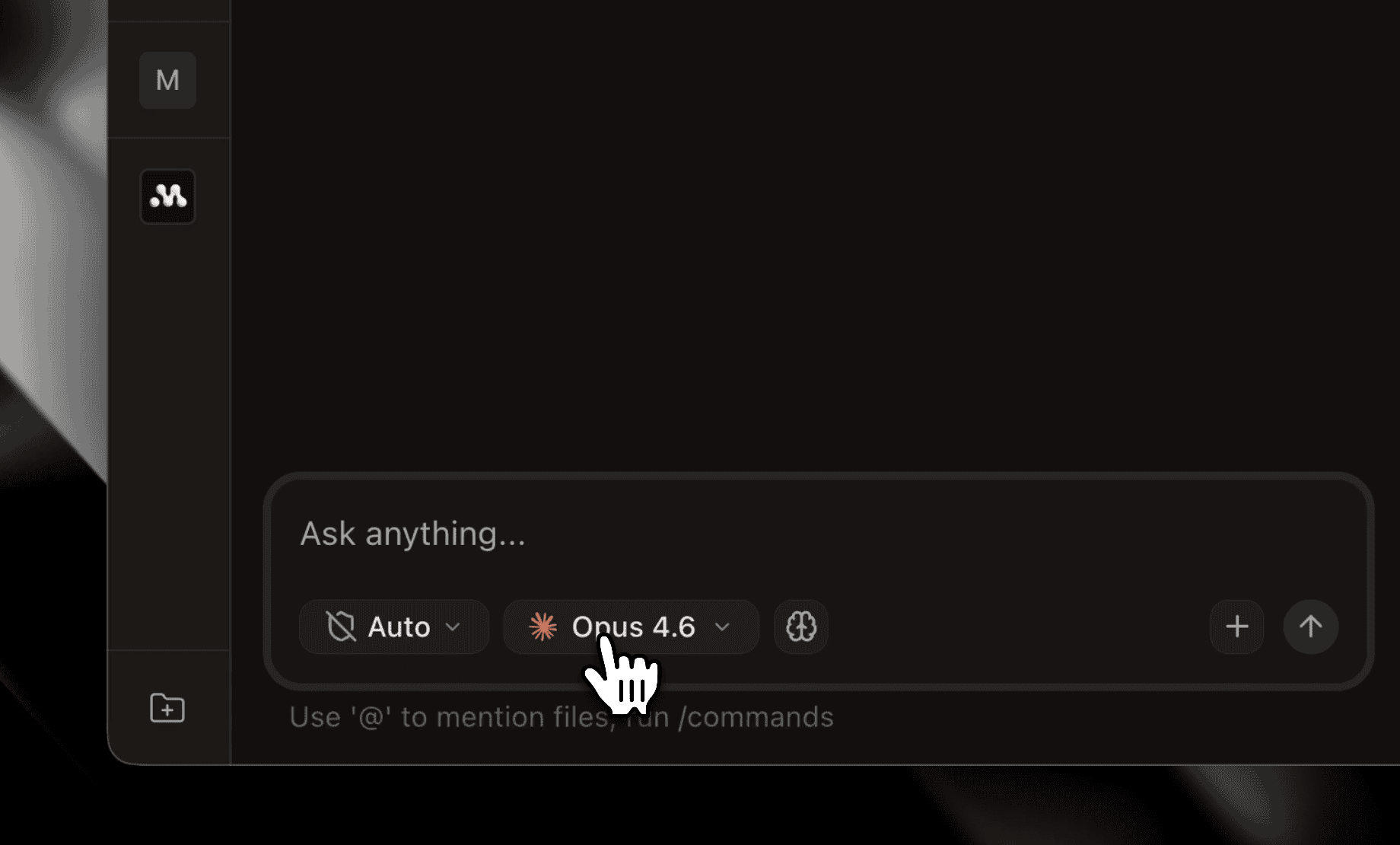
Improved Chat View: Now Generally Available #1876 #1973 #1983
The redesigned chat interface is now generally available to all users. Previously behind early access, the new chat view features refreshed tool call visuals with collapsible panels, improved diff rendering, and cleaner file views. Superset's own MCP tools (tasks, workspaces, and agent sessions) now render as rich, interactive cards directly in the chat. Superset Chat is also available as a first-class agent option with its own launch config and icon.
- Refreshed tool call visuals with collapsible output panels and inline status icons
- Rich UI cards for Superset MCP tool calls (tasks, workspaces, agent sessions)
- Superset Chat available as a built-in agent alongside Claude, Codex, and others
- Markdown rendering for agent question prompts with optimistic answer UX
Open Worktree with Prompt #1882 #1912
The new workspace modal has been redesigned with a send-to-agent flow. When creating a worktree you can now write a prompt that gets sent directly to an agent in the new workspace: describe what you want built and the agent starts working as soon as the workspace is ready. The modal also includes a project selector, an import flow for cloning repos, and auto-generated branch names derived from your prompt.
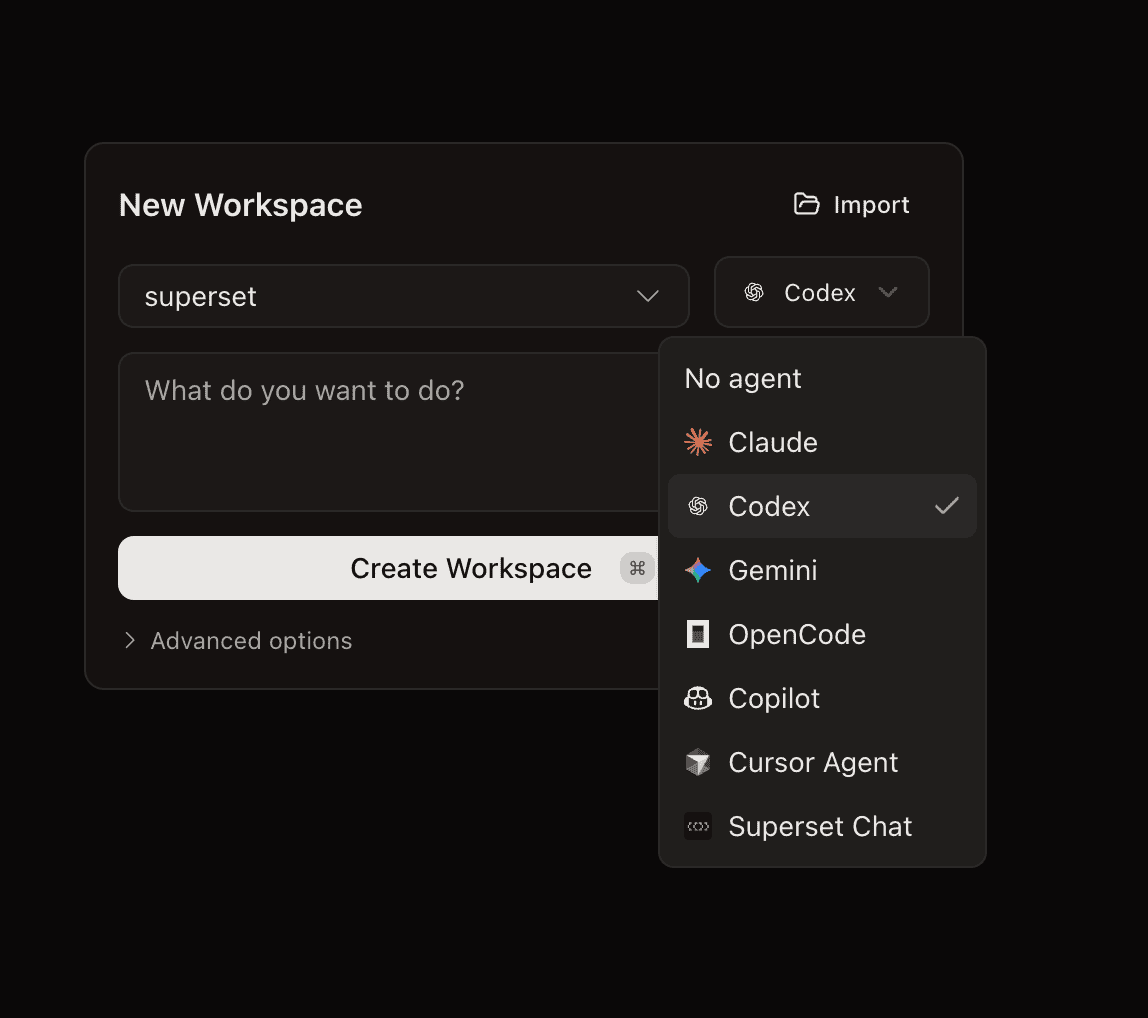 Open worktree with prompt
- Write a task prompt when creating a new workspace
- Agent starts working immediately in the new worktree
- Auto-generated branch names from prompt content
- Keyboard shortcut hint (Cmd/Ctrl+Enter) on the create button
Start Project from Template #1913
New users now see a multi-step setup wizard when opening a project for the first time. The onboarding auto-detects environment files and package managers already present in the repo, guides you through running setup scripts, and links to relevant documentation. The new project flow also includes a Next.js Chatbot template option for quick-starting a project from a pre-built starter.
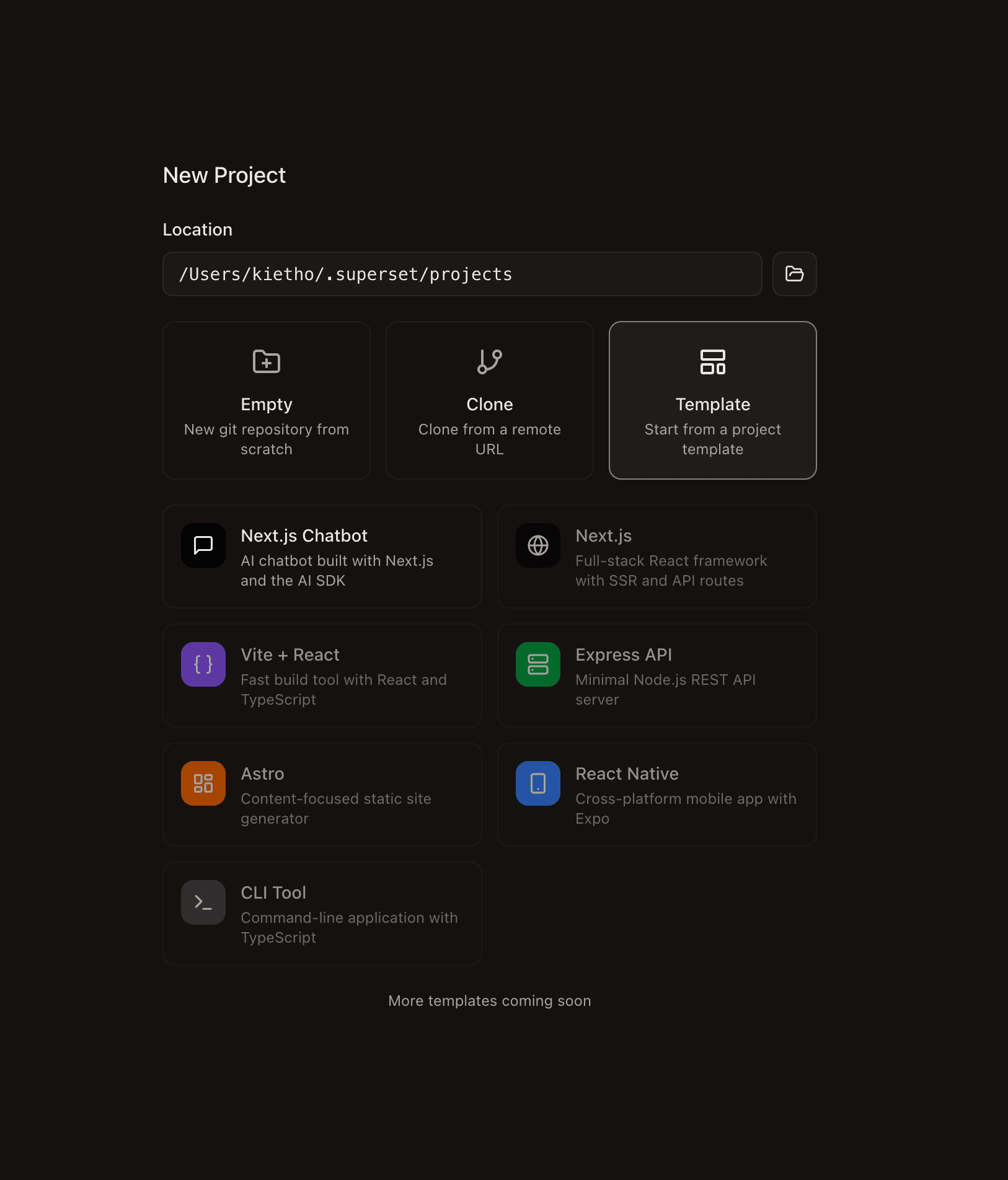 Start project from template
- Multi-step wizard with setup script detection
- Auto-detection of env files and package managers
- Next.js Chatbot project template via vercel/chatbot
- Docs links on each setup step
Improvements
- Mastra agent prompt UI - Agent questions, approval requests, and plans now appear as interactive inline prompts in chat with markdown rendering and optimistic answer UX #1933 #1970
- Persist chat model selection - Your chosen model is now remembered across sessions and app restarts #1956
- Superset MCP tools built-in - Superset's own MCP tools are wired in as built-in extras in chat, no manual configuration needed #1858
- Anthropic API key support - You can now supply your own Anthropic API key for Mastra chat sessions #1905
- Pane right-click menu - Right-clicking a chat or browser pane now opens a context menu with common actions #1886
- Open changes pane from file edits - When an agent edits a file in chat, you can jump directly to the changes pane to review the diff #1868
- Cmd+Shift+W closes the active tab - New keyboard shortcut to close whichever pane tab is focused #1860
- Resource monitor on by default - The system tray resource monitor is now enabled for all users out of the box #1949
- File diffs via diffs.com - Edit tool diffs now open in diffs.com by default for a cleaner review experience #1859
- Read-file tool collapsed by default - File read results start collapsed to reduce chat noise #1895
- Windsurf IDE in Open In menu - Windsurf is now available in the "Open in" external editor dropdown #1966
- Native shell integration - Interactive terminals now default to native shell integration for better PATH and environment handling #1987
- Monthly/yearly billing toggle - Pro users can switch between monthly and yearly billing directly from the plans page #1977
- Chat performance improvements - Replaced aggressive polling with a smarter update strategy, reducing scrollback churn and improving rendering speed #1872
Bug fixes:
- Fixed race condition dropping agent prompt on new workspace init #1941
- Fixed first chat message send race on pane creation #1932
- Fixed PATH resolution by using interactive login shell #1940
- Fixed existing PR state handling in changes actions #1952
- Fixed new workspace modal text overflow #1902
- Fixed Codex prompt payload being parsed as flags #1910
- Fixed first chat send failing on session create #1903
- Fixed duplicate tool entries in assistant message rendering #1879
- Fixed interrupted response preview in mastra chat #1988
- Fixed first chat message not rendering immediately during session init #1989
- Fixed chat auto-scroll on resize #2004