Copilot, Cursor Agent, and Gemini support, plus chat overhaul
Copilot, Cursor Agent, and Gemini Support #1630 #1625 #1620
Superset now supports Copilot, Cursor Agent, and Gemini CLI alongside Claude, Codex, and OpenCode. This release adds built-in presets and hook support for Copilot and Gemini, and Cursor Agent is available as a first-class agent option in the multi-agent workflow.
- Ready-to-use terminal presets for Copilot and Gemini CLI
- Cursor Agent support available now in agent selection and commands
- Correct defaults per agent (
--allow-allfor Copilot,-yfor Gemini) - Superset notification hooks surface agent task completions in the UI
Configurable Worktree Location #1626
Set a custom base directory for new worktrees in Settings > Behavior. You can also override this per-project in Project settings. The per-project setting takes precedence, with a reset option that falls back to the global default.
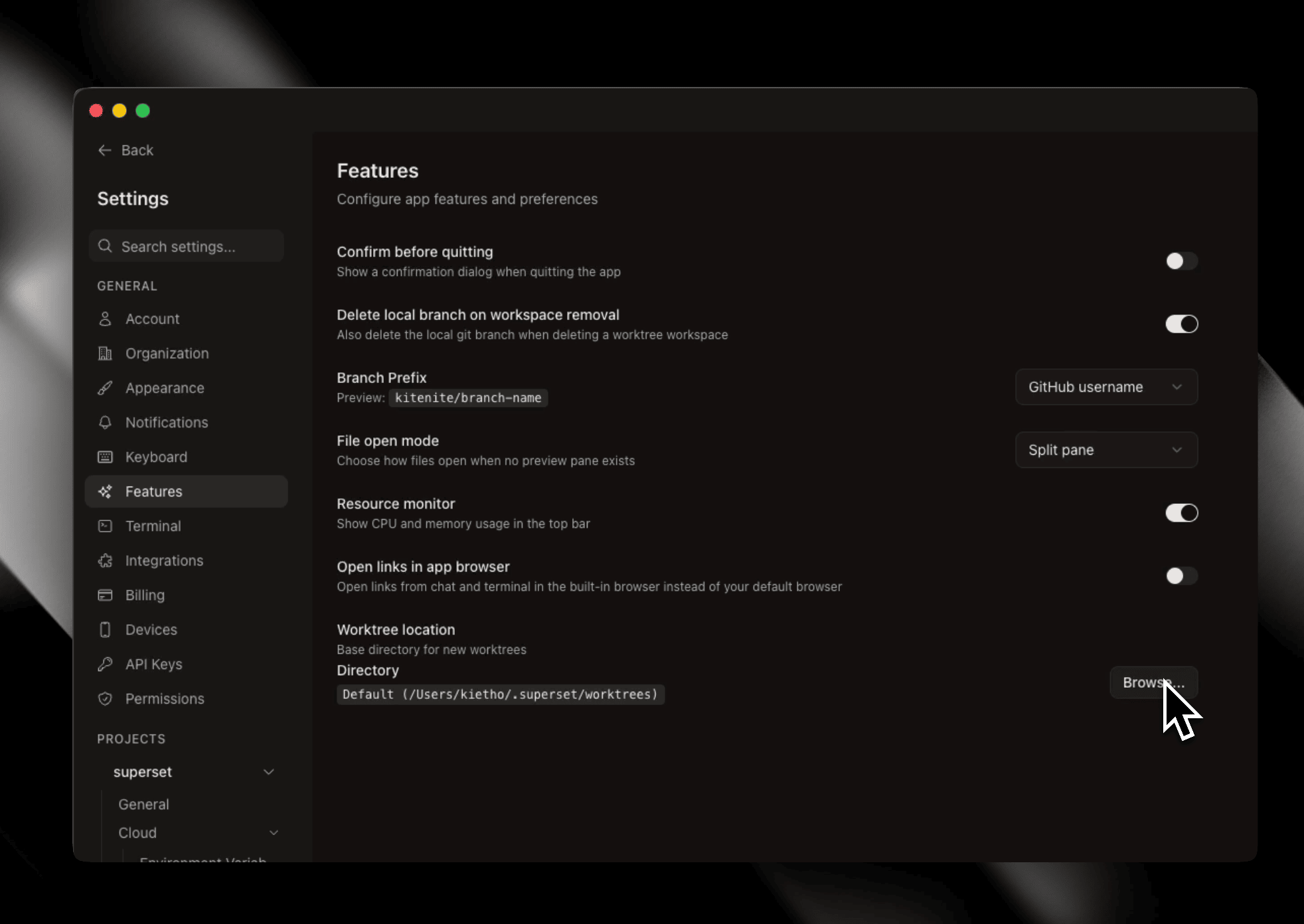 Custom worktree location settings
New Project Page #1623
Project creation now has a dedicated full-page experience instead of a dialog. Navigate to it from the welcome screen or sidebar footer and choose between two options available now: create an empty Git repo or clone from a URL. A template starter tab is visible and marked "coming soon." A directory picker defaults to ~/.superset/projects with a native browse button.
Chat UI Overhaul (Early access only) #1693 #1697
The chat interface got a significant visual refresh. Streaming messages now animate with a progressive typing effect, tool output panels are collapsible to reduce noise, and loading/thinking states use a unified compact shimmer. The input composer has been redesigned with pill-shaped toolbar buttons, a circular submit button, and a cleaner layout with a hint row showing @ mentions and /commands shortcuts.
- Progressive typing animation for streaming messages
- Collapsible tool output panels with inline status icons
- Pill-style controls for model picker, permission mode, and thinking toggle
- Permission mode labels clarified: Auto, Semi-auto, and Manual
More Improvements
- Open links in app - New toggle in Settings > Behavior routes chat links and terminal URLs to the built-in browser pane instead of your system browser #1690
- Drag file paths into chat - Drag files from the file tree or changes panel directly into the chat input to insert the path as text #1656
- Cmd+F in markdown viewer - Full-text search now works in rendered markdown documents #1661
- Task search persisted in URL - Task search query survives navigation and page refreshes #1680
- Chat scrollback rail - A scroll position indicator appears when browsing older messages in chat #1648
- Copy commit hash - Right-click a commit header in the diff view to copy its hash #1686
- Tray quit confirmation - Quitting with active daemon sessions now prompts whether to keep or kill them #1651
- Clear workspace status - Added "Clear status" to the workspace context menu #1633
- Mouse side buttons - Back/forward navigation now works with mouse side buttons #1624
- Slack image attachments - The Slack agent can now send image attachments #1671
Bug fixes:
- Fixed 503 errors on new worktrees #1689
- Fixed sidebar workspace close button not clickable #1679
- Fixed workspace hover controls layout drift #1676
- Fixed stale "has uncommitted changes" status in delete dialogs #1660
- Replaced blocking terminal connection error popup with auto-retry #1646
- Persisted task filters across navigation #1622
- Fixed TLS verification in terminal on macOS via SSL_CERT_FILE fallback #1618
- Added lightweight fallback for PR detection #1616