New Diff view, early Chat GUI preview, and powerful preset settings
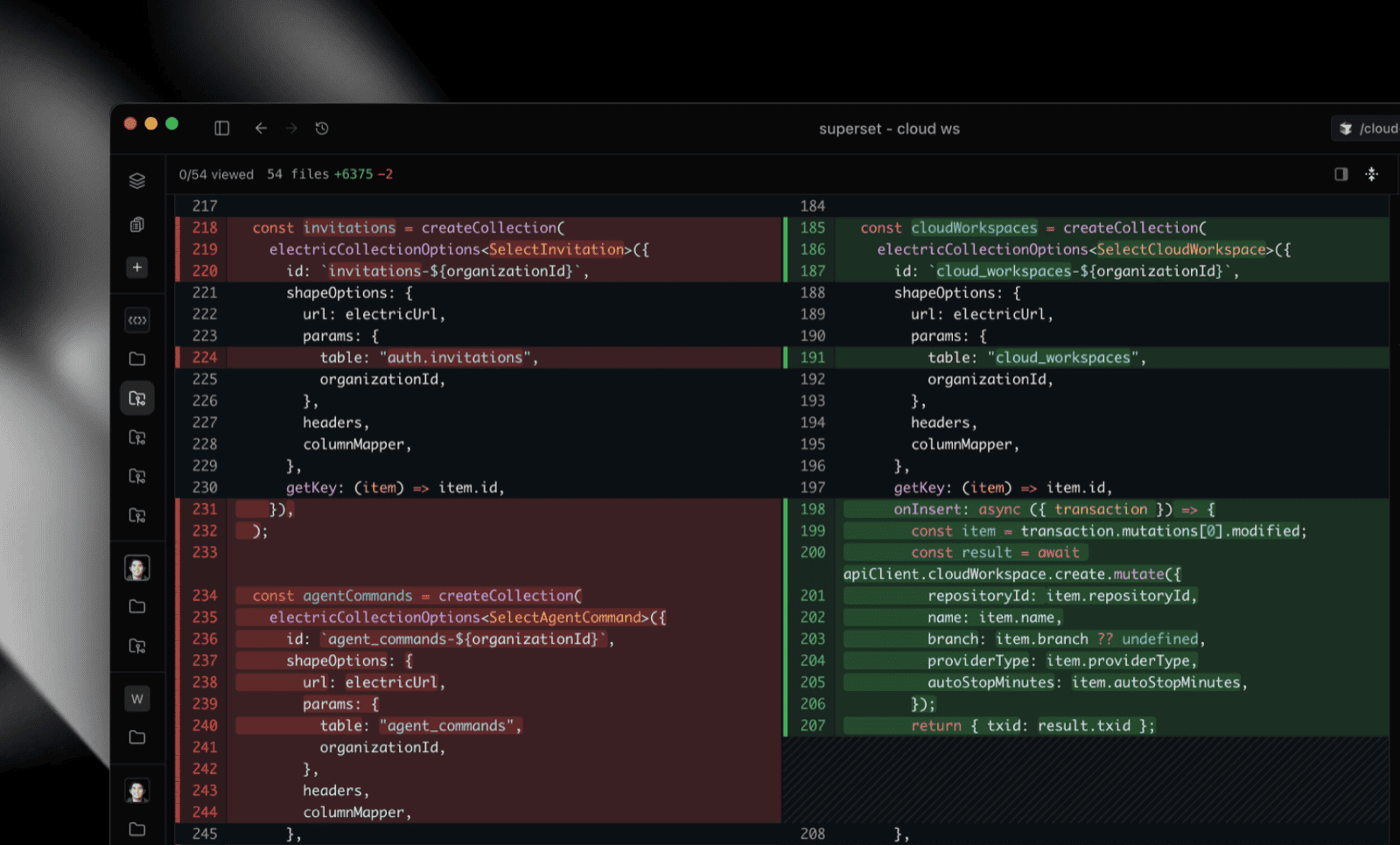
New Diff View, Powered by diffs.com #1308
The Changes view has been completely rebuilt with Pierre Computer's diffs.com engine, delivering a drastically improved diff experience in both UI and performance. Large changesets that previously lagged now render instantly, and the new interface makes reviewing diffs feel native and fluid.
The new viewer includes an edit mode toggle: switch between read-only review and live editing, and hit Ctrl+S to save changes directly from the diff.
- Workspace-scoped base branch: base branch selection is now per-workspace instead of global, so diffs always compare against the right branch #1329
- Preserved file explorer state: expanded folders, scroll position, and selection persist when switching between Changes and Files tabs #1297
- Compact tab buttons: Changes and Files tabs collapse to icon-only mode with tooltips when the sidebar is narrow #1334
Early Preview of Chat GUI #1309
A native AI chat interface built right into Superset, and it works with your existing Claude Code sessions. Pick up where you left off without switching windows.
- Existing session support: scan and restore previous Claude Code sessions so you never lose context
- Slash commands: type
/to browse available commands with fuzzy search and keyboard navigation - File mentions: tag files with
@and fuzzy search to pull in exactly the context you need #1307 - Rich tool rendering: tool calls display with specialized UI for bash output, web searches, file diffs, and user questions
- Session persistence: chat sessions survive app restarts with local storage and automatic restore #1287
This is an early preview. General availability is coming next week. We'd love your feedback in the meantime.
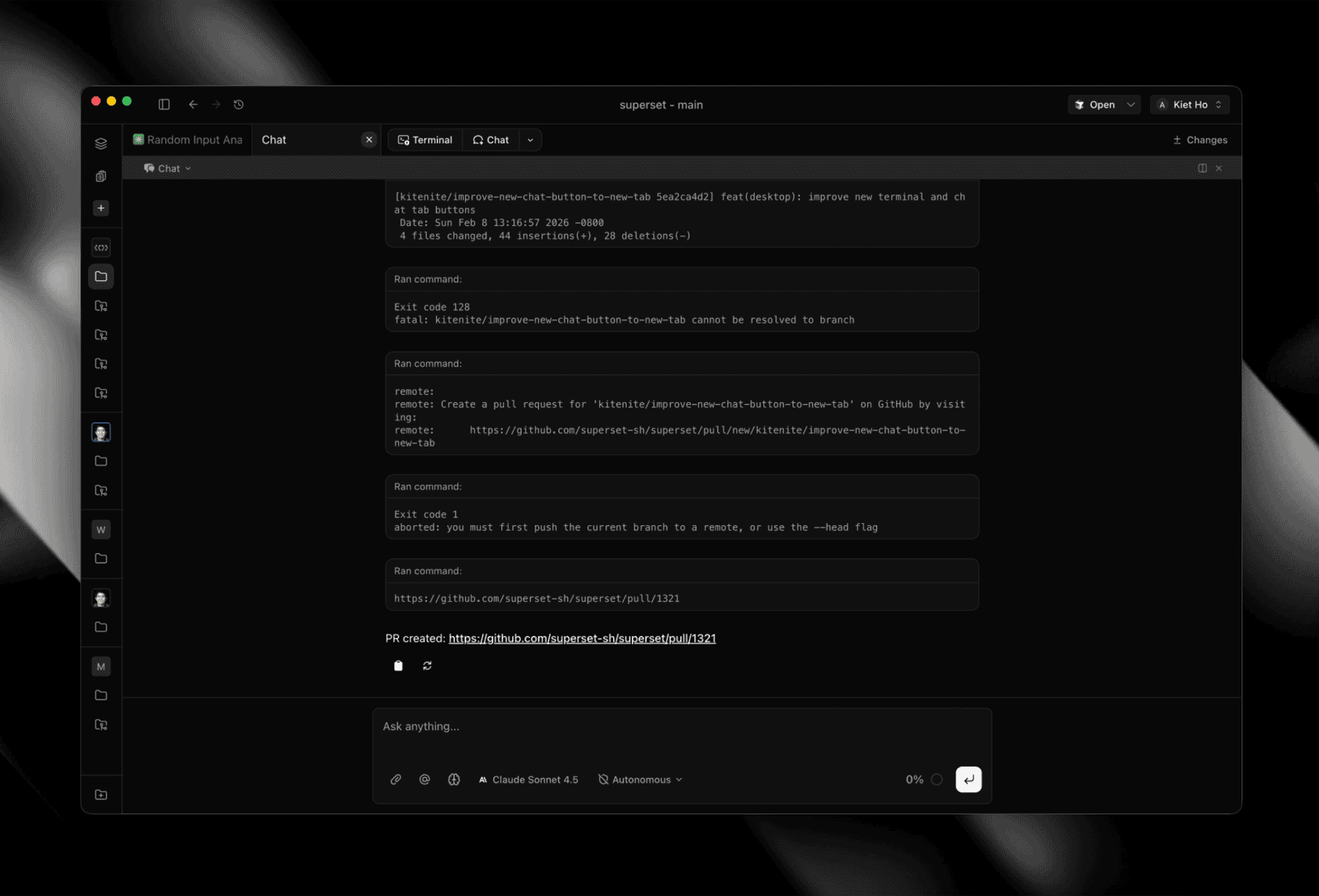 Chat GUI with slash commands and tool rendering
Powerful Preset Settings #1320
Terminal presets now have granular auto-apply controls. Configure when presets run independently for workspace creation and new tabs, so you can auto-run setup commands on new workspaces without them firing every time you open a tab.
- Apply preset on workspace creation: controls initialization commands when spinning up workspaces
- Apply preset on new tab: controls whether presets run when opening new tabs, panes, or splits
- Explicit preset launches via hotkey or menu always work regardless of these settings
Improvements
- Improved new tab buttons: grouped outline button bar for New Terminal and New Chat with keyboard shortcuts (Cmd+T, Cmd+Shift+T) #1321
- Setup script card: persistent sidebar card replaces toast for missing setup scripts with direct link to configuration #1270
- Push auto-setup: first
git pushfrom worktrees automatically creates remote branch and sets upstream tracking #1267 - Project image toggle: hide/show project GitHub avatars in sidebar with colored initial letters as fallback #1276
- Teardown logs modal: failed teardown scripts show logs in a modal instead of dumping output in error toast #1277
Bug fixes:
- Fixed circular import in Paywall module #1323
- Processed pending terminal setups for already-initialized workspaces #1322
- Made teardown resilient to already-deleted Neon branches #1289
- Improved auto-updater diagnostics #1291
- Fixed chat infinite re-render #1283
- Routed member creation through Better Auth hooks for billing #1319
- Used bundle IDs for multi-edition JetBrains IDEs #1317
- Fixed MCP OAuth with dynamic client registration #1313