Task list view, diff scrollbar highlights, and shell environment fix
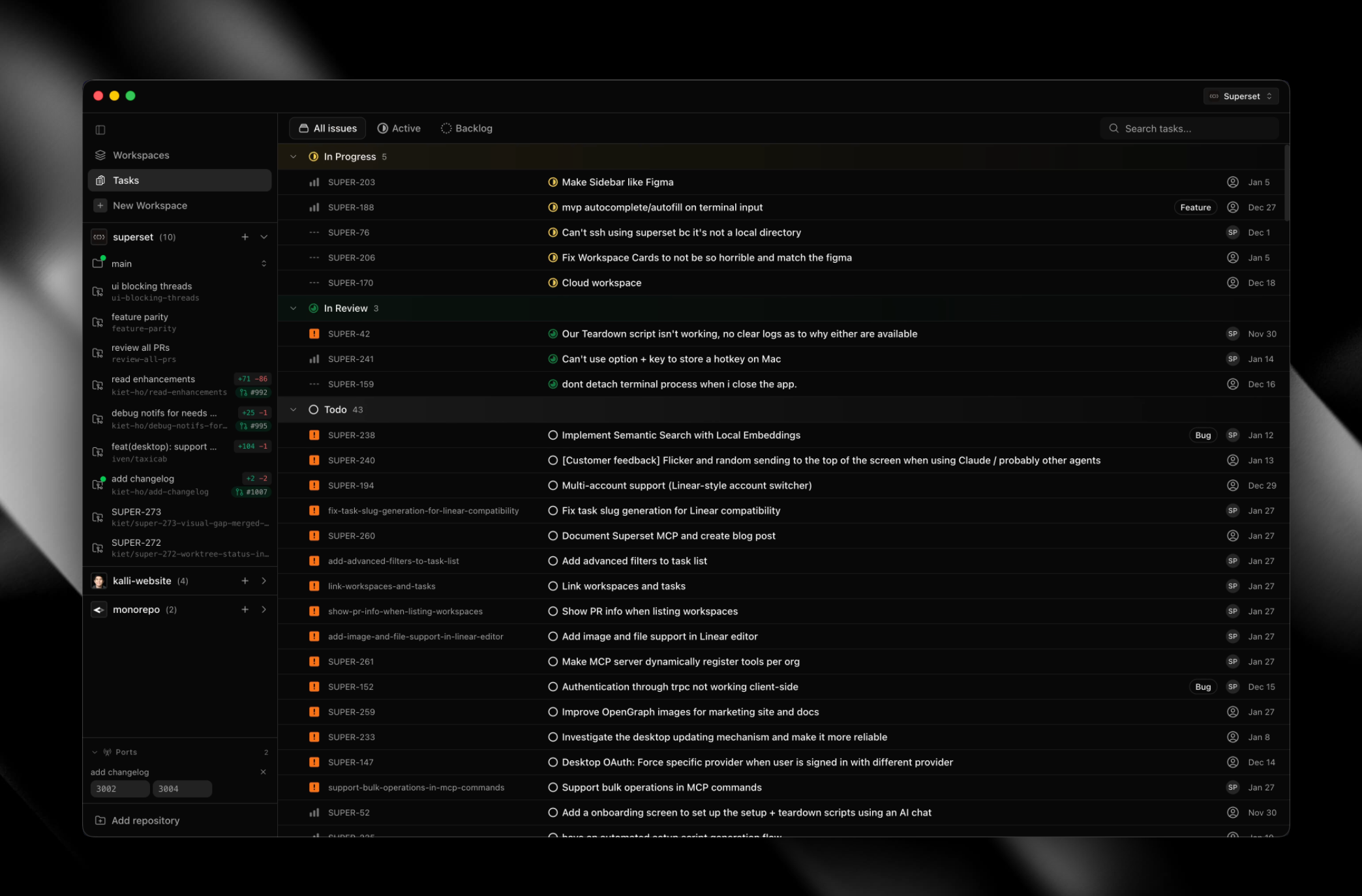
Task List View #717
- Added semantic search capabilities for tasks using embeddings
- Introduced dedicated task status management system with custom workflows
- Redesigned tasks interface with table-based view and improved organization
- Enhanced task filtering and sorting by status, priority, and assignee
Diff Highlights in Scrollbar #725
Enable Monaco's overview ruler in the diff viewer to show colored markers in the scrollbar. Additions (green) and deletions (red) are now visible in the scrollbar for quick navigation.
Shell Environment Fix #720
- App now captures and applies the user's shell environment on macOS/Linux during startup
- Terminal-related settings (like PATH and ZDOTDIR) are now available when launching from Finder/Spotlight
- Improved handling and merging of PATH entries to prevent terminal initialization issues
Scroll to Bottom Button #700
Add a floating scroll-to-bottom button that appears when the terminal is scrolled up. Button uses a chevron icon and animates in/out smoothly. Shows keyboard shortcut in tooltip when available.