Sidebar overhaul, workspaces page, and workspace status indicators
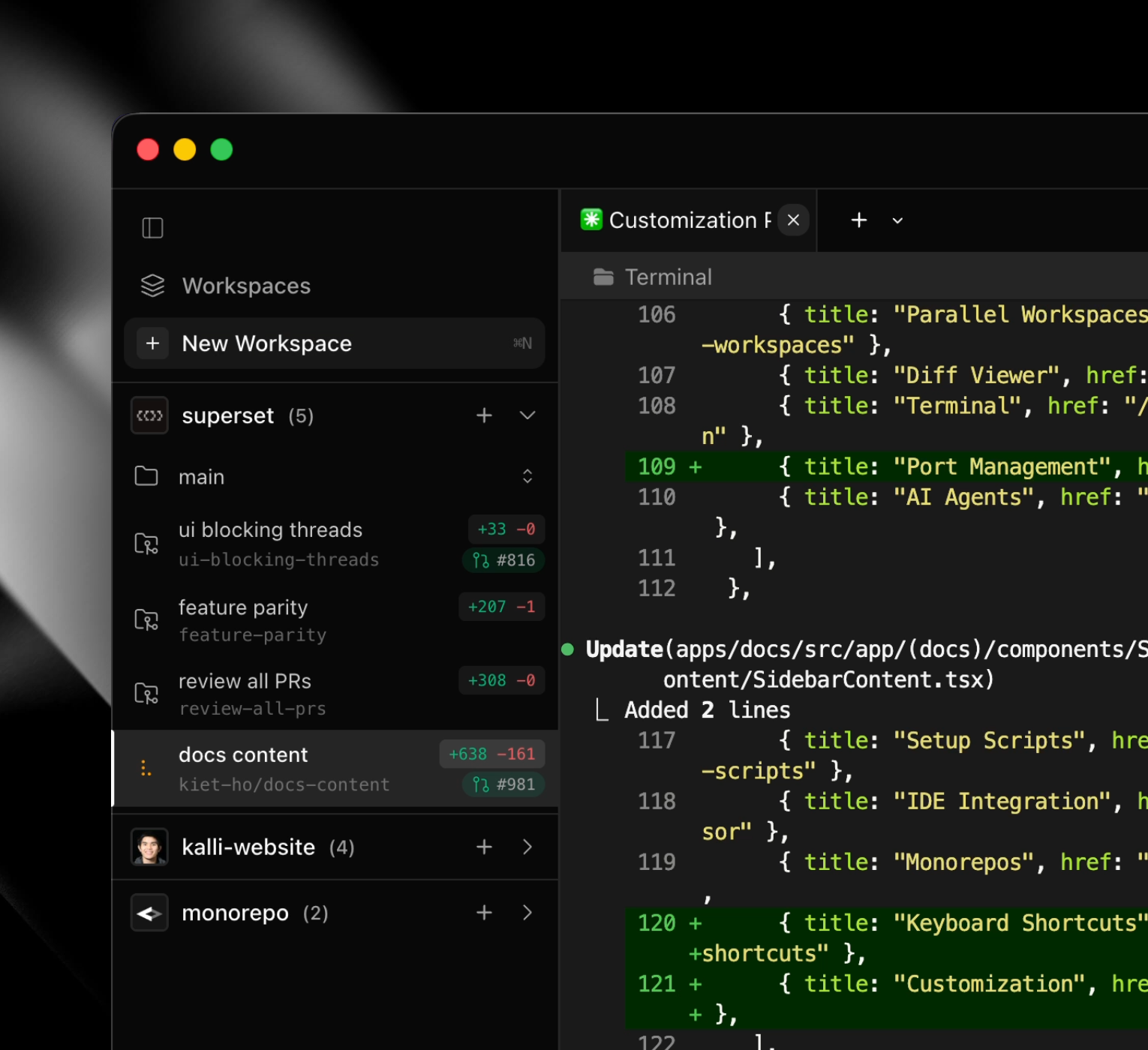
Sidebar Overhaul #601
- GitHub avatar support in project thumbnails
- Collapsible workspace sidebar with icon-only compact mode and improved toggle/collapse behavior
- Richer project headers and compact thumbnails
- Updated sidebar/list item layouts, icons, spacing, and sizing across many panels
Workspaces Page #599
- Added a searchable, filterable workspaces list view with grouped project headers and per-workspace rows
- New workspace row UI showing status, diffs, timestamps, and reopen/opening states
- Project headers now offer a context menu: Open in Finder, Project Settings, Close Project
- Workspace sidebar header is now a clickable toggle and the workspaces list auto-closes on selection
Workspace Status Indicators #588
- Add 3-color workspace status indicators showing agent lifecycle (amber=working, red=permission needed, green=ready for review)
- Integrate with Claude Code hooks and OpenCode plugin for real-time status updates
- Click behavior: review → idle (acknowledged), permission → working (assumes permission granted)
PR Status in Changes View #608
Add a PR status indicator (icon + number) to the Changes view header that links to GitHub. Color-coded PR icons based on state (green for open, violet for merged, red for closed, muted for draft).