One of the slickest features of Superset is how our terminal survives app restarts. This is a deep dive on how we built it. Huge credits to Andreas Asprou who spearheaded this entire effort.
When you're building an integrated terminal for Superset, we ran into an inconvenient issue: terminals are ephemeral processes. This is inconvenient for many reasons. We like to update a lot. Losing progress across 10 worktrees everytime you update is a big deterrent for updating. Or if the app crashes, you lose all your processes.
Using on Tmux as an existence proof, we knew ephemeral terminals were possible.
The Problem: Electron Terminals Are Fragile
In a usual Electron + node-pty setup, your terminal lifecycle looks like this:
In this workflow, the PTY is spawned in the main Node process of the app. This process is killed when the app closes, killing its child process as well.
The Tempting Solution: Just Use tmux
In our first iteration of the solve, we used tmux. It's battle-tested, handles persistence natively, and has a relatively easy interface.
Our workflow with tmux became:
We also used tmux with headless to make it feel native in xterm.
** Why this sucks actually **
- An extra dependencies. Now on top of installing the app, users will have to install tmux.
- Not cross platform. Tmux does not work for windows. We'd have to build another equivalent integration.
- xterm incompatibility. As a terminal simulator itself, tmux takes over the scroll bar, selection, hotkeys, and the likes. This hijack inside of xterm makes it feel extremely clunky.
We needed another way
Architecture: A detachable Daemon
Our solution splits terminal management across three process layers:
With this architecture, the Electron app becomes just a client of the terminal daemon. It can:
- Restart the app → Reconnect to running sessions
- Open multiple windows → All attach to the same daemon
- Crash and recover → Cold restore from disk history
Spawning the Daemon
The daemon is a Node.js process spawned with a clever Electron trick:
Setting ELECTRON_RUN_AS_NODE=1 tells Electron to act as a regular Node.js runtime, perfect for a background service that doesn't need Chromium.
The Protocol: NDJSON Over Unix Sockets
Communication between the main process and daemon uses newline-delimited JSON over Unix domain sockets:
Why Unix sockets? They're fast (no TCP overhead), secure (file permissions), and support backpressure natively through kernel buffers.
The Two-Socket Split
Our first protocol version used a single socket for everything. This caused a nasty problem: head-of-line blocking.
When a terminal produces output faster than the socket can drain, the kernel buffer fills up. Every socket.write() for data events would block, queuing behind them any RPC responses. The result? A user opens a new terminal, but createOrAttach times out because the response is stuck behind megabytes of cat bigfile.log output.
Protocol v2 splits communication:
Now the stream socket can back up independently while RPC stays responsive.
Session Lifecycle: Create, Attach, Survive, Restore
A session goes through well-defined states:
What surviving looks like in practice:
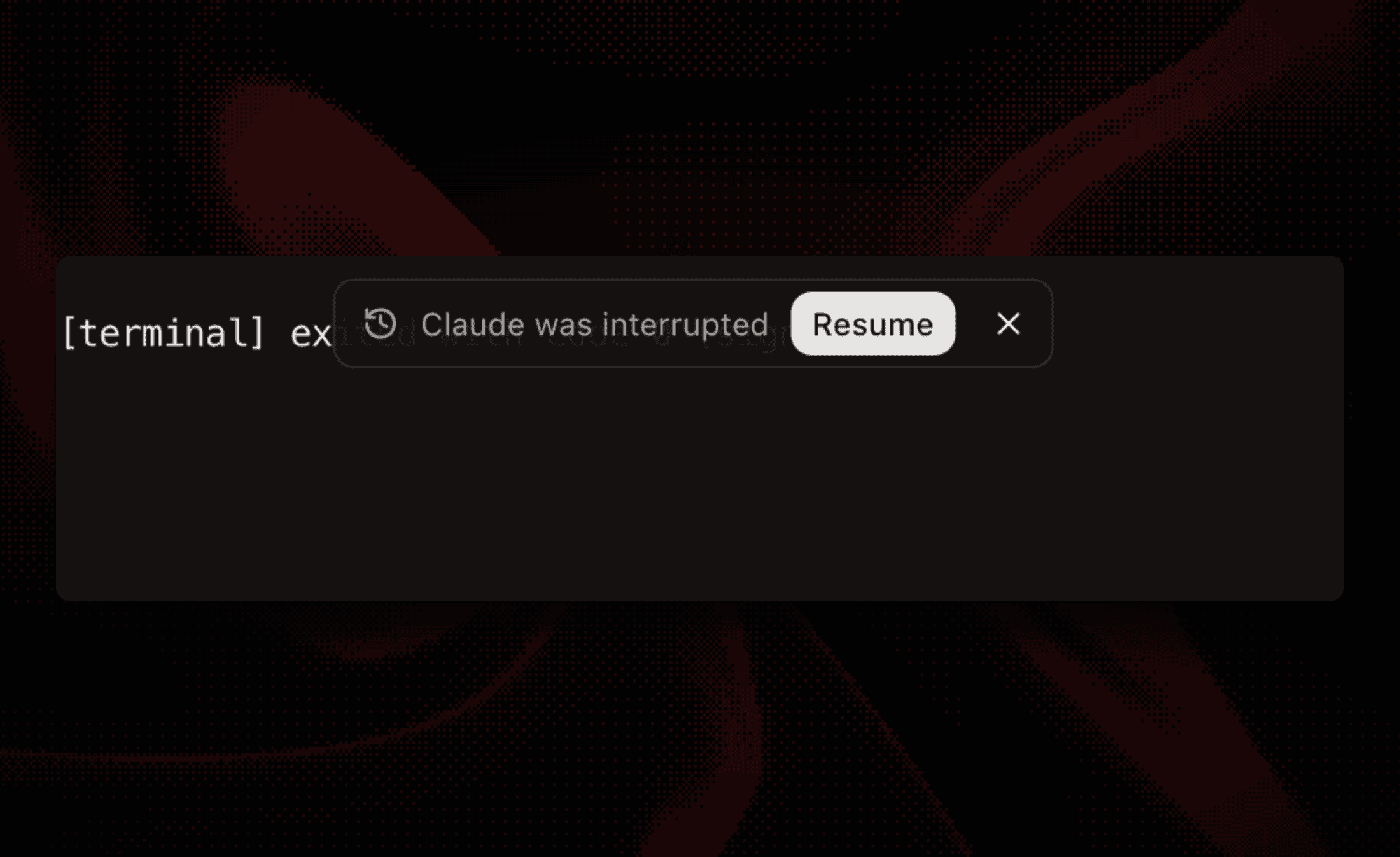 An interrupted Claude Code session offering a one-click Resume after the client died: the daemon kept the session alive
The magic is in attachment semantics:
Cold Restore: Recovering from Daemon crashes
When the daemon dies (machine reboot, crash, kill -9), sessions are lost. But we still have disk history:
On next app launch, we detect unclean shutdown (no endedAt in metadata) and offer cold restore:
This gives users the best of both worlds: they see what happened before the crash, and can kinda where they left off.
Backpressure: The Hidden Challenge
Terminals can produce output fast. A simple cat /dev/urandom | base64 will flood any buffer you throw at it. Without careful backpressure handling, you get:
- Memory exhaustion (unbounded queues)
- UI freezes (blocked event loops)
- Lost data (dropped writes)
We implement multi-level backpressure from PTY to UI:
The PTY subprocess batches output aggressively:
This avoids the O(n²) string concatenation problem while maintaining ~30fps visual updates.
The Headless Emulator: State Without a Screen
Each daemon session runs a headless xterm.js emulator. This might seem redundant: why emulate if there's no screen?
The emulator gives us:
-
Accurate snapshots: When a new client attaches, we serialize the current screen state, not just raw scrollback. The user sees exactly what was on screen, cursor position included.
-
Terminal mode tracking: Application mode, bracketed paste, mouse tracking. All parsed and tracked so reconnecting clients get correct state.
-
CWD detection: By parsing OSC escape sequences, we know the shell's current directory even when the session was created hours ago.
Lessons Learned
1. Protocol Versioning from Day One
When we introduced the two-socket split, existing daemons couldn't speak the new protocol. We handle this gracefully:
Always include version negotiation in your protocols.
2. React StrictMode Double-Mounts Are Real
React 18's StrictMode double-mounts components in development. Our terminal component would:
- Mount →
createOrAttach()→ receive cold restore - Unmount (StrictMode cleanup)
- Mount again →
createOrAttach()→ ???
If we re-read from disk, the cold restore flag might be gone (we wrote endedAt). Solution: sticky cache:
3. Don't Kill on Disconnect
When the Electron app closes, we don't kill daemon sessions:
This is the whole point of the daemon architecture. The default should be persistence, not cleanup.
4. Concurrency Limits Prevent Spawn Storms
Opening a workspace with 10 terminal panes would previously spawn 10 sessions simultaneously, overwhelming the daemon. We added a semaphore with priority:
Users see their active terminal first, background tabs hydrate gradually.
The Future: Cloud Backends
The abstraction boundary we've built isn't just about local persistence. The TerminalRuntime interface is provider-neutral:
Today, LocalTerminalRuntime wraps our daemon. Tomorrow, CloudTerminalRuntime could wrap SSH connections or remote tmux sessions: same interface, different backend. The renderer doesn't need to know where the terminal lives.
Want to dive deeper? Check out the Superset desktop source for the full implementation.
Related Posts
Git Worktrees: The Feature That Waited a Decade for Its Moment
Git worktrees have been around since 2015. For most of that time, they were a curiosity. Now they're having a moment. This is the story of how they came to be and why they suddenly matter.

How to get hit (probably in the face but anywhere else works too)
I ran out of technical content to write for the blog so here is something I am interested in instead.
