Superset vs Orca: worktrees, mobile, and scheduled agents
Compare Superset and Orca for parallel coding agents, iPhone and Android access, scheduled tasks, desktop support, and pricing.
Superset and Orca both support parallel coding work, remote hosts, mobile access, and scheduled automations. Scheduling and a phone companion are shared capabilities. Choose by platform, license, host setup, and the review workflow you actually use.
At a Glance
| Requirement | Superset | Orca |
|---|---|---|
| Parallel work | Separate workspaces and Git worktrees | Worktrees with terminals and browser tools |
| Desktop | macOS; experimental Linux; Windows unavailable | macOS, Windows, Linux |
| Phone | iPhone and iPad app on the App Store, iOS or iPadOS 26+, Pro; Android waitlist | iOS app on the App Store and an Android APK (not on Google Play), both documented as beta |
| Scheduling | Pro automations on a selected host, with run history and retry for failed runs | Scheduled automations through CLI and desktop |
| Review | Desktop app with a Changes pane that commits, pushes, and opens PRs, and a PR pane with checks, review threads, and merge | Inline diff comments sent back to the agent, plus GitHub and Linear PRs and issues in the app; source-control review on mobile |
| Browser | In-app browser pane with Design Mode: pick an element and send it to an agent | Embedded browser with Design Mode, which sends a clicked element to the agent |
| Shared hosts | macOS or Linux hosts you add, with access granted per member | SSH worktrees, Remote Orca Servers (beta) with headless orca serve, and experimental cloud VMs on your own provider |
| Programmatic control | CLI, TypeScript SDK, and MCP server | CLI; multi-agent orchestration is an experimental setting |
| Pricing | Free; Pro at $20 per user/month, or $15 billed yearly; Enterprise custom | Core app free and open source |
| License | Source-available, Elastic License 2.0 | MIT |
Orca's product page describes its worktree, browser, and CLI workflow. Its automation docs cover schedules, host selection, and run management. Its mobile docs describe pairing, status, terminal access, and source-control review.
Superset requirements
Superset runs CLI coding agents in separate workspaces, with terminals and diff review in one app. Desktop supports macOS and an experimental Linux AppImage. Windows is not yet available. Superset is source-available under Elastic License 2.0.
Inside the app, a Workspaces page groups every workspace by state (Needs attention, Working, Needs review, Idle, Merged), so you can see which agents need you. The Changes pane commits, pushes, and opens a pull request, and the pull request pane shows checks and review threads beside the diff.
To use Superset on iPhone and iPad, you need iOS 26 or iPadOS 26 or later, Pro, and a host that stays online. The iPhone and iPad app is on the App Store; from it you can check on agents, review diffs, and read Pages. Remote access and automations also require a paid plan. See pricing and remote access setup.
Try it in your repository
Run one of your usual tasks in each app with the same agent and model. Open the diff, ask for a correction, and run your project's checks. Compare how much setup and review each app takes. The parallel-task guide has prompts you can use.
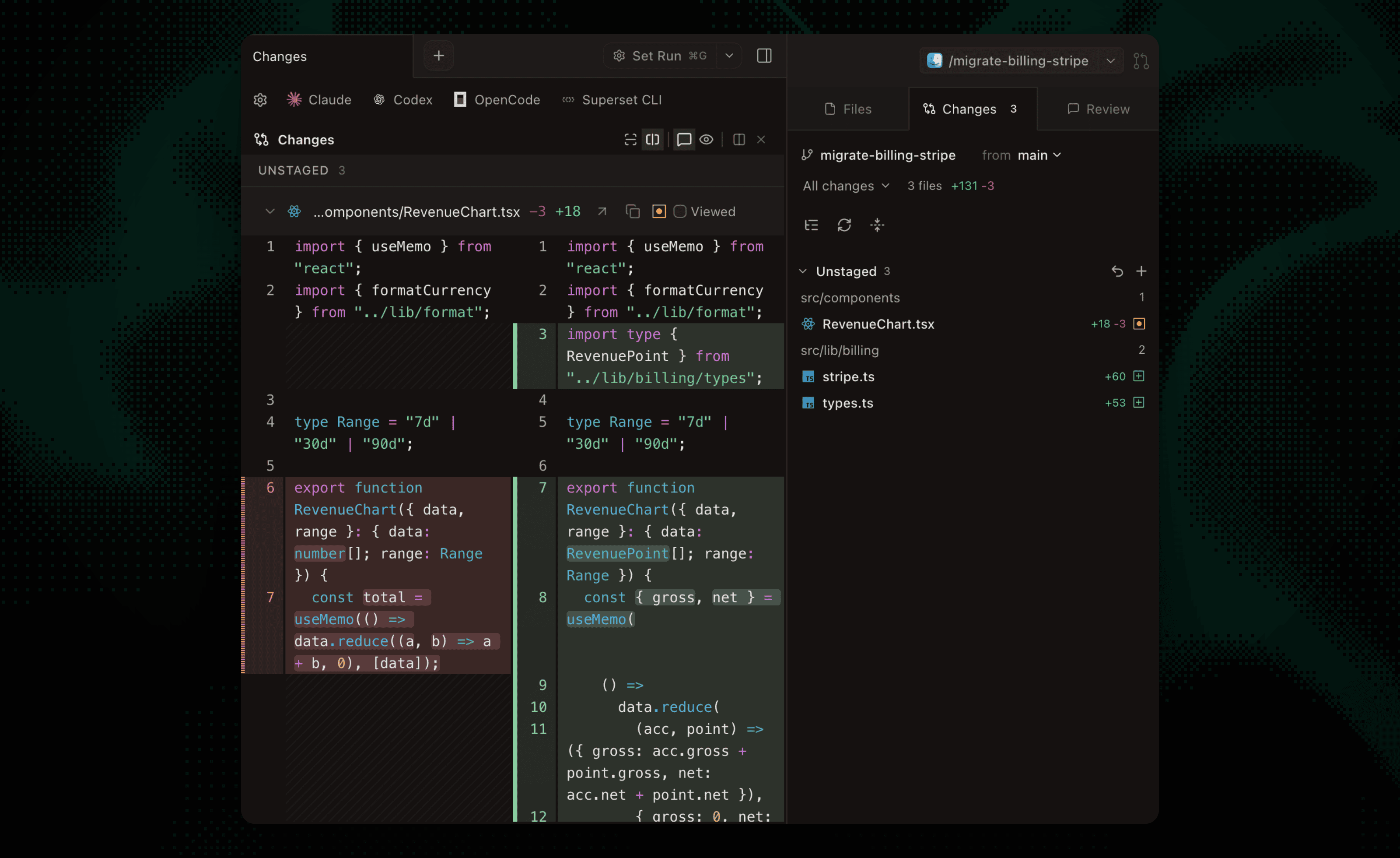 Reviewing a change in Superset.
Which should you choose?
Choose Superset if you want to send instructions to your coding agents and review their diffs from an iPhone, then continue in the same workspace on desktop. Follow the phone walkthrough and scheduled-maintenance guide to test those requirements.
Orca is a strong candidate if Windows, Android, or an MIT license is a requirement. It also tracks Claude Code, Codex, Gemini, OpenCode, Kimi, and MiniMax usage with an account switcher, and lists 27 supported agents. If both products meet your platform needs, try the same task in each and compare the review workflow.
Both require an agent provider account or API access. Superset has free and paid plans; Orca describes its core app as free and open source. Check current terms and any optional services before comparing total cost.
Frequently Asked Questions
Does Orca support scheduled agents?
Yes. Orca documents scheduled automations. Superset also supports scheduled agent sessions; scheduling alone does not distinguish them.
Does Superset have a mobile app?
Yes. Superset's iPhone and iPad app is on the App Store. It requires iOS 26 or iPadOS 26 or later, Pro, and a connected host. Android is on the waitlist.
Do worktrees prevent all conflicts?
No. They keep working copies separate. Combined changes still need review, conflict resolution when necessary, and tests.