Performance and memory leak fixes, file explorer, and terminal upgrades
Performance & Memory Leak Fixes
This release focuses on stability and speed improvements across the app.
Workspace deletion 12x faster - Deletion now completes in ~4-5 seconds instead of ~60 seconds. Terminal shutdowns and cleanup run in parallel, and git worktree removal uses a non-blocking background process. #1120
Port scanning performance - Batched port scans per interval to reduce CPU usage and improve responsiveness #1134
Memory leak fixes - Fixed memory leaks in terminal session management and workspace cleanup routines, reducing memory usage during long sessions
xterm viewport fixes - Resolved terminal viewport height issues that caused rendering problems #1133
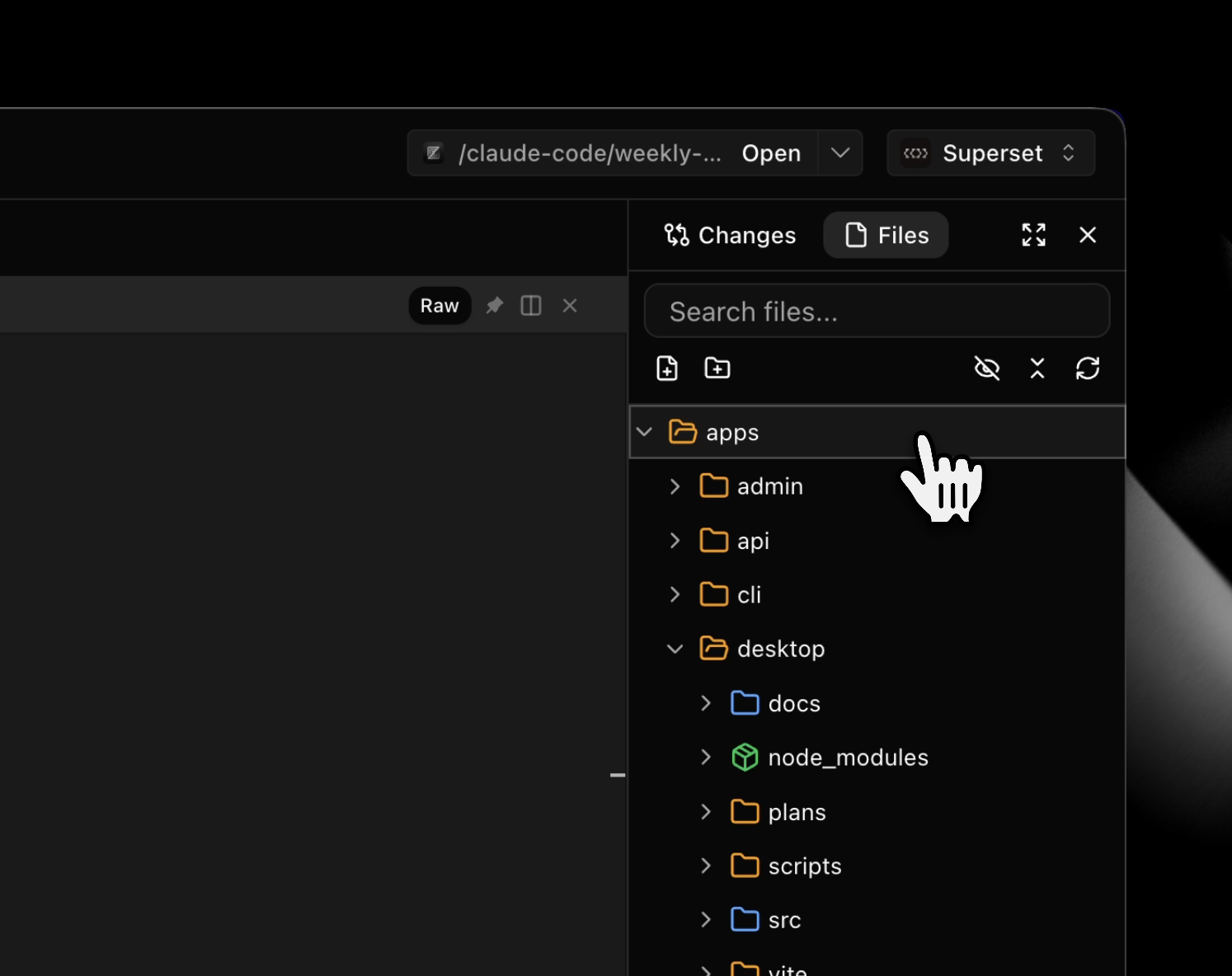
File Explorer #1112
Browse and manage your project files directly from the right sidebar. The new file explorer includes a hierarchical tree view, search functionality, and full file operations.
- Create, rename, delete, move, and copy files with context menus
- Toggle hidden files and refresh directory listings
- Search files with instant results and collapsible tree navigation
Terminal Upgrades
xterm.js 6.0 - Terminal now uses the latest xterm.js with improved rendering and WebGL support #1125
Copy without trailing whitespace - Terminal text selection now trims trailing spaces when copying, matching iTerm2 behavior #1104
International keyboard support - Option+key combinations now work correctly on international keyboards (Option+2 = @) #1127
Session persistence improvements - Terminal sessions now consistently use daemon-backed persistence for better reliability #1105
Improvements
- Changes sidebar redesign - Consolidated header with base branch dropdown and synced expand/collapse state #1110
- Tab navigation hotkeys - Jump directly to tabs 1-9 using ⌘⌥1-9 #1126
- Settings keyboard shortcut - Open settings with ⌘, (or Ctrl+, on Windows/Linux) #1080
- Documentation links - Added documentation links throughout the app (Help menu, API Keys, Integrations) #1096
- Tasks search shortcut - Press Cmd+F to focus task search input #1098
- Bulk workspace operations - MCP tools now support creating, updating, and deleting multiple workspaces in one call #1088
- Slack bot web search - Slack bot can now search the web when answering questions #1100
- Slack response formatting - Split Slack bot responses into summary + side effects messages #1101
- Copyable toasts - Toast notifications now allow text selection and copying #1084
Bug fixes: