# Superset
> Run 100+ parallel coding agents on your machine
Superset is a source-available desktop workspace (Elastic License 2.0) for orchestrating any CLI-based coding agent, including Claude Code, OpenCode, and OpenAI Codex. Each task runs in its own Git worktree and branch. Worktrees separate working files, but do not sandbox processes or prevent merge conflicts. Superset has a free tier plus paid seats and does not proxy model calls. Desktop platforms: macOS and Linux (experimental AppImage); Windows is not yet available.
## Docs
- [Documentation](https://docs.superset.sh)
- [Getting Started](https://docs.superset.sh/getting-started)
- [GitHub](https://github.com/superset-sh/superset)
---
# Comparisons
## Best Grok Bot Alternatives in 2026
URL: https://superset.sh/compare/grok-bot-alternative
Grok Bot is xAI's beta of "always-on" AI teammates: the bots in an account share one persistent cloud computer, work inside tools and apps like a person, and keep going around the clock. It runs only on Cursor-hosted cloud computers, Cursor picks the model, it is US-only during the beta, and access is bundled with eligible SuperGrok and Cursor plans rather than sold on its own. If you want agents that keep working when you close the laptop but on your own hardware, with your own choice of agent and model, or aimed squarely at code, here are the best Grok Bot alternatives in 2026.
One note before the list: Grok Bot is not xAI's coding agent. That is Grok Build, a separate open-source CLI, and it appears below because many people searching for a Grok Bot alternative actually want Grok on their code.
---
## The Short Version
| Alternative | Best for | Where agents run | License |
|---|---|---|---|
| **Superset** | Any coding agent in parallel worktrees, with automations and Remote Access | Your machine or any host you add | Source-available (ELv2) |
| **Grok Build** | xAI's own coding agent, in your terminal | Your machine | Open source (Apache-2.0) |
| **Paseo** | Self-hosted daemon you drive from a native mobile app | Your machine or server | Open source (Apache-2.0) |
| **Herdr** | Terminal runtime that keeps agents alive through disconnects | Your machine, a rented box, or Vercel Sandbox | Open source (Apache-2.0) |
| **Conductor** | Polished Mac app with managed cloud workspaces | Your Mac, or Conductor Cloud on Pro | Proprietary |
## Why Look for a Grok Bot Alternative?
Grok Bot's design decisions are the reasons to look elsewhere. Agents run exclusively on Cursor-hosted cloud VMs, so they cannot touch your local services, dependencies, or private network. There is no model picker: Cursor chooses. The beta is US-only. It has no standalone price, so you need an eligible SuperGrok or Cursor plan. And it is a general-purpose computer-use teammate, with sales, recruiting, and operations as headline use cases, rather than a tool built around Git worktrees, diffs, and pull requests.
## The Best Alternatives
### Superset
Superset is a local-first workspace that runs Claude Code, Codex, Grok Build, Cursor Agent, OpenCode, Gemini CLI, and any other CLI agent in parallel Git worktrees on machines you own, using your own subscriptions. The always-on part comes from Remote Access, which adds any machine as a host so workspaces keep running when your laptop sleeps, and from scheduled automations that run agent sessions on a device you choose, with a CLI, a TypeScript SDK, an MCP server, and a Slack bot for dispatch. The engineering loop is built in: a Changes pane that commits, pushes, and opens PRs, a Pull Requests view with CI checks, and an in-app browser with Design Mode. Free tier, Pro at $20 per user per month, and an enterprise tier with SAML SSO, SCIM, audit logs, and a SOC 2 Type II report.
For the direct comparison, see [Superset vs Grok Bot](/compare/superset-vs-grok-bot).
### Grok Build
Grok Build is xAI's coding agent: an Apache-2.0 Rust CLI for macOS, Linux, and Windows that runs as an interactive TUI, headlessly in scripts, or as an Agent Client Protocol server. It has Git worktree sessions that separate working files for parallel tasks, an agent dashboard showing which sessions need input, subagents, a `/loop` for recurring prompts, and MCP servers, hooks, skills, and AGENTS.md support. It is bundled with SuperGrok and X Premium+ subscriptions or runs on an xAI API key, and it also points at your own local inference. It is an agent, not a workspace, and Superset runs it as a built-in preset.
### Paseo
Paseo is an Apache-2.0 self-hosted daemon for coding agents with native macOS, Windows, Linux, iOS, and Android clients and a web app. It runs Claude Code, Codex, OpenCode, and Pi through native harnesses and 30 or more agents via the Agent Client Protocol, in worktrees, with cron schedules, an MCP server, local-first voice, and an end-to-end encrypted relay for reaching your daemon from anywhere. If what you liked about Grok Bot was steering agents from your phone, Paseo does that on your own hardware.
See [Superset vs Paseo](/compare/superset-vs-paseo).
### Herdr
Herdr is a Rust, Apache-2.0 runtime whose server owns real terminals, so agents survive lid-closes, dropped SSH sessions, and every client quitting. It auto-detects 19 agent CLIs, has a tmux-style TUI, a JSON socket API, and a plugin marketplace, including a Vercel Sandbox plugin that runs each agent in an isolated cloud microVM and returns changes as Git patches. It is the closest thing to Grok Bot's "always-on" promise for terminal-native developers, on a box you choose.
See [Superset vs Herdr](/compare/superset-vs-herdr).
### Conductor
Conductor is a proprietary macOS app for Claude Code, Codex, Cursor, and OpenCode with named agent teams and four coordination patterns. Its Pro plan at $50 per month adds Conductor Cloud, managed Linux sandboxes where sessions run off your machine, which is the nearest managed-cloud analogue to Grok Bot among engineering tools, while keeping local workspaces free.
See [Superset vs Conductor](/compare/superset-vs-conductor).
## How To Choose
- For any coding agent in parallel worktrees on your own machines, with automations and Remote Access, choose **Superset**.
- For Grok itself on your code, open source and in your terminal, choose **Grok Build**, on its own or inside Superset.
- For a self-hosted daemon with native mobile apps, choose **Paseo**.
- For a terminal runtime that keeps agents alive anywhere you can SSH, choose **Herdr**.
- For a polished Mac app with optional managed cloud sandboxes, choose **Conductor**.
## Verdict
Grok Bot is a managed, general-purpose teammate on someone else's cloud. If you want the always-on part with your own agents, models, and machines, Superset is the strongest alternative for engineering work, with Grok Build as the way to keep using Grok for code, and Paseo and Herdr as the open-source picks for phone-first and terminal-first developers. For the full landscape, see [Best Agentic IDE in 2026](/compare/best-agentic-ide).
## Frequently Asked Questions
### What is the best Grok Bot alternative for coding?
For most developers, Superset: it runs any coding agent, including xAI's Grok Build, in parallel Git worktrees on your own hardware, and covers always-on work through Remote Access, scheduled automations, and a Slack bot. Grok Build alone is the pick if you only want Grok in your terminal.
### Is Grok Bot the same as Grok Build?
No. Grok Bot is a beta of always-on computer-use teammates on Cursor-hosted cloud computers. Grok Build is xAI's open-source coding agent CLI with worktree isolation, an agent dashboard, and MCP support. Superset runs Grok Build as a built-in agent.
### Are there open-source Grok Bot alternatives?
Grok Build, Paseo, and Herdr are Apache-2.0. Superset is source-available under ELv2 with a free tier. Conductor is proprietary.
### Which alternatives keep agents running when my laptop is closed?
Superset through Remote Access hosts and scheduled automations, Paseo through its self-hosted daemon, Herdr through its server-owned terminals, and Conductor through Conductor Cloud on its Pro plan. Grok Bot does it through a persistent cloud VM per user that you do not control.
## Best Paseo Alternatives in 2026
URL: https://superset.sh/compare/paseo-alternative
Paseo is an Apache-2.0 "control plane for coding agents": a self-hosted daemon that runs Claude Code, Codex, OpenCode, Pi, and 30 or more ACP agents in worktrees, with native macOS, Windows, Linux, iOS, Android, and web clients, local-first voice, schedules, an MCP server, and plugins. It is free, needs no account, and is built by a solo developer. You might want an alternative if you want a deeper desktop review surface, any CLI agent without an adapter, a team and enterprise track, or a product with a company behind it. Here are the best Paseo alternatives in 2026.
---
## The Short Version
| Alternative | Best for | Platform | License |
|---|---|---|---|
| **Superset** | The full desktop loop plus automations, MCP, and teams | macOS; experimental Linux AppImage; Windows unavailable | Source-available (ELv2) |
| **Orca** | Free cross-platform ADE with the widest prebuilt agent list | macOS, Windows, Linux + iOS/Android | Open source (MIT) |
| **Conductor** | Polished Mac app with agent teams and cloud workspaces | macOS | Proprietary |
| **Herdr** | Terminal-native runtime that keeps agents alive anywhere | macOS, Linux, Windows (beta) | Open source (Apache-2.0) |
| **Emdash** | Open-source ADE with issue-tracker intake | macOS, Windows, Linux | Open source (Apache-2.0) |
## Why Look for a Paseo Alternative?
Paseo's daemon-plus-clients design is its strength and its constraint. You run and maintain the daemon, relay, and optional Hub yourself, and team features are early: Hub is in beta, with hosted seats at €15 per month, and by Paseo's own docs team provisioning and shared settings are not built yet. Agents outside its four native harnesses go through the Agent Client Protocol or a config-level custom provider rather than a plain terminal. There is no SSO, SCIM, audit log, or compliance report, and the project is maintained by one person. None of that matters for a solo developer who wants a phone-first control plane; all of it matters for a team.
## The Best Alternatives
### Superset
Superset keeps what makes Paseo good, parallel agents in isolated worktrees, schedules, an MCP server, and remote hosts, and adds a deeper desktop surface: any CLI agent in a persistent terminal with mid-session agent switching, a Changes pane that commits, pushes, and opens PRs, a Pull Requests view with CI checks and line comments sent to agents, an in-app browser with Design Mode, tasks synced with Linear and GitHub Issues, and a Slack bot. Remote Access adds any machine as a host so workspaces keep running when your laptop sleeps. It has published pricing, a Pro team plan, and an enterprise tier with SAML SSO, SCIM, audit logs, and a SOC 2 Type II report. [Superset for iPhone is available on the App Store](https://apps.apple.com/app/id6788926383); Android is on the [waitlist](/mobile#android).
For the direct comparison, see [Superset vs Paseo](/compare/superset-vs-paseo).
### Orca
Orca is the free, MIT-licensed desktop agent development environment: parallel agents in worktrees on macOS, Windows, and Linux, prebuilt configurations for 25+ agents plus custom CLI agents, split terminals, a Design Mode, SSH remote worktrees, GitHub and Linear intake, and iOS and Android companion apps. It is the closest open-source match for Paseo's cross-platform and mobile reach, in a desktop-first shape.
See [Superset vs Orca](/compare/superset-vs-orca).
### Conductor
Conductor is a proprietary macOS app for Claude Code, Codex, Cursor, and OpenCode with named agent teams, four coordination patterns, and managed context. Pro at $50 per month adds cloud workspaces and multiplayer. It is the pick if you want polish and coordination over openness, and are fine with Mac only.
See [Superset vs Conductor](/compare/superset-vs-conductor).
### Herdr
Herdr is a Rust, Apache-2.0 runtime that owns real terminals so agents survive disconnects, with a tmux-style TUI, a JSON socket API, 500+ plugins, and a Vercel Sandbox plugin for microVM isolation. It shares Paseo's server-first philosophy without a GUI or mobile app: if you live in the terminal and want persistence above all, Herdr is leaner.
See [Superset vs Herdr](/compare/superset-vs-herdr).
### Emdash
Emdash (YC W26, Apache-2.0) is an open-source ADE that gives each task a worktree, auto-detects 30+ agent CLIs, pulls work from a dozen issue trackers, and adds diff review, CI monitoring, a browser, and cron automations. It is the open-source option if tickets, not a phone, are how work reaches your agents.
See [Superset vs Emdash](/compare/superset-vs-emdash).
## How To Choose
- For the full desktop loop with automations, MCP, Slack, and a team and enterprise track, choose **Superset**.
- For free, cross-platform, and mobile companions in an open-source desktop app, choose **Orca**.
- For a polished Mac app with agent teams and cloud workspaces, choose **Conductor**.
- To stay server-first and terminal-native, choose **Herdr**.
- For open source with issue-tracker intake, choose **Emdash**.
## Verdict
Paseo is the best self-hosted, mobile-first control plane in this category, and for a solo developer it may be all you need. When you want the deeper desktop review surface, any-agent flexibility, and a team behind the product, Superset is the strongest alternative, with Orca as the open-source cross-platform pick and Herdr for the terminal purist. For the full landscape, see [Best Agentic IDE in 2026](/compare/best-agentic-ide).
## Frequently Asked Questions
### What is the best Paseo alternative?
For most developers, Superset: the same worktree orchestration, schedules, MCP server, and remote hosts, plus a deeper desktop review surface, any CLI agent in a terminal, a Slack bot, and team and enterprise plans. Orca is the leading open-source alternative with mobile apps.
### Is there an open-source Paseo alternative?
Yes. Orca (MIT), Herdr (Apache-2.0), and Emdash (Apache-2.0) are open source. Paseo itself is Apache-2.0; Superset is source-available under ELv2 with a free tier.
### Which alternatives have mobile apps like Paseo?
Orca ships iOS and Android companion apps. Conductor has announced a mobile app but not shipped it. Superset has an [iPhone app](/mobile) requiring iOS 26 or later, Pro, and an awake, online host; Android is on the [waitlist](/mobile#android). Herdr's mobile story is an SSH client to its TUI.
### Does Paseo support any coding agent?
Paseo has native harnesses for Claude Code, Codex, OpenCode, and Pi and runs 30 or more other agents through the Agent Client Protocol, with custom providers by config. Superset and Orca run any CLI agent directly in a terminal.
## Superset vs Grok Bot (2026): Agent Workspace vs Always-On Cloud Teammates
URL: https://superset.sh/compare/superset-vs-grok-bot
Superset and Grok Bot both promise agents that keep working after you walk away, but they are different kinds of product. Superset is a local-first workspace for software engineering: it runs Claude Code, Codex, Grok Build, and any other CLI agent in parallel Git worktrees on machines you own, with diff review, pull requests, a browser, automations, and Remote Access so workspaces keep running when your laptop sleeps. Grok Bot, launched in beta by xAI in August 2026, is a team of general-purpose "always-on" AI teammates that share one persistent cloud computer per account, work inside apps the way a person would, and run on Cursor-hosted infrastructure with Cursor choosing the model.
If you were looking for xAI's coding agent, that is Grok Build, a separate open-source CLI, and Superset runs it as one of its built-in agents. The [FAQ](#is-grok-bot-the-same-as-grok-build) covers the difference.
---
## At a Glance
| | **Superset** | **Grok Bot** |
|---|---|---|
| **What it does** | Runs multiple AI coding agents in parallel with Git worktree isolation, chat, review, and browser | Always-on AI teammates on a shared cloud computer that work inside tools and apps 24/7 |
| **Category** | Local-first agent workspace with remote hosts | Cloud computer-use agents (beta) |
| **Where agents run** | Your machine, or any machine you add as a host | Cursor-hosted cloud computers only, one Firecracker microVM per user, US-only |
| **Agent and model choice** | Any CLI agent on your own subscription or keys (Claude Code, Codex, Cursor Agent, OpenCode, Gemini CLI, Copilot, Grok Build, Kimi Code, Mistral Vibe, Amp, and more) | Cursor manages model selection; no customer-facing model picker |
| **Focus** | Software engineering: worktrees, diffs, PRs, CI, dev servers | General work: sales, recruiting, ops, and some engineering triage |
| **Isolation** | Git worktrees for local branch-based workspaces on your own repos | Persistent cloud VM per user |
| **Clients** | macOS desktop (experimental Linux AppImage; Windows unavailable), CLI, MCP server | macOS, Windows, and Linux desktop app; iOS and Android apps |
| **Automation** | Scheduled automations, CLI, TypeScript SDK, MCP server, Slack bot | Agents run continuously on the account's cloud computer |
| **Pricing** | Free tier; Pro $20 per user per month; Enterprise custom | Bundled with eligible SuperGrok and Cursor plans with weekly usage included; on-demand usage add-on; no standalone price published |
---
## What Is Superset?
Superset is a local-first desktop workspace for AI coding agents. It launches Claude Code, Codex, Cursor Agent, OpenCode, Gemini CLI, GitHub Copilot, Grok Build, Kimi Code, Mistral Vibe, Amp, and any other CLI agent inside isolated Git worktrees with persistent terminal sessions, on your own subscriptions and keys, and never proxies model calls. Around that core it adds a Changes pane that commits, pushes, and opens PRs, a Pull Requests view with CI checks and line comments you can send to agents, a chat panel, an in-app browser with port detection and Design Mode, and an MCP server so agents and tools can create workspaces and launch agents. Remote Access adds any machine as a host so workspaces keep running when your laptop sleeps, and scheduled automations, a CLI, a TypeScript SDK, and a Slack bot cover unattended work. Source-available under Elastic License 2.0 (ELv2), with a free tier, Pro, and an enterprise tier with SAML SSO, SCIM, audit logs, and a SOC 2 Type II report.
## What Is Grok Bot?
Grok Bot is xAI's product for "durable AI teammates on a persistent cloud computer." Announced August 11, 2026 and in beta, the bots in an account share one always-on computer, including its files, browser sessions, and command-line credentials, work inside tools and apps like a person would, and keep going around the clock; xAI's pitch contrasts assistants that get work "90% done" with teammates that finish it. The bots run only on Cursor-hosted cloud computers, in a Firecracker microVM per user, with Cursor managing model selection, and the service is US-only during the beta. It ships as a desktop app for macOS, Windows, and Linux plus iOS and Android apps. Access is bundled with eligible SuperGrok and Cursor plans, with weekly usage included and on-demand usage billed from model and token cost; as of late August Grok Bot usage is metered separately from your Grok and Cursor plans, and in early September xAI extended it to Grok and Cursor Enterprise customers. xAI's own FAQ notes it is not the same as Grok on grok.com or the Grok mobile apps.
## Key Differences
### Your Machines vs Their Cloud
Superset's agents run on your laptop, your desktop, or any machine you add as a host, against your real repositories, services, and dependencies, with your existing agent subscriptions. Grok Bot's agents run exclusively on Cursor-hosted cloud computers you do not control, with no model picker and, during the beta, US-only availability. That is the deepest split: Superset is infrastructure you own, Grok Bot is a managed service.
### Engineering Loop vs General Work
Superset is built around the software loop: local branch-based worktrees, diffs, commit, push, and PR from the Changes pane, CI checks, line comments back to the agent, dev servers in an in-app browser. Grok Bot is a general-purpose computer-use teammate whose documented use cases lean toward sales, recruiting, and operations, with engineering triage as one case among many. If the work is code, Superset gives the agent the surface it needs; if the work is a browser and a dozen SaaS tabs, Grok Bot is aimed at it.
### Any Agent vs One Vendor's Stack
Superset is agent-agnostic. Claude Code, Codex, Grok Build, and any other CLI agent run side by side, and you can continue a session with a different agent. Grok Bot is a single product on Cursor's infrastructure with Cursor's model choice. Notably, xAI's own coding agent, Grok Build, is one of Superset's built-in agents, so you can run Grok for code inside Superset without committing to Grok Bot.
### Always-On, Two Ways
Grok Bot's answer to "keep working while I'm away" is a persistent cloud VM per user. Superset's answer is Remote Access: add a machine as a host and workspaces keep running when your laptop sleeps, plus scheduled automations that run agent sessions on a device you choose and a Slack bot that dispatches work from a mention. Both deliver unattended work; Superset does it on hardware you pick.
---
## Pricing
Superset offers a free tier and Pro at $20 per user per month, or $15 per user per month billed yearly, with an enterprise tier on custom billing. Grok Bot has no standalone price as of September 2026: xAI's docs say availability and billing depend on the account and plan, eligible plans include SuperGrok Plus, SuperGrok Heavy, Cursor Pro+, Cursor Ultra, and Cursor Teams, subscriptions include weekly usage, and eligible accounts can add on-demand usage billed from model and token cost. Superset is bring-your-own-agent for model costs.
---
## Which Should You Choose?
**Choose Superset if you:**
- Want agents working on your code, on machines you control, with your own subscriptions
- Run several different agents in parallel and switch between them
- Need diff review, pull requests, CI checks, and a browser in the loop
- Want scheduled automations, an MCP server, and a Slack bot backed by a team and enterprise plan
**Choose Grok Bot if you:**
- Want always-on teammates for non-engineering work like sales, recruiting, and ops
- Are already on an eligible SuperGrok or Cursor plan
- Are fine with agents running only on Cursor-hosted cloud computers with no model choice
- Are in the US and comfortable with a beta
**Verdict:** These products mostly do not compete. Grok Bot is an always-on, general-purpose computer-use teammate on a managed cloud; Superset is an engineering workspace that runs any coding agent, Grok Build included, in parallel worktrees on your own hardware. Developers who searched for a Grok Bot alternative because they want Grok on their code should look at Grok Build inside Superset. Teams that want unattended agent work on infrastructure they control should look at Superset's Remote Access and automations.
---
## Frequently Asked Questions
### Is Grok Bot the same as Grok Build?
No. Grok Bot is xAI's always-on computer-use teammate product on Cursor-hosted cloud computers, launched in beta in August 2026. Grok Build is xAI's open-source, Apache-2.0 coding agent CLI for macOS, Linux, and Windows, with Git worktree isolation, an agent dashboard, subagents, and MCP support. Superset runs Grok Build as a built-in agent.
### Can I run Grok in Superset?
Yes. Grok Build is one of Superset's built-in agent presets, running on your SuperGrok or X Premium+ subscription or an xAI API key, in an isolated worktree alongside Claude Code, Codex, and any other CLI agent.
### Does Grok Bot run on my computer?
No. Grok Bot runs only on Cursor-hosted cloud computers, in a Firecracker microVM per user, and Cursor manages model selection. Superset runs agents on your own machine or on any machine you add as a host through Remote Access.
### Is Grok Bot free?
Grok Bot has no standalone price. It is bundled with eligible SuperGrok and Cursor plans with weekly usage included, and eligible accounts can add on-demand usage billed from model and token cost. Superset has a free tier and Pro at $20 per user per month.
## Superset vs Paseo (2026): Agent Workspace vs Self-Hosted Agent Control Plane
URL: https://superset.sh/compare/superset-vs-paseo
Superset and Paseo both run many coding agents at once on hardware you own, each in its own Git worktree, with terminals, diff review, a browser, schedules, and remote hosts around them. Paseo's own comparison page names Superset directly, and the overlap is real. The difference is shape. Superset is a desktop workspace first: a local-first app for orchestrating any CLI agent, with Remote Access, automations, an MCP server, and a team and enterprise track layered on. Paseo is a self-hosted daemon first: an Apache-2.0 control plane you run on a machine, with native desktop, mobile, and web clients that all connect to it, and a hosted Hub for team triggers.
---
## At a Glance
| | **Superset** | **Paseo** |
|---|---|---|
| **What it does** | Runs multiple AI agents in parallel with Git worktree isolation, chat, review, and browser | Runs and orchestrates coding-agent CLIs on your hardware, driven from desktop, mobile, web, CLI, or API |
| **Category** | Local-first agent workspace with remote hosts | Self-hosted control plane: daemon plus native clients |
| **Agent support** | Any CLI agent (Claude Code, Codex, Cursor Agent, OpenCode, Gemini CLI, Copilot, Grok, Kimi Code, Mistral Vibe, Amp, and more), plus built-in chat | Native harnesses for Claude Code, Codex, OpenCode, and Pi; 30+ more via the Agent Client Protocol; custom providers by config |
| **Isolation** | Git worktrees for local branch-based workspaces | Worktree per workspace, with `paseo.json` setup, teardown, and per-worktree service URLs |
| **Platforms** | macOS; experimental Linux AppImage; Windows unavailable; iPhone (iOS 26+, Pro, online host) | macOS, Windows, Linux desktop; iOS and Android apps; web app; Docker and Nix |
| **Mobile** | [iPhone app](https://apps.apple.com/app/id6788926383); Android [waitlist](/mobile#android) | Native iOS and Android apps with feature parity |
| **Remote** | Remote Access: add any machine as a host through the Superset Relay (beta, Pro) | SSH tunnel, opt-in end-to-end encrypted relay, or direct/Tailscale |
| **Automation** | Automations on a cron-style schedule, CLI, TypeScript SDK, MCP server, Slack bot | Cron schedules and heartbeats, CLI, TypeScript client SDK, MCP server, Hub triggers from GitHub, Slack, and Discord |
| **Team** | Pro: unlimited users, Linear and Slack integrations. Enterprise: SAML SSO, SCIM, audit logs, SOC 2 Type II | Hub (beta): self-hosted free, hosted at €15 per seat per month; team provisioning and shared settings not built yet |
| **License / pricing** | Source-available (ELv2); free tier, Pro $20 per user per month | Open source (Apache-2.0); free, no account, no seat limits |
---
## What Is Superset?
Superset is a local-first desktop workspace for AI coding agents. It launches Claude Code, Codex, Cursor Agent, OpenCode, Gemini CLI, GitHub Copilot, Grok, Kimi Code, Mistral Vibe, Amp, and any other CLI agent inside isolated Git worktrees with persistent terminal sessions, and lets you continue a session with a different agent or fork it. Around that core it adds a diff/file editor that commits, pushes, and opens PRs from the Changes pane, a Pull Requests view with CI checks and line comments you can send to agents, a chat panel with a model picker, an in-app browser with port detection and Design Mode, and an MCP server so agents and tools can create workspaces and launch agents. Remote Access adds any machine as a host so workspaces keep running when your laptop sleeps. Scheduled automations, a CLI, a TypeScript SDK, and a Slack bot cover unattended work, and tasks sync with Linear and GitHub Issues. Source-available under Elastic License 2.0 (ELv2).
## What Is Paseo?
Paseo calls itself "the control plane for coding agents." It is a self-hostable Node.js daemon that runs the agent CLIs you already have, with native clients for macOS, Windows, and Linux, iOS and Android apps built in React Native, a web app, a CLI, and a WebSocket API and TypeScript client. Claude Code, Codex, OpenCode, and Pi get custom structured harnesses; 30 or more other agents, including Cursor, Gemini CLI, GitHub Copilot, Grok, Hermes, and Mistral Vibe, run through the Agent Client Protocol, and you can extend any provider by config. Each workspace can get a worktree with `paseo.json` setup and teardown scripts and per-worktree service proxies, and the app puts agents, terminals, and browsers in splits side by side, with diff review and GitHub PRs, checks, and merges inside it. It ships local-first voice, cron schedules and heartbeats, an MCP server agents can use to spawn and message each other, and a trusted TypeScript plugin system. Remote access is a first-class part of the architecture: clients reach the daemon over SSH, an opt-in end-to-end encrypted relay, or your own network. An optional Hub sits above your daemons to start agents from GitHub, Slack, or Discord mentions. Paseo is Apache-2.0 (since v0.7.0 in late August 2026), sends no telemetry, and is built by a solo developer.
## Key Differences
### Workspace vs Control Plane
Superset is the place you work: one desktop app where agents, diffs, PRs, browser, and chat live together, with your other machines reachable from it. Paseo inverts that: the daemon is the product, and every client, including the phone in your pocket, is a window onto it with the same features. Superset has an [iPhone app](/mobile) for workspace terminals and diff review. It requires iOS 26 or later, Pro, and a host that stays awake and online. Android is on the [waitlist](/mobile#android). If you mostly work at a desk and want the deepest desktop surface, Superset's Changes pane, Pull Requests view, Design Mode, and Tasks give you more to work with in one window.
### Any CLI Agent vs Harnesses and ACP
Superset runs any CLI agent in a real terminal with no adapter: if it runs in a shell, it runs in Superset, and you switch agents mid-session without losing the workspace. Paseo runs four agents through native structured harnesses and the rest through the Agent Client Protocol, which gives it a richer, non-terminal chat surface with permissions and modes reported by the agent at runtime, at the cost of depending on ACP support or a config-level custom provider. Both let you use your own subscriptions and keys, and neither proxies model calls.
### Automation and Team Dispatch
Both schedule agents and both expose an MCP server. Superset's automations run on a cron-style schedule on a device you choose, produce a reviewable workspace, and can be composed from the CLI or TypeScript SDK; a Slack bot creates tasks, spins up workspaces, and launches agents from a mention. Paseo has cron schedules, heartbeats that re-prompt a running agent, a client SDK, and agents that spawn and message subagents across hosts; team-level triggers from GitHub, Slack, and Discord come from Hub, a separate service in beta with a hosted plan.
### Team and Enterprise
Superset has a Pro plan with unlimited users, Linear and Slack integrations, and Remote Access, and an enterprise tier with SAML SSO, SCIM, audit logs, a SOC 2 Type II report, and an uptime SLA. Paseo's team story is Hub: free to self-host, €15 per seat per month hosted, and by its own docs still missing daemon provisioning for a team and shared settings and skills. Solo developers and small groups will not feel that gap; teams that need identity, audit, and compliance will.
### License, Privacy, and Accounts
Paseo is Apache-2.0, needs no account, and states it sends no analytics, telemetry, or crash reports; its relay sees only addresses, timing, sizes, and session IDs. Superset is source-available under ELv2, which allows use, forking, and self-hosting but not reselling Superset as a service, and a Superset account syncs organization metadata while your code and agents stay on your machines and Superset never proxies API calls.
---
## Pricing
Superset offers a free tier for individuals and Pro at $20 per user per month, or $15 per user per month billed yearly, with an enterprise tier on custom annual billing. Paseo's app, daemon, CLI, SDK, and relay are free and open source with no seat limits; the hosted Hub is €15 per seat per month, and self-hosted Hub is free. Both are bring-your-own-agent for model costs.
---
## Which Should You Choose?
**Choose Superset if you:**
- Want the deepest desktop surface: Changes pane with commit, push, and PRs, a Pull Requests view, Design Mode, and Tasks
- Run any CLI agent in a real terminal and switch agents mid-session
- Need scheduled automations, an MCP server, and a Slack bot backed by a team plan
- Need enterprise controls: SAML SSO, SCIM, audit logs, SOC 2 Type II
**Choose Paseo if you:**
- Want native iOS and Android apps with full parity today
- Prefer an Apache-2.0 daemon you self-host with no account and no telemetry
- Want local-first voice and a plugin API for custom panels and providers
- Are a solo developer or small team happy to run your own infrastructure
**Verdict:** Paseo is the strongest self-hosted, mobile-first option in this category, and its Apache-2.0 license and no-account stance are genuine advantages for individuals. Superset is the better fit if you want the fuller desktop workspace, any-agent terminal flexibility, and a team and enterprise track that exists today. Many developers will try both; teams standardizing an agent workflow will get further with Superset.
---
## Frequently Asked Questions
### Is Paseo a Superset alternative?
Yes. Paseo publishes its own comparison with Superset and covers the same core: parallel agents in Git worktrees with terminals, diff review, a browser, schedules, and remote hosts. Both offer mobile access. Superset’s iPhone app connects to an awake, online host and requires iOS 26 or later and Pro; compare the supported devices and review workflow you need.
### Does Paseo run on Windows and Linux?
Yes. Paseo treats macOS, Windows, and Linux as primary targets, with installers for each plus Docker and Nix for headless hosts. Superset supports macOS on Apple Silicon and Intel, ships an experimental Linux build, and does not yet support Windows.
### Which agents does Paseo support?
Paseo has native harnesses for Claude Code, Codex, OpenCode, and Pi, and runs 30 or more others, including Cursor, Gemini CLI, GitHub Copilot, Grok, and Mistral Vibe, through the Agent Client Protocol; you can add custom providers by config. Superset runs any CLI agent in a terminal, with built-in presets for Claude Code, Codex, Cursor Agent, OpenCode, Gemini CLI, Copilot, Grok, Kimi Code, Mistral Vibe, Amp, and more.
### Is Paseo free?
Yes. The Paseo daemon, clients, CLI, SDK, and relay are free and Apache-2.0 with no account required. Its optional hosted Hub for team triggers is €15 per seat per month. Superset has a free tier and Pro at $20 per user per month.
## Orca vs Conductor (2026): Agent Development Environments Compared
URL: https://superset.sh/compare/orca-vs-conductor
Orca and Conductor solve the same problem from opposite ends. Both run multiple AI coding agents at once, each in its own Git worktree, with review and merge in the app. Orca is open source under MIT, cross-platform, and covers 25+ agents plus any custom CLI you add. Conductor is a proprietary macOS app focused on Claude Code, Codex, Cursor, and OpenCode, with a paid tier for cloud and team features.
[Superset](/compare/superset-vs-conductor) runs the same worktree-per-task model and is the option to look at if you want other software to drive it, through an MCP server and a TypeScript SDK.
---
## At a Glance
| | **Orca** | **Conductor** | **Superset** |
|---|---|---|---|
| **Platform** | macOS, Windows, Linux | macOS | macOS; experimental Linux AppImage; Windows unavailable |
| **License** | Open source | Proprietary | Source available |
| **Agent coverage** | 25+ prebuilt, plus custom CLI agents | Claude Code, Codex, Cursor, OpenCode | Any CLI agent |
| **Isolation** | Git worktree per task | Git worktree per workspace | Git worktrees for local branch-based workspaces |
| **Remote work** | SSH remote worktrees | Cloud workspaces on paid tiers | Remote hosts and cloud workspaces |
| **Task intake** | GitHub, Linear, GitHub Projects | GitHub, Linear | GitHub, Linear, Slack |
| **Mobile** | iOS and Android | Announced, not released | iOS |
| **Pricing** | Free, open source | Free tier, Pro $50/mo, Teams $60/user/mo | Free tier, paid plans |
---
## What Is Orca?
Orca calls itself an Agent Development Environment: an MIT-licensed desktop app for macOS, Windows, and Linux that runs parallel agents in isolated worktrees, with terminals, editors, task workflows, and browser previews in one window.
Its differentiator is breadth of agent support. Orca ships prebuilt configurations for more than 25 agents, including Claude Code, Codex, OpenCode, Cursor CLI, GitHub Copilot, Gemini, Grok, Pi, Goose, Cline, Continue, Kilocode, and Qwen Code. It also ships SSH remote worktrees, a design mode that opens a real Chromium window per worktree, GitHub PR, issue and Project boards alongside Linear, an account switcher showing Claude and Codex quota with reset times, and companion mobile apps for iOS and Android.
## What Is Conductor?
Conductor is a native macOS app for running Claude Code, Codex, Cursor, and OpenCode in parallel, each agent on an isolated copy of your codebase.
Its differentiator is coordination and polish rather than breadth. Conductor spawns agent teams with named roles (Researcher, Builder, Reviewer, Reporter) across four coordination patterns: Supervisor, Pipeline, Consensus, and Swarm. It also manages context explicitly: when the window compacts, it extracts decisions, files, and tasks and reinjects them. The app leans on native macOS conventions, with a command palette and a session browser for resuming past conversations.
---
## Orca vs Conductor: Key Differences
### Platform and License
Orca runs on macOS, Windows, and Linux and is open source, so you can read it, fork it, and self-host the pieces you care about. Conductor is macOS only and proprietary. On this axis the choice often gets made for you: if your team is not all on Macs, Conductor is out.
### Agent Coverage
Orca's 25+ prebuilt agents against Conductor's four is the starkest difference, and Orca also documents adding a custom CLI agent by name, binary, and default arguments. So if you switch models often, or want an agent no vendor has heard of, Orca and Superset both handle it and Conductor does not. Conductor's narrower list is a deliberate trade for a more opinionated experience on the agents it does support.
### Coordination Model
This is where Conductor pulls ahead. Named team roles and four coordination patterns are a real feature, not a wrapper around parallel terminals, and its explicit context reinjection on compaction addresses a genuine failure mode. Orca's model is closer to a fleet of independent agents you supervise.
### Pricing
Orca is free and open source. Conductor has a free individual tier, with Pro at $50 per month adding Conductor Cloud workspace hours and multiplayer for up to five people, and Teams at $60 per user per month. It has announced a mobile app that has not shipped yet. Whether that is worth it depends on how much you need the cloud and collaboration half.
---
## Where Superset Fits
Orca covers much of this ground already. It runs cross-platform and ships a design mode, SSH remote worktrees, PR and issue browsing, and mobile apps, so the honest gap is narrower than a feature list would suggest.
Superset runs CLI agents on macOS and experimental Linux; Windows is not available. Against Orca it comes down to one thing, which is what can drive the tool from outside. Superset exposes an MCP server and a TypeScript SDK, so agents and your own scripts can create workspaces, launch agents, and read results as a first-class interface. Orca consumes MCP servers without exposing one, and otherwise takes direction through its CLI. Superset also dispatches work from Slack and has an enterprise track with SSO, SCIM, and audit logs. See [Superset vs Orca](/compare/superset-vs-orca) and [Superset vs Conductor](/compare/superset-vs-conductor) for the head-to-heads.
---
## Which Should You Choose?
- **Choose Orca** if you want open source and free, the widest prebuilt agent list, and mobile on both iOS and Android.
- **Choose Conductor** if you are on macOS, work primarily in Claude Code or Codex, and want structured multi-agent coordination with managed context.
- **Choose Superset** if you want orchestration other software can drive: an MCP server and TypeScript SDK, Slack dispatch, and an enterprise track with SSO and SCIM.
---
## Frequently Asked Questions
### Do Orca and Conductor both use Git worktrees?
Yes. Both give each workspace its own Git worktree, so agents in separate workspaces never edit the same files. Conductor also supports running more than one agent inside a single workspace when the work belongs on the same branch, and those agents do share files. Superset uses the same worktree-per-workspace model.
### Does Conductor run on Windows or Linux?
No. Conductor is a native macOS app. Orca runs on macOS, Windows, and Linux. Superset supports macOS and an experimental Linux AppImage; Windows is not available. See [Superset downloads](/download).
### Which supports the most coding agents?
Orca ships prebuilt configurations for more than 25 agents and lets you add a custom CLI agent, against Conductor's Claude Code, Codex, Cursor, and OpenCode. Superset is agent-agnostic and runs any CLI agent. On this axis Orca and Superset are close; Conductor is the narrow one.
### Is Orca free?
Yes. Orca is open source and free to run. Conductor has a free individual tier, with Pro at $50 per month and Teams at $60 per user per month for cloud workspace hours and collaboration.
### Can I use my existing Claude or Codex subscription?
Yes, with all three. In local workspaces, Orca, Conductor, and Superset run the agent CLIs on your machine under your own login, so you keep your existing plan rather than paying per token through the tool. Conductor Cloud is the exception to the local part: those sessions run in Conductor-managed Linux sandboxes rather than on your machine.
## Best Agent Development Environment (ADE) in 2026
URL: https://superset.sh/compare/best-agent-development-environment
The best agent development environment (ADE) in 2026 depends on where your coding agents run. **Superset** is the strongest choice for running any CLI agent, solo or across a team's machines. **Orca** is the best open-source option for fan-out, and **Emdash** is the open-source pick for issue-tracker intake. **Conductor** is the focused Mac choice. Cursor and Devin Desktop combine an ADE with a full IDE.
An ADE is the workspace around the agent. The coding agent writes and tests code; the ADE organizes task environments, keeps sessions visible, and turns finished work into a diff, branch, or pull request you can review.
---
## The Short Version
| ADE | Best for | Agent support | Isolation | Main tradeoff |
|---|---|---|---|---|
| **Superset** | Parallel work, automations, and programmable orchestration | Any CLI agent plus built-in chat | Local branch-based worktrees; connected hosts | macOS; experimental Linux AppImage; Windows unavailable |
| **Orca** | Open-source fan-out, automation, and mobile monitoring | Any CLI agent | Git worktree per task, local or SSH | Fast-moving product with fewer formal team controls |
| **Emdash** | Open source, tracker intake, and recurring tasks | 30+ CLI agents | Worktrees on local or remote hosts | Less programmable outside the desktop app |
| **Conductor** | Focused local and cloud workflow on Mac | Claude Code, Codex, Cursor, OpenCode | Local worktrees or cloud sandboxes | macOS only and a narrower agent list |
| **Cursor Agents Window** | IDE and ADE in one product | Cursor Agent across supported models | Local worktrees, cloud, remote SSH | Tied to Cursor's editor and agent stack |
| **Devin Desktop** | One command center for local and cloud agents | Devin plus ACP agents | Local and cloud workflows | Newer product direction and more opinionated stack |
## How We Define an ADE
A tool qualifies as an agent development environment when agents are the primary unit of work and it handles most of this loop:
- Start or import a task
- Create an isolated workspace, worktree, or sandbox
- Launch and track one or more coding agents
- Preserve the terminal, browser, environment, and task context
- Review the resulting diff
- Commit, push, merge, or open a pull request
A terminal can run an agent, and an IDE can host one. An ADE manages the work around concurrent agent sessions. Read [What Is an ADE?](/compare/what-is-an-agent-development-environment) for the full definition.
## The Best ADEs
### Superset: Best for Teams and Programmable Workflows
New local branch-based Superset workspaces get their own Git worktree, branch, and terminal sessions. Cloud workspaces use separate clones; projectless sessions use scratch folders. Worktrees do not sandbox processes, isolate shared services, or prevent merge conflicts. See [workspace types](https://docs.superset.sh/workspaces). It runs Claude Code, Codex, Amp, Gemini, OpenCode, Cursor Agent, and other CLI agents, plus a built-in chat. The review loop covers diffs, commits, pushes, and pull requests, while remote access lets the desktop reach agents running on another machine.
Its biggest difference is the combination of programmable and team surfaces. A CLI, TypeScript SDK, and MCP server can create workspaces, launch agents, read terminals, and manage recurring automations. Slack and shared remote hosts take the workflow beyond one developer's desktop. Organization controls cover the team around it.
Best for:
- Many agents working on the same repository
- Teams that want reviewable branches instead of shared-working-copy edits
- Developers who want to script or schedule the workspace layer
### Orca: Best Open-Source ADE for Fan-Out
Orca is a free, MIT-licensed ADE for running any CLI agent in parallel worktrees. Its strongest workflow is fan-out: send the same prompt to many agents, compare their changes, and merge the best result. It also includes split terminals, a browser with Design Mode, diff annotation, and SSH worktrees. Scheduled automations, a broad CLI, experimental structured orchestration, and mobile companions extend it beyond your desk.
Choose Orca if open source, desktop platform coverage, mobile reach, and deep local control matter most.
For a direct comparison, see [Superset vs Orca](/compare/superset-vs-orca).
### Emdash: Best Open-Source ADE for Task Intake
Emdash runs 30+ CLI agents in local or remote worktrees and brings tasks in from GitHub, Linear, Jira, Notion, Asana, and other trackers. It includes diff review, an in-app browser, GitHub checks, reusable prompts and skills, shared MCP configuration, and recurring agent runs on a schedule.
Choose Emdash when issue trackers are the front door to agent work or when you want a free cross-platform app with a broad provider list.
For a direct comparison, see [Superset vs Emdash](/compare/superset-vs-emdash).
### Conductor: Best Focused ADE for Mac
Conductor is a polished macOS app that places Claude Code, Codex, Cursor, and OpenCode sessions inside isolated workspaces. Local tasks run in Git worktrees; paid plans add cloud workspaces, team collaboration, and an API. Its review flow covers the workspace branch, checks, diffs, and pull requests without asking you to manage worktree commands yourself.
Choose Conductor if you use its supported agents, work on a Mac, and want a focused product with less configuration.
For a direct comparison, see [Superset vs Conductor](/compare/superset-vs-conductor).
### Cursor Agents Window: Best IDE/ADE Combination
Cursor's separate Agents Window runs many tasks across repositories and environments. Local agents can use worktrees, cloud agents keep running remotely, and remote SSH brings another machine into the same workflow. Finished work returns through Cursor's diff and editing surfaces.
Choose Cursor when you want one vendor to own both the hands-on editor and the task-oriented agent workspace. Choose a separate ADE when you want to keep your agent subscriptions and editor choice independent.
### Devin Desktop: Best Local-and-Cloud Hybrid
Devin Desktop combines the editor formerly known as Windsurf with an Agent Command Center for local and cloud work. It includes a full IDE for tracing and debugging changes, then lets you move back to fleet-level monitoring. ACP support opens the command center to agents beyond Devin.
Choose Devin Desktop when cloud handoff and a single integrated product matter more than bring-your-own-agent flexibility.
## How To Choose
Start with the constraint that would break your workflow:
- Choose **Superset** for agent choice, worktree isolation, automations, and CLI/MCP/SDK control.
- Choose **Orca** for a free open-source ADE with mobile companions, fan-out, and local automation.
- Choose **Emdash** for a free open-source ADE fed by issue trackers and recurring tasks.
- Choose **Conductor** for a focused Mac app with minimal configuration.
- Choose **Cursor** when you want your IDE and ADE from the same product.
- Choose **Devin Desktop** when local-to-cloud agent handoff is the priority.
Then check the operational details: supported operating systems, where code runs, whether agents use your existing subscriptions, how secrets reach worktrees or sandboxes, and how finished changes return to your main branch.
## Verdict
Superset is the best ADE for developers who already have favorite coding agents and want a dependable layer around them. It separates working files in local branch-based workspaces, keeps review close to execution, and exposes the workflow through an app, CLI, SDK, and MCP.
Orca and Emdash are strong open-source choices with different strengths. Conductor is the cleanest focused Mac experience. Cursor and Devin Desktop make sense when the ADE and editor should be one product.
If you still spend most of your day editing one working copy with one agent, start with [Best IDE for AI Coding Agents](/compare/best-ide-for-ai-agents). If terminal quality is the bottleneck, see [Best Terminal for AI Coding Agents](/compare/best-terminal-for-ai-coding).
## Frequently Asked Questions
### What is the best agent development environment?
Superset is the strongest choice for running different CLI agents in isolated worktrees across individual and team workflows. Orca is the best open-source fan-out and automation option, while Emdash is strongest for tracker intake and open-source scheduling.
### Is an ADE the same as an IDE?
No. An IDE centers on a human reading, writing, and debugging code. An ADE centers on agents doing tasks in separate environments while a human assigns, monitors, and reviews the work. Some products, including Cursor and Devin Desktop, provide both modes.
### Does an ADE include the AI model?
Sometimes. Cursor and Devin provide an integrated agent stack. Superset, Orca, Emdash, and Conductor sit around existing agent runtimes and subscriptions. The ADE is mainly responsible for execution environments, session state, isolation, and review.
### Why do ADEs use Git worktrees?
A worktree gives each task its own directory and branch. Agents can edit, install dependencies, and run tests at the same time without sharing one working copy. You can review or discard each result independently. Worktrees do not prevent merge conflicts or isolate shared services; test the combined changes before integration.
## Best IDE for AI Coding Agents in 2026
URL: https://superset.sh/compare/best-ide-for-ai-agents
The best IDE for AI coding agents in 2026 is **Cursor** for an AI-first editing experience, **VS Code** for the broadest ecosystem, **Zed** for running external agents inside a fast editor, and **JetBrains** for deep language tooling. **Devin Desktop** is the strongest hybrid if you want a full editor and an agent command center in one product.
One catch: an IDE centers on a person editing code. If your real job is dispatching Claude Code, Codex, or another CLI agent across isolated tasks, you may need an agent development environment (ADE) alongside it.
---
## The Short Version
| IDE | Best for | Agent options | Parallel isolation | Main tradeoff |
|---|---|---|---|---|
| **Cursor** | Best AI-first editor | Cursor Agent, model choice, cloud agents | Local worktrees, cloud, remote SSH | Most opinionated and tied to Cursor's product |
| **VS Code + Copilot** | Broadest extensions and platform support | Copilot plus configurable agent harnesses | Parallel sessions and isolated worktrees | Agent workflow spans the app and extensions |
| **Zed** | Hosting external agents in a fast editor | Zed Agent, ACP agents, terminal agents | Optional worktree per thread | Smaller extension ecosystem than VS Code |
| **JetBrains + AI Assistant** | Language-aware navigation and refactoring | Junie, Claude Agent, Codex, Copilot, ACP | Strong review, less worktree-centered | Heavier IDE and product-specific licensing |
| **Devin Desktop** | Full IDE plus local and cloud agent management | Devin and ACP agents | Local and cloud agent workflows | New product direction after the Windsurf rename |
## What Makes an IDE Good for Agents?
Autocomplete is no longer enough. A useful IDE for agents should cover five parts of the loop:
- **Code understanding:** symbols, references, diagnostics, and repository search
- **Execution:** terminal commands, tests, builds, and browser tools
- **Review:** clear multi-file diffs, checkpoints, and easy rollback
- **Agent choice:** a good built-in agent or support for external agents
- **Isolation:** worktrees, sandboxes, or branches when agents run at once
The first three are classic IDE strengths. The last two are where IDEs are starting to overlap with ADEs.
## The Best IDEs for AI Agents
### Cursor: Best AI-First IDE
Cursor is the strongest single-product answer for developers who want to edit code and delegate tasks in the same app. Its agent can search a repository, edit many files, run commands, use a browser, and fix errors. The separate Agents Window runs agents across local worktrees, cloud environments, and remote SSH hosts. Its `/best-of-n` workflow runs the same task across models in isolated worktrees.
Choose Cursor if you want AI to shape the whole editing experience and you are comfortable adopting Cursor's models, account, and workflow.
For a direct comparison, see [Superset vs Cursor](/compare/superset-vs-cursor).
### VS Code + GitHub Copilot: Best Ecosystem
VS Code remains the safest default when language support, extensions, remote development, and team familiarity matter most. Copilot can edit files, run terminal commands, use tools, and review changes in the normal editor. The newer Agents Window adds a task-first surface across projects, parallel sessions, isolated worktrees, and diff review.
Choose VS Code if you want one editor that fits almost every language and environment. The tradeoff is composition: extensions, Copilot plans, agent harnesses, and remote targets can take more setup than a single opinionated product.
For a direct comparison, see [Superset vs GitHub Copilot](/compare/superset-vs-github-copilot).
### Zed: Best IDE for External Agents
Zed makes agent choice unusually explicit. You can use the native Zed Agent, install external agents such as Claude, Codex, OpenCode, Copilot, and Cursor through the Agent Client Protocol (ACP), or keep a CLI agent in a terminal-backed thread. Its Threads Sidebar manages concurrent sessions, and a worktree picker can isolate threads that might edit the same files.
Choose Zed if you want a fast editor that treats third-party agents as first-class participants instead of forcing every task through one built-in agent.
For a direct comparison, see [Superset vs Zed](/compare/superset-vs-zed).
### JetBrains + AI Assistant: Best for Deep Language Tooling
JetBrains IDEs remain strongest when project-aware refactoring, debugging, framework support, and language-specific inspections decide your day. AI Assistant now hosts Junie, Claude Agent, Codex, and GitHub Copilot, with custom agents available through ACP. Agents can edit files, run tests and commands, use MCP tools, and hand changes back for review.
Choose JetBrains if you work in IntelliJ IDEA, PyCharm, WebStorm, GoLand, or another JetBrains IDE because of its code intelligence. The agent should strengthen that workflow, not make you give it up.
### Devin Desktop: Best IDE and Agent-Manager Hybrid
Devin Desktop is the new name and direction for Windsurf. It keeps a full IDE with syntax highlighting, autocomplete, extensions, and debugging, while putting an Agent Command Center for local and cloud agents at the front. ACP support gives it a path to agents beyond Devin.
Choose it if you want one app to move between hands-on editing and higher-level delegation. This is the least settled choice because the product is still moving from an AI editor toward a multi-agent workspace.
For a direct comparison, see [Superset vs Windsurf](/compare/superset-vs-windsurf).
## IDE vs ADE: Which One Do You Need?
Use an IDE when the main loop is:
1. Open code.
2. Ask an agent for help.
3. Edit or debug beside it.
4. Accept the changes.
Use an ADE when the main loop is:
1. Describe a set of tasks.
2. Give each task an isolated workspace and agent.
3. Watch for blockers instead of watching every edit.
4. Review, compare, and merge finished work.
Many developers use both. Keep Cursor, VS Code, Zed, or JetBrains for hands-on work, then use an ADE such as Superset to run a larger queue of agents. See [Best Agent Development Environments in 2026](/compare/best-agent-development-environment) for that comparison.
## Best Picks by Use Case
- **Best AI-first IDE:** Cursor
- **Best general-purpose IDE:** VS Code + Copilot
- **Best for external agents:** Zed
- **Best for deep code intelligence:** JetBrains + AI Assistant
- **Best IDE/ADE hybrid:** Devin Desktop
- **Best companion for parallel CLI agents:** Superset
## Verdict
Cursor is the best all-around AI IDE if you want the editor and agent designed as one system. VS Code is the best default for ecosystem and portability. Zed is the best host for external agents, while JetBrains wins when language tooling and refactoring matter more than AI novelty.
If you spend more time assigning tasks and reviewing diffs than typing in the editor, stop optimizing the IDE alone. Keep the editor you already like and add an ADE built for parallel agents.
For the broader category map, see [Best Agentic IDE in 2026](/compare/best-agentic-ide) and [What Is an ADE?](/compare/what-is-an-agent-development-environment).
## Frequently Asked Questions
### What is the best IDE for AI coding agents?
Cursor is the best AI-first editor. VS Code is best for ecosystem breadth, Zed for external agents, and JetBrains for deep language tooling. For many parallel CLI agents, pair one of them with an ADE such as Superset.
### Is Cursor better than VS Code for AI coding?
Cursor gives you a more opinionated AI-first experience with integrated agent workflows. VS Code gives you a broader extension ecosystem, more established remote-development options, and a familiar standard across teams. The better choice depends on whether AI integration or platform breadth matters more.
### Can an IDE run many coding agents at once?
Yes. Cursor, VS Code, Zed, and Devin Desktop all provide multi-session or multi-agent surfaces. Check how each isolates edits. Parallel sessions are safest when each task has its own Git worktree, branch, or cloud sandbox.
### Do I need to replace my IDE to use Claude Code or Codex?
No. Both agents run in terminals and can hand work back to your current editor. An ADE can also run them in separate worktrees and open each result in VS Code, Cursor, JetBrains, or another IDE for review.
## What Is an ADE? Agent Development Environments Explained
URL: https://superset.sh/compare/what-is-an-agent-development-environment
An **ADE** is an **agent development environment**: a workspace for assigning software tasks to AI coding agents, giving each task a safe place to run, monitoring progress, and reviewing the resulting code.
In older software literature, ADE can also mean "application development environment." Current AI coding tools use both "agent development environment" and "agentic development environment." The term is still settling.
---
## ADE in One Sentence
An IDE helps you write code. An ADE helps you manage agents that write code.
That does not mean an ADE removes the editor. Most keep a file viewer, diff editor, terminal, and browser, and can hand the work off to VS Code, Cursor, JetBrains, or Xcode. The difference is what sits at the center.
In an IDE, the primary object is a project or file. In an ADE, the primary object is a task with an agent, an environment, a branch, and a result.
## What an ADE Does
A coding agent such as Claude Code or Codex already knows how to read files, edit code, run commands, and react to test failures. The ADE handles the system around that agent.
### 1. Creates an environment for each task
The ADE checks out a Git worktree, starts a sandbox, or connects to a remote machine. Dependencies, environment variables, ports, and setup scripts belong to that task.
### 2. Launches and tracks agent sessions
You choose an agent, write a prompt, and let it work. The ADE keeps the session visible and often preserves terminal state across app restarts or network disconnects.
### 3. Isolates parallel work
Two agents should not edit the same working directory. A strong ADE gives each task its own working directory and branch, or a full sandbox, so agents can share a repository without overwriting each other.
### 4. Shows when an agent needs a human
Agents pause for permissions, questions, errors, or review. An ADE collects those states so you do not have to scan a wall of terminal tabs to find the session waiting for input.
### 5. Turns output into reviewable work
When an agent finishes, the ADE shows the changed files and diff, then helps you revise, commit, push, merge, or open a pull request. The result is normal Git work, not a mysterious transcript.
## ADE vs IDE
| Question | IDE | ADE |
|---|---|---|
| What is the main unit? | File, project, editor tab | Task, agent session, workspace |
| Who does most of the typing? | The developer | The coding agent |
| What does the human watch? | Code, diagnostics, debugger | Status, questions, diffs, tests |
| How is parallel work handled? | More windows or sessions | Separate worktrees, branches, or sandboxes |
| What is the final handoff? | Saved files and a commit | A reviewed diff, branch, or pull request |
The categories overlap. Cursor, VS Code, Zed, JetBrains, and Devin Desktop add task-oriented agent surfaces to full editors. Superset, Orca, Emdash, and Conductor start from the workspace and orchestration side, then add enough editing and review to complete the loop.
"Agentic IDE" is a broad label for both shapes. "ADE" is more precise when agents and their environments are the primary objects.
## ADE vs Coding Agent
The agent and ADE are different layers:
- **Model:** the language model that reasons about the task
- **Agent or harness:** the loop that gives the model tools to read, edit, run, and iterate
- **ADE:** the environment that launches agents, isolates tasks, preserves state, and presents work for review
For example, Codex can be the agent running inside Superset. Codex decides which files to change and commands to run. Superset creates the worktree, keeps the terminal and workspace attached to the task, and presents the diff for review.
Some products bundle all three layers. Others let you bring your own agent and subscription.
## ADE vs Agent Orchestrator
An orchestrator coordinates work across agents. An ADE gives that orchestration a usable development surface: repositories, worktrees, terminals, browsers, diffs, and Git actions.
A headless script that assigns subtasks to five agents can orchestrate without becoming an ADE. A desktop app that launches those agents in isolated workspaces and lets you review each result is both.
## Why ADEs Exist Now
One coding agent fits comfortably in a terminal or editor sidebar. Five agents create a different problem:
- Which session is still running?
- Which one needs permission?
- Are two agents changing the same files?
- Which branch contains the useful result?
- How do you compare attempts and discard the rest?
- Can work continue on another machine or after the laptop closes?
Terminal panes improve visibility, but they do not create isolation or a review queue. IDE chat improves editing, but agent sessions can still collide unless each has a separate environment. ADEs handle that coordination layer.
## The Worktree-Per-Task Pattern
Local ADEs commonly use Git worktrees. A worktree is another working directory connected to the same repository. Each task gets its own branch and files, while all tasks share repository history.
That gives agent work three useful properties:
- **Isolation:** agents do not overwrite one another's uncommitted edits
- **Reviewability:** each task has a separate diff and branch
- **Low overhead:** worktrees share Git objects instead of cloning the whole repository every time
Worktrees do not solve every problem. Setup scripts must prepare dependencies and ignored files, services may need separate ports, and agents still need appropriate permissions. A good ADE manages those details instead of leaving them as manual Git chores.
## What To Look For in an ADE
Ignore the agent count in screenshots. Check the workflow:
- Does every task get isolation by default?
- Can it run the agents and subscriptions you already use?
- Are setup, environment variables, ports, and secrets handled safely?
- Can you see which sessions are running, blocked, or finished?
- Is the full diff easy to review and revise?
- Can you commit, push, and open a pull request without losing context?
- Do sessions survive restarts and remote connections?
- Can scripts, schedules, issue trackers, or other agents create work?
The best choice depends on which of these becomes your bottleneck. See [Best Agent Development Environments in 2026](/compare/best-agent-development-environment) for a tool-by-tool comparison.
## Do You Need an ADE?
You probably do not need one if you run a single coding agent occasionally and review every edit as it happens. A good terminal or IDE is enough.
An ADE becomes useful when you regularly:
- Run two or more agents on one repository
- Delegate tasks while continuing other work
- Compare competing attempts at the same problem
- Lose track of branches, terminals, or agent state
- Want recurring agents to produce reviewable changes
- Run agents on remote machines or managed sandboxes
The practical setup is often an IDE plus an ADE. Use the IDE for direct coding and debugging. Use the ADE for parallel delegation and review.
## Frequently Asked Questions
### What does ADE stand for in AI coding?
ADE stands for agent development environment or agentic development environment. Both describe a workspace built around running and reviewing coding agents. The acronym can also mean application development environment in older contexts, so check whether the surrounding text is about AI agents or classic app tooling.
### Who coined the term ADE?
No single person or standards body owns the term. AI coding products now use it to describe an agent-first development workspace. Treat it as an emerging category name, not a formal specification.
### Is an ADE an AI code editor?
Not necessarily. An AI code editor helps a developer write code with AI. An ADE manages tasks performed by agents. Some products combine the two, while dedicated ADEs often hand work off to your existing editor.
### Is Superset an ADE?
Yes. Superset treats each task as an isolated workspace with its own Git worktree, branch, terminals, ports, agent sessions, and review flow. It also exposes the workspace layer through a desktop app, CLI, SDK, and MCP server.
### Can I use an ADE with my current IDE?
Yes. A worktree managed by an ADE is still a normal directory and Git branch. You can open it in VS Code, Cursor, JetBrains, Xcode, Zed, or another editor whenever you want to inspect or edit the code directly.
## Superset vs Augment Intent (2026): Developer-Led or Coordinator-Led Orchestration?
URL: https://superset.sh/compare/superset-vs-augment-intent
Superset and Augment Intent are both workspaces for running multiple coding agents against real repositories, and both isolate parallel work in Git worktrees. The philosophical split is who decomposes the work: Intent puts a coordinator agent in charge of drafting a spec and fanning out tasks to implementor agents, with you approving at checkpoints, while Superset keeps decomposition with the developer and makes dispatch, monitoring, and review as fast as possible.
---
## At a Glance
| | **Superset** | **Augment Intent** |
|---|---|---|
| **What it does** | Runs multiple agents in parallel with Git worktree isolation, you direct the work | Coordinator agent drafts a spec, decomposes tasks, runs implementor agents in waves, verifier checks results |
| **Agent support** | Any CLI agent (Claude Code, Codex, OpenCode, Gemini, Copilot, more) | Auggie (native) or bring your own: Claude Code, Codex, OpenCode |
| **Workflow** | You scope tasks, dispatch agents, review diffs per task | Three human checkpoints: spec review, task decomposition, diff review; PR generated in-app |
| **Automations** | Scheduled recurring agent runs built in | Not documented |
| **Programmatic control** | MCP server, CLI, TypeScript SDK | Context Engine exposed over MCP; no orchestration API documented |
| **Platform** | macOS (experimental Linux AppImage); source-available ELv2 | macOS public beta (Apple Silicon only); Windows waitlist; no Linux |
| **Pricing** | Free tier plus paid seats; nothing proxied | Free app; usage billed in Augment credits, or via your own agent subscription in BYOA mode |
---
## What Is Superset?
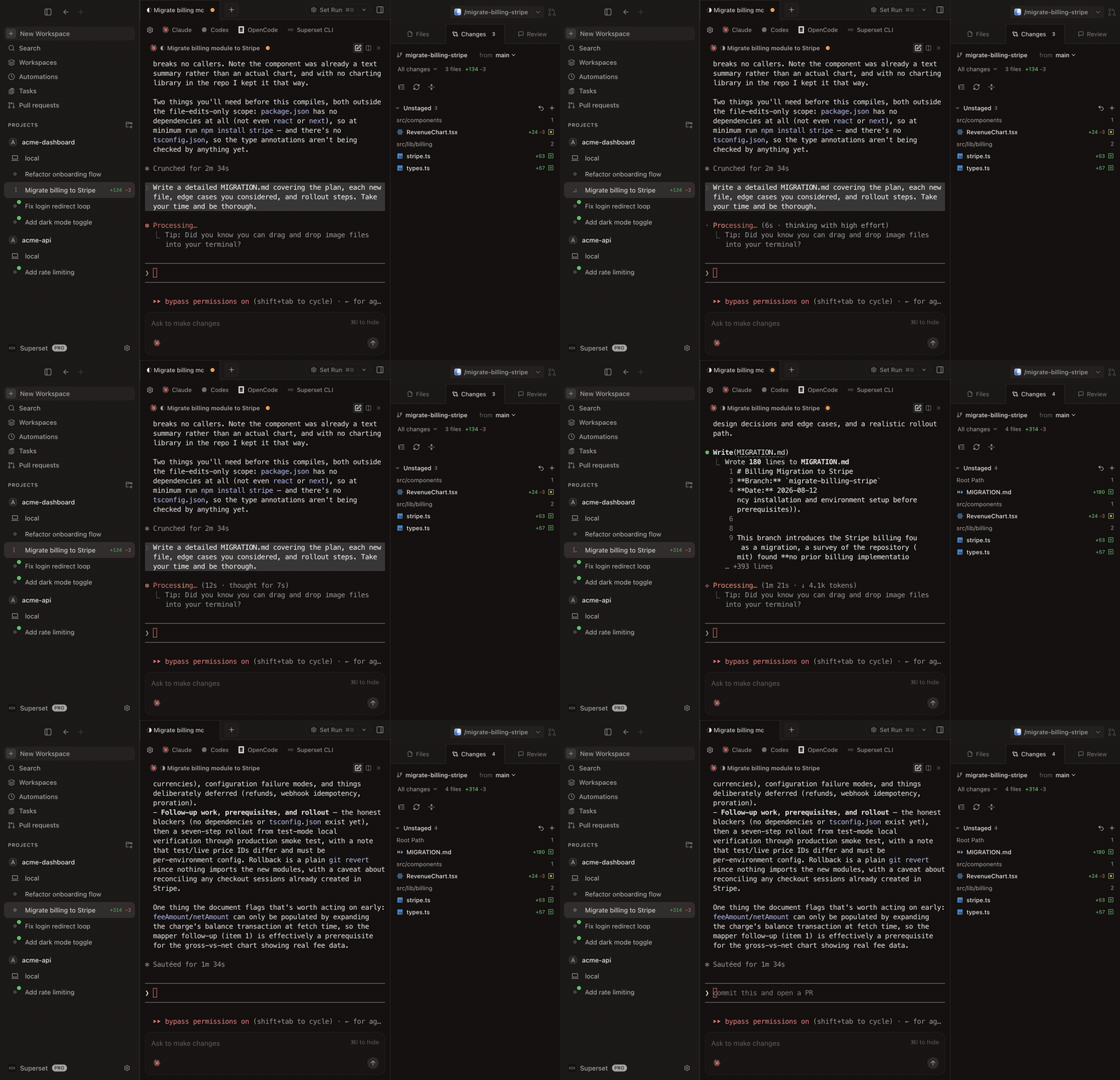
Superset is a local-first desktop workspace for AI coding agents. It launches Claude Code, Codex, OpenCode, Aider, Copilot, Cursor Agent, Gemini CLI, Superset Chat, and other agent workflows inside isolated Git worktrees with persistent terminal sessions. Around that core, it adds a built-in diff/file editor, chat panel, in-app browser for docs and dev servers, port management, scheduled automations, and an MCP server for driving everything programmatically. You can review inside Superset or jump into VS Code, Cursor, Windsurf, JetBrains, or Xcode. Source-available under Elastic License 2.0 (ELv2).
---
## What Is Augment Intent?
Intent is Augment Code's multi-agent workspace, announced in February 2026 as their vision for "what comes after the IDE" and now living at intentapp.dev. You describe an objective; a coordinator agent uses Augment's Context Engine to understand the codebase and propose a living spec; after your approval, implementor agents run in parallel waves in isolated worktrees, and a verifier agent checks the result against the spec. Diffs you approve are committed with an auto-generated PR description, and a PR Shepherd agent can drive the pull request to merge-ready. It supports Augment's native Auggie agent or bring-your-own Claude Code, Codex, or OpenCode subscriptions, and is in public beta on Apple Silicon Macs.
---
## Key Differences
### Who Decomposes the Work
Intent's bet is that an AI coordinator should plan: it drafts the spec, splits the tasks, and reconciles overlapping files at merge time. That buys real hands-off breadth on well-scoped features, and the living spec keeps agents aligned as code changes. Superset's bet is that decomposition is where engineering judgment lives: you scope the tasks (or let your own coordinating agent do it over MCP), and the product makes everything after that instant. Augment's own guidance says Intent is best for PR-sized, multi-file features and performs poorly on single-file hotfixes, urgent production fixes, and 50+ file refactors; Superset doesn't constrain task shape: a one-line hotfix and a 50-file refactor dispatch the same way.
### Ceremony vs Throughput
Intent's three checkpoints (spec, decomposition, diff) are a genuine safety feature and a real cost: every unit of work flows through review gates designed for feature-sized changes. Superset has one gate, the diff. For a day of many small dispatches, the ceremony difference compounds; for one large feature with fuzzy requirements, Intent's structure can earn its overhead.
### Agent Breadth
Intent supports its native Auggie plus exactly three BYOA agents: Claude Code, Codex, and OpenCode (the full coordinator/implementor/verifier suite requires Auggie). Superset runs anything that lives in a terminal, which also means new agents work the day they ship. If your fleet includes Gemini CLI, Copilot CLI, Aider, or custom scripts, only one of these tools runs it today.
### Platforms, Editing, and Handoff
Intent's public beta is macOS on Apple Silicon only, with Windows waitlisted, no Linux story, and a built-in diff viewer that (per Augment's own docs) has no LSP integration. Superset is macOS with an experimental Linux AppImage, and hands off to VS Code, Cursor, JetBrains, or Xcode when you want a real editor. Neither product covers Windows today.
### Automations and Being Driven by Other Agents
Superset schedules recurring agent runs and exposes its whole orchestration surface (workspaces, agents, terminals, tasks) over an MCP server, CLI, and SDK. Intent exposes Augment's Context Engine over MCP, which is useful context plumbing, but no scheduling or orchestration API is documented. If you want agents launching agents, or nightly runs that happen without you, Intent documents neither and Superset ships both.
---
## Pricing
Superset has a free tier and paid seats; it never proxies model calls, so your agent subscriptions and API keys are your own. The Intent app is free during beta, with usage billed in Augment credits (plans from $20/month Indie to $200/month Max, plus top-ups) or through your own Claude Code, Codex, or OpenCode subscription in BYOA mode. The practical difference: Superset's cost model is a seat, Intent's native mode is metered usage.
---
## Which Should You Choose?
**Choose Superset if you:**
- Prefer to scope tasks yourself and want dispatch, isolation, and review to be instant
- Run a mixed or fast-changing agent fleet beyond Claude Code, Codex, and OpenCode
- Want scheduled automations and programmatic orchestration over MCP
- Need Linux, Intel Mac support, or handoff to your own editor
**Choose Augment Intent if you:**
- Want an AI coordinator to plan and verify PR-sized features end to end
- Value the living-spec model and structured human checkpoints
- Already use Augment's Context Engine or Auggie
- Work mostly in the 3-to-15-file feature band their workflow targets
**Verdict:** Intent's spec-checkpoint-verify loop has no equivalent in anything else on this page, and on well-scoped features it earns its ceremony. Superset is the better daily driver when orchestration needs to match the full shape of real work: small fixes and big refactors, any agent, scheduled runs, and other software driving the fleet. Decide by whether you want to delegate decomposition or keep it.
---
## Frequently Asked Questions
### Do Superset and Augment Intent both use Git worktrees?
Yes. Intent backs each workspace with an isolated worktree and a dedicated branch, and each implementor commits to its own branch during parallel waves. Superset creates a worktree for each new local branch-based workspace. The isolation mechanism is the same; the orchestration philosophy differs.
### Can Augment Intent use any coding agent?
No. Intent supports Augment's native Auggie plus Claude Code, Codex, and OpenCode in bring-your-own-agent mode. Superset runs any CLI agent, including Gemini CLI, Copilot CLI, Aider, and custom tools.
### Is Augment Intent available on Windows or Linux?
Not currently. The public beta is macOS on Apple Silicon only (Intel unsupported), Windows is waitlisted, and there is no Linux release. Superset runs on macOS with an experimental Linux AppImage.
### What are Intent's known limitations?
Augment's own walkthrough recommends Intent for PR-sized, multi-file features (roughly 3 to 15 files) and says it performs poorly for single-file hotfixes, time-critical fixes, and very large refactors; the verifier can also miss issues not named in the spec, like race conditions and performance regressions.
### Does Superset have anything like Intent's coordinator agent?
Not built in by design: you (or an agent you choose) do the decomposition. Because Superset exposes workspaces, agents, and terminals over an MCP server, you can point your own coordinator, a chat agent or script, at the same fan-out pattern while keeping control of how work is split.
## Superset vs Parallel Code (2026): Two Takes on Worktree-Based Agent Dispatch
URL: https://superset.sh/compare/superset-vs-parallel-code
Superset and Parallel Code agree on the core idea: give every coding agent its own Git worktree, review the diffs, merge the wins. Parallel Code is a fast-moving open-source (MIT) desktop app from Johannes Millan, the creator of Super Productivity, focused tightly on that dispatch-review-merge loop. Superset wraps the same loop in a broader workspace: persistent sessions, automations, programmatic control, and team surfaces. The comparison is mostly about how much product you want around the loop.
---
## At a Glance
| | **Superset** | **Parallel Code** |
|---|---|---|
| **What it does** | Runs multiple agents in parallel with Git worktree isolation, plus review, automations, and orchestration APIs | Dispatches agents into worktrees with diff review and one-key merge back to main |
| **Agent support** | Any CLI agent (Claude Code, Codex, OpenCode, Gemini, Copilot, more) | Claude Code, Codex CLI, Gemini CLI, Copilot CLI, Antigravity CLI |
| **License** | Source-available (Elastic License 2.0), code on GitHub | Open source, MIT |
| **Automations** | Scheduled recurring agent runs built in | Not documented |
| **Programmatic control** | MCP server, CLI, TypeScript SDK | Not documented |
| **Extras** | Chat panel, in-app browser, port management, remote/cloud workspaces | Docker sandboxing, AI Arena head-to-head mode, per-file coverage radar, phone monitoring via QR code |
| **Platform** | macOS, experimental Linux AppImage | macOS and Linux (no Windows) |
| **Maker** | Superset (funded company) | Johannes Millan, solo open-source maintainer |
---
## What Is Superset?
Superset is a local-first desktop workspace for AI coding agents. It launches Claude Code, Codex, OpenCode, Aider, Copilot, Cursor Agent, Gemini CLI, Superset Chat, and other agent workflows inside isolated Git worktrees with persistent terminal sessions. Around that core, it adds a built-in diff/file editor, chat panel, in-app browser for docs and dev servers, port management, scheduled automations, and an MCP server for driving everything programmatically. You can review inside Superset or jump into VS Code, Cursor, Windsurf, JetBrains, or Xcode. Source-available under Elastic License 2.0 (ELv2).
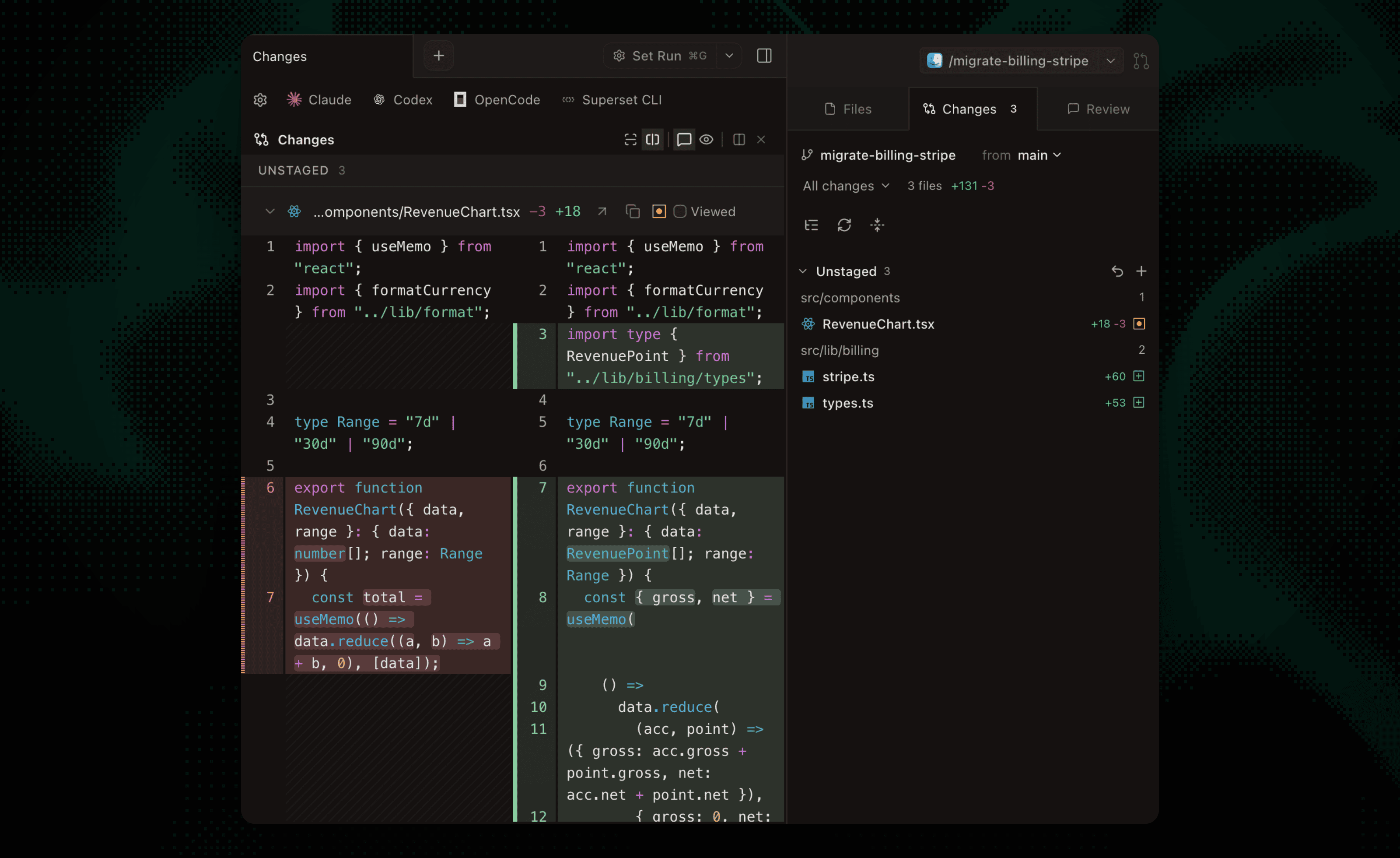
---
## What Is Parallel Code?
Parallel Code is an MIT-licensed Electron desktop app (macOS and Linux) for dispatching AI coding agents in parallel, "each in its own worktree." Creating a task branches from main, sets up a worktree, symlinks `node_modules` and other ignored directories, and spawns the agent. A built-in diff viewer supports inline review comments and per-commit navigation, a coverage radar shows per-file test coverage on changed files, and merging back to main is a sidebar action. Distinctive extras include optional Docker sandboxing per task, an AI Arena mode that races agents head to head on the same task, and phone monitoring over Wi-Fi or Tailscale via QR code. Launched February 2026, it ships releases at a brisk pace (v1.14.x as of August 2026) and is free with no platform fees.
---
## Key Differences
### Focused Loop vs Full Workspace
Parallel Code does one loop and nothing else: task in, worktree up, agent runs, diff reviewed, branch merged. If that is the entire job, its focus is a feature. Superset treats the loop as the core of a larger workflow: persistent terminal sessions that survive restarts, port management for concurrent dev servers, an in-app browser, chat, and remote and cloud workspaces. The more your agent usage looks like infrastructure rather than an afternoon tool, the more that surface area matters.
### Automations and Orchestration APIs
Parallel Code is hands-on by design: you dispatch every task from the app. Superset adds scheduled automations (recurring prompts that run without you) and exposes workspaces, agents, terminals, and tasks over an MCP server, CLI, and TypeScript SDK, so scripts and other agents can run the fleet. Neither capability exists in Parallel Code today.
### Sandboxing and Review Extras
Parallel Code ships features Superset lacks: optional per-task Docker sandboxing (with the caveat, documented in its README, that Antigravity CLI cannot authenticate inside Docker), the AI Arena race mode, and coverage badges in the changed-files panel. If hard sandboxing of agent execution is a requirement, Parallel Code addresses it locally today.
### Project Shape: Solo OSS vs Company
Parallel Code is MIT, free, and moving fast, and it is overwhelmingly a single-maintainer project. That cuts both ways: full code freedom and quick releases, but single-maintainer risk and no support organization, team features, or enterprise story. Superset is source-available rather than OSI open source, built by a funded team, and carries team and enterprise surfaces.
### Merge Flow
Parallel Code merges branch-to-main locally from the sidebar and can watch GitHub PR checks, but does not orchestrate PR creation and review. Superset supports reviewing per task and handing off to your editor and normal PR flow, with the surrounding workspace tracking what is where.
---
## Pricing
Both are free to run. Parallel Code is MIT-licensed with no subscription or platform fee at all. Superset has a free tier plus paid seats for advanced and team functionality. In both, you pay the underlying agent providers directly; neither proxies your API traffic.
---
## Which Should You Choose?
**Choose Superset if you:**
- Want sessions, automations, and fleet monitoring beyond per-task dispatch
- Need programmatic control (MCP server, CLI, SDK) or scheduled runs
- Are adopting parallel agents as a team rather than solo
- Want remote and cloud workspaces alongside local ones
**Choose Parallel Code if you:**
- Want a strictly open-source (MIT) tool and full code freedom
- Need per-task Docker sandboxing today
- Like the focused dispatch-review-merge loop with zero extra surface
- Enjoy fast-moving indie software and accept single-maintainer risk
**Verdict:** Parallel Code is one of the best pure implementations of the worktree-dispatch loop, and its MIT license makes it the obvious pick for open-source purists. Superset is the better choice when parallel agents become daily infrastructure for you and your team: the same loop, plus sessions that survive restarts, scheduled runs, and an MCP server other agents can drive.
---
## Frequently Asked Questions
### Is Parallel Code open source?
Yes, MIT-licensed on GitHub with active releases. Superset's code is public on GitHub too, but under the Elastic License 2.0 (source-available), which is not OSI-approved open source.
### Do both tools use Git worktrees the same way?
Essentially yes. Both support worktree-backed tasks. Superset creates a branch and worktree for each new local branch-based workspace; worktrees do not sandbox processes or prevent merge conflicts. Parallel Code also symlinks `node_modules` and similar directories into new worktrees; Superset manages worktree lifecycle as part of its workspace model.
### Does Parallel Code work on Windows?
No. It ships macOS (universal) and Linux (AppImage and deb) builds only. Superset is macOS with an experimental Linux AppImage; neither offers Windows today.
### Can Parallel Code run agents on a schedule or via an API?
No. It is an interactive dispatch tool with no documented automations or orchestration API. Superset includes scheduled automations and exposes orchestration over an MCP server, CLI, and SDK.
### Which supports more coding agents?
Parallel Code lists Claude Code, Codex CLI, Gemini CLI, Copilot CLI, and Antigravity CLI. Superset runs any agent that works in a terminal, which covers those plus OpenCode, Aider, Cursor Agent, and custom tools.
## Superset vs Zed Parallel Agents (2026): Editor Threads or a Dedicated Workspace?
URL: https://superset.sh/compare/superset-vs-zed
Zed added Parallel Agents in April 2026, and it is the strongest answer yet to running multiple coding agents inside an editor: a Threads Sidebar, per-thread agent choice, and optional Git worktree isolation, all in a fast open-source editor. Superset approaches the same problem from the other side: a dedicated workspace where isolation, session persistence, fleet monitoring, and automations are the product, not a panel. Which one fits depends on whether the editor or the fleet is the center of your workflow.
---
## At a Glance
| | **Superset** | **Zed Parallel Agents** |
|---|---|---|
| **What it is** | Dedicated workspace for orchestrating multiple agents in parallel | Fast editor with agent threads managed in a sidebar |
| **Isolation** | Git worktrees for local branch-based workspaces | Optional Git worktree per thread; shared working copy by default |
| **Agent support** | Any CLI agent (Claude Code, Codex, OpenCode, Gemini, Copilot, more) | Zed's built-in agent, ACP external agents (Claude, Codex, Gemini, OpenCode, more), any CLI agent as a Terminal Thread |
| **Review and merge** | Central diff review per workspace, merge or discard each task | Hunk-level accept/reject in the Agent Panel; worktree threads merge via your normal Git workflow |
| **Automations** | Scheduled recurring agent runs built in | Not documented |
| **Programmatic control** | MCP server, CLI, TypeScript SDK | Not documented |
| **Platform** | macOS (experimental Linux AppImage); source-available ELv2 | macOS, Windows, Linux; open source |
---
## What Is Superset?
Superset is a local-first desktop workspace for AI coding agents. It launches Claude Code, Codex, OpenCode, Aider, Copilot, Cursor Agent, Gemini CLI, Superset Chat, and other agent workflows inside isolated Git worktrees with persistent terminal sessions. Around that core, it adds a built-in diff/file editor, chat panel, in-app browser for docs and dev servers, port management, scheduled automations, and an MCP server for driving everything programmatically. You can review inside Superset or jump into VS Code, Cursor, Windsurf, JetBrains, or Xcode. Source-available under Elastic License 2.0 (ELv2).
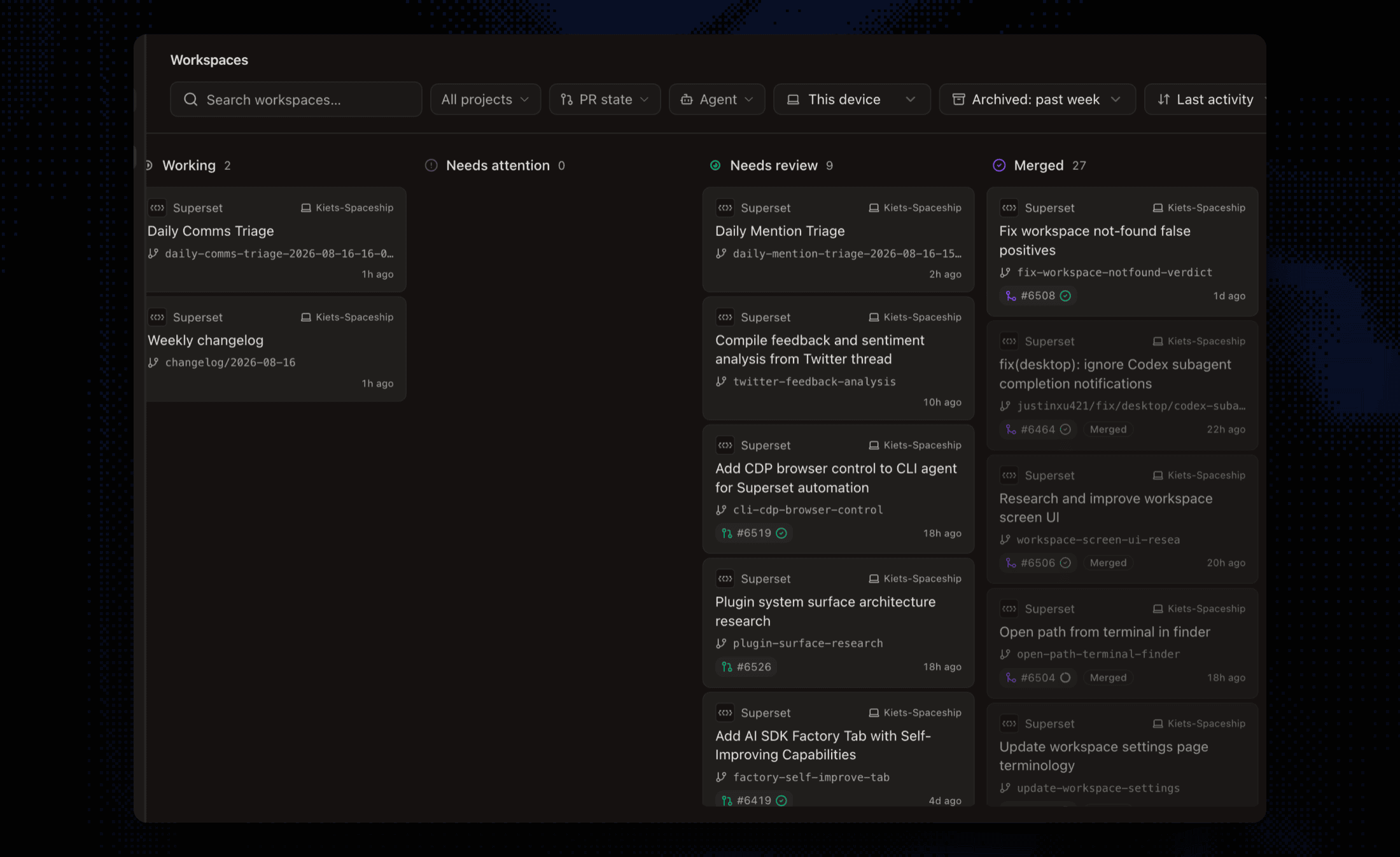
---
## What Is Zed Parallel Agents?
Zed is a fast, open-source, Rust-based editor, and Parallel Agents (launched April 22, 2026) makes agent threads a first-class primitive inside it. A Threads Sidebar organizes threads by project; each thread has its own agent, context window, and conversation history. Threads come in three types: Zed's built-in agent, external agents over ACP (Claude, Codex, Gemini CLI, OpenCode, Copilot, and others), and Terminal Threads that wrap any CLI or TUI agent. Threads can optionally run in their own Git worktree, and the Agent Panel offers hunk-level review with checkpoints. Zed's Personal plan is free with your own keys or external agents; Pro ($10/month) and Business ($30/seat/month) add hosted-model tokens and governance.
---
## Key Differences
### Isolation by Default vs Isolation on Request
This is the biggest practical difference. New local branch-based Superset workspaces get separate worktrees and branches. That separates working files but does not prevent merge conflicts or shared-service interference. In Zed, threads share your working copy unless you deliberately start one in a new worktree, and Zed's own docs advise isolating threads that might touch the same files. Opt-in isolation is flexible for quick edits, but at fleet scale the discipline burden shifts to you: forget once, and two agents are editing the same checkout.
### Editor-Centered vs Fleet-Centered
Zed's model shines when you live in the editor: threads sit beside your code, you watch an agent's edits land in buffers you can immediately touch, and review is hunk-by-hunk in place. Superset's model shines when the fleet is the unit of work: a dashboard of every workspace and session status, diffs reviewed per task, and agents you check on rather than watch. With a few threads the two feel similar. Past that, one editor window shows you one agent at a time, and there is no single view of every session's status.
### What Happens After the Agents Finish
For worktree-isolated threads, Zed hands you back to your normal Git workflow: review the diff, merge it yourself. Superset treats merge-or-discard per task as part of the product, alongside port management for concurrent dev servers and worktree lifecycle cleanup. Zed does offer excellent in-panel review (accept or reject individual hunks, restore checkpoints) for threads editing the working copy.
### Automations and Programmatic Control
Superset runs scheduled automations (recurring prompts on a cron-like schedule in fresh workspaces) and exposes an MCP server, CLI, and SDK so scripts or other agents can create workspaces, launch agents, and collect results. Zed has no documented scheduling or orchestration API; threads start when you start them. If agents-driving-agents or overnight runs are part of your workflow, this is a category difference, not a feature gap.
### Openness and Platforms
Zed is fully open source and runs on macOS, Windows, and Linux. It supports local models, and with your own keys or external agents the free tier has no limits. Superset is source-available (ELv2) and macOS-first with an experimental Linux AppImage. If Windows or OSI-approved licensing is a hard requirement, Zed wins that row outright.
---
## Pricing
Both are free to start. Zed's Personal plan is free forever, with paid tiers ($10/month Pro, $30/seat Business) buying hosted-model usage and org governance rather than the parallel-agents feature itself. Superset offers a free tier and paid seats. With your own keys or external agents, neither product touches your model traffic; Zed's optional hosted-model path bills through Zed at API list price plus 10%, while Superset has no hosted-model path at all.
---
## Which Should You Choose?
**Choose Superset if you:**
- Run enough concurrent agents that isolation must be automatic, not remembered
- Want fleet-level monitoring, per-task review, and worktree lifecycle handled for you
- Need scheduled automations or programmatic control (MCP, CLI, SDK)
- Prefer to review in Superset or hand off to the editor you already use
**Choose Zed Parallel Agents if you:**
- Want parallel agents inside a fast editor you also write code in
- Value open source, Windows/Linux support, or local models
- Run a few threads at a time and are happy managing worktrees per thread yourself
- Want hunk-level in-buffer review as your primary flow
**Verdict:** Zed built the best editor-native version of parallel agents, and if the editor is your center of gravity it is an easy recommendation. Superset is the better fit when parallel agents stop being a feature you use inside the editor and become the workflow itself: always-isolated tasks, a monitored fleet, scheduled runs, and orchestration other software can drive. The two also pair: Zed for the hands-on thread, Superset for the fleet.
---
## Frequently Asked Questions
### Does Zed isolate parallel agents in Git worktrees?
Optionally. Zed threads share your working copy by default, and you can start a thread in a new worktree when it might conflict with others. Superset creates a worktree for each new local branch-based workspace; cloud workspaces use clones and projectless sessions use scratch folders.
### Can Zed and Superset run the same agents?
Largely yes. Both run Claude Code, Codex, Gemini CLI, OpenCode, and other CLI agents; Zed adds its own built-in agent and ACP integrations, while Superset is agent-agnostic across anything that runs in a terminal.
### Does Zed have scheduled automations?
No scheduling or recurring agent runs are documented in Zed. Superset includes automations that run a prompt on a schedule in a fresh or existing workspace.
### Is Zed really free for parallel agents?
Yes. Parallel Agents works on Zed's free Personal plan when you bring your own API keys or external agent subscriptions; paid plans add hosted-model tokens, edit predictions, and business governance.
### Can I use Zed as my editor and Superset for orchestration?
Yes. Superset manages the worktrees, sessions, and review, and you can open any workspace in your preferred editor. Many developers pair a dedicated orchestrator with whatever editor they are fastest in.
## Best Agent Orchestrator Alternatives in 2026
URL: https://superset.sh/compare/agent-orchestrator-alternative
Agent Orchestrator (AO, from Untrivial AI) is an Apache-2.0 desktop app that runs fleets of coding agents in isolated worktrees and automatically routes CI failures, review comments, and merge conflicts back to the responsible agent. Its reactions system is best-in-class; its edges are elsewhere -- no maintained CLI or API, no scheduling, no remote or team story, and diff inspection defers to the Git host. Here are the best Agent Orchestrator alternatives in 2026.
---
## The Short Version
| Alternative | Best for | Platform | License |
|---|---|---|---|
| **Superset** | Full workspace with automations and scriptable surfaces | macOS; experimental Linux AppImage; Windows unavailable | Source-available (ELv2) |
| **Orca** | Free desktop ADE with the biggest community | macOS, Windows, Linux + iOS/Android | Open source (MIT) |
| **Emdash** | Open-source ADE with tracker intake and cron | macOS, Windows, Linux | Open source (Apache-2.0) |
| **Conductor** | Focused, polished Mac app | macOS | Proprietary |
| **Gas Town** | Sustained autonomous fleets with a merge queue | CLI/tmux (macOS, Linux) | Open source (MIT) |
## Why Look for an Agent Orchestrator Alternative?
AO automates the PR feedback loop brilliantly, but the rest of the workflow leans on other tools: reviewing diffs happens on GitHub or GitLab, there is no built-in diff editor, the CLI is deprecated with no API or MCP surface, automation is limited to PR-event reactions (no cron or scheduled runs), and remote access means reverse-proxying a dashboard with no authentication. Teams also get no plans, roles, or enterprise controls.
## The Best Alternatives
### Superset
Superset pairs the same worktree-per-task core with the workspace AO lacks: a built-in diff/file editor, an in-app browser, port management, and persistent daemon-backed terminals -- plus the surfaces AO retired or never had: a maintained CLI, an MCP server, a TypeScript SDK, a Slack bot, and scheduled automations. PR status, review threads, and CI checks surface in the workspace, and remote and cloud workspaces extend it across your devices with team plans behind it.
For the direct comparison, see [Superset vs Agent Orchestrator](/compare/superset-vs-agent-orchestrator).
### Orca
Orca (~39,000 stars, MIT) is the community heavyweight: fleets of agents in parallel worktrees, split terminals, per-task browser tabs, Design Mode, diff annotation, SSH/VPS worktrees, and shipped mobile apps. No packaged CI-fix loop, but the broadest free feature set in the category.
See [Superset vs Orca](/compare/superset-vs-orca).
### Emdash
Emdash (YC W26, Apache-2.0) matches AO's license and adds what it lacks: real diff review with push-and-create-PR, CI-check monitoring in-app, cron automations, an in-app browser, and intake from a dozen issue trackers.
See [Superset vs Emdash](/compare/superset-vs-emdash).
### Conductor
Conductor is a proprietary, polished macOS app for Claude Code, Codex, and Cursor agents in parallel worktrees -- less automation than AO, more polish per session.
See [Superset vs Conductor](/compare/superset-vs-conductor).
### Gas Town
If AO's automation is why you are here and you want more of it, Gas Town goes further: an AI coordinator dispatching a git-backed work ledger to 20-30 agents, watchdog recovery, and a bisecting merge queue that lands green batches. Terminal machinery for committed operators.
See [Superset vs Gas Town](/compare/superset-vs-gastown).
## How To Choose
- For the complete workspace with scheduling and scriptable surfaces, choose **Superset**.
- For the biggest free open-source ADE, choose **Orca**.
- For an Apache-2.0 app with diff review and tracker intake, choose **Emdash**.
- For a focused Mac app, choose **Conductor**.
- For autonomy beyond AO's loops, choose **Gas Town**.
## Verdict
AO's reactions system deserves its reputation -- if automatic CI-failure routing is your top requirement, it may be the right call. For everything around that loop -- review, browsing, scheduling, scripting, remote reach, teams -- Superset is the strongest alternative, with Orca and Emdash as the leading open-source options. For the full landscape, see [Best Agentic IDE in 2026](/compare/best-agentic-ide).
## Frequently Asked Questions
### What is the best Agent Orchestrator alternative?
For most teams, Superset: the same worktree fleet model with a full workspace, scheduled automations, CLI/MCP/SDK surfaces, and remote/cloud workspaces.
### Is there an open-source Agent Orchestrator alternative?
Yes. Orca (MIT), Emdash (Apache-2.0), and Gas Town (MIT) are open source, like AO itself. Superset is source-available under ELv2 with a free tier.
### Which alternatives automate CI-failure fixes like AO?
None package it quite like AO's reactions. Gas Town's watchdogs and merge queue automate recovery and landing; Emdash surfaces CI checks in-app; Superset surfaces CI status in the workspace and lets agents be re-dispatched with the failure context.
### Does AO support GitLab, and do the alternatives?
AO supports GitHub and GitLab. Emdash pulls issues from GitLab; super.engineering supports GitLab forges natively; Superset and Orca are GitHub-centric today.
## Best bb Alternatives in 2026
URL: https://superset.sh/compare/bb-alternative
bb is the open-source "IDE that builds itself": agents run in live threads you can steer or hand off, and most features -- crons, previews, even remote access -- are plugins that bb's own agents wrote. It is free, MIT-licensed, and genuinely novel. It is also young: a largely single-maintainer project, in active development by its own description, with worktree isolation optional rather than default and no team or support story. Here are the best bb alternatives in 2026.
---
## The Short Version
| Alternative | Best for | Platform | License |
|---|---|---|---|
| **Superset** | A complete, supported workspace out of the box | macOS; experimental Linux AppImage; Windows unavailable | Source-available (ELv2) |
| **Orca** | Free cross-platform desktop ADE, huge community | macOS, Windows, Linux + iOS/Android | Open source (MIT) |
| **Emdash** | Open-source ADE with tracker intake and cron automations | macOS, Windows, Linux | Open source (Apache-2.0) |
| **Herdr** | Terminal-native runtime, deeply scriptable | macOS, Linux, Windows (beta) | Open source (Apache-2.0) |
| **Conductor** | Focused, polished Mac app | macOS | Proprietary |
## Why Look for a bb Alternative?
bb optimizes for moldability: agents as first-class operators, a plugin store, full CLI/HTTP-API parity with the UI. You might want an alternative if you want the workflow to exist on day one instead of assembling it, prefer worktrees for local branch-based tasks, need a maintained product with a team behind it, or want built-in review, browser, and scheduling rather than plugin equivalents.
## The Best Alternatives
### Superset
Superset ships what bb expects you to grow: Git worktrees for new local branch-based workspaces, persistent terminals, a diff/file editor, an in-app browser, port management, and scheduled automations with a TypeScript SDK and Slack bot -- plus remote and cloud workspaces across your own devices. It keeps the scriptability bb fans care about through its CLI and MCP server, but as a supported product rather than a substrate. If you liked bb's ambition but want fewer moving parts, this is the alternative.
For the direct comparison, see [Superset vs bb](/compare/superset-vs-bb).
### Orca
Orca is the most popular open-source project in the category (~39,000 stars, MIT): fleets of agents in parallel worktrees, split terminals, per-task browser tabs, Design Mode, SSH/VPS worktrees, and mobile companions. Where bb is a substrate with a small community, Orca is a finished free app with a very large one.
See [Superset vs Orca](/compare/superset-vs-orca).
### Emdash
Emdash (YC W26, Apache-2.0) gives every task its own branch and worktree by default, auto-detects 30+ agent CLIs, pulls work from a dozen issue trackers, and includes diff review, an in-app browser, and cron automations -- the built-in versions of several things bb does via plugins.
See [Superset vs Emdash](/compare/superset-vs-emdash).
### Herdr
If what drew you to bb was agents driving the tool itself, Herdr scratches the same itch in the terminal: an open-source runtime with a JSON socket API that agents can drive from inside their own panes, plus a 500-plugin marketplace and worktree management in the CLI.
See [Superset vs Herdr](/compare/superset-vs-herdr).
### Conductor
Conductor is the opposite trade from bb: a proprietary, focused macOS app for Claude Code, Codex, and Cursor agents in parallel worktrees. No self-extension, no API surface -- just a polished loop.
See [Superset vs Conductor](/compare/superset-vs-conductor).
## How To Choose
- For a complete, supported workspace with automations and remote reach, choose **Superset**.
- For a free, community-heavy desktop ADE, choose **Orca**.
- For open-source with tracker intake and scheduling built in, choose **Emdash**.
- For agent-scriptable terminal infrastructure, choose **Herdr**.
- For a simple polished Mac app, choose **Conductor**.
## Verdict
bb is one of the most interesting experiments in this space, and tinkerers should absolutely try it. If you need the same thread-spawning, agent-orchestrating power with the workspace already built -- review, browser, automations, worktrees by default, and a team behind it -- Superset is the strongest alternative, with Orca and Emdash as the leading open-source picks. For the full landscape, see [Best Agentic IDE in 2026](/compare/best-agentic-ide).
## Frequently Asked Questions
### What is the best bb alternative?
For most developers, Superset: the same parallel-agent orchestration with worktrees, review, browser, and automations built in and supported as a product. Orca and Emdash are the strongest open-source alternatives.
### Is there an open-source bb alternative?
Yes -- bb itself is MIT, and so are Orca and Crystal/Nimbalyst; Emdash and Herdr are Apache-2.0. Superset is source-available under ELv2 with a free tier.
### Do these alternatives support agents driving the tool, like bb?
Superset exposes a CLI, an MCP server, and a TypeScript SDK that agents can use to create workspaces and launch other agents. Herdr's socket API is designed for agents to drive it from inside panes. Orca has a CLI plus experimental agent-to-agent orchestration.
### Does bb use Git worktrees?
Yes, optionally -- a bb thread's environment can be backed by a fresh worktree. Superset creates Git worktrees for new local branch-based workspaces; Orca, Emdash, and Conductor also support worktree workflows.
## Best Buzz Alternatives in 2026
URL: https://superset.sh/compare/buzz-alternative
Buzz is Block's open-source workspace where humans and AI agents collaborate as teammates -- channels, threads, repos, and workflows on a Nostr relay you can own, with agents holding their own cryptographic identities. It is a genuinely new idea, but it is early: Git integration is young by Block's own description, there is no per-task isolation or terminal orchestration, and mobile clients are still in development. If what you actually need is agents shipping code, here are the best Buzz alternatives in 2026.
---
## The Short Version
| Alternative | Best for | Platform | License |
|---|---|---|---|
| **Superset** | Running coding agents in parallel with worktrees, review, and automations | macOS; experimental Linux AppImage; Windows unavailable | Source-available (ELv2) |
| **Orca** | Free cross-platform desktop ADE with mobile companions | macOS, Windows, Linux + iOS/Android | Open source (MIT) |
| **Emdash** | Open-source ADE with issue-tracker intake | macOS, Windows, Linux | Open source (Apache-2.0) |
| **OpenHands** | Self-hostable autonomous agents in the cloud | Self-hosted / cloud | Open source (MIT) |
| **Conductor** | Focused Mac app for parallel worktree agents | macOS | Proprietary |
## Why Look for a Buzz Alternative?
Buzz is a collaboration layer: agents and humans share rooms, patches land as signed events, and workflows fire on messages and schedules. You might want an alternative if your goal is the execution layer -- running many coding agents against real repos with isolation and reviewable diffs -- or if you need mature Git tooling, embedded terminals, or a product that works without running (or trusting) a relay.
## The Best Alternatives
### Superset
Superset is the execution-layer counterpart to Buzz's team layer: it runs Claude Code, Codex, OpenCode, and any CLI agent in parallel. New local branch-based workspaces have separate Git worktrees with persistent terminals, a diff/file editor, an in-app browser, and scheduled automations driven by a TypeScript SDK and a Slack bot. If Buzz drew you in with "agents as team members" but your team already lives in Slack and your work lives in GitHub, Superset delivers the agent workflow on the tools you have.
For the direct comparison, see [Superset vs Buzz](/compare/superset-vs-buzz).
### Orca
Orca is a free, MIT-licensed agent development environment (~39,000 stars) that runs fleets of agents in parallel worktrees with terminals, browser tabs, and diff annotation, on macOS, Windows, and Linux with shipped mobile apps. It has none of Buzz's protocol ambitions -- it just runs coding agents very well.
See [Superset vs Orca](/compare/superset-vs-orca).
### Emdash
Emdash (YC W26, Apache-2.0) is an open-source ADE with a worktree per task, 30+ agent providers, diff review, an in-app browser, cron automations, and intake from a dozen issue trackers. A strong pick if your "team of agents" is fed by tickets rather than chat.
See [Superset vs Emdash](/compare/superset-vs-emdash).
### OpenHands
OpenHands is an open-source platform for autonomous coding agents that you can self-host -- closer to Buzz's self-hosted, agents-do-the-work spirit than a desktop app, with agents running tasks end to end in sandboxed environments.
See [Superset vs OpenHands](/compare/superset-vs-openhands).
### Conductor
Conductor is a polished, proprietary macOS app for running Claude Code, Codex, and Cursor in parallel worktrees. No collaboration layer at all -- purely the coding loop, done well.
See [Superset vs Conductor](/compare/superset-vs-conductor).
## How To Choose
- For parallel coding agents with worktrees, review, and automations, choose **Superset**.
- For a free, open-source desktop ADE, choose **Orca** or **Emdash**.
- For self-hosted autonomous agents, choose **OpenHands**.
- For a simple Mac app, choose **Conductor**.
- If agent identity, relay ownership, and human-agent channels are the point, Buzz itself has no real substitute yet.
## Verdict
Buzz is less replaceable than most tools on this list because it is trying something different: a decentralized team workspace where agents are members. But most teams evaluating Buzz actually need agents that ship code today, and for that Superset is the strongest alternative -- with Orca and Emdash as the open-source desktop picks and OpenHands for self-hosted autonomy. For the full landscape, see [Best Agentic IDE in 2026](/compare/best-agentic-ide).
## Frequently Asked Questions
### What is the best Buzz alternative?
It depends on which half of Buzz you want. For the coding-agent half, Superset: parallel agents in isolated worktrees with review and automations. For the collaboration half, Superset's Slack bot covers agent-in-the-channel workflows on the chat platform most teams already use.
### Is there an open-source Buzz alternative?
Buzz itself is Apache-2.0. Orca (MIT), Emdash (Apache-2.0), and OpenHands (MIT) are open-source alternatives on the execution side. Superset is source-available under ELv2.
### Can Buzz and these alternatives be used together?
Conceptually yes -- Buzz as the coordination layer, a workspace like Superset as the execution layer. There is no built-in integration between them today.
### Does Buzz run coding agents in Git worktrees?
No. Buzz projects work against a single local clone, and its Git integration is early by Block's own description. Superset creates Git worktrees for new local branch-based workspaces; Orca, Emdash, and Conductor also support worktree workflows.
## Best Cindy Alternatives in 2026
URL: https://superset.sh/compare/cindy-alternative
Cindy is an open-source, general-purpose AI agent app that wraps Claude Code and Codex in a continuous workspace with memory, a planner/workers/reviewer team model, mobile apps, and Telegram intake. It is one of the fastest-moving projects in the space -- which is also the caveat: it launched in July 2026, ships multiple releases per day, and is a general agent first rather than an engineering tool. If you need a purpose-built workspace for coding agents, here are the best Cindy alternatives in 2026.
---
## The Short Version
| Alternative | Best for | Platform | License |
|---|---|---|---|
| **Superset** | Git-native parallel agents with review and automations | macOS; experimental Linux AppImage; Windows unavailable | Source-available (ELv2) |
| **Orca** | Free desktop ADE with shipped mobile apps | macOS, Windows, Linux + iOS/Android | Open source (MIT) |
| **Emdash** | Open-source ADE with tracker intake | macOS, Windows, Linux | Open source (Apache-2.0) |
| **Conductor** | Focused, stable Mac app | macOS | Proprietary |
| **Herdr** | Terminal-native persistent runtime | macOS, Linux, Windows (beta) | Open source (Apache-2.0) |
## Why Look for a Cindy Alternative?
Cindy's coding runs happen in its own workspace model with change capture and undo -- useful, but not branch-level Git isolation. There is no worktree per task, no PR-centric review flow, and the release churn of a weeks-old project cuts both ways. Developers who want agents working on real branches with real diffs, or teams that need stability and enterprise controls, usually want a purpose-built tool.
## The Best Alternatives
### Superset
Superset is the engineering-grade version of what Cindy sketches: each new local branch-based workspace gets its own Git worktree and branch with persistent terminals, a diff/file editor, an in-app browser, and port management, and the whole thing is programmable -- scheduled automations, a TypeScript SDK, an MCP server, and a Slack bot. It runs Claude Code and Codex like Cindy does, plus OpenCode, Cursor, Copilot, Gemini, and any CLI agent. If your agents ship code, this is the alternative.
For the direct comparison, see [Superset vs Cindy](/compare/superset-vs-cindy).
### Orca
Orca matches Cindy's strongest cards -- free, open source, mobile apps -- while being a dedicated developer environment: fleets of agents in parallel worktrees, split terminals, Design Mode, and SSH/VPS remote worktrees, with roughly 39,000 GitHub stars behind it.
See [Superset vs Orca](/compare/superset-vs-orca).
### Emdash
Emdash (YC W26, Apache-2.0) gives each task a branch and worktree, auto-detects 30+ agent CLIs, reviews diffs with push-and-create-PR, and pulls work from a dozen issue trackers with cron automations. The open-source pick when tickets, not chats, feed your agents.
See [Superset vs Emdash](/compare/superset-vs-emdash).
### Conductor
Conductor is a stable, proprietary macOS app for Claude Code, Codex, and Cursor agents in parallel worktrees -- the calm, focused counterpoint to Cindy's velocity.
See [Superset vs Conductor](/compare/superset-vs-conductor).
### Herdr
Herdr is an open-source terminal runtime that keeps agent sessions alive through disconnects and restarts, with worktree management in its CLI. For developers who want persistence and scriptability rather than an app.
See [Superset vs Herdr](/compare/superset-vs-herdr).
## How To Choose
- For Git-native parallel agents with review, automations, and teams, choose **Superset**.
- For free and open source with mobile apps, choose **Orca**.
- For open source with issue-tracker intake, choose **Emdash**.
- For a focused Mac app, choose **Conductor**.
- For terminal-native persistence, choose **Herdr**.
- If you want one agent for general tasks beyond code, Cindy itself remains an interesting pick.
## Verdict
Cindy is worth watching -- its planner/workers/reviewer model and mobile-first reach are genuinely fresh. But for engineering work, purpose-built beats general-purpose: Superset is the strongest alternative for parallel coding agents on real branches, with Orca and Emdash as the leading open-source options. For the full landscape, see [Best Agentic IDE in 2026](/compare/best-agentic-ide).
## Frequently Asked Questions
### What is the best Cindy alternative for coding?
Superset: local branch-based worktree isolation, diff review, an in-app browser, scheduled automations, and CLI/MCP/SDK surfaces, running Claude Code, Codex, and any other CLI agent.
### Is there an open-source Cindy alternative?
Cindy itself is Apache-2.0. On the developer-workspace side, Orca (MIT), Emdash (Apache-2.0), and Herdr (Apache-2.0) are open source; Superset is source-available under ELv2.
### Which alternatives have mobile apps like Cindy?
Orca ships iOS and Android companions. Superset has an [iPhone app](/mobile) for workspace terminals and diff review. It requires iOS 26 or later, Pro, and a host that stays awake and online. Android is on the [waitlist](/mobile#android).
### Does Cindy use Git worktrees?
No. Cindy tracks workspace changes per turn with undo/reapply, which is capture rather than isolation. Superset, Orca, Emdash, and Conductor isolate local branch-based workspaces in separate worktrees and branches.
## Best Emdash Alternatives in 2026
URL: https://superset.sh/compare/emdash-alternative
Emdash supports scheduled tasks and remote development, and has cloud and enterprise offerings. Evaluate the specific workflow you need rather than assuming it stops at a single-user desktop app.
## The Short Version
Start with the feature you need: iPhone access, managed cloud workspaces, or support for your desktop platform.
## The Best Alternatives
### Superset
Superset is worth trying if you want your coding workspaces, terminal sessions, and diff review on desktop and iPhone. The iPhone app requires iOS 26 or later, Pro, and a reachable host. Desktop targets macOS, with experimental Linux support; Windows is not available. The source uses Elastic License 2.0.
Read the [detailed comparison](/compare/superset-vs-emdash).
### Orca
Orca is a candidate when an MIT license, Windows support, or an Android companion is important. Its current documentation covers worktrees, remote hosts, mobile access, and scheduled automations.
Read the [detailed comparison](/compare/superset-vs-orca).
### Conductor
Conductor is a candidate for its Mac workflow and managed cloud collaboration. Its docs list Claude Code, Codex, Cursor, and OpenCode. Check current availability and plan terms for the features you need.
Read the [detailed comparison](/compare/superset-vs-conductor).
## Run a useful trial
Use the same repository commit, agent, model, and three small tasks in each candidate. Follow the [parallel-task walkthrough](/blog/parallel-coding-agents-guide), including a paused agent, separate previews, and a combined test run. Record setup time, review time, rework, and any missing capability.
For mobile, verify you can reconnect, reply to the agent, and inspect the intended diff. A host that is asleep cannot continue local work. Try the [Superset iPhone workflow](/blog/claude-code-codex-iphone) for a concrete example.
For recurring work, inspect the workspace and output after dispatch. Check that the agent finished its task and that its checks passed. The [maintenance guide](/blog/scheduled-agent-maintenance) shows what to check.
## Product documentation
See [Orca's docs](https://www.onorca.dev/docs), [Orca automations](https://www.onorca.dev/docs/cli/automations), [Conductor's docs](https://www.conductor.build/docs), [Conductor Cloud](https://www.conductor.build/docs/cloud), [Emdash's docs](https://emdash.com/docs), and [Emdash enterprise](https://emdash.com/enterprise). Superset requirements are on [pricing](/pricing) and [mobile](/mobile).
For more options, see the [agentic IDE roundup](/compare/best-agentic-ide).
## Frequently Asked Questions
### Which alternative is best?
Choose the one that meets your platform and hosting requirements and lets you review an actual task with the least friction. Try a task in your own repository before switching.
### Is Superset free and open source?
Superset has a free tier and paid plans, and its source uses Elastic License 2.0. Mobile, remote access, and automations require an eligible paid plan. It is not MIT- or Apache-licensed.
### Do these tools replace my coding-agent subscription?
No. Account for the agent provider's subscription or API usage separately, along with any compute or hosting charges.
## Best Firstmate Alternatives in 2026
URL: https://superset.sh/compare/firstmate-alternative
Firstmate is the MIT-licensed "agent distro": a cloned repo of instructions, skills, and scripts that turns a terminal agent into an orchestrator, spawning crewmates in tmux windows and disposable Git worktrees. It is free, transparent, and clever -- and everything visual is bring-your-own: no review UI, no dashboard, no scheduling, and the reliability surface of prompts plus shell scripts. Here are the best Firstmate alternatives in 2026.
---
## The Short Version
| Alternative | Best for | Platform | License |
|---|---|---|---|
| **Superset** | The same delegation pattern with a real workspace around it | macOS; experimental Linux AppImage; Windows unavailable | Source-available (ELv2) |
| **Claude Squad** | Simple terminal-native parallel agents | macOS, Linux | Open source (AGPL) |
| **Herdr** | Persistent runtime under your agents | macOS, Linux, Windows (beta) | Open source (Apache-2.0) |
| **Orca** | Free desktop ADE with fan-out workflows | macOS, Windows, Linux + iOS/Android | Open source (MIT) |
| **Gas Town** | Autonomous 20-30 agent fleets with a merge queue | CLI/tmux (macOS, Linux) | Open source (MIT) |
## Why Look for a Firstmate Alternative?
Firstmate assumes you bring the environment: tmux (or Herdr/cmux/Orca as backends), your own review habits, and your own triggers for recurring work. Instruction drift across agent versions and tmux quirks are your problem to debug. If you want the crew pattern with visibility, review, and scheduling built in -- or autonomous supervision beyond one conversation -- these are the alternatives.
## The Best Alternatives
### Superset
Superset delivers Firstmate's core promise -- one instruction fans out to a crew of isolated agents -- as a product. Agents launch into automatic Git worktrees with persistent terminals; an orchestrating agent can spawn and steer workers through the CLI and MCP server; and you watch everything in one workspace with diff review, a browser, and port management. Scheduled automations with a TypeScript SDK and Slack bot handle the recurring work Firstmate leaves to your own wiring.
For the direct comparison, see [Superset vs Firstmate](/compare/superset-vs-firstmate).
### Claude Squad
Claude Squad is the simplest neighboring tool: an open-source terminal app managing multiple agents in separate worktrees over tmux. Less ambitious than Firstmate's supervisor model -- there is no orchestrating first mate -- but fewer moving parts to trust.
See [Superset vs Claude Squad](/compare/superset-vs-claude-squad).
### Herdr
Herdr is one of Firstmate's own optional backends, and for some users the runtime alone is enough: an always-on server that keeps agent terminals alive with worktree management in the CLI and a JSON socket API agents can drive. Persistence and scriptability without the distro layer.
See [Superset vs Herdr](/compare/superset-vs-herdr).
### Orca
Orca (another supported Firstmate backend) is the free, MIT-licensed desktop ADE with ~39,000 stars: fan a prompt across agents in parallel worktrees, compare results, and merge the winner -- the fan-out workflow with a full visual environment attached.
See [Superset vs Orca](/compare/superset-vs-orca).
### Gas Town
Gas Town is Steve Yegge's MIT-licensed orchestrator for running fleets of 20-30 agents: an AI "Mayor" dispatches work from a git-backed ledger, watchdogs recover stuck agents, and a bisecting merge queue lands the results. Much heavier machinery than Firstmate, for much bigger fleets.
See [Superset vs Gas Town](/compare/superset-vs-gastown).
## How To Choose
- For the crew pattern with a workspace, review, and automations built in, choose **Superset**.
- For minimal terminal-native parallelism, choose **Claude Squad**.
- For a persistent runtime you script yourself, choose **Herdr**.
- For a free visual fan-out environment, choose **Orca**.
- For autonomous fleets at 20-30 agents, choose **Gas Town**.
## Verdict
Firstmate is the best pure expression of the DIY delegation idea, and tinkerers should read its source regardless of what they run. For daily shipping, the pattern works better with infrastructure under it: Superset is the strongest alternative, with Herdr and Orca as open-source picks that Firstmate itself can even sit on top of. For the full landscape, see [Best Agentic IDE in 2026](/compare/best-agentic-ide).
## Frequently Asked Questions
### What is the best Firstmate alternative?
For most developers, Superset: the same one-conversation-to-many-agents delegation via its CLI and MCP server, plus worktrees, review, a browser, and scheduled automations as a supported product.
### Is there an open-source Firstmate alternative?
Firstmate is MIT and free. Claude Squad (AGPL), Herdr (Apache-2.0), Orca (MIT), and Gas Town (MIT) are open-source alternatives; Superset is source-available under ELv2.
### Can these alternatives spawn agents from one conversation like Firstmate?
Yes, in different ways. Superset agents orchestrate workers through its CLI/MCP surfaces. Gas Town's Mayor dispatches autonomously. Herdr's socket API lets an agent drive it from inside a pane. Orca has experimental agent-to-agent orchestration.
### Do these alternatives use Git worktrees like Firstmate?
Superset creates worktrees for new local branch-based workspaces; Orca also supports worktree workflows; Claude Squad and Herdr manage worktrees for their sessions; Gas Town's "hooks" are git worktree-backed persistent work state.
## Best Gas Town Alternatives in 2026
URL: https://superset.sh/compare/gastown-alternative
Gas Town is Steve Yegge's MIT-licensed orchestrator for running 20-30 coding agents on a sustained, autonomous basis: an AI Mayor dispatches work from a git-backed ledger, watchdogs recover stuck agents, and a bisecting merge queue lands the results. It is also heavy machinery -- Go, Dolt, tmux, and Beads to operate, a single-operator model, an admittedly steep bar, and token costs its author warns about outright. Here are the best Gas Town alternatives in 2026.
---
## The Short Version
| Alternative | Best for | Platform | License |
|---|---|---|---|
| **Superset** | Fleet-scale parallel agents with visibility, review, and automations | macOS; experimental Linux AppImage; Windows unavailable | Source-available (ELv2) |
| **Agent Orchestrator** | Automatic CI/review feedback loops per session | macOS, Windows, Linux | Open source (Apache-2.0) |
| **Herdr** | Persistent terminal runtime for many agents | macOS, Linux, Windows (beta) | Open source (Apache-2.0) |
| **Firstmate** | Lightweight crew delegation, nothing to install | Terminal (macOS, Linux) | Open source (MIT) |
| **Symphony** | Tracker-driven autonomous Codex runs | Headless daemon | Open source (Apache-2.0) |
## Why Look for a Gas Town Alternative?
Gas Town optimizes for maximum autonomy per operator, and the costs follow: real infrastructure to run, a terminal-and-tmux workflow with no desktop app or diff-review surface, no teams or multi-host story, and sustained token spend from always-running loops. Most engineers want fleet-scale parallelism with more visibility and less machinery.
## The Best Alternatives
### Superset
Superset scales to large agent fleets while keeping humans usefully in the loop: any CLI agent in automatic worktree isolation, every terminal and diff visible in one workspace, orchestrating agents that spawn workers through the CLI and MCP server, and scheduled automations with a TypeScript SDK and Slack bot for the unattended slice. It installs as a desktop app, works across your machines via remote and cloud workspaces, and has team plans -- the fleet without the factory floor.
For the direct comparison, see [Superset vs Gas Town](/compare/superset-vs-gastown).
### Agent Orchestrator
Agent Orchestrator (Apache-2.0, from Untrivial AI) packages Gas Town's most valuable behavior -- agents that respond to CI failures, review comments, and merge conflicts automatically -- as config-driven "reactions" in a cross-platform desktop app, without the Dolt/tmux operational stack.
See [Superset vs Agent Orchestrator](/compare/superset-vs-agent-orchestrator).
### Herdr
Herdr covers the runtime layer: an always-on server that keeps dozens of agent terminals alive with status visualization, worktree management in the CLI, and a JSON socket API. You bring the coordination; it brings the persistence.
See [Superset vs Herdr](/compare/superset-vs-herdr).
### Firstmate
Firstmate is the featherweight take on Gas Town's delegation idea: an MIT "agent distro" where one agent you talk to spawns and supervises crewmates in tmux windows and disposable worktrees. No daemon, no database -- just instructions and scripts.
See [Superset vs Firstmate](/compare/superset-vs-firstmate).
### Symphony
Symphony, OpenAI's open-source spec and reference daemon, shares Gas Town's unattended ethos with a simpler control plane: your issue tracker. Tickets become isolated autonomous Codex runs that end in PRs. Codex-only and an engineering preview, but far less machinery.
See [Superset vs Symphony](/compare/superset-vs-symphony).
## How To Choose
- For fleet-scale agents with visibility, review, and team features, choose **Superset**.
- For packaged CI/review feedback loops, choose **Agent Orchestrator**.
- For terminal persistence under your own coordination, choose **Herdr**.
- For the lightest possible crew model, choose **Firstmate**.
- For tracker-driven full autonomy on Codex, choose **Symphony**.
## Verdict
Gas Town is the boldest autonomy experiment in the category and its ideas -- the work ledger, the merge queue -- will outlive any single tool. But its own author frames the operator bar and costs honestly. For most engineers and teams that want many agents shipping real work, Superset is the strongest alternative, with Agent Orchestrator as the open-source pick for automated feedback loops. For the full landscape, see [Best Agentic IDE in 2026](/compare/best-agentic-ide).
## Frequently Asked Questions
### What is the best Gas Town alternative?
For most teams, Superset: fleet-scale parallel agents in worktrees with visibility, review, automations, and multi-device reach, without operating a daemon stack. Agent Orchestrator is the closest open-source alternative for automated PR feedback loops.
### Is there a Gas Town alternative with a GUI?
Yes -- that is most of this list. Superset and Agent Orchestrator are desktop apps; Gas Town is CLI/tmux with a TUI feed and a local web dashboard.
### Which alternatives support agents besides Claude Code?
All of them except Symphony (Codex-only). Gas Town itself also ships presets for Codex, Gemini, Copilot, Cursor, and others, with Claude Code as the deepest integration.
### Can any alternative match Gas Town's merge queue?
Not directly. Agent Orchestrator automates CI-fix and review loops but never auto-merges; Superset routes work through normal PR review. Gas Town's bisecting Refinery remains unique -- and remains the part that demands the most trust.
## Best Herdr Alternatives in 2026
URL: https://superset.sh/compare/herdr-alternative
Herdr gives coding agents a persistent home in your terminal. If you like that workflow and want a desktop interface around it, Superset adds visual diff review, file editing, and browser previews beside your existing CLI agents. You can start with one task and use separate workspaces to keep unfinished work organized across projects.
**Our recommendation: choose Superset for a visual workspace around your CLI-agent workflow.** The alternatives below cover other preferences, including open-source desktop environments and terminal-focused tools.
[Download Superset](/download) to try a small task, or read [Superset vs Herdr](/compare/superset-vs-herdr) for the direct workflow comparison. This guide is published by Superset; recommendations describe workflow fit rather than benchmark results.
---
## The Short Version
| Alternative | Best for | Platform | License |
|---|---|---|---|
| **Superset** | The full loop: worktrees, review, browser, automations | macOS; experimental Linux AppImage; Windows unavailable | Source-available (ELv2) |
| **Orca** | Free cross-platform desktop ADE with mobile apps | macOS, Windows, Linux + iOS/Android | Open source (MIT) |
| **Emdash** | Open-source ADE with broad tracker integrations | macOS, Windows, Linux | Open source (Apache-2.0) |
| **Claude Squad** | Terminal-native parallel agents, like Herdr but simpler | macOS, Linux | Open source (AGPL) |
| **cmux** | Native macOS terminal for agent sessions | macOS | Open source (GPL) |
## Why Look for a Herdr Alternative?
Herdr already supports terminal organization, remote attachment, mouse controls, and Git worktree creation. Its [documentation](https://herdr.dev/docs/) and [worktree configuration](https://herdr.dev/docs/configuration/#worktrees) explain those capabilities. A reason to choose Superset is to bring the next steps (inspecting the diff, editing files, and previewing the app) into the same desktop workspace.
## The Best Alternatives
### Superset
Superset builds a visual workspace around persistent terminal sessions backed by a daemon that survives app restarts, automatic Git worktrees for new local branch-based workspaces, a built-in diff/file editor, an in-app browser, port management, and scheduled automations with a TypeScript SDK and Slack bot. It runs any CLI agent and extends across your own devices through remote and cloud workspaces. If you value persistent terminals and want review and previews beside them, Superset is worth trying with your current agent.
For UI work, [point to an element and send the change to your agent](/blog/change-ui-with-your-coding-agent). For team review, [share a Page with comments that reach the agent](/blog/review-agent-work-with-pages).
For the direct comparison, see [Superset vs Herdr](/compare/superset-vs-herdr).
### Orca
Orca is a free, MIT-licensed desktop agent development environment for coding-agent workflows. It runs a fleet of agents in parallel worktrees with split WebGL terminals, per-task browser tabs, Design Mode for UI work, and SSH/remote worktrees for running agents on a VPS -- with iOS and Android companions for monitoring. It trades Herdr's terminal purity for a much bigger visual surface.
See [Superset vs Orca](/compare/superset-vs-orca).
### Emdash
Emdash (YC W26) is an open-source agentic development environment that gives each task its own branch and worktree, auto-detects 30+ agent CLIs, pulls tasks from a dozen issue trackers, and adds diff review, CI monitoring, an in-app browser, and cron automations. It even has tmux support for long-running sessions, giving you some of Herdr's persistence in a desktop app.
See [Superset vs Emdash](/compare/superset-vs-emdash).
### Claude Squad
Claude Squad manages multiple agents in separate worktrees over tmux -- the closest philosophical cousin to Herdr on this list. It is leaner than Herdr (no plugin marketplace, no socket API) but if your need is simply parallel terminal agents in worktrees, it does that with less machinery.
See [Superset vs Claude Squad](/compare/superset-vs-claude-squad).
### cmux
cmux is a native macOS terminal built around agent sessions, keeping many agents organized in panes and tabs. Like Herdr it is a terminal-first tool without worktree orchestration as the centerpiece; unlike Herdr it is a GUI app rather than a client-server runtime.
See [Superset vs cmux](/compare/superset-vs-cmux).
## How To Choose
- For the full workspace -- worktrees, review, browser, automations, remote hosts -- choose **Superset**.
- For a free, open-source desktop ADE with mobile companions, choose **Orca**.
- For open-source with deep issue-tracker intake, choose **Emdash**.
- To stay terminal-native with less machinery than Herdr, choose **Claude Squad**.
- For a polished native Mac terminal for agents, choose **cmux**.
## Verdict
Choose Superset when you want to keep using your CLI agents and give their work a visual home. Try a small fix, inspect its diff, open the preview, then leave and return to the workspace. That is a useful evaluation even before you add a second agent. For the wider landscape, see [Best Agentic IDE in 2026](/compare/best-agentic-ide).
## What To Try First
- **Keep your agent:** launch the CLI you already use in a Superset workspace.
- **Review beside the terminal:** inspect changed files and run your normal checks.
- **Preview the result:** open your development server in a browser pane.
- **Return to the task:** switch workspaces and come back to the terminal and diff.
[Download Superset](/download), then follow the [workspace walkthrough](/blog/parallel-coding-agents-guide). Superset's [terminal guide](https://docs.superset.sh/terminal-integration) explains app-restart persistence; the host still needs to remain running.
## Frequently Asked Questions
### What is the best Herdr alternative?
For developers who want a visual workspace around their CLI agents, Superset is our recommendation: it combines persistent agent sessions with Git worktrees for new local branch-based workspaces, diff review, an in-app browser, scheduled automations, and remote/cloud workspaces. Orca and Emdash are strong open-source alternatives.
### Is there an open-source Herdr alternative?
Yes. Orca (MIT), Emdash (Apache-2.0), Claude Squad (AGPL), and cmux (GPL) are all open source. Herdr itself is Apache-2.0; Superset is source-available under ELv2.
### Do these alternatives keep agents running like Herdr does?
Superset's terminals are held by a background daemon, so sessions survive app restarts and updates. Emdash persists terminal state and supports tmux. Claude Squad and Herdr both lean on tmux-style detach. Orca persists scrollback across restarts.
### Can I review code beside my agent in Superset?
Yes. Superset includes a diff/file editor and browser pane in the workspace. You can inspect the patch and preview the result alongside the terminal, or open your existing editor for further work.
## Best Mux Alternatives in 2026
URL: https://superset.sh/compare/mux-alternative
Mux, from Coder, is an open-source "coding agent multiplexer": parallel sessions of its own agent loop across six isolation runtimes -- local, worktree, SSH, Docker, devcontainer, and Coder workspaces -- with budgets, best-of-N attempts, and headless runs. The catch is in "its own agent loop": Mux does not run Claude Code, Codex, or any external CLI agent, so adopting it means adopting its agent and API-key billing. If you want your existing agents and subscriptions, here are the best Mux alternatives in 2026.
---
## The Short Version
| Alternative | Best for | Agents | License |
|---|---|---|---|
| **Superset** | Running the agents you already use, in one workspace | Any CLI agent | Source-available (ELv2) |
| **Orca** | Free desktop ADE, 25+ agents, mobile apps | Any CLI agent | Open source (MIT) |
| **Emdash** | Open-source ADE with tracker intake | 30+ providers | Open source (Apache-2.0) |
| **Sculptor** | Container-isolated parallel agents | Claude Code | Open source |
| **Conductor** | Focused Mac app | Claude Code, Codex, Cursor | Proprietary |
## Why Look for a Mux Alternative?
The main reason is agent lock-in: Mux's loop is capable, but it cannot run the vendor CLIs your team already uses, which also means Claude Max and ChatGPT subscription pricing does not apply -- everything bills as API tokens. Secondary reasons: review flows lean on manual git commands beyond the diff pane, there is no scheduled-automation product, remote access requires self-hosting a server, and the project is pre-1.0 under AGPL.
## The Best Alternatives
### Superset
Superset is the agent-agnostic version of the same idea: Claude Code, Codex, OpenCode, Cursor, Copilot, Gemini, and any CLI agent, each in an automatic Git worktree with persistent terminals, a diff/file editor, an in-app browser, and port management. Your agents keep their configs, skills, and subscription billing. Orchestration is scriptable through a CLI, MCP server, and TypeScript SDK, automations run scheduled sessions, and remote and cloud workspaces extend across your devices.
For the direct comparison, see [Superset vs Mux](/compare/superset-vs-mux).
### Orca
Orca (~39,000 stars, MIT) runs any CLI agent in parallel worktrees with split terminals, browser tabs, Design Mode, SSH/VPS worktrees, and mobile companions -- the biggest free alternative that preserves your agent choices.
See [Superset vs Orca](/compare/superset-vs-orca).
### Emdash
Emdash (YC W26, Apache-2.0) auto-detects 30+ agent CLIs, isolates each task in a worktree, and adds diff review, CI monitoring, cron automations, and intake from a dozen issue trackers.
See [Superset vs Emdash](/compare/superset-vs-emdash).
### Sculptor
If Mux's Docker runtime is what attracted you, Sculptor (from Imbue) runs each Claude Code agent in its own container -- container isolation with a mainstream agent instead of a proprietary loop.
See [Superset vs Sculptor](/compare/superset-vs-sculptor).
### Conductor
Conductor is a polished, proprietary macOS app for Claude Code, Codex, and Cursor agents in parallel worktrees -- the simple choice if you want vendor agents with minimal machinery.
See [Superset vs Conductor](/compare/superset-vs-conductor).
## How To Choose
- For any agent on its existing subscription, with a full workspace and automations, choose **Superset**.
- For free and open source with the largest community, choose **Orca**.
- For tracker-driven open source, choose **Emdash**.
- For container isolation with Claude Code, choose **Sculptor**.
- For a focused Mac app, choose **Conductor**.
- If you specifically want Coder-governed infrastructure and are fine with Mux's own agent, Mux remains coherent.
## Verdict
Mux is well-engineered, and its budgets and runtime matrix are real contributions. But its structural choice -- its own agent loop instead of yours -- is the deciding factor for most teams. Superset is the strongest alternative that preserves your agents and subscriptions while adding the workspace, automations, and team surfaces around them, with Orca and Emdash as the open-source picks. For the full landscape, see [Best Agentic IDE in 2026](/compare/best-agentic-ide).
## Frequently Asked Questions
### What is the best Mux alternative?
For most teams, Superset: parallel worktree isolation like Mux's worktree runtime, but running Claude Code, Codex, and any CLI agent on their existing subscriptions, with diff review, automations, and remote/cloud workspaces.
### Can any alternative run agents in containers like Mux?
Sculptor runs Claude Code agents in Docker containers. Herdr's Vercel Sandbox plugin runs agents in cloud microVMs. Superset and Orca isolate via worktrees on machines you control.
### Is Mux open source?
Yes, AGPL-3.0, free, from Coder Technologies. Orca (MIT), Emdash (Apache-2.0), and Sculptor are open source too; Superset is source-available under ELv2.
### Why does the agent model matter for cost?
Mux's built-in loop bills per API token. Vendor CLIs like Claude Code and Codex can run on flat-rate subscriptions (Claude Max, ChatGPT plans). Orchestrators that run vendor CLIs -- Superset, Orca, Emdash, Conductor -- inherit that pricing; Mux cannot.
## Best Orca Alternatives in 2026
URL: https://superset.sh/compare/orca-alternative
Superset, Conductor, and Emdash each offer a way to run coding agents in separate workspaces. Superset adds iPhone access to your terminals and diffs. Conductor offers managed cloud collaboration. Emdash provides an Apache-2.0 app for macOS, Windows, and Linux.
## The Short Version
Start with the feature you need: iPhone access, managed cloud workspaces, or support for your desktop platform.
## The Best Alternatives
### Superset
Superset is worth trying if you want your coding workspaces, terminal sessions, and diff review on desktop and iPhone. The iPhone app requires iOS 26 or later, Pro, and a reachable host. Desktop targets macOS, with experimental Linux support; Windows is not available. The source uses Elastic License 2.0.
Read the [detailed comparison](/compare/superset-vs-orca).
### Conductor
Conductor is a candidate for its Mac workflow and managed cloud collaboration. Its docs list Claude Code, Codex, Cursor, and OpenCode. Check current availability and plan terms for the features you need.
Read the [detailed comparison](/compare/superset-vs-conductor).
### Emdash
Emdash is a candidate for its Apache-2.0 desktop app, macOS/Windows/Linux support, issue intake, and scheduled tasks. Cloud and enterprise plans are available separately.
Read the [detailed comparison](/compare/superset-vs-emdash).
## Run a useful trial
Use the same repository commit, agent, model, and three small tasks in each candidate. Follow the [parallel-task walkthrough](/blog/parallel-coding-agents-guide), including a paused agent, separate previews, and a combined test run. Record setup time, review time, rework, and any missing capability.
For mobile, verify you can reconnect, reply to the agent, and inspect the intended diff. A host that is asleep cannot continue local work. Try the [Superset iPhone workflow](/blog/claude-code-codex-iphone) for a concrete example.
For recurring work, inspect the workspace and output after dispatch. Check that the agent finished its task and that its checks passed. The [maintenance guide](/blog/scheduled-agent-maintenance) shows what to check.
## Product documentation
See [Orca's docs](https://www.onorca.dev/docs), [Orca automations](https://www.onorca.dev/docs/cli/automations), [Conductor's docs](https://www.conductor.build/docs), [Conductor Cloud](https://www.conductor.build/docs/cloud), [Emdash's docs](https://emdash.com/docs), and [Emdash enterprise](https://emdash.com/enterprise). Superset requirements are on [pricing](/pricing) and [mobile](/mobile).
For more options, see the [agentic IDE roundup](/compare/best-agentic-ide).
## Frequently Asked Questions
### Which alternative is best?
Choose the one that meets your platform and hosting requirements and lets you review an actual task with the least friction. Try a task in your own repository before switching.
### Is Superset free and open source?
Superset has a free tier and paid plans, and its source uses Elastic License 2.0. Mobile, remote access, and automations require an eligible paid plan. It is not MIT- or Apache-licensed.
### Do these tools replace my coding-agent subscription?
No. Account for the agent provider's subscription or API usage separately, along with any compute or hosting charges.
## Best Paperclip Alternatives in 2026
URL: https://superset.sh/compare/paperclip-alternative
Paperclip is the most-starred agent-management project on GitHub: an MIT-licensed, self-hosted platform that runs AI agents like a company -- goals, tickets, org charts, token budgets, governance, and heartbeat-driven headless execution. It is also a specific bet: a Node/Postgres server you operate, agents you monitor rather than work with, and by its own words "not a code review tool." If your agents ship code, or you want to work alongside them rather than manage them from a dashboard, here are the best Paperclip alternatives in 2026.
---
## The Short Version
| Alternative | Best for | Form factor | License |
|---|---|---|---|
| **Superset** | Developers working with parallel coding agents | Desktop app + CLI/MCP/SDK | Source-available (ELv2) |
| **Gas Town** | Autonomous 20-30 agent fleets with a merge queue | CLI/tmux + daemon | Open source (MIT) |
| **Symphony** | Tracker tickets becoming autonomous Codex runs | Headless daemon | Open source (Apache-2.0) |
| **OpenHands** | Self-hosted autonomous coding agents | Self-hosted platform | Open source (MIT) |
| **Agent Orchestrator** | Sessions with automatic CI/review loops | Desktop app | Open source (Apache-2.0) |
## Why Look for a Paperclip Alternative?
Paperclip is built for operators of large autonomous fleets -- it says itself that with one agent you probably don't need it. You might want an alternative if you are a developer who works interactively with coding agents, need diff review and a PR flow built in (Paperclip explicitly defers review), don't want to run a Node/Postgres server, or find the company metaphor -- boards, budgets, performance reviews -- heavier than your actual problem.
## The Best Alternatives
### Superset
Superset is the developer-side counterpart: instead of managing agents from a dashboard, you work with them -- live terminals in isolated Git worktrees, a diff/file editor, an in-app browser, and port management, with scheduled automations, a TypeScript SDK, an MCP server, and a Slack bot covering the orchestration and unattended slices. It installs as a desktop app with no server to operate, and agents run on your existing subscriptions. If your agents' output is code you review and merge, this is the alternative.
For the direct comparison, see [Superset vs Paperclip](/compare/superset-vs-paperclip).
### Gas Town
Gas Town shares Paperclip's autonomy ambitions with a git-native design: work lives in a git-backed ledger, an AI Mayor dispatches to 20-30 workers, and a bisecting merge queue lands results. Terminal-and-tmux machinery for a single operator, MIT licensed.
See [Superset vs Gas Town](/compare/superset-vs-gastown).
### Symphony
Symphony (OpenAI, Apache-2.0) reduces the management plane to the tool you already have: the issue tracker. A daemon turns active tickets into isolated autonomous Codex runs ending in PRs. Codex-only and an engineering preview, but conceptually the leanest version of Paperclip's promise.
See [Superset vs Symphony](/compare/superset-vs-symphony).
### OpenHands
OpenHands is the established self-hosted platform for autonomous coding agents, running tasks end to end in sandboxed environments. Closer to Paperclip's self-hosted, headless model than a desktop workspace, with a coding-specific focus.
See [Superset vs OpenHands](/compare/superset-vs-openhands).
### Agent Orchestrator
Agent Orchestrator (Apache-2.0) sits between the camps: a desktop app where sessions run in worktrees and a daemon automatically routes CI failures and review comments back to agents -- automated supervision without the company abstraction.
See [Superset vs Agent Orchestrator](/compare/superset-vs-agent-orchestrator).
## How To Choose
- For working with coding agents interactively, with review built in, choose **Superset**.
- For maximum-autonomy fleets with git-native machinery, choose **Gas Town**.
- For tracker-driven Codex autonomy, choose **Symphony**.
- For self-hosted autonomous coding runs, choose **OpenHands**.
- For automated CI/review loops in a desktop app, choose **Agent Orchestrator**.
- If you truly are running an agent company against budgets and goals, Paperclip remains the most complete tool for that job.
## Verdict
Paperclip earned its stars by taking agent management seriously -- budgets, governance, and audit trails nobody else has. But most developers evaluating it actually need the layer below: agents shipping code they can see, review, and merge. That is Superset's job, with Gas Town and Symphony as the open-source autonomy bets and OpenHands for self-hosted execution. For the full landscape, see [Best Agentic IDE in 2026](/compare/best-agentic-ide).
## Frequently Asked Questions
### What is the best Paperclip alternative?
Depends on the layer. For interactive parallel coding agents with review, Superset. For autonomous fleet orchestration, Gas Town or Symphony. For self-hosted autonomous coding, OpenHands.
### Is there a Paperclip alternative that does code review?
Yes -- that gap is the point of switching. Paperclip is explicitly "not a code review tool." Superset builds in a diff/file editor and PR flow; Agent Orchestrator routes review comments back to agents automatically.
### Are these alternatives free?
Gas Town, Symphony, OpenHands, and Agent Orchestrator are free and open source, like Paperclip. Superset has a free tier with Pro at $20/seat/month.
### Do any alternatives have Paperclip's budget controls?
Not at its depth. Mux (by Coder) enforces dollar budgets on headless runs, and providers offer their own spend limits, but Paperclip's per-agent/project/goal token budgets with hard stops remain unique.
## Best Solo Alternatives in 2026
URL: https://superset.sh/compare/solo-alternative
Solo is Aaron Francis's native desktop workspace for agents and your dev stack: processes grouped by project with one-click startup, auto-restart, crash alerts, and a 40-tool MCP surface agents use to coordinate. It is deliberately not an orchestrator -- one shared checkout, no worktrees, no diff review, no branch management, by its own description. If you need agents isolated, reviewed, and orchestrated -- or just different trade-offs around the terminal -- here are the best Solo alternatives in 2026.
---
## The Short Version
| Alternative | Best for | Platform | License |
|---|---|---|---|
| **Superset** | Parallel agents in worktrees with review and automations | macOS; experimental Linux AppImage; Windows unavailable | Source-available (ELv2) |
| **Herdr** | Persistent terminal runtime for agents | macOS, Linux, Windows (beta) | Open source (Apache-2.0) |
| **cmux** | Native macOS terminal organized around agents | macOS | Open source (GPL) |
| **Warp** | AI-native terminal with built-in agents | macOS, Windows, Linux | Proprietary |
| **Orca** | Free desktop ADE with worktree fan-out | macOS, Windows, Linux + iOS/Android | Open source (MIT) |
## Why Look for a Solo Alternative?
Solo keeps your environment healthy; it does not manage the work. Parallel agents share one checkout and can collide, finished work has no diff review or PR flow, agent interaction is monitoring-level (running, crashed, idle), and everything is strictly local -- no remote hosts or multi-device story. If any of those are your actual problem, you want a different category of tool.
## The Best Alternatives
### Superset
Superset manages what Solo deliberately does not: each new local branch-based workspace gets its own Git worktree and branch with persistent terminals, a diff/file editor, an in-app browser, and port management, so working files are separate and changes can be reviewed; merge conflicts and shared-service interference remain possible. Dev-stack needs are covered by run scripts with a restartable dev-server pane, setup/teardown scripts, and port detection -- and the whole thing is programmable through a CLI, MCP server, and TypeScript SDK, with scheduled automations and remote/cloud workspaces beyond the desktop.
For the direct comparison, see [Superset vs Solo](/compare/superset-vs-solo).
### Herdr
Herdr covers Solo's keep-things-running instinct for the agent side specifically: an always-on server that holds agent terminals open through disconnects and restarts, with status visualization, worktree management in the CLI, and a JSON socket API. No process supervision for your dev stack, but stronger persistence for agents.
See [Superset vs Herdr](/compare/superset-vs-herdr).
### cmux
cmux is a native macOS terminal built around agent sessions -- panes and tabs organized by agent, GPU-fast, open source. Closest to Solo's "native terminal workspace" feel, without the process-supervision layer.
See [Superset vs cmux](/compare/superset-vs-cmux).
### Warp
Warp is the AI-native terminal: built-in agents, blocks, and workflows in a polished cross-platform app. If Solo appealed as a better terminal with AI in it, Warp is the mainstream version of that bet.
See [Superset vs Warp](/compare/superset-vs-warp).
### Orca
Orca (~39,000 stars, MIT) is the free desktop ADE: fan prompts across agents in parallel worktrees, compare results, review diffs, and merge -- with per-task browser tabs and mobile companions. The full orchestration counterpoint to Solo's environment focus.
See [Superset vs Orca](/compare/superset-vs-orca).
## How To Choose
- For isolated, reviewable parallel agent work, choose **Superset**.
- For agent-terminal persistence you script yourself, choose **Herdr**.
- For a native Mac agent terminal, choose **cmux**.
- For an AI-native terminal with agents built in, choose **Warp**.
- For a free worktree ADE, choose **Orca**.
- If supervised dev processes are genuinely your problem, Solo remains the best at exactly that -- and pairs fine with the tools above.
## Verdict
Solo is excellent at its chosen job, and its own comparison pages are honest that the job is not orchestration. Most developers hit the wall at parallel work: shared checkouts collide and unreviewed changes pile up. That is where Superset is the strongest alternative -- isolation, review, and automations around the same agents -- with Herdr and Orca as open-source picks depending on whether you want a runtime or a full ADE. For the full landscape, see [Best Agentic IDE in 2026](/compare/best-agentic-ide).
## Frequently Asked Questions
### What is the best Solo alternative?
Depends on the job. For parallel agent work with isolation and review, Superset. For agent-session persistence, Herdr. For a native agent terminal, cmux. Solo itself stays best-in-class for supervised dev processes.
### Does Solo manage Git worktrees?
No -- it says so itself. If you create worktrees by hand, Solo's linked checkouts share todos and scratchpads across them, but it will not create, isolate, or review them. Superset and Orca manage worktrees automatically.
### Is Solo open source?
The desktop app is proprietary (free tier, Pro $99/year). Herdr, cmux, and Orca are open source; Superset is source-available under ELv2.
### Can Solo and Superset be used together?
Practically, yes -- they manage different layers. Solo supervises your dev stack; Superset isolates and reviews agent work. There is no built-in integration, but nothing conflicts.
## Best super.engineering Alternatives in 2026
URL: https://superset.sh/compare/super-engineering-alternative
super.engineering (formerly Superconductor) is the performance purist's agent orchestrator: a native macOS app written entirely in Rust with a Metal GPU-rendered terminal, worktree isolation, and an unlimited-parallel-agents pitch, now branded as "the native agent control plane." It is also an alpha -- closed source, nightly-only releases, Apple Silicon only, no pricing, and no scheduling, API, SDK, or MCP surfaces. If you like the idea but need something you can depend on, or something that runs beyond a Mac, here are the best super.engineering alternatives in 2026.
---
## The Short Version
| Alternative | Best for | Platform | License |
|---|---|---|---|
| **Superset** | A shipping product with automations, CLI/SDK/MCP, and teams | macOS; experimental Linux AppImage; Windows unavailable | Source-available (ELv2) |
| **Conductor** | Polished, stable Mac app with agent teams | macOS | Proprietary |
| **Orca** | Free cross-platform desktop ADE | macOS, Windows, Linux + iOS/Android | Open source (MIT) |
| **Paseo** | Self-hosted daemon with native mobile apps | macOS, Windows, Linux + iOS/Android/web | Open source (Apache-2.0) |
| **cmux** | Native macOS terminal for agents | macOS | Open source (GPL) |
| **Emdash** | Open-source ADE with tracker intake | macOS, Windows, Linux | Open source (Apache-2.0) |
## Why Look for a super.engineering Alternative?
The native engineering is real, but so are the alpha caveats: nightly is the only release channel, there is no published pricing, Intel Macs, Windows, and Linux are unsupported, and recurring or scripted work means driving its local `sc` CLI yourself -- there is no scheduler, webhook, HTTP API, SDK, or MCP server. Its agent orchestration, browser automation, and SSH remote workspaces are all gated behind experimental settings. Teams get no accounts, no collaboration backend, and an "email us" Teams and Enterprise page. A mobile companion has been teased but not shipped.
## The Best Alternatives
### Superset
Superset trades some native chrome for a complete product: any CLI agent in automatic worktree isolation, persistent daemon-backed terminals, diff review with commit, push, and PR creation, a Pull Requests view, an in-app browser with Design Mode and port detection, and -- the parts super.engineering lacks entirely -- scheduled automations, a CLI and TypeScript SDK, an MCP server, a Slack bot, and Remote Access to any machine you add as a host. It has published pricing, team plans, and an enterprise tier with SAML SSO, SCIM, audit logs, and a SOC 2 Type II report. If you want parallel agents as dependable infrastructure rather than an alpha experiment, this is the alternative.
For the direct comparison, see [Superset vs super.engineering](/compare/superset-vs-super-engineering).
### Conductor
Conductor is the closest like-for-like: a proprietary, polished macOS app running Claude Code, Codex, Cursor, and OpenCode in parallel worktrees, with named agent teams and four coordination patterns. Fewer agents than super.engineering's fifteen-provider matrix, but stable and shipping, with a free tier and Pro at $50 per month for cloud workspaces.
See [Superset vs Conductor](/compare/superset-vs-conductor).
### Orca
Orca is the free, MIT-licensed heavyweight: fleets of agents in parallel worktrees, split WebGL terminals, Design Mode, SSH remote worktrees, and mobile companions, on all three desktop platforms with prebuilt configurations for 25+ agents. Not native Rust, but the community and feature velocity are unmatched at the price.
See [Superset vs Orca](/compare/superset-vs-orca).
### Paseo
Paseo (Apache-2.0) is a self-hosted daemon with native desktop, mobile, and web clients: worktrees, splits, terminals, diff review, an in-app browser, schedules, an MCP server, local-first voice, and a plugin system, driven from macOS, Windows, Linux, iOS, or Android. It speaks the Agent Client Protocol, so 30+ agents work alongside native harnesses for Claude Code, Codex, OpenCode, and Pi. If super.engineering's missing mobile and cross-platform story is the blocker, Paseo covers both today.
See [Superset vs Paseo](/compare/superset-vs-paseo).
### cmux
If what you liked about super.engineering was mainly the native terminal feel, cmux is a native macOS terminal built for agent sessions -- leaner scope, open source, no worktree orchestration core.
See [Superset vs cmux](/compare/superset-vs-cmux).
### Emdash
Emdash (YC W26, Apache-2.0) covers the desktop loop -- worktree per task, 30+ providers, diff review, browser, cron automations -- with intake from a dozen issue trackers. A strong open-source option if tickets feed your agents.
See [Superset vs Emdash](/compare/superset-vs-emdash).
## How To Choose
- For a dependable product with automations, programmable surfaces, and teams, choose **Superset**.
- For a stable, focused Mac app with agent teams, choose **Conductor**.
- For free and cross-platform with mobile apps, choose **Orca**.
- For a self-hosted daemon with native mobile parity, choose **Paseo**.
- For just a great native agent terminal, choose **cmux**.
- For open source with tracker intake, choose **Emdash**.
## Verdict
super.engineering may become a serious contender once it leaves alpha -- the native architecture is genuinely impressive, and its experimental orchestration layer is ambitious. Today, if you need parallel worktree agents that your team can rely on, Superset is the strongest alternative, with Conductor as the stable Mac-native pick and Orca and Paseo as the open-source ones. For the full landscape, see [Best Agentic IDE in 2026](/compare/best-agentic-ide).
## Frequently Asked Questions
### What is the best super.engineering alternative?
For most developers, Superset: the same worktree orchestration with review built in, plus scheduled automations, a CLI and TypeScript SDK, an MCP server, Remote Access to your own machines, and published pricing with team plans.
### Is there an open-source super.engineering alternative?
super.engineering is closed source. Orca (MIT), Paseo (Apache-2.0), Emdash (Apache-2.0), and cmux (GPL) are open source; Superset is source-available under ELv2 with a free tier.
### Which alternatives work beyond Apple Silicon Macs?
super.engineering requires macOS 14 or newer on a Metal-capable Mac and serves an Apple Silicon build. Orca, Paseo, and Emdash run on macOS, Windows, and Linux today; Superset supports macOS on Apple Silicon and Intel, ships an experimental Linux build, and does not yet support Windows.
### Does super.engineering have scheduling or an API?
No -- no scheduler, webhooks, HTTP API, SDK, or MCP server as of September 2026; automation means scripting its local `sc` CLI, plus experimental agent teams and browser control. Superset ships automations with a CLI, SDK, MCP server, and Slack bot; Paseo has cron schedules and an MCP server; Emdash has cron automations.
## Superset vs Agent Orchestrator (2026): Two Agent IDEs for Parallel Fleets
URL: https://superset.sh/compare/superset-vs-agent-orchestrator
Superset and Agent Orchestrator (AO, from Untrivial AI) are two of the closest head-to-heads in this space: both are desktop apps that run fleets of CLI coding agents in isolated Git worktrees. The centers of gravity differ. AO's signature is the autonomous PR feedback loop -- CI failures, review comments, and merge conflicts are routed back to the responsible agent as configurable "reactions." Superset's is the workspace and its surfaces -- diff review, browser, persistent terminals, plus a CLI, MCP server, SDK, Slack bot, and scheduled automations around the same core.
---
## At a Glance
| | **Superset** | **Agent Orchestrator (AO)** |
|---|---|---|
| **What it does** | Runs multiple AI agents in parallel with Git worktree isolation, chat, review, and browser | Supervises parallel agents in worktrees with automatic CI/review/conflict feedback loops |
| **Category** | Local-first agent workspace with remote/cloud hosts | Open-source agent IDE with an orchestrator agent |
| **Agent support** | Any CLI agent (Claude Code, Codex, OpenCode, Cursor, Copilot, Gemini, Mistral Vibe, and more) | 23 harnesses (Claude Code, Codex, aider, OpenCode, Cursor, Copilot, Goose, and more) |
| **Isolation** | Git worktrees for local branch-based workspaces | Worktree per session (or full clone); tmux/process runtimes |
| **Signature feature** | Full workspace + automations/SDK/MCP surfaces | Reactions: CI-failed, changes-requested, agent-stuck, approved-and-green |
| **Forges** | GitHub, plus Linear integration | GitHub and GitLab (polling via gh/glab); Linear tracker plugin |
| **Remote / cloud** | Remote and cloud workspaces across your network devices | Local-only; DIY reverse proxy, dashboard has no built-in auth |
| **Scheduling** | Automations: scheduled agent sessions, TypeScript SDK, Slack bot | Event-driven reactions only; no cron or API |
| **License** | Source-available (ELv2) | Open source (Apache-2.0) |
---
## What Is Superset?
Superset is a local-first desktop workspace for AI coding agents. It launches Claude Code, Codex, OpenCode, Cursor Agent, Copilot, Gemini CLI, Mistral Vibe, and other agent workflows inside isolated Git worktrees with persistent terminal sessions. Around that core, it adds a built-in diff/file editor, chat panel, in-app browser for docs and dev servers, port management, and MCP tooling. It also runs across your own network devices through remote and cloud workspaces, and it can schedule agent sessions as automations with a TypeScript SDK and a Slack bot. You can review inside Superset or jump into VS Code, Cursor, Windsurf, JetBrains, or Zed. Source-available under Elastic License 2.0 (ELv2).
## What Is Agent Orchestrator?
Agent Orchestrator is an Apache-2.0 "agentic IDE" from Untrivial AI (~8,900 GitHub stars) whose pitch is "stop babysitting agents, start merging real work." Each task becomes a session in its own worktree (or full clone) running any of 23 agent harnesses; a local daemon then watches PRs and session state and reacts: CI failures send the agent structured fix prompts with retries, cooldowns, and escalation; requested changes replay review comments as `path:line` prompts; stuck agents are detected; and "approved and green" signals ready-to-merge -- AO never auto-merges. An orchestrator session can plan and spawn workers, a separate reviewer-agent role runs review passes into a Reviews tab, and an in-app browser previews the session's app. It ships as a desktop app for macOS, Windows, and Linux (the npm CLI is legacy/frozen), integrates GitHub and GitLab by polling through your authenticated `gh`/`glab`, tracks per-session agent cost, and is entirely free.
## Key Differences
### The Feedback Loop vs the Workspace
AO's reactions system is the best-engineered PR feedback loop in the category: config-driven CI-failure routing with `maxRetries` and cooldowns, review-comment replay, bot-comment handling, and stuck-agent detection -- no prompting required. Superset covers the same ground differently: PR status, review threads, and CI checks surface in the workspace and diff viewer, and agents can be steered or re-dispatched from there, but the automatic retry loop is not a packaged primitive. In exchange, Superset's workspace is deeper: a real diff/file editor (AO defers diff inspection to the PR on GitHub), persistent daemon-backed terminals, port management, and cross-workspace search.
### Surfaces and Scheduling
AO is desktop-only by design: its CLI is deprecated, there is no public API or MCP surface, and automation means PR-event reactions -- no cron, no scheduled runs. Superset ships a maintained CLI, an MCP server other agents can drive, a TypeScript SDK, a Slack bot, and scheduled automations. If your parallel-agent workflow needs to be scripted, embedded, or run unattended on a schedule, that whole layer exists only on one side.
### Remote and Team
AO is local-first with no multi-device story: remote access means reverse-proxying a dashboard that has no built-in authentication, and there are no team plans. Superset has remote and cloud workspaces across your own devices, host sharing with teammates, and paid tiers with enterprise controls (SSO, audit logs). AO counters with GitLab support (Superset is GitHub-centric today) and per-session cost tracking in the dashboard.
### Openness
AO is fully open source under Apache-2.0. Superset is source-available under ELv2 with free and paid tiers. Both run agents on your own subscriptions; neither proxies your model traffic.
---
## Pricing
Superset offers a free tier and Pro at $20/seat/month. Agent Orchestrator is free and open source with no paid tier as of August 2026. Both are bring-your-own-agent for model costs.
---
## Which Should You Choose?
**Choose Superset if you:**
- Want the full workspace: diff editor, browser, persistent terminals, port management
- Need scheduled automations and scriptable surfaces (CLI, MCP, SDK, Slack)
- Want remote/cloud workspaces and team or enterprise features
- Review inside the tool rather than on the GitHub PR page
**Choose Agent Orchestrator if you:**
- Want automatic CI-failure and review-comment loops as packaged, config-driven behavior
- Use GitLab, or want a dedicated reviewer-agent role with a Reviews tab
- Prefer a fully open-source (Apache-2.0) tool
- Work single-player on one machine and merge on the Git host
**Verdict:** AO is a serious, well-designed competitor, and its reactions system points where the whole category is heading -- agents that fix their own CI failures without a human relaying logs. Superset is the more complete environment around the same worktree core: deeper review, more surfaces, scheduling, remote reach, and a team story. If the feedback loop is your whole problem, try AO; if parallel agents are becoming how your team ships, Superset covers more of the job.
---
## Frequently Asked Questions
### Do Superset and Agent Orchestrator both use Git worktrees?
Yes. Superset creates a worktree for each new local branch-based workspace; AO creates one per session, with a full-clone option for tooling that dislikes shared `.git` directories.
### What are AO's "reactions"?
Config-driven responses to PR and session events: CI failures route structured fix prompts to the agent with retries and cooldowns, requested changes replay as `path:line` prompts, stuck agents get flagged, and approved-and-green marks sessions ready to merge. AO never auto-merges.
### Is Agent Orchestrator open source?
Yes, Apache-2.0, free, with roughly 8,900 GitHub stars. Superset is source-available under ELv2 with a free tier and paid plans.
### Which supports more agents?
AO lists 23 worker harnesses; Superset runs any CLI agent, with first-class integrations for the mainstream ones. In practice both cover Claude Code, Codex, Cursor, OpenCode, Copilot, and the rest of the common set.
## Superset vs bb (2026): Agent Workspace vs the IDE That Builds Itself
URL: https://superset.sh/compare/superset-vs-bb
Superset and bb both organize coding-agent work and support Git worktrees. Superset centers task workspaces with terminals and patch review. bb centers live threads and extensible workflows. Both offer automation; compare the task lifecycle you need rather than treating a plugin architecture as missing functionality.
## What is the bb IDE?
[bb](https://getbb.app/) is an agentic IDE built around live threads and extensible plugins. Its [official repository](https://github.com/get-bb/bb) documents desktop, web, CLI, and API access. The desktop supports Apple Silicon Macs; its Linux AppImage is alpha, with other supported hosts using the documented launcher. Check those requirements before comparing it with Superset on your machine.
This comparison is published by Superset. We checked bb's official overview and installation requirements on September 23, 2026; this is not a hands-on speed benchmark.
## Compare the workflow with one small task
Use the same repository commit, installed agent, model, and bounded task in both products. Record these observations before choosing:
| Step | Evidence to keep |
|---|---|
| Create a separate task | Working directory, branch, and worktree listing |
| Start and steer the agent | Exact prompt, any manual setup, and follow-up messages |
| Review the patch | Changed files, test command, exit status, and required corrections |
| Integrate the result | Merge result and checks on the combined branch |
Git worktrees separate working files; they do not sandbox processes or guarantee conflict-free merges. Use the [parallel-task guide](/blog/parallel-coding-agents-guide) for the directory checks and review sequence.
---
## At a Glance
| | **Superset** | **bb** |
|---|---|---|
| **What it does** | Runs AI agents in parallel with Git worktree isolation, chat, review, and browser | Orchestrates coding agents in live threads you can follow, steer, or hand off |
| **Category** | Local-first agent workspace with remote/cloud hosts | Self-extending agentic IDE ("the IDE that builds itself") |
| **Core unit** | Workspace (worktree + terminals + review) | Thread (agent run in an environment, optionally a worktree) |
| **Agent support** | Any CLI agent (Claude Code, Codex, OpenCode, Cursor, Copilot, Gemini, Mistral Vibe, and more) | Claude Code, Codex, Cursor, Pi, OpenCode, Grok, omp, Hermes, plus any ACP agent |
| **Isolation** | Git worktree for new local branch-based workspaces | Optional Git worktree per environment |
| **Surfaces** | Desktop app, CLI, MCP server | Desktop app, web app, CLI, HTTP API |
| **Remote / cloud** | Remote and cloud workspaces across your network devices | bb Connect tunnel + multi-machine enrollment |
| **Automation** | Scheduled agent sessions, TypeScript SDK, and MCP tools | Automations and extensible workflows |
| **License** | Source-available (ELv2) | Open source (MIT) |
---
## What Is Superset?
Superset is a local-first desktop workspace for AI coding agents. It launches Claude Code, Codex, OpenCode, Cursor Agent, Copilot, Gemini CLI, Mistral Vibe, and other agent workflows inside isolated Git worktrees with persistent terminal sessions. Around that core, it adds a built-in diff/file editor, chat panel, in-app browser for docs and dev servers, port management, and MCP tooling. It also runs across your own network devices through remote and cloud workspaces, and it can schedule agent sessions as automations with a TypeScript SDK and a Slack bot. You can review inside Superset or jump into VS Code, Cursor, Windsurf, JetBrains, or Zed. Source-available under Elastic License 2.0 (ELv2).
Superset desktop supports macOS and experimental Linux; Windows is not available. Its iPhone app requires iOS 26 or later, Pro, and a reachable host. See [platform and plan requirements](/pricing) and [remote access setup](https://docs.superset.sh/remote-access).
## What Is bb?
bb is an MIT-licensed agentic IDE built around threads and environments. Its [product overview](https://getbb.app/) shows automations, browser previews, and review tools. Its [repository](https://github.com/get-bb/bb) documents desktop, web, CLI, and API access.
## Key Differences
### Built-in Workflows and Extensions
Superset combines task workspaces, persistent terminals, diff review, a browser, and scheduled automations. bb also presents automations and previews in its product. To compare setup effort, start with a clean installation of each and record which steps your task needs, which features are already available, and which require configuration or extensions.
### Threads vs Workspaces
bb organizes work around threads and environments; Superset organizes it around workspaces. A new local branch-based Superset workspace gets its own Git worktree, while cloud workspaces use clones and projectless sessions use scratch directories. See [Superset workspace types](https://docs.superset.sh/workspaces). In either product, verify the directory and branch before parallel writes instead of assuming every session has identical isolation.
### Agents as Operators
bb exposes CLI and API access for operating the environment. Superset exposes a CLI, MCP tools, a TypeScript SDK, and scheduled automations. Compare the specific operations your workflow needs, including task creation, steering, status inspection, and review.
### Licensing and Support Requirements
Superset offers free and paid plans and uses Elastic License 2.0; bb uses MIT. Check the current [Superset plans](/pricing) and bb’s published support arrangements against your requirements.
---
## Pricing
Superset offers a free tier and Pro at $20/seat/month. bb is free and MIT-licensed, with agents running on your own subscriptions and API keys. In both cases you still pay the underlying providers for Claude Code, Codex, or any compatible agent.
---
## Which Should You Choose?
**Choose Superset if you:**
- Want task terminals, branch context, and patch review in one workspace
- Want to work on selected connected hosts through Superset
- Run scheduled or unattended agent sessions through automations and an SDK
- Want to evaluate Superset’s paid plans against your team’s support and access requirements
**Choose bb if you:**
- Want an MIT-licensed, free, self-extending IDE you can mold with plugins
- Like the thread model where agents spawn, steer, and hand off other agents
- Want desktop, web, CLI, and API access
- Enjoy building your own workflow tooling with the agent's help
**Verdict:** Choose Superset if you want a task workspace around your CLI agents, with terminal context and patch review together. Try bb if its thread model, MIT license, and extensible interfaces fit your workflow. [Download Superset](/download) and try a task with the CLI agent you already use, then inspect its diff and preview in the workspace.
---
## Frequently Asked Questions
### Do Superset and bb both use Git worktrees?
Yes. For Superset, a new local branch-based workspace uses a worktree. bb supports worktree-backed environments. Verify the selected environment in each product; worktrees separate working files but do not guarantee compatible changes.
### Is bb open source?
Yes. bb is MIT licensed end to end and free to use. Superset is source-available under the Elastic License 2.0, with a free tier and paid Pro.
### Which agents does each support?
Both are agent-agnostic. Superset runs Claude Code, Codex, OpenCode, Cursor, Copilot, Gemini, Mistral Vibe, and custom terminal agents. bb supports Claude Code, Codex, Cursor, Pi, OpenCode, Grok, omp, and Hermes, plus any agent that speaks the Agent Client Protocol.
### Can either run agents on another machine?
Yes. Superset supports connected hosts; see [remote access setup](https://docs.superset.sh/remote-access) for plan and online-host requirements. bb’s [repository](https://github.com/get-bb/bb) documents remote access options. Compare where execution happens and how the client connects before choosing.
## Superset vs Buzz (2026): Agent Workspace vs Block's Human-Agent Collaboration Platform
URL: https://superset.sh/compare/superset-vs-buzz
Superset and Buzz both put AI agents to work alongside developers, but they answer different questions. Superset answers "how do I run many coding agents in parallel on my machines and review what they produce?" Buzz, an open-source platform from Block launched in July 2026, answers "where do humans and agents work together as a team?" It is closer to a Slack-plus-GitHub hybrid built on Nostr, where agents are cryptographically identified members of your channels, than to a parallel-agent coding environment.
---
## At a Glance
| | **Superset** | **Buzz** |
|---|---|---|
| **What it does** | Runs multiple AI agents in parallel with Git worktree isolation, chat, review, and browser | A shared workspace (channels, threads, repos, workflows) where humans and agents collaborate |
| **Category** | Local-first agent workspace with remote/cloud hosts | Collaboration platform for human-agent teams, built on Nostr |
| **Core unit** | Workspace (worktree + terminals + review) | Community on a relay (channels, threads, git events) |
| **Agent support** | Any CLI agent (Claude Code, Codex, OpenCode, Cursor, Copilot, Gemini, Mistral Vibe, and more) | Agent-agnostic via ACP/MCP (goose, Codex, Claude Code); agents hold their own Nostr keys |
| **Isolation** | Git worktrees for local branch-based workspaces | Single local clone per project; no per-task worktrees |
| **Code review** | Built-in diff/file editor per worktree | Patches (NIP-34 events) reviewed in channels; Git integration self-described as early |
| **Automation** | Automations: scheduled agent sessions, TypeScript SDK, Slack bot | YAML workflows with message/reaction/schedule/webhook triggers |
| **Platform** | Desktop (macOS; experimental Linux AppImage; Windows unavailable), CLI, MCP server | Desktop (macOS, Linux, Windows alpha), hosted beta at buzz.xyz, self-host; mobile in development |
| **License** | Source-available (ELv2) | Open source (Apache-2.0) |
---
## What Is Superset?
Superset is a local-first desktop workspace for AI coding agents. It launches Claude Code, Codex, OpenCode, Cursor Agent, Copilot, Gemini CLI, Mistral Vibe, and other agent workflows inside isolated Git worktrees with persistent terminal sessions. Around that core, it adds a built-in diff/file editor, chat panel, in-app browser for docs and dev servers, port management, and MCP tooling. It also runs across your own network devices through remote and cloud workspaces, and it can schedule agent sessions as automations with a TypeScript SDK and a Slack bot. You can review inside Superset or jump into VS Code, Cursor, Windsurf, JetBrains, or Zed. Source-available under Elastic License 2.0 (ELv2).
## What Is Buzz?
Buzz is Block's free, open-source collaboration workspace where humans and AI agents work together, launched in July 2026. Every participant -- human or agent -- holds their own cryptographic keypair on the Nostr protocol, so agents are members with their own channel memberships and audit trails rather than bots behind an API key. A community lives on a relay you can self-host, and it bundles channels, threads, DMs, voice huddles, canvases, git repositories, patch review as signed events, and YAML workflows triggered by messages, reactions, schedules, or webhooks. Agents can be powered by any LLM or harness, including Claude Code, Codex, and Block's goose, and Buzz's own agent stack runs headless coding sessions over ACP with an MCP-provided shell. It ships as a desktop app for macOS, Linux, and Windows (alpha), a hosted beta at buzz.xyz, and a self-hostable stack, all Apache-2.0.
## Key Differences
### Coding Environment vs Team Workspace
Superset is where the coding work happens: agents run in terminals inside isolated worktrees, you watch diffs accumulate, review, and merge. Buzz is where the team coordinates: agents and humans share channels, patches land as signed events in the room, CI posts results, and the merge decision happens next to the discussion. Buzz's own framing is replacing "chat, forges, bots, CI dashboards... and a pile of glue code" with one workspace. They are less substitutes than different layers -- but if the question is which tool runs and manages your parallel coding agents day to day, that is Superset's job, not Buzz's.
### Isolation and Parallelism
Superset creates Git worktrees for new local branch-based workspaces, so independent tasks can work the same repo on separate branches in separate working directories, each with persistent terminals and reviewable diffs. Buzz projects work against a single local clone, and its desktop terminal button opens your OS terminal at the checkout rather than orchestrating embedded sessions. You can run many agents behind Buzz at the protocol level, but coordination is channel-centric and its Git integration is, in Block's own words, still early. Worktrees separate working files but do not sandbox processes or prevent merge conflicts; see [workspace types](https://docs.superset.sh/workspaces).
### Identity and Decentralization
Buzz's most distinctive idea is agent identity: every agent holds a portable Nostr keypair, so its history and reputation travel across any Nostr-compatible system, and teams that self-host a relay own all their data. Superset's model is more conventional -- your machines, your repos, your provider subscriptions -- with the novelty spent on orchestration depth rather than protocol-level identity. If cryptographic agent identity and relay ownership matter to you, Buzz is genuinely different from everything else in this space.
### Automation
Both automate. Superset schedules agent sessions as automations with a TypeScript SDK and a Slack bot, aimed at recurring coding work like nightly dependency bumps or triage. Buzz uses YAML workflows triggered by messages, reactions, schedules, or webhooks, aimed at team processes in the workspace. Superset's automations produce worktrees and diffs you review; Buzz's workflows produce activity in channels.
---
## Pricing
Superset offers a free tier and Pro at $20/seat/month. Buzz is free and open source (Apache-2.0), with a hosted beta at buzz.xyz and no paid plans announced as of August 2026. In both cases you pay the underlying model providers for agent usage.
---
## Which Should You Choose?
**Choose Superset if you:**
- Want to run many coding agents in parallel with worktree isolation and reviewable diffs
- Need persistent terminals, an in-app browser, and a diff editor around your agents
- Run scheduled coding automations with an SDK and Slack integration
- Want remote and cloud workspaces on your own devices
**Choose Buzz if you:**
- Want a shared workspace where agents are team members, not tools
- Care about portable, cryptographic agent identity and self-hosted data via Nostr
- Want channels, threads, voice, canvases, repos, and workflows in one open-source platform
- Are building human-agent team processes rather than a parallel coding pipeline
**Verdict:** These tools solve different problems and can genuinely coexist: Buzz as the team layer where humans and agents communicate and decide, Superset as the execution layer where coding agents actually run in parallel and produce reviewable work. If you have to pick one for AI-assisted software development today, Superset covers the coding workflow end to end; Buzz is the more experimental bet on what human-agent teams look like.
---
## Frequently Asked Questions
### Is Buzz a coding-agent orchestrator like Superset?
Not primarily. Buzz is a collaboration workspace -- channels, threads, repos, and workflows shared by humans and agents. It can host headless agent coding sessions, but it does not provide per-task Git worktree isolation or embedded terminal orchestration the way Superset does.
### Is Buzz open source?
Yes. Buzz is Apache-2.0 and self-hostable, with a hosted beta at buzz.xyz. Superset is source-available under the Elastic License 2.0 with a free tier and paid Pro.
### Can they be used together?
There is no built-in integration, but they occupy different layers: teams could coordinate in Buzz while individual engineers run their parallel agents in Superset. Superset's Slack bot plays a similar coordination role for Slack-based teams.
### Does Buzz support Claude Code and Codex?
Yes. Buzz is model- and harness-agnostic: agents can be powered by Claude Code, Codex, goose, or any LLM, connected over ACP with MCP-provided tools. Superset runs those same agents as interactive terminal sessions inside isolated worktrees.
## Superset vs Cindy (2026): Agent Workspace vs the General-Purpose AI Agent App
URL: https://superset.sh/compare/superset-vs-cindy
Superset and Cindy overlap on one job -- running Claude Code and Codex sessions in parallel with tracked, reviewable changes -- but they come from different directions. Superset is a developer workspace: worktrees, terminals, diffs, automations, built for shipping code. Cindy is an open-source general-purpose AI agent app ("consider it done") that happens to be strong at coding: it wraps agent harnesses in a continuous workspace with memory and tools, adds multi-agent planner/worker/reviewer collaboration, and ships on desktop and mobile.
---
## At a Glance
| | **Superset** | **Cindy** |
|---|---|---|
| **What it does** | Runs multiple AI agents in parallel with Git worktree isolation, chat, review, and browser | General-purpose AI agent that runs tasks locally, including parallel coding via Claude Code and Codex |
| **Category** | Local-first agent workspace with remote/cloud hosts | Open-source general-purpose agent app |
| **Agent support** | Any CLI agent (Claude Code, Codex, OpenCode, Cursor, Copilot, Gemini, Mistral Vibe, and more) | Claude Code and Codex harnesses; models incl. Claude, GPT, Grok, Gemini, DeepSeek, Kimi, Qwen, local endpoints |
| **Multi-agent** | Parallel worktree workspaces; orchestrate via CLI/MCP/SDK | Built-in planner + parallel workers + reviewer collaboration on one task |
| **Isolation / review** | Git worktrees for local branch-based workspaces, built-in diff editor | Workspace change tracking with per-turn file changes, undo/reapply |
| **Platforms** | Desktop (macOS; experimental Linux AppImage; Windows unavailable), CLI, MCP server | macOS, Windows, Linux + iOS, iPadOS, Android |
| **Automation** | Automations: scheduled agent sessions, TypeScript SDK, Slack bot | Telegram ingestion, plugins; task-centric rather than scheduled |
| **License** | Source-available (ELv2) | Open source (Apache-2.0) |
| **Pricing** | Free tier + Pro $20/seat/mo | Free BYO keys; Plus $20/mo managed models |
---
## What Is Superset?
Superset is a local-first desktop workspace for AI coding agents. It launches Claude Code, Codex, OpenCode, Cursor Agent, Copilot, Gemini CLI, Mistral Vibe, and other agent workflows inside isolated Git worktrees with persistent terminal sessions. Around that core, it adds a built-in diff/file editor, chat panel, in-app browser for docs and dev servers, port management, and MCP tooling. It also runs across your own network devices through remote and cloud workspaces, and it can schedule agent sessions as automations with a TypeScript SDK and a Slack bot. You can review inside Superset or jump into VS Code, Cursor, Windsurf, JetBrains, or Zed. Source-available under Elastic License 2.0 (ELv2).
## What Is Cindy?
Cindy is an open-source (Apache-2.0) AI agent app whose tagline is "consider it done." It runs locally on macOS, Windows, and Linux, with companion apps for iOS, iPadOS, and Android, and wraps agent harnesses -- Claude Code and Codex today -- in a continuous workspace with memory and tools, letting you switch harness or model mid-task. Its multi-agent feature assigns one task a planner, multiple parallel workers (each a different model/harness combination), and an independent reviewer, with collaborative runs exportable and importable across devices. Workspace change tracking shows exact per-turn file changes with undo and reapply, a split view shows up to eight task panes, Telegram groups can feed tasks in, and a plugin ecosystem extends it. Cindy is free with your own API keys or subscriptions, with a $20/month Plus tier for managed model access. It launched in July 2026 and is evolving very quickly.
## Key Differences
### Developer Workspace vs General Agent
Superset is built for one audience: developers shipping code with parallel agents, so everything orbits Git -- worktrees, branches, diffs, PRs. Cindy is a general agent that does files, browsing, and connected apps, with coding as a headline use case. That makes Cindy more versatile for mixed personal automation, and Superset deeper for engineering: local branch-based worktree isolation on real branches, persistent terminals, port management, and one-click handoff to your IDE. Cindy's change tracking (per-turn diffs with undo) is genuinely useful, but it is workspace-level capture, not branch-level Git isolation.
### Multi-Agent Models
Cindy builds team structure into a single task: a planner decomposes the work, parallel workers on different models attack it, and an independent reviewer checks the result -- all managed inside the app, shareable as a package. Superset's parallelism is workspace-shaped: many agents on many tasks, each isolated in a worktree, orchestrated interactively or programmatically through the CLI, MCP server, and SDK. Cindy's model is compelling for one hard task; Superset's for a portfolio of tasks moving in parallel.
### Mobile and Messaging
Cindy ships mobile apps (iOS, iPadOS, Android) and ingests tasks from Telegram groups. Superset has an [iPhone app](/mobile) for workspace terminals and diff review. It requires iOS 26 or later, Pro, and a host that stays awake and online. Android is on the [waitlist](/mobile#android).
### Maturity
Cindy's repo appeared in late July 2026 and is iterating at multiple releases per day -- impressive velocity, with the churn that implies. Superset has been shipping longer, has enterprise features (SSO, audit logs), and offers a stability contract teams can adopt. Fast-moving and exciting versus established and supported is a real axis here.
---
## Pricing
Superset offers a free tier and Pro at $20/seat/month. Cindy is free with your own API keys, local models, or existing Claude/Codex subscriptions, with a Plus tier at $20/month for its managed model service and team/enterprise plans announced as coming. Model usage is your own cost under both tools' BYO options.
---
## Which Should You Choose?
**Choose Superset if you:**
- Ship code and want Git-native isolation: worktree per task, branches, diffs, PRs
- Run scheduled or unattended agent sessions through automations and an SDK
- Want CLI and MCP surfaces plus remote and cloud workspaces
- Need team and enterprise features
**Choose Cindy if you:**
- Want one agent app for general tasks -- files, browsing, connected apps -- plus coding
- Like the planner/workers/reviewer structure on a single hard task
- Want native mobile apps and Telegram integration today
- Prefer Apache-2.0 open source with an optional managed-model subscription
**Verdict:** Cindy is one of the fastest-moving projects in the agent space and its planner/worker/reviewer collaboration is a genuinely fresh take. But it is a general-purpose agent app with coding features, while Superset is a purpose-built engineering workspace. For running a fleet of coding agents against real repositories with isolation, review, and automation, Superset is the deeper tool; keep an eye on Cindy, especially if your agent needs extend beyond code.
---
## Frequently Asked Questions
### Do Superset and Cindy compete directly?
Partially. Both run Claude Code and Codex in parallel with tracked changes. Superset is developer-focused with Git worktree isolation per task; Cindy is a general-purpose agent app whose multi-agent coding runs happen inside its own workspace model.
### Is Cindy open source?
Yes, Apache-2.0, free with your own keys, with a $20/month Plus tier for managed models. Superset is source-available under the Elastic License 2.0 with a free tier and paid Pro.
### Which supports more coding agents?
Superset runs any terminal agent -- Claude Code, Codex, OpenCode, Cursor, Copilot, Gemini, Mistral Vibe, and custom CLIs. Cindy wraps Claude Code and Codex harnesses today (with more planned), across a wide range of models including local endpoints.
### Does either work from a phone?
Cindy has native iOS, iPadOS, and Android apps and can take tasks from Telegram. Superset has an [iPhone app](/mobile) for workspace terminals and diff review. It requires iOS 26 or later, Pro, and a host that stays awake and online. Android is on the [waitlist](/mobile#android).
## Superset vs Emdash: parallel tasks, remote hosts, and automation
URL: https://superset.sh/compare/superset-vs-emdash
Superset and Emdash both organize coding agents into worktrees, provide diff review, and schedule recurring tasks. Emdash supports macOS, Windows, and Linux under an Apache-2.0 license. Superset offers an iPhone app for continuing work on a connected host.
## At a Glance
| Requirement | Superset | Emdash |
|---|---|---|
| Parallel tasks | Workspaces with separate branches and worktrees | Tasks with separate branches and worktrees |
| Desktop | macOS; experimental Linux; Windows unavailable | macOS, Windows, Linux |
| Scheduling | Pro automations on a selected host | Scheduled tasks with run history |
| Remote work | Connected hosts with membership controls | SSH projects and provisioned workspaces |
| Source license | Elastic License 2.0 | Apache-2.0 |
Emdash's [documentation](https://emdash.com/docs) covers agent providers, issue intake, previews, and review. Its [automation reference](https://emdash.com/docs/automations) describes scheduled and manual runs. It also offers [cloud workspaces](https://emdash.com/cloud) and an [enterprise plan](https://emdash.com/enterprise).
## Superset requirements
Superset runs CLI coding agents in separate workspaces, with terminals and diff review in one app. Desktop supports macOS and an experimental Linux AppImage. Windows is not yet available. Superset is source-available under Elastic License 2.0.
To use [Superset on iPhone](/mobile), you need iOS 26 or later, Pro, and a host that stays online. Remote access and automations also require a paid plan. See [pricing](/pricing) and [remote access setup](https://docs.superset.sh/remote-access).
## Try it in your repository
Run one of your usual tasks in each app with the same agent and model. Open the diff, ask for a correction, and run your project's checks. Compare how much setup and review each app takes. The [parallel-task guide](/blog/parallel-coding-agents-guide) has prompts you can use.

## Which should you choose?
Choose Superset if you want to continue Claude Code or Codex sessions from your iPhone and review changes before returning to your desk. Try the [mobile walkthrough](/blog/claude-code-codex-iphone), then the [maintenance automation](/blog/scheduled-agent-maintenance).
Choose Emdash if its supported desktop platforms, Apache-2.0 license, or documented issue integrations are decisive. Test the particular provider and tracker you need instead of selecting by the largest advertised integration count.
Both products offer ways to inspect agent output. Use the same task and acceptance checks to decide which makes that review easier for your team. Emdash describes its core desktop app as free; cloud and enterprise are separate offerings whose current terms should be checked. Superset's paid feature requirements are listed on [pricing](/pricing). Agent-provider usage is separate.
## Frequently Asked Questions
### Can Emdash schedule recurring work?
Yes. Emdash documents scheduled tasks with run history and manual runs. Superset also supports automations.
### Does Emdash support remote development?
Yes. Its documentation covers SSH and provisioned remote workspaces, and it has a cloud offering.
### Is Superset open source under the same license?
No. Superset is source-available under Elastic License 2.0. Emdash uses Apache-2.0. Read the licenses if redistribution or service hosting is part of your requirements.
## Superset vs Firstmate (2026): Agent Workspace vs the DIY Agent Distro
URL: https://superset.sh/compare/superset-vs-firstmate
Superset and Firstmate both answer "how do I get one conversation to fan out into a crew of parallel coding agents?" -- with almost opposite ingredients. Superset is an app: a desktop workspace with worktree isolation, diff review, automations, and remote hosts built in. Firstmate is not an app at all. It is an MIT-licensed "agent distro": a portable directory of instructions, skills, scripts, and conventions that turns a terminal agent you already run into an orchestrator that spawns and supervises crewmates in tmux windows and disposable Git worktrees.
---
## At a Glance
| | **Superset** | **Firstmate** |
|---|---|---|
| **What it is** | Desktop workspace that runs multiple AI agents in parallel with worktree isolation, chat, review, and browser | An "agent distro": instructions, skills, and scripts that make one agent orchestrate a crew |
| **Form factor** | App (desktop, CLI, MCP server) | A cloned Git repo; nothing to install |
| **Core model** | Workspace per task (worktree + terminals + review) | "First mate" agent spawns crewmate sessions, each in its own tmux window and worktree |
| **Agent support** | Any CLI agent (Claude Code, Codex, OpenCode, Cursor, Copilot, Gemini, Mistral Vibe, and more) | Claude Code, Codex, OpenCode, Pi, Grok, Kimi |
| **Isolation** | Git worktrees for local branch-based workspaces | Disposable Git worktree per crewmate |
| **Session backend** | Built-in persistent terminals | tmux (or experimental Herdr/Zellij/cmux/Orca backends) |
| **Remote** | Remote and cloud workspaces across your network devices | Persistent "secondmates" on local or SSH-reachable hosts |
| **Review / UI** | Built-in diff/file editor, browser, chat | None -- output is PRs, local merges, or reports; you review in your own tools |
| **License** | Source-available (ELv2) | Open source (MIT), free |
---
## What Is Superset?
Superset is a local-first desktop workspace for AI coding agents. It launches Claude Code, Codex, OpenCode, Cursor Agent, Copilot, Gemini CLI, Mistral Vibe, and other agent workflows inside isolated Git worktrees with persistent terminal sessions. Around that core, it adds a built-in diff/file editor, chat panel, in-app browser for docs and dev servers, port management, and MCP tooling. It also runs across your own network devices through remote and cloud workspaces, and it can schedule agent sessions as automations with a TypeScript SDK and a Slack bot. You can review inside Superset or jump into VS Code, Cursor, Windsurf, JetBrains, or Zed. Source-available under Elastic License 2.0 (ELv2).
## What Is Firstmate?
Firstmate is an open-source "agent distro" -- its own words: "talk to one agent, ship with a crew." There is no app, CLI, or server; the cloned repository is the product. You point a terminal agent (Claude Code, Codex, OpenCode, Pi, Grok, or Kimi) at its AGENTS.md, bundled skills, helper scripts, and policies, and that agent becomes a "first mate" that spawns autonomous crewmates -- each in its own visible tmux window (or experimental Herdr, Zellij, cmux, or Orca backend) and its own disposable Git worktree -- supervises them through a zero-token event-driven watcher, and returns finished PRs, approved local merges, or investigation reports. Optional persistent "secondmates" run from isolated homes on local or SSH-reachable remote hosts, and project modes (no-mistakes, direct-PR, local-only) set the guardrails. It is MIT-licensed, free, and has picked up thousands of GitHub stars since mid-2026.
## Key Differences
### App vs Distro
This is the whole comparison in one line: Superset is software you run; Firstmate is behavior you install into an agent. Firstmate's approach is remarkably portable -- it works anywhere tmux and your agent CLI work, composes with other tools (it can even use Orca or Herdr as its session backend), and you can read every line of what it does. The cost is that everything visual is BYO: no diff review, no dashboard, no browser, no port management. Superset builds the environment; Firstmate assumes you already have one.
### Supervision Models
Both fan work out to isolated worktrees. Firstmate's first mate supervises crewmates conversationally -- you talk to one agent, it manages the rest and reports back with PRs or summaries. Superset gives you direct visibility instead: every agent's terminal, diff, and status is a click away, and orchestration can be interactive or programmatic through the CLI, MCP server, and SDK. Delegation-through-conversation versus a control room -- some developers genuinely prefer the former's simplicity.
### Reliability Surface
A distro built on prompts and shell scripts inherits the failure modes of both: agent instructions drift across harness versions, tmux quirks surface, and there is no vendor to file a ticket with. It also inherits their transparency -- nothing is hidden. Superset owns its stack end to end (terminals, worktree lifecycle, review, automations) and carries a product team, support, and enterprise compliance behind it. For personal experimentation the distro trade is often fine; for a team's daily workflow, owned infrastructure matters.
### Automation
Firstmate runs when you talk to your agent; recurring work means wiring your own triggers, though its secondmates give it a persistent-worker story on remote hosts. Superset ships automations -- scheduled agent sessions with a TypeScript SDK and a Slack bot -- so nightly dependency bumps or triage runs happen without you in the loop.
---
## Pricing
Superset offers a free tier and Pro at $20/seat/month. Firstmate is free and MIT-licensed with no company behind it. Both are bring-your-own-agent: model costs go to Anthropic, OpenAI, or your other providers either way.
---
## Which Should You Choose?
**Choose Superset if you:**
- Want the crew visible: terminals, diffs, and status for every agent in one workspace
- Need built-in review, browser, automations, and remote/cloud workspaces
- Want scheduled unattended runs without wiring your own triggers
- Prefer a supported product for a team workflow
**Choose Firstmate if you:**
- Live in the terminal and like "talk to one agent, ship with a crew"
- Want a free, MIT, fully-inspectable setup with nothing to install
- Already have tmux (or Herdr/cmux/Orca) and your own review habits
- Enjoy customizing the orchestration logic itself -- it is all readable text
**Verdict:** Firstmate is the best expression of the DIY end of this space: a clever, transparent, free distro that turns any capable terminal agent into an orchestrator. But it deliberately stops at spawning and supervising -- environment, review, scheduling, and visibility are your problem. Superset is the purpose-built version of the same idea: parallel worktree agents with the workspace, review, automations, and remote reach already around them. Tinkerers should try Firstmate; teams shipping with agents every day will get further in Superset.
---
## Frequently Asked Questions
### Is Firstmate an app like Superset?
No. Firstmate is a repository of instructions, skills, and scripts -- an "agent distro" -- that an agent like Claude Code or Codex reads to become an orchestrator. Superset is a desktop workspace with the orchestration, terminals, and review built in as software.
### Do both use Git worktrees?
Yes. Firstmate gives each crewmate a disposable worktree (or delegates worktree management to Orca when used as a backend). Superset creates a worktree for each new local branch-based workspace and attaches persistent terminals and diff review to it.
### Can Firstmate and Superset be used together?
Not as an integrated pair -- Firstmate's supported backends are tmux, and experimentally Herdr, Zellij, cmux, and Orca. Conceptually, though, Superset's own orchestration (agents launching agents through its CLI and MCP server) covers the same delegation pattern inside the workspace.
### Is Firstmate free?
Yes -- MIT-licensed, no paid tier, no company. Superset has a free tier and Pro at $20/seat/month, with enterprise plans for teams.
## Superset vs Gas Town (2026): Agent Workspace vs Autonomous Agent Fleet
URL: https://superset.sh/compare/superset-vs-gastown
Superset and Gas Town both orchestrate many coding agents, but they sit at different points on the autonomy curve. Superset is a desktop workspace: you (or your automations) launch agents into isolated worktrees, watch them, review diffs, and merge. Gas Town -- Steve Yegge's MIT-licensed orchestrator -- is an autonomous fleet: an AI "Mayor" dispatches work from a git-backed ledger to 20-30 worker agents, watchdogs recover the stuck ones, and a bisecting merge queue lands the results. One is a workspace you drive; the other is a factory you supervise.
---
## At a Glance
| | **Superset** | **Gas Town** |
|---|---|---|
| **What it does** | Runs multiple AI agents in parallel with Git worktree isolation, chat, review, and browser | Coordinates fleets of 20-30 agents with an AI coordinator, work ledger, and merge queue |
| **Category** | Local-first agent workspace with remote/cloud hosts | Autonomous multi-agent orchestration system |
| **Interface** | Desktop GUI, CLI, MCP server | CLI (`gt`) + tmux + TUI feed + local web dashboard |
| **Agent support** | Any CLI agent (Claude Code, Codex, OpenCode, Cursor, Copilot, Gemini, Mistral Vibe, and more) | Claude Code (deepest), plus Codex, Gemini, Copilot, Cursor, Amp, OpenCode, Pi, and more |
| **Work model** | Task → worktree workspace → agent → review | Beads (git-backed work ledger) → Mayor dispatches → polecats execute → Refinery merges |
| **Isolation** | Git worktrees for local branch-based workspaces | Git worktree-backed "hooks" persisting agent work |
| **Merging** | You review and merge (diff editor, PR flow) | Bors-style bisecting merge queue; workers never push to main |
| **Automation** | Automations: scheduled agent sessions, TypeScript SDK, Slack bot | Autonomous dispatch loop + watchdog recovery; no time-based scheduler |
| **License** | Source-available (ELv2) | Open source (MIT) |
---
## What Is Superset?
Superset is a local-first desktop workspace for AI coding agents. It launches Claude Code, Codex, OpenCode, Cursor Agent, Copilot, Gemini CLI, Mistral Vibe, and other agent workflows inside isolated Git worktrees with persistent terminal sessions. Around that core, it adds a built-in diff/file editor, chat panel, in-app browser for docs and dev servers, port management, and MCP tooling. It also runs across your own network devices through remote and cloud workspaces, and it can schedule agent sessions as automations with a TypeScript SDK and a Slack bot. You can review inside Superset or jump into VS Code, Cursor, Windsurf, JetBrains, or Zed. Source-available under Elastic License 2.0 (ELv2).
## What Is Gas Town?
Gas Town is Steve Yegge's MIT-licensed multi-agent orchestration system, built to run 20-30 coding agents "productively, on a sustained basis." You talk to the Mayor, an AI coordinator with full context; it creates work in Beads, a git-backed ledger (Dolt-based since v1.0), and dispatches it to "polecats" -- worker agents with persistent identity whose work survives crashes in worktree-backed "hooks." A watchdog chain (Witness, Deacon, Dogs) detects and recovers stuck agents, and each project's Refinery runs a Bors-style bisecting merge queue so workers never push directly to main. It is CLI- and tmux-centric with a TUI activity feed and a local web dashboard, supports Claude Code most deeply plus Codex, Gemini, Copilot, Cursor, and others, and is free and open source. Yegge's own framing sets expectations: it is powerful, experimental in spirit, expensive to run at full tilt, and aimed at operators comfortable deep in the terminal.
## Key Differences
### Supervised Workspace vs Autonomous Factory
Superset keeps a human in the loop by design: agents work in parallel, but you see every terminal, review every diff, and merge deliberately -- with automations covering the scheduled, unattended slice. Gas Town inverts that: the Mayor plans and dispatches, GUPP (its propulsion rule: if work is on your hook, you must run it) keeps agents moving, and the Refinery merges green batches autonomously. Gas Town is the more radical bet on autonomy; Superset is the more practical bet that engineers still want to see and steer the work.
### The Merge Queue
Gas Town's Refinery is its most distinctive engineering: a bisecting merge queue that batches worker output, verifies it, and isolates failures automatically. Superset has no merge queue -- diffs land as PRs that humans review, with the diff editor and GitHub integration smoothing the loop. If you dream of dozens of agents landing code with minimal human gating, the Refinery is genuinely novel; if your team requires human review anyway, the machinery matters less.
### Operator Bar and Machinery
Gas Town requires Go, Dolt, tmux, and Beads, runs a daemon plus per-project watchdogs, and its author describes the operator bar bluntly -- it is for people already running many agents who can handle industrial machinery. It is also single-operator: one human Overseer per town, no teams, auth, or multi-host story. Superset is an installable desktop app with onboarding, team plans, and enterprise controls. The honest comparison: Gas Town scales autonomy per operator; Superset scales adoption across a team.
### Cost and Model
Gas Town's sustained 20-30 agent loops consume tokens aggressively -- Yegge warns about the spend outright, and rate limits push toward multiple provider accounts. Superset's interactive-plus-scheduled model tends to track what you actually review. Both are bring-your-own-subscription; the difference is how hard the architecture pushes the meter.
---
## Pricing
Superset offers a free tier and Pro at $20/seat/month. Gas Town is free and MIT-licensed with no pricing at all -- but its always-running fleet model makes provider token costs the real line item. Both use your own agent subscriptions and API keys.
---
## Which Should You Choose?
**Choose Superset if you:**
- Want to see and review what agents do in one workspace with diffs, terminals, and a browser
- Need scheduled automations, an SDK/MCP surface, and Slack workflows
- Want team plans, enterprise controls, and remote/cloud workspaces
- Prefer an installable product over operating a daemon-and-tmux stack
**Choose Gas Town if you:**
- Want to run 20-30 agents on a sustained, autonomous basis
- Like the Mayor/ledger/merge-queue model and are comfortable operating it
- Live in the terminal and want MIT-licensed machinery you can inspect
- Accept the token spend that full-throttle autonomy implies
**Verdict:** Gas Town is the most ambitious autonomy experiment in the space, and its ledger and merge-queue ideas will influence everything that comes after it. Most engineers and teams, though, want parallel agents with visibility, review, and predictable operations -- and that is Superset's territory: the same fleet-scale parallelism with a workspace, automations, and a team story around it. Run Gas Town if you are the kind of operator it was built for; run Superset if you want the fleet without the factory floor.
---
## Frequently Asked Questions
### Is Gas Town only for Claude Code?
No. Claude Code is the default and deepest integration, but Gas Town ships presets for Codex, Gemini, Copilot, Cursor, Amp, OpenCode, Pi, and others. Superset is similarly agent-agnostic across CLI agents.
### Do Superset and Gas Town both use Git worktrees?
Yes. Superset creates a worktree for each new local branch-based workspace. Gas Town's "hooks" persist each agent's work in git worktree-backed storage so it survives crashes and restarts.
### Does Gas Town have a GUI?
Not a desktop app. It is CLI- and tmux-first, with a TUI activity feed (`gt feed`) and a local web dashboard. Superset is a desktop workspace with a CLI and MCP server alongside.
### Can Superset run an autonomous fleet like Gas Town?
Superset supports orchestration -- an agent can spawn and coordinate workers through the CLI and MCP server, and automations run scheduled unattended sessions -- but it does not ship an autonomous coordinator or merge queue. That trade (human-visible review vs autonomous landing) is the core difference.
## Superset vs Herdr (2026): Agent Workspace vs Agent Runtime
URL: https://superset.sh/compare/superset-vs-herdr
Superset and Herdr share a useful starting point: keep your coding agents in persistent terminals and organize work across projects. Superset brings that workflow into a desktop workspace with visual diff review, file editing, and browser previews alongside your agents. Herdr organizes sessions in a terminal interface with remote attachment and scripting.
**Choose Superset when you like working directly with CLI agents and want the surrounding work in one visual workspace.** Start with one task, keep the agent you already use, and add parallel work when you need it. Choose Herdr when a terminal interface fits the review and editing tools you already have.
[Download Superset](/download) to try it with an existing repository, or follow the [workspace walkthrough](/blog/parallel-coding-agents-guide).
This comparison is published by Superset and evaluates workflow fit, not measured speed or agent quality. Herdr details were checked against its official documentation on September 23, 2026.
---
## At a Glance
| | **Superset** | **Herdr** |
|---|---|---|
| **What it does** | Persistent agent terminals with Git worktrees, chat, review, and browser | Persistent runtime for agents: sessions, workspaces, tabs, and panes that outlive clients |
| **Category** | Local-first agent workspace with remote/cloud hosts | Terminal-native agent runtime (TUI + CLI + socket API) |
| **Interface** | Desktop GUI | Terminal UI with keyboard shortcuts, mouse controls, and a sidebar |
| **Agent support** | Any CLI agent (Claude Code, Codex, OpenCode, Cursor, Copilot, Gemini, Mistral Vibe, and more) | Agent detection and integrations; see the [supported agents](https://herdr.dev/docs/agents/) |
| **Isolation** | Git worktrees for new local branch-based workspaces | Git worktrees through CLI and sidebar actions |
| **Persistence** | Persistent terminal sessions | Server-owned terminals; detach anywhere, agents keep running |
| **Diff review** | Built-in diff/file editor | Terminal-focused workflow with external review tools |
| **Automation** | Automations: scheduled agent sessions, TypeScript SDK, Slack bot | JSON socket API, agent-automation CLI, and executable plugins |
| **License** | Source-available (ELv2) | Open source (Apache-2.0) |
---
## What Is Superset?
Superset is a local-first desktop workspace for AI coding agents. It launches Claude Code, Codex, OpenCode, Cursor Agent, Copilot, Gemini CLI, Mistral Vibe, and other agent workflows inside isolated Git worktrees with persistent terminal sessions. Around that core, it adds a built-in diff/file editor, chat panel, in-app browser for docs and dev servers, port management, and MCP tooling. It also runs across your own network devices through remote and cloud workspaces, and it can schedule agent sessions as automations with a TypeScript SDK and a Slack bot. You can review inside Superset or jump into VS Code, Cursor, Windsurf, JetBrains, or Zed. Source-available under Elastic License 2.0 (ELv2).
## What Is Herdr?
Herdr is an open-source runtime that organizes coding-agent terminals into workspaces, tabs, and panes. Its [documentation](https://herdr.dev/docs/) covers mouse controls as well as keyboard navigation. The CLI and socket API support scripting; its [plugin documentation](https://herdr.dev/docs/plugins/) describes executable actions and event hooks. Worktree creation is available from both the CLI and the sidebar, as documented under [configuration](https://herdr.dev/docs/configuration/#worktrees).
## Key Differences
### Workspace vs Runtime
Superset brings the task's terminal, changed files, and preview into the same workspace. You can keep your agent's own commands and permissions while using the surrounding interface to navigate projects and review its work. Herdr focuses on organizing terminals; your existing editor and review tools can remain part of that workflow.
### GUI vs Terminal
Superset adds a desktop interface around real terminal sessions. Herdr's terminal UI also supports clicking panes, resizing splits, and sidebar navigation. The useful distinction is what you want beside the terminal: Superset includes a diff/file editor and browser pane for the task, and can open your existing editor when you need it.
### Review and the Rest of the Loop
In Superset, inspect the patch, edit a file, and open the running app beside the agent that made the change. Use [agent status and notifications](https://docs.superset.sh/agent-status) to decide which task needs attention; notification support varies by agent. Scheduled automations let you repeat a task once its setup and review steps are established. These additions can be useful with a single agent as well as several parallel tasks.
### Give Feedback Where You See the Work
For a UI change, [select an element in the browser preview](/blog/change-ui-with-your-coding-agent) and send your request to an agent with its element context and a screenshot when available. During review, [select lines in a PR diff](/blog/send-pr-feedback-to-your-agent) and send feedback to an agent in the PR's workspace.
For work you need to discuss with teammates, [publish a report or design as a Page](/blog/review-agent-work-with-pages). They can pin feedback to an element, and a watching agent can update the page. These are concrete reasons to add a visual workspace around your CLI sessions.
### Persistence and Remote
Herdr's [persistence documentation](https://herdr.dev/docs/persistence-remote/) explains server-owned terminals and remote attachment over SSH. Superset's [terminal documentation](https://docs.superset.sh/terminal-integration) covers running processes and scrollback surviving app restarts, while [remote access](https://docs.superset.sh/remote-access) connects you to another host. In both cases, continuing execution requires the machine running the agent to remain available; closing a client and stopping a host are different events.
### Worktree Isolation
Both tools can organize work in Git worktrees. Superset combines those separate working directories with visual review and previews. Worktrees separate files and branches; they do not sandbox processes or prevent conflicts when changes are merged. For a practical verification exercise, use the [parallel coding guide](/blog/parallel-coding-agents-guide).
---
## Pricing
Superset is source-available under Elastic License 2.0, with plan details on the [pricing page](/pricing). Herdr's licensing and installation details are available in its [official repository](https://github.com/herdrdev/herdr). Compare workspace costs separately from the model or agent subscriptions you bring to either tool.
---
## Which Should You Choose?
**Choose Superset if you:**
- Want persistent CLI-agent terminals, diff review, and browser previews in one workspace
- Prefer a GUI over a terminal multiplexer
- Run scheduled or unattended agent sessions through automations and an SDK
- Want team and enterprise features behind the tool
**Choose Herdr if you:**
- Live in the terminal and want a tmux-grade, Electron-free runtime
- Want to detach from agent terminals and reconnect over SSH
- Want to script everything over a JSON socket API or extend via plugins
- Prefer to compose your terminal environment with external review tools
**Verdict:** Superset is a strong fit for developers who want to keep the direct CLI-agent experience and gain a visual home for their work. Herdr is a good fit when you want terminal session management alongside an existing toolchain. Evaluate the review and return-to-work experience with a real task, even if you only run one agent.
## Try the Workflow With One Task
1. [Download Superset](/download) and open a Git repository you already work in.
2. Create a workspace for a small fix and launch your usual CLI agent there.
3. Review the changed files in the diff view. For a UI task, run the dev server and open its URL in a browser pane.
4. Switch to another workspace, then return to the original terminal and patch. Check whether you can pick up the task without reconstructing its context.
Keep your normal tests and editor in the loop. The goal is to see whether the workspace makes your existing workflow easier to follow.
---
## Frequently Asked Questions
### Is Herdr a Superset alternative?
Yes, for developers choosing how to organize CLI-agent work. Both support persistent terminals and Git worktrees. Superset adds a desktop workspace with integrated diff review, file editing, and browser previews around that workflow.
### Do both support Git worktrees?
Yes. New local branch-based Superset workspaces get their own Git worktree. Herdr offers worktree actions in its CLI and sidebar. In either tool, review and test the combined changes before merging.
### Is Herdr open source?
Yes. Herdr's runtime uses the [Apache-2.0 license](https://github.com/herdrdev/herdr). Superset is source-available under the Elastic License 2.0 with a free tier and paid Pro.
### Do I need to run several agents to benefit from Superset?
No. One task can use the same persistent terminal, diff review, and browser preview. Separate workspaces help you return to unfinished work across projects; parallel agents are an additional option when tasks can proceed independently.
## Superset vs Mux (2026): Agent-Agnostic Workspace vs Coder's Agent Multiplexer
URL: https://superset.sh/compare/superset-vs-mux
Superset and Mux (by Coder, the company behind the self-hosted dev-environment platform) both run parallel agent sessions in isolated workspaces from a desktop app. The structural difference decides everything downstream: Superset orchestrates the agents you already use -- Claude Code, Codex, OpenCode, any CLI -- while Mux ships its own agent loop that talks to model APIs directly. That makes Mux a coding agent with a multiplexer around it, and Superset a multiplexer for every agent, including the ones your team already pays for.
---
## At a Glance
| | **Superset** | **Mux** |
|---|---|---|
| **What it does** | Runs multiple AI agents in parallel with Git worktree isolation, chat, review, and browser | Plans and executes tasks with parallel sessions of its own agent loop |
| **Category** | Local-first agent workspace with remote/cloud hosts | Open-source "coding agent multiplexer" (desktop + self-hosted server) |
| **Agent support** | Any CLI agent (Claude Code, Codex, OpenCode, Cursor, Copilot, Gemini, Mistral Vibe, and more) | Its own agent loop only (BYO API keys: Anthropic, OpenAI, xAI, Ollama, OpenRouter) |
| **Subscriptions** | Reuses your Claude Max / ChatGPT plans via vendor CLIs | API-key billing (plus subsidized Mux Gateway credits) |
| **Isolation** | Git worktrees for local branch-based workspaces | Six runtimes: local, worktree, SSH, Docker, devcontainer, Coder |
| **Remote / cloud** | Remote and cloud workspaces across your network devices | Self-hosted `mux server` (browser/mobile web), SSH, Coder workspaces |
| **Automation** | Automations: scheduled agent sessions, TypeScript SDK, Slack bot | Headless `mux run` with goals/budgets, JS workflow files, GitHub Actions |
| **Editor reach** | Open in VS Code, Cursor, Windsurf, JetBrains, Zed | ACP bridge into Zed, Neovim, JetBrains; VS Code extension |
| **License** | Source-available (ELv2) | Open source (AGPL-3.0) |
---
## What Is Superset?
Superset is a local-first desktop workspace for AI coding agents. It launches Claude Code, Codex, OpenCode, Cursor Agent, Copilot, Gemini CLI, Mistral Vibe, and other agent workflows inside isolated Git worktrees with persistent terminal sessions. Around that core, it adds a built-in diff/file editor, chat panel, in-app browser for docs and dev servers, port management, and MCP tooling. It also runs across your own network devices through remote and cloud workspaces, and it can schedule agent sessions as automations with a TypeScript SDK and a Slack bot. You can review inside Superset or jump into VS Code, Cursor, Windsurf, JetBrains, or Zed. Source-available under Elastic License 2.0 (ELv2).
## What Is Mux?
Mux is Coder's open-source (AGPL-3.0) desktop and browser app for parallel agentic development -- "coding agent multiplexer." Each workspace is an isolated session of Mux's own agent loop (UX inspired by Claude Code: plan/exec modes, compaction, vim inputs), talking directly to Anthropic, OpenAI, xAI, Ollama, or OpenRouter models with your API keys. Isolation is pluggable across six runtimes -- shared local directory, git worktree, SSH host, Docker container, devcontainer, or a Coder workspace -- with a dashboard showing git divergence across sessions, best-of-N parallel attempts, workspace forking, and an integrated code-review pane. It runs headlessly too: `mux run` with goal auto-continuation and dollar budgets, durable JavaScript workflows, and a GitHub Actions guide, plus an ACP bridge that exposes the agent inside Zed, Neovim, and JetBrains. It is free, pre-1.0, with a self-hosted server mode for browser and mobile-web access, and an optional Mux Gateway offering subsidized evaluation credits.
## Key Differences
### Whose Agent Runs
This is the fork in the road. Mux does not run Claude Code, Codex, or any external CLI agent -- you use Mux's loop with API-key billing. That buys deep integration (budgets, compaction, tool policies, best-of-N) but means giving up the agents your team knows and, importantly, the Claude Max or ChatGPT subscriptions you already pay for -- API tokens bill separately. Superset orchestrates vendor CLIs directly, so agents keep their own configs, skills, and subscription pricing, and you can mix brands per task.
### Isolation Options
Mux's runtime matrix is broader: beyond worktrees it offers Docker containers, devcontainers, and Coder-managed workspaces -- attractive for platform teams that want containment or already run Coder. Superset standardizes on worktrees across local, remote, and cloud workspaces, keeping agents in your real environment with your services and dependencies. Containment versus fidelity, again -- but if containers are a requirement, Mux has them today.
### Governance and Enterprise Posture
Mux comes from Coder and inherits its self-hosted, regulated-industry framing -- pair it with Coder's platform and you get governed infrastructure for agent fleets, all AGPL open source. Superset's enterprise story is product-led: team plans, SSO and audit logs, remote hosts shared across teammates, and a Slack bot in the flow of work. Platform teams may prefer Mux's posture; engineering teams adopting a tool usually prefer a product.
### Budgets and Headless Runs
Credit where due: Mux's cost controls are first-class -- per-session and per-goal dollar budgets on `mux run`, token tracking, and subsidized gateway credits. Superset's automations cover scheduled unattended sessions with an SDK and Slack triggers, but does not enforce dollar caps per run; costs live with your providers. If hard spend limits on autonomous runs matter, Mux thought about it first.
---
## Pricing
Superset offers a free tier and Pro at $20/seat/month, with agents running on your existing subscriptions or keys. Mux is free and AGPL-3.0; you pay model APIs directly (or draw on Mux Gateway's evaluation credits). Note the billing-model difference: Superset can reuse Claude Max / ChatGPT plans through vendor CLIs, while Mux's own loop requires API-key usage.
---
## Which Should You Choose?
**Choose Superset if you:**
- Want to run the agents you already use -- Claude Code, Codex, Cursor, OpenCode -- on their existing subscriptions
- Want a full workspace: diff editor, browser, port management, persistent terminals
- Need scheduled automations, MCP/SDK surfaces, and team features
- Prefer worktrees in your real environment over containers
**Choose Mux if you:**
- Are happy with one built-in agent loop and API-key billing
- Want container/devcontainer isolation or run Coder already
- Need dollar-budgeted headless runs and durable JS workflows
- Want AGPL open source with a self-hosted browser/mobile-web server
**Verdict:** Mux is a thoughtful, well-engineered take -- but it is structurally an agent with a multiplexer, and adopting it means adopting its loop and its billing. Superset is the multiplexer for the agents you already trust, with the workspace, automations, and team surfaces to make a fleet of them a daily workflow. If Coder-style self-hosted governance or container isolation is the requirement, evaluate Mux; otherwise Superset preserves your agent choices and your subscriptions.
---
## Frequently Asked Questions
### Can Mux run Claude Code or Codex?
No. Mux uses its own agent loop against model APIs (Anthropic, OpenAI, xAI, Ollama, OpenRouter) with your keys. Superset runs the vendor CLIs themselves -- Claude Code, Codex, Cursor, OpenCode, and any terminal agent -- on their own subscriptions.
### Do both use Git worktrees?
Both offer them. Worktree is one of Mux's six runtimes alongside local, SSH, Docker, devcontainer, and Coder workspaces. Superset creates worktrees for new local branch-based workspaces; cloud workspaces use clones and projectless sessions use scratch folders.
### Is Mux open source?
Yes, AGPL-3.0, free, from Coder Technologies (~2,000 GitHub stars). Superset is source-available under ELv2 with a free tier and paid plans.
### Which is better for teams?
Different angles: Mux plus the Coder platform suits platform teams wanting self-hosted governed infrastructure; Superset ships team plans, SSO/audit logs, shared remote hosts, and a Slack bot as product features. For most engineering teams adopting a tool directly, Superset is the shorter path.
## Superset vs Paperclip (2026): Agent Workspace vs the Agent Company
URL: https://superset.sh/compare/superset-vs-paperclip
Superset and Paperclip both answer "how do I manage a lot of AI agents?", at different altitudes. Superset is a developer workspace: coding agents in parallel Git worktrees with terminals, diffs, and automations, on your machines. Paperclip -- one of the most-starred projects in the space -- is a self-hosted platform that runs agents like a company: org charts, budgets, governance, and a ticket system where agents claim work via checkout locks. Its own tagline draws the line: "manage business goals, not pull requests."
---
## At a Glance
| | **Superset** | **Paperclip** |
|---|---|---|
| **What it does** | Runs multiple AI agents in parallel with Git worktree isolation, chat, review, and browser | Orchestrates a team of agents against goals with tickets, org charts, budgets, and governance |
| **Category** | Local-first agent workspace with remote/cloud hosts | Self-hosted agent-company platform (Node server + web UI) |
| **Primary user** | Developers shipping code with agents | Anyone running many agents against business goals |
| **Agent support** | Any CLI agent (Claude Code, Codex, OpenCode, Cursor, Copilot, Gemini, Mistral Vibe, and more) | Adapters for Claude Code, Codex, Cursor/CLI agents, HTTP bots (OpenClaw), plugins |
| **Work model** | Task → worktree workspace → interactive agent → review | Goal → tickets → agents claim via checkout locks → heartbeat runs |
| **Interaction** | Live terminals, chat, diff review | Headless heartbeat runs; threaded ticket conversations |
| **Isolation** | Git worktrees for local branch-based workspaces on your machines | Server-side worktrees/branches; cloud sandboxes (e2b, Modal, Daytona, Kubernetes) |
| **Code review** | Built-in diff/file editor, PR flow | Explicitly "not a code review tool" -- bring your own |
| **License** | Source-available (ELv2) | Open source (MIT) |
---
## What Is Superset?
Superset is a local-first desktop workspace for AI coding agents. It launches Claude Code, Codex, OpenCode, Cursor Agent, Copilot, Gemini CLI, Mistral Vibe, and other agent workflows inside isolated Git worktrees with persistent terminal sessions. Around that core, it adds a built-in diff/file editor, chat panel, in-app browser for docs and dev servers, port management, and MCP tooling. It also runs across your own network devices through remote and cloud workspaces, and it can schedule agent sessions as automations with a TypeScript SDK and a Slack bot. You can review inside Superset or jump into VS Code, Cursor, Windsurf, JetBrains, or Zed. Source-available under Elastic License 2.0 (ELv2).
## What Is Paperclip?
Paperclip, from Paperclip Labs, is an MIT-licensed, self-hosted platform for orchestrating teams of AI agents -- "if OpenClaw is an employee, Paperclip is the company." You define goals, "hire" agent employees into an org chart with roles and reporting lines, set token budgets with hard stops, and let a heartbeat system wake agents on schedules and events to claim tickets through atomic checkout locks so no two agents do the same work. Governance is first-class: approval gates, review stages, config rollback, and an immutable audit log. Agents run headlessly via adapters (Claude Code, Codex, CLI agents, HTTP bots) in server-side worktrees or cloud sandboxes (e2b, Modal, Daytona, Kubernetes), with routines triggered by cron, webhooks, or API. It is a Node.js server with a React web UI you deploy yourself -- there is no desktop app or hosted offering yet -- and it is entirely free, with roughly 75,000 GitHub stars as of August 2026.
## Key Differences
### Workspace vs Company
Superset is where a developer works with agents: live terminals you can type into, diffs you review, a browser for the dev server. Paperclip is where an operator manages agents: goals decompose into tickets, agents claim and execute them headlessly, and you monitor threads, costs, and approvals from a dashboard. Paperclip says it plainly -- if you have one agent you probably don't need it; if you have twenty you might. The two barely overlap in daily experience even though both "manage agents."
### Interactive Coding vs Headless Execution
Superset's agents are interactive terminal sessions in real worktrees on machines you control -- you steer mid-run, open the app being built, and hand off to your IDE. Paperclip's agents wake on heartbeats, do their run, and report back; there are no live terminals to attach to, and it is explicitly not a code review tool -- diffs exist as a workspace viewer, but the PR lifecycle is yours to bring. For shipping code with review, Superset covers the loop; Paperclip orchestrates work above it.
### Governance and Budgets
Paperclip's standout is the management layer nobody else has: per-agent and per-project token budgets enforced atomically with hard stops, board-style approvals, execution policies, config revisioning with rollback, and a full audit trail with actor attribution. Superset's controls are workspace-grade -- permissions, enterprise SSO and audit logs on paid plans -- not budget-enforced agent governance. If you are running dozens of autonomous agents against a budget, Paperclip took that problem seriously first.
### Operations
Superset installs as a desktop app; the CLI, MCP server, and SDK come along free of server operations. Paperclip is infrastructure you run: Node 20+, Postgres in production, deployment, upgrades -- with a web UI usable from your phone once hosted. There is no cloud offering yet on either side beyond what you host; Superset's remote and cloud workspaces stay on your own devices.
---
## Pricing
Superset offers a free tier and Pro at $20/seat/month. Paperclip is entirely free and MIT-licensed with no paid tier or SaaS -- you pay for the infrastructure you host it on and the model tokens your agents burn (which its budget system exists to cap). Both are bring-your-own-provider.
---
## Which Should You Choose?
**Choose Superset if you:**
- Are a developer running coding agents you watch, steer, and review
- Want worktrees, terminals, diff review, and a browser in one app
- Need scheduled automations with an SDK, MCP server, and Slack bot
- Want a product, not a server deployment
**Choose Paperclip if you:**
- Run many autonomous agents and need budgets, governance, and audit trails
- Want a ticket system where agents claim work without double-doing it
- Are comfortable self-hosting a Node/Postgres platform
- Manage agent work beyond code, framed as goals rather than PRs
**Verdict:** These tools live at different layers and could genuinely coexist: Paperclip as the management plane for a large autonomous fleet, Superset as the workspace where engineers actually build with agents and review the results. For software teams whose agents ship code through PRs, Superset is the tool for the job -- Paperclip itself tells you it is not a code review tool. For operators running an agent "company" against budgets and goals, Paperclip has no direct equal.
---
## Frequently Asked Questions
### Do Superset and Paperclip compete?
Less than their star counts suggest. Superset is a developer workspace for interactive parallel coding agents; Paperclip is a self-hosted management platform for autonomous agent teams. The overlap is "many agents, one dashboard" -- the daily experience is very different.
### Is Paperclip free?
Yes -- MIT-licensed, self-hosted, no paid tier or hosted offering as of August 2026. Superset has a free tier and Pro at $20/seat/month.
### Does Paperclip run agents in Git worktrees?
Yes, as server-side plumbing: project workspaces use worktrees and operator branches, plus optional cloud sandboxes. Superset's worktrees are human-facing workspaces on your own machines, with terminals and review attached.
### Can Paperclip review code like Superset?
No -- its README is explicit: "Not a code review tool... Bring your own review process." Superset builds diff review in and integrates the PR flow with GitHub.
## Superset vs Solo (2026): Agent Workspace vs Process Dashboard
URL: https://superset.sh/compare/superset-vs-solo
Superset and Solo both put your coding agents in one window, but they manage different things. Superset manages the work: new local branch-based workspaces get Git worktrees, with terminals, diffs, and review. Solo -- Aaron Francis's native terminal workspace -- manages the environment: your dev servers, databases, queue workers, and agents run as supervised processes with auto-restart, crash notifications, and a rich MCP surface agents use to coordinate. Solo's own compare pages say it plainly: it is "not a git-worktree orchestrator," and it positions itself as complementary to tools like Superset rather than a replacement.
---
## At a Glance
| | **Superset** | **Solo** |
|---|---|---|
| **What it does** | Runs multiple AI agents in parallel with Git worktree isolation, chat, review, and browser | Runs agents and your whole dev stack as supervised processes in one native window |
| **Category** | Local-first agent workspace with remote/cloud hosts | Native process dashboard / terminal workspace (Tauri, "not an IDE. On purpose.") |
| **Agent support** | Any CLI agent (Claude Code, Codex, OpenCode, Cursor, Copilot, Gemini, Mistral Vibe, and more) | Claude Code, Codex, Gemini CLI, Amp, OpenCode, Aider, Goose, Copilot, Kimi, custom |
| **Isolation** | Git worktrees for local branch-based workspaces | None -- one shared checkout ("not a git-worktree orchestrator") |
| **Process management** | Run scripts, port detection, restartable dev-server pane | Stack auto-detection, one-click start, auto-restart, crash alerts, CPU/memory tracking |
| **Agent coordination** | CLI, MCP server, SDK; orchestrating agents spawn workers | 40+ MCP tools: shared todos, scratchpads, locks, timers, agent spawning |
| **Diff review / PRs** | Built-in diff/file editor, PR flow | None -- does not review code or manage branches |
| **Platforms** | Desktop (macOS; experimental Linux AppImage; Windows unavailable), CLI, MCP server | macOS and Windows (Linux coming); local only |
| **License / pricing** | Source-available (ELv2); free tier + Pro $20/seat/mo | Proprietary; free (4 projects) / Pro $99/yr / Team $69-99/seat/yr |
---
## What Is Superset?
Superset is a local-first desktop workspace for AI coding agents. It launches Claude Code, Codex, OpenCode, Cursor Agent, Copilot, Gemini CLI, Mistral Vibe, and other agent workflows inside isolated Git worktrees with persistent terminal sessions. Around that core, it adds a built-in diff/file editor, chat panel, in-app browser for docs and dev servers, port management, and MCP tooling. It also runs across your own network devices through remote and cloud workspaces, and it can schedule agent sessions as automations with a TypeScript SDK and a Slack bot. You can review inside Superset or jump into VS Code, Cursor, Windsurf, JetBrains, or Zed. Source-available under Elastic License 2.0 (ELv2).
## What Is Solo?
Solo is a native desktop terminal workspace from Aaron Francis -- "the workspace for your agents and dev stack," and deliberately "not an IDE." Projects group processes: Solo auto-detects your stack (Laravel, Next, Django, Rails-style setups, and a dozen more) so one click starts everything, then supervises it -- auto-restarting crashed trusted commands, sending crash notifications, tracking CPU and memory, and restarting on file changes. Agents are first-class managed processes with working/waiting status detection and one-click MCP setup; its MCP server exposes 40+ tools so agents can read process output, wait for dev servers, restart services, and coordinate through shared todos, scratchpads, lease-based locks, timers, and even spawn other agents -- a documented lead-agent/worker pattern. Configuration is a committable `solo.yml`. It is a GPU-accelerated Tauri app for macOS and Windows, proprietary, with a free tier (4 projects), Pro at $99/year, and team plans. By its own framing it does not do worktrees, diff review, branches, or PRs.
## Key Differences
### Work Isolation vs Environment Health
Superset’s local branch-based workspaces separate working directories and branches, with terminals and diff review attached. Worktrees do not prevent merge conflicts or isolate shared services. Solo's unit is the process: everything runs in one shared checkout, kept healthy by supervision. Solo is upfront that parallel agents in the same project share the working tree unless you hand-create worktrees (its "linked checkouts" then share todos across them, but Solo will not create or manage the checkouts). For parallel agent coding, that is the decisive difference.
### The Review Gap
Solo does not read agent conversations, review code changes, or manage branches -- by design. When an agent finishes, you review in your editor and handle git yourself. Superset builds the review loop in: a diff/file editor per worktree, PR creation, review threads, and CI status. If "what did the agent actually change?" is the question you ask most, only one of these answers it.
### Where Solo Shines
Solo's process supervision is genuinely better than anything in the orchestrator category: stack auto-detection with one-click start, auto-restart with crash alerts, resource tracking, and a committable `solo.yml` that describes the whole stack for the team. Its MCP coordination surface -- shared todos with blockers, scratchpads, locks, timers that wake idle agents -- is also the richest agent-to-agent toolkit shipped by any tool here. Superset covers the adjacent ground differently: run scripts with a restartable dev-server pane, port detection with jump-to-terminal, and setup/teardown scripts in `.superset/config.json`, with coordination flowing through its CLI, MCP server, and SDK.
### Complement, Not Substitute
Solo's own comparison pages describe it as a layer around your existing tools, coexisting with worktree orchestrators. That is accurate: you could supervise your dev stack in Solo while Superset runs the parallel agents and review. The choice becomes either/or only if you want one window -- in which case pick by primary job: shipping parallel agent work (Superset) or keeping a busy local stack healthy (Solo).
---
## Pricing
Superset offers a free tier and Pro at $20/seat/month. Solo is free for up to 4 projects with all features, then Pro at $99/year or Team at $69-99/seat/year. Both are bring-your-own-agent: model costs stay with your providers.
---
## Which Should You Choose?
**Choose Superset if you:**
- Run multiple coding agents in parallel and need them isolated in worktrees
- Want diff review, PR flow, and a browser around agent work
- Need scheduled automations, SDK/MCP surfaces, and remote/cloud workspaces
- Ask "what did the agent change?" more than "is my dev server up?"
**Choose Solo if you:**
- Want your dev servers, databases, workers, and agents supervised in one native window
- Value auto-restart, crash alerts, and one-click stack startup
- Want agents coordinating through shared todos, locks, and timers via MCP
- Work in one shared checkout and review code in your own editor
**Verdict:** Solo is the best process dashboard a developer running agents can buy, and its MCP coordination toolkit deserves the attention it gets. But it manages the environment, not the work -- no isolation, no review, no branches, by its own description. For parallel agent development, Superset is the tool for the job, and plenty of developers will happily run both.
---
## Frequently Asked Questions
### Is Solo a Superset alternative?
Only partially -- Solo itself says it is not a git-worktree orchestrator and positions against editors and terminals, not orchestrators. It supervises processes; Superset orchestrates isolated agent work. They overlap in "agents in one window" and complement each other beyond that.
### Does Solo support Git worktrees?
It does not create or manage them. If you make worktrees yourself, Solo's "linked checkouts" share project todos and scratchpads across them. Superset creates and manages worktrees for new local branch-based workspaces.
### Which agents does each support?
Solo runs Claude Code, Codex, Gemini CLI, Amp, OpenCode, Aider, Goose, Copilot, Kimi, and custom agents as managed processes with status detection. Superset runs any CLI agent with orchestration, worktrees, and review attached.
### Is Solo open source?
The desktop app is proprietary (the MIT `soloterm/solo` repo on GitHub is the original Laravel package, not the app). Superset is source-available under ELv2.
## Superset vs super.engineering (2026): Agent Workspace vs Native Rust Control Plane
URL: https://superset.sh/compare/superset-vs-super-engineering
Superset and super.engineering (formerly Superconductor) are direct competitors: both are desktop apps that orchestrate Claude Code, Codex, and other CLI agents in isolated Git worktrees with diff review built in. The split is architectural and philosophical. super.engineering, which now calls itself "the native agent control plane," is a closed-source, keyboard-driven native macOS app written entirely in Rust with a GPU-rendered terminal, still in alpha with nightly-only releases. Superset is a shipping product with automations, a CLI and SDK, an MCP server, remote access across your own machines, and a team and enterprise track.
---
## At a Glance
| | **Superset** | **super.engineering** |
|---|---|---|
| **What it does** | Runs multiple AI agents in parallel with Git worktree isolation, chat, review, and browser | Runs unlimited parallel CLI agents in worktrees from one keyboard-driven native interface |
| **Category** | Local-first agent workspace with remote hosts | Native macOS agent control plane (alpha) |
| **Architecture** | Desktop app | 100% Rust, Metal GPU-rendered terminal, no Electron (WebKit for browser tabs) |
| **Agent support** | Any CLI agent (Claude Code, Codex, Cursor Agent, OpenCode, Gemini CLI, Copilot, Grok, Kimi Code, Mistral Vibe, Amp, and more) | 15 listed providers (7 stable, incl. Claude Code, Codex, Cursor, OpenCode, Pi, Grok), plus any CLI agent |
| **Isolation** | Git worktrees for local branch-based workspaces | Worktree per task (workspace → project → worktree → tab) |
| **Forges** | GitHub, plus Linear integration | GitHub, GitHub Enterprise, GitLab, self-managed GitLab |
| **Remote / cloud** | Remote access: add any machine as a host and keep workspaces running when your laptop sleeps | Experimental SSH remote workspaces (Linux or macOS hosts); app stays macOS-only |
| **Automation** | Automations: scheduled agent sessions, CLI, TypeScript SDK, MCP server, Slack bot | `sc` CLI, experimental 1-8 agent teams, experimental `sc browser` automation; no scheduling |
| **License / status** | Source-available (ELv2), shipping product | Closed source, alpha, nightly releases only |
---
## What Is Superset?
Superset is a local-first desktop workspace for AI coding agents. It launches Claude Code, Codex, Cursor Agent, OpenCode, Gemini CLI, GitHub Copilot, Grok, Kimi Code, Mistral Vibe, Amp, and other agent workflows inside isolated Git worktrees with persistent terminal sessions, and switching agents mid-session keeps your workflow intact. Around that core, it adds a built-in diff/file editor with commit, push, and PR creation from the Changes pane, a Pull Requests view, a chat panel, an in-app browser with port detection and Design Mode, and an MCP server so agents and tools can drive Superset. Remote Access lets you add any machine as a host so workspaces keep running when your laptop sleeps, and scheduled automations, a CLI, a TypeScript SDK, and a Slack bot cover unattended and recurring work. You can review inside Superset or jump into VS Code, Cursor, Xcode, or JetBrains. Source-available under Elastic License 2.0 (ELv2).
## What Is super.engineering?
super.engineering, formerly Superconductor, is a native macOS app for running parallel AI coding agents, built entirely in Rust with a Metal GPU-rendered terminal and a sub-half-second cold start claim. Its pitch: web-technology tools cap you at a handful of parallel agents, while a native app runs unlimited agents, scaling with your hardware. Each task gets its own worktree with tabs for chat, terminal, files, diffs, and browser; a review panel supports line-anchored comment threads that can be dispatched back to an agent, plus triage of AI review findings; and an adaptive Git button walks each branch through commit, PR, CI fixes, and merge on both GitHub and GitLab. A bundled `sc` CLI exposes the app to scripts and agents, and an experimental orchestration layer runs teams of up to eight labelled roles, a lead plus specialists, with coordination state and agent-to-agent messaging. It is keyboard-driven and deeply customizable (saved layouts, per-workspace themes, picture-in-picture windows, sidebar sections), runs agents as local subprocesses on your own subscriptions with no accounts and no proxying, and is currently a closed-source alpha distributed as a free nightly download for Apple Silicon Macs.
## Key Differences
### Native Performance vs Product Surface
super.engineering's identity is the native build: 100% Rust, GPU terminal, no Electron, unlimited parallel agents, and a September 2026 performance release pitching 120Hz motion and instant startup. If raw UI speed and terminal fidelity are your top criteria, it is the most aggressive engineering effort in this category. Superset spends its effort on surface area instead: an in-app browser with Design Mode, port detection, chat, a Pull Requests view, an MCP server, automations, and Remote Access are all part of the product today. Fast chrome versus more product -- that is the core trade.
### Automation and Scheduling
super.engineering has a genuinely good local CLI (`sc`) with JSON output, experimental orchestrated agent teams, and experimental agent-driven browser automation. But it has no scheduling, no webhooks, no HTTP API, no SDK, and no MCP server -- recurring work means scripting `sc` yourself. Superset ships automations that run agent sessions on a cron-style schedule on a device you choose, a CLI and TypeScript SDK to compose them, an MCP server so agents and tools can create workspaces and launch agents, and a Slack bot for dispatching and receiving runs. For unattended or recurring agent work, Superset has the built-in story.
### Maturity, License, and Team
super.engineering is in alpha: nightly is the only release channel, the product is closed source with no public repo or changelog page, there is no pricing page, and its Teams and Enterprise page is "email us." Superset is source-available under ELv2, has published free and Pro pricing, and carries team features (unlimited users on Pro, Linear and Slack integrations) and an enterprise tier with SAML SSO and SCIM, audit logs, and a SOC 2 Type II report. Individual early adopters may not care; teams standardizing a workflow will.
### Forges and Review
Credit where due: super.engineering supports GitLab (including self-managed) alongside GitHub, and its review panel -- line-anchored comment threads that dispatch to agents, AI-finding triage, and the adaptive Git action button -- is a thoughtful flow. Superset's review is its built-in diff/file editor with commit, push, and PR creation, a Pull Requests view with CI checks and line comments you can send to agents, and one-click handoff to VS Code, Cursor, Xcode, or JetBrains, with GitHub and Linear integration. If GitLab is your forge, super.engineering covers it natively today.
### Remote and Mobile
super.engineering's remote workspaces are experimental and SSH-based: the app stays on your Mac and drives worktrees on a Linux or macOS host. It has teased an iPhone companion but has not shipped one, and its mobile session continuation relies on a third-party tool. Superset's Remote Access adds any machine as a host through a relay, with the full workspace GUI, and is in beta on the Pro plan; [Superset for iPhone is available on the App Store](https://apps.apple.com/app/id6788926383).
---
## Pricing
Superset offers a free tier and Pro at $20 per user per month, or $15 per user per month billed yearly. super.engineering has no pricing page as of September 2026: the alpha is a free download with no account required, and its terms anticipate paid licensing that has not been announced. Both are bring-your-own-agent -- you pay Anthropic, OpenAI, and other providers directly.
---
## Which Should You Choose?
**Choose Superset if you:**
- Want scheduled automations, a CLI and TypeScript SDK, an MCP server, and a Slack bot around your agents
- Need Remote Access across your own machines, team plans, or enterprise features
- Prefer a shipping product with published pricing over an alpha
- Want an in-app browser with Design Mode and port detection in the loop
**Choose super.engineering if you:**
- Prioritize native performance: Rust, GPU-rendered terminal, no Electron
- Are keyboard-driven and want deep layout, theme, and keybinding customization
- Use GitLab (including self-managed) as your forge
- Are happy riding an alpha on nightly builds
**Verdict:** super.engineering is the performance purist's take on this category, and the native engineering is real. But it is an alpha: closed source, nightly-only, no pricing, no scheduling or API surfaces, and macOS-only. Superset delivers the same worktree-orchestration core as a complete product -- automations, CLI, SDK, MCP, browser, Remote Access, and team features included. Try super.engineering if the native feel excites you; standardize on Superset if you need the workflow to be dependable today.
---
## Frequently Asked Questions
### Is super.engineering the same as Superconductor?
Yes. Superconductor rebranded to super.engineering; developer-facing names like the `sc` command, `.superconductor/config.json`, and `SUPERCONDUCTOR_*` environment variables remain during the transition.
### Do both use Git worktrees?
Yes. Both support worktree-backed tasks. Superset uses worktrees for new local branch-based workspaces. super.engineering organizes them as workspace → project → worktree → tab, with experimental cross-repo "shared context" branch groups; Superset attaches persistent terminals, diffs, and review to each worktree-backed workspace.
### Is super.engineering open source?
No. It is closed-source proprietary software, currently free during its alpha, with no published pricing. Superset is source-available under the Elastic License 2.0 with free and paid tiers.
### Which platforms do they run on?
Both are macOS-first. super.engineering requires macOS 14 or newer on a Metal-capable Mac and serves an Apple Silicon build, with Windows and Linux planned. Superset supports macOS on Apple Silicon and Intel, ships an experimental Linux build, does not yet support Windows, and also offers a CLI, an MCP server, and Remote Access to Linux or macOS hosts.
## Superset vs Symphony (2026): Agent Workspace vs OpenAI's Tracker-Driven Orchestration
URL: https://superset.sh/compare/superset-vs-symphony
Superset and Symphony both scale coding agents past one-at-a-time, from opposite directions. Superset is an interactive workspace: agents in parallel worktrees with terminals, diffs, and a browser, plus automations for the scheduled slice. Symphony is OpenAI's open-source answer to "stop supervising agents entirely": a headless daemon that continuously reads tickets from your issue tracker, creates an isolated workspace per issue, and runs a Codex session in each until the ticket is done -- "manage work instead of supervising coding agents." It ships as a spec first, with an Elixir reference implementation OpenAI labels an engineering preview.
---
## At a Glance
| | **Superset** | **Symphony** |
|---|---|---|
| **What it does** | Runs multiple AI agents in parallel with Git worktree isolation, chat, review, and browser | Turns tracker tickets into isolated, autonomous Codex implementation runs |
| **Category** | Local-first agent workspace with remote/cloud hosts | Headless orchestration daemon (spec + reference implementation) |
| **Agent support** | Any CLI agent (Claude Code, Codex, OpenCode, Cursor, Copilot, Gemini, Mistral Vibe, and more) | Codex only (app-server protocol) |
| **Control plane** | Workspace UI, CLI, MCP server, SDK | Your issue tracker (Linear, GitHub, Jira, Asana, GitLab) |
| **Interaction** | Live terminals, chat, steering mid-run | None -- fully unattended; status dashboard is read-only |
| **Isolation** | Git worktrees for local branch-based workspaces on your machines | Git clone per issue in a contained workspace root |
| **Review** | Built-in diff/file editor, PR flow | On GitHub PRs; agents can land approved PRs themselves |
| **Parallelism** | Many interactive agents at once | Concurrency caps per state (default 10 concurrent runs) |
| **License / status** | Source-available (ELv2), shipping product | Apache-2.0; "low-key engineering preview" (v0.0.2) |
---
## What Is Superset?
Superset is a local-first desktop workspace for AI coding agents. It launches Claude Code, Codex, OpenCode, Cursor Agent, Copilot, Gemini CLI, Mistral Vibe, and other agent workflows inside isolated Git worktrees with persistent terminal sessions. Around that core, it adds a built-in diff/file editor, chat panel, in-app browser for docs and dev servers, port management, and MCP tooling. It also runs across your own network devices through remote and cloud workspaces, and it can schedule agent sessions as automations with a TypeScript SDK and a Slack bot. You can review inside Superset or jump into VS Code, Cursor, Windsurf, JetBrains, or Zed. Source-available under Elastic License 2.0 (ELv2).
## What Is Symphony?
Symphony is OpenAI's open-source (Apache-2.0) orchestration project for Codex. A long-running daemon polls your issue tracker -- Linear, GitHub, Jira, Asana, or GitLab -- and for each active ticket clones the repo into an isolated per-issue workspace and runs a multi-turn Codex session (app-server mode) that plans on the ticket itself, implements, opens a PR, and moves the ticket through states; after human approval, the agent lands the PR. Policy lives in a repo-owned, hot-reloadable `WORKFLOW.md`, with concurrency caps, stall detection, retries, and workspace cleanup specified. It is deliberately spec-first: OpenAI recommends teams implement their own hardened version from SPEC.md, and calls the Elixir reference implementation a preview for trusted environments. There is no GUI beyond an optional read-only status dashboard, and it is Codex-only.
## Key Differences
### The Tracker Is the UI
Symphony's radical simplification is that assigning work is the entire interface: move a ticket to an active state and an agent picks it up; review happens on the PR and the ticket. There are no terminals to watch and no way to steer mid-run. Superset assumes the opposite -- that engineers want to see agents work, interrupt them, run the app in a browser pane, and review diffs before anything lands. Superset's automations and MCP surface cover unattended work too, but the center of gravity is interactive.
### One Agent vs Any Agent
Symphony speaks the Codex app-server protocol and nothing else -- no Claude Code, no Gemini, no adapter layer. If your org standardizes on OpenAI, that is coherent; if you want to fan a task across different agents or pick per-job, it is disqualifying. Superset is agent-agnostic by design, running Codex alongside Claude Code, OpenCode, Cursor, and any CLI agent.
### Product vs Spec
Superset is a shipping product with onboarding, support, and team plans. Symphony is an engineering preview whose README's first install option is telling your coding agent to build Symphony from the spec -- powerful for teams that want to own a hardened implementation, but you are signing up to operate (or write) infrastructure, with full-auto approval policies in the sample config that demand real trust in your sandboxing.
### Autonomy Model
Symphony bets on full autonomy bounded by ticket states: agents work unattended, humans gate at review, agents land the merge. Superset bets on graduated autonomy: interactive when you are present, scheduled automations with an SDK and Slack bot when you are not, and orchestrating agents that spawn workers through the CLI and MCP server -- with humans reviewing in the workspace either way.
---
## Pricing
Superset offers a free tier and Pro at $20/seat/month. Symphony is free and Apache-2.0; you run the daemon on your own infrastructure and pay for Codex usage under your OpenAI plan or API keys. Both are bring-your-own-provider.
---
## Which Should You Choose?
**Choose Superset if you:**
- Want to see, steer, and review agent work in one workspace
- Run multiple agent brands, not just Codex
- Want automations, an SDK/MCP surface, and team features in a supported product
- Prefer installing an app over operating (or building) a daemon
**Choose Symphony if you:**
- Are all-in on Codex and want tickets to become PRs with zero supervision
- Have a disciplined tracker workflow and strong CI as the safety net
- Are comfortable running preview infrastructure, or hardening your own from the spec
- Manage work at the board level and rarely need to steer mid-run
**Verdict:** Symphony is the clearest statement yet of the fully-autonomous thesis -- the ticket board as the only interface -- and its spec is worth reading whatever you run. But it is Codex-only, headless, and a preview by its own label. Superset delivers parallel agent leverage today with the visibility engineers actually want, across any agent, with automations covering the unattended slice. Many teams will eventually want both patterns; Superset is the one you can adopt this afternoon.
---
## Frequently Asked Questions
### Is Symphony a product like Superset?
Not exactly. Symphony is an open-source spec plus a reference implementation that OpenAI calls a "low-key engineering preview" -- teams are encouraged to build their own hardened version. Superset is a shipping desktop product with a CLI, MCP server, and SDK.
### Does Symphony work with Claude Code or other agents?
No. Symphony drives Codex through its app-server protocol exclusively. Superset runs Codex, Claude Code, OpenCode, Cursor, Copilot, Gemini, and any CLI agent.
### Does Symphony use Git worktrees?
No -- it clones the repo into an isolated workspace per issue, contained within a workspace root. Superset uses a Git worktree for each new local branch-based workspace, which shares the repository's object store and is cheaper to create.
### Can Superset do tracker-driven autonomous runs?
Partially. Superset's tasks integrate GitHub Issues and Linear, its automations run scheduled unattended sessions, and its SDK/MCP surfaces support building tracker-driven pipelines -- but it does not ship Symphony's poll-dispatch-land loop as a turnkey daemon. The inverse gap is larger: Symphony has no interactive workspace at all.
## Best Symphony Alternatives in 2026
URL: https://superset.sh/compare/symphony-alternative
Symphony is OpenAI's open-source orchestration spec and reference daemon: tickets in your issue tracker become isolated, autonomous Codex runs that end in PRs -- "manage work instead of supervising coding agents." The constraints are equally clear: Codex only, headless only, and a self-described "low-key engineering preview" that OpenAI suggests you harden or reimplement yourself. Here are the best Symphony alternatives in 2026.
---
## The Short Version
| Alternative | Best for | Agents | License |
|---|---|---|---|
| **Superset** | Parallel agents with visibility, review, and automations | Any CLI agent | Source-available (ELv2) |
| **Agent Orchestrator** | Automated CI/review loops in a desktop app | 23 harnesses | Open source (Apache-2.0) |
| **Gas Town** | Sustained autonomous fleets with a merge queue | Claude Code + presets | Open source (MIT) |
| **OpenHands** | Self-hosted end-to-end autonomous runs | Own agent | Open source (MIT) |
| **Paperclip** | Managing agent teams against goals and budgets | Adapter-based | Open source (MIT) |
## Why Look for a Symphony Alternative?
Three reasons come up. Agent choice: Symphony drives Codex exclusively -- no Claude Code, no mixing. Visibility: it is fully headless with a read-only dashboard; you cannot watch or steer a run. Maturity: it is a preview whose sample config runs full auto-approval, and OpenAI recommends building your own hardened implementation -- which is a project, not an install.
## The Best Alternatives
### Superset
Superset flips Symphony's trade: any agent (Codex included), full visibility, and graduated autonomy. Tasks flow in from GitHub Issues and Linear, agents work in isolated worktrees with terminals and diffs you can actually see, and the unattended slice runs through scheduled automations with a TypeScript SDK, MCP server, and Slack bot. You get most of the leverage without betting the workflow on unattended runs -- and you can dial autonomy up per task instead of all at once.
For the direct comparison, see [Superset vs Symphony](/compare/superset-vs-symphony).
### Agent Orchestrator
Agent Orchestrator (Apache-2.0) automates the part of Symphony most teams actually want -- agents that respond to CI failures and review comments without a human relaying logs -- as config-driven reactions in a desktop app, across 23 agent harnesses, while leaving merging to you.
See [Superset vs Agent Orchestrator](/compare/superset-vs-agent-orchestrator).
### Gas Town
Gas Town is the maximalist unattended bet: an AI Mayor dispatching a git-backed work ledger to 20-30 agents with watchdog recovery and a bisecting merge queue. More machinery than Symphony, more agent choice, same appetite for autonomy.
See [Superset vs Gas Town](/compare/superset-vs-gastown).
### OpenHands
OpenHands runs autonomous coding tasks end to end in sandboxed environments, self-hosted or in its cloud -- a mature, agent-included alternative to running Symphony's preview daemon.
See [Superset vs OpenHands](/compare/superset-vs-openhands).
### Paperclip
Paperclip generalizes the idea beyond code: agents claim tickets from a goal-driven ledger under budgets and governance, on a self-hosted platform. Heavier than Symphony's daemon, but a shipped management layer rather than a spec.
See [Superset vs Paperclip](/compare/superset-vs-paperclip).
## How To Choose
- For agent-agnostic parallel work with review and scheduled autonomy, choose **Superset**.
- For packaged CI/review feedback loops, choose **Agent Orchestrator**.
- For maximum sustained autonomy with a merge queue, choose **Gas Town**.
- For self-hosted autonomous runs today, choose **OpenHands**.
- For governed agent teams against goals, choose **Paperclip**.
## Verdict
Symphony's spec is worth reading regardless of what you run -- the ticket-board-as-interface idea is here to stay. But as a tool it is Codex-only, headless, and preview-grade by its own label. Superset is the strongest alternative for teams that want the leverage with visibility and agent choice; Agent Orchestrator and Gas Town are the open-source picks at increasing levels of autonomy. For the full landscape, see [Best Agentic IDE in 2026](/compare/best-agentic-ide).
## Frequently Asked Questions
### What is the best Symphony alternative?
For most teams, Superset: tracker-fed tasks, any agent, isolated worktrees with review, and scheduled automations -- adoptable today without hardening a preview daemon.
### Is there a Symphony alternative that works with Claude Code?
All of them. Superset, Agent Orchestrator, and Gas Town run Claude Code alongside other agents; Symphony is the only Codex-exclusive tool in the set.
### Can any alternative land PRs autonomously like Symphony?
Gas Town's Refinery merge queue comes closest, landing verified batches automatically. Agent Orchestrator deliberately never auto-merges; Superset routes work through normal PR review.
### Is Symphony production-ready?
By OpenAI's own framing, no -- it is "a low-key engineering preview for testing in trusted environments," with the recommendation to implement a hardened version from the spec.
## Best Agentic IDE in 2026: Multi-Agent Coding Tools Compared
URL: https://superset.sh/compare/best-agentic-ide
The term "agentic IDE" now covers two different things, and choosing well depends on which one you actually need.
Some tools are AI editors that grew an agent: you write code in a familiar editor, and an agent mode can plan tasks, edit across files, and run commands for you. Others are agent workspaces: the agent is the primary unit, and the product is built around running many of them in parallel, isolating each task, and reviewing the results.
Both are legitimately "agentic." But if your bottleneck is keeping several coding agents in separate working directories, the deciding factor is isolation and orchestration, not autocomplete quality. Superset brings those tasks, terminals, and review tools into one visual workspace.
There are now clearer names for the two halves of this category. See [Best IDE for AI Coding Agents](/compare/best-ide-for-ai-agents) for editor-first tools, [Best Agent Development Environments](/compare/best-agent-development-environment) for agent-first workspaces, and [What Is an ADE?](/compare/what-is-an-agent-development-environment) for the distinction.
## What makes an IDE agentic?
An agentic IDE gives an agent a workflow for inspecting a codebase, making changes, running checks, and returning work for review. Autocomplete alone does not establish that workflow. Parallel execution adds another requirement: knowing which directory and branch each writer can change.
For a useful evaluation, hold the repository commit, task, agent, and model constant. Check whether the product helps you:
1. Create and verify separate working directories for independent tasks.
2. See when an agent needs input or has failed.
3. Inspect the full patch and the actual check output.
4. Integrate branches and test the combined result.
5. Account for setup, provider usage, and manual review separately.
The [three-task walkthrough](/blog/parallel-coding-agents-guide) gives you prompts and acceptance checks to try. Worktrees do not guarantee compatible changes or isolate shared services.
This roundup is published by Superset. Its recommendations describe workflow fit; no timed cross-product benchmark was performed for this update. Verify the current version and platform requirements of each shortlisted product before testing it.
---
## The Short Version
| Tool | Best for | Agent model | Parallel work isolation | Main tradeoff |
|---|---|---|---|---|
| **Superset** | Running many agents in parallel on one repo | Bring your own (Claude Code, Codex, OpenCode, Cursor, Gemini, and more) | Git worktree per task, local plus remote/cloud | Not a single-editor autocomplete experience |
| **Cursor** | AI-first editing with parallel agents | Built-in models plus Composer; agent mode | Local git worktrees (up to 8) and cloud VMs | Editor-centric; less agent-agnostic |
| **Zed** | Fast editor with native parallel agent threads | Built-in agent, ACP agents, CLI agents as Terminal Threads | Threads Sidebar; optional Git worktree per thread | Isolation is opt-in per thread; merge is manual Git |
| **Devin Desktop** | Managing local and cloud agents on a board | Devin Local plus ACP agents | Cloud isolated; local mechanism unspecified | Newer rebrand of Windsurf; in transition |
| **VS Code + Copilot** | Editor ecosystem and cloud coding agent | Copilot plus delegation to Claude/Codex | Cloud branch-to-PR; in-editor edits working copy | In-editor parallelism is limited |
| **JetBrains + Junie** | Agentic coding inside JetBrains IDEs | Junie plus ACP agents | Cloud sandbox (in testing); no local worktrees | Tied to the JetBrains ecosystem |
| **Conductor** | Mac workspaces and managed cloud collaboration | Claude Code, Codex, Cursor, OpenCode | Local Git worktrees or cloud sandboxes | Check cloud plan, compute costs, and harness requirements |
| **Augment Intent** | Spec-driven, coordinator-managed features | Auggie or BYOA (Claude Code, Codex, OpenCode) | Git worktree per workspace; implementors on own branches | macOS Apple Silicon beta; best for PR-sized features |
| **Orca** | Desktop workspace with remote hosts and mobile companions | Multiple CLI agents | Local and SSH worktrees | Mobile companions are documented as beta |
## Two Kinds of Agentic IDE
### 1. AI editors with agent modes
These start as editors and add autonomous agents. You get familiar editing plus an agent that can plan, edit across files, run the terminal, and iterate on errors. Cursor, Zed, VS Code with Copilot, JetBrains with Junie, and Devin Desktop (the product formerly known as Windsurf) all fit here.
Several of these now isolate parallel work too. Cursor 2.0 can run multiple agents in local Git worktrees, Zed's Parallel Agents (April 2026) manages many agent threads in a sidebar with optional worktree isolation per thread, and Cursor, Copilot, and Devin all offer cloud agents that work on a separate branch and hand back a pull request. So "editors just edit one working copy" is no longer universally true. The nuance is where and how isolation happens, and whether it is automatic or something you must remember per task.
### 2. Agent workspaces
These treat the agent as the primary unit. The product is built around launching many agents, isolating each task in its own Git worktree, and reviewing and merging results. Superset, Conductor, Orca, [Parallel Code](/compare/superset-vs-parallel-code), Augment Intent, and Crystal (now Nimbalyst) fit here. They are less about typing code yourself and more about directing a fleet of agents and reviewing what they produce.
Many developers end up using one of each: an editor for hands-on work and an agent workspace for larger parallel runs.
## Tool-by-Tool Breakdown
### Superset
Superset is an agent-agnostic workspace built around running coding agents in parallel. New local branch-based workspaces get separate working directories and terminals. Worktrees do not sandbox processes, isolate shared services, or prevent merge conflicts. Around that core it adds a built-in diff and file editor, an in-app browser for docs and dev servers, port management, MCP tooling, and remote and cloud workspaces that run across your own network devices. It runs Claude Code, Codex, OpenCode, Cursor, Copilot, Gemini, Mistral Vibe, and custom agents, and hands off to VS Code, Cursor, JetBrains, or Xcode when you want a full editor.
Superset desktop supports macOS and experimental Linux; Windows is not available. Its iPhone app requires iOS 26 or later, Pro, and an online host. Check [pricing](/pricing) and [remote access requirements](https://docs.superset.sh/remote-access).
Best for:
- Running many agents at once on the same codebase
- Bring-your-own-agent flexibility across vendors
- Local-first work with optional remote and cloud hosts
### Cursor
Cursor is an AI-first fork of VS Code with a strong agent mode that reads the codebase, edits across files, and runs commands. Cursor 2.0 added a multi-agent interface that can run up to eight agents in parallel, each in its own local Git worktree, plus background agents that run in cloud VMs and hand back a branch. It is centered on its own models and workflow. Pricing starts at a free tier with Pro at $20/month.
For the direct comparison, see [Superset vs Cursor](/compare/superset-vs-cursor).
### Zed
Zed is a fast, GPU-accelerated, open-source editor, and since April 2026 its Parallel Agents feature makes agent threads a first-class primitive: a Threads Sidebar organizes threads by project, each with its own agent, context, and history. It co-developed the Agent Client Protocol (ACP) and runs Claude Code, Codex, Gemini, and OpenCode as external agents, plus any CLI agent as a Terminal Thread. Threads share the working copy by default, with optional Git worktree isolation per thread; review is hunk-level in the Agent Panel, and merging isolated work is your normal Git workflow. It has a free personal tier (unlimited with your own keys or external agents), Pro at $10/month, and Business at $30/seat.
For the direct comparison, see [Superset vs Zed](/compare/superset-vs-zed).
### Devin Desktop (formerly Windsurf)
[Devin Desktop is the successor to Windsurf](https://cognition.com/blog/introducing-devin-desktop). It combines an IDE with an Agent Command Center for local and cloud agents and supports ACP-compatible agents. Check the current [product and plan details](https://devin.ai/desktop) for availability and pricing; verify the execution environment and branch isolation for the workflow you intend to use.
For the direct comparison, see [Superset vs Windsurf](/compare/superset-vs-windsurf).
### VS Code + GitHub Copilot
VS Code with Copilot combines editor extensions and GitHub workflows. Copilot agent mode plans multi-step tasks, edits across files, and runs the terminal in your local working copy, while the separate Copilot coding agent runs in GitHub's cloud on a branch and opens a pull request. MCP is supported on every plan, and higher tiers can delegate to third-party agents like Claude and Codex. In-editor parallelism is limited, but the cloud coding agent lets you dispatch multiple issues. Plans run from free to Pro at $10, Pro+ at $39, and Max at $100.
For the direct comparison, see [Superset vs GitHub Copilot](/compare/superset-vs-github-copilot).
### JetBrains + Junie
Junie is JetBrains' first-party coding agent, built into AI Chat across IntelliJ, PyCharm, WebStorm, and the rest. It plans multi-step tasks, edits across files, runs tests, and iterates, with a "Brave Mode" that runs actions without prompting. JetBrains co-developed ACP and supports external agents in its IDEs, and it is testing cloud execution in isolated sandboxes. There is no documented local worktree-per-agent model. AI pricing runs from a free tier to Pro at $10, Ultimate at $30, and Enterprise at $60.
### Conductor
Conductor's [current documentation](https://www.conductor.build/docs) lists Claude Code, Codex, Cursor, and OpenCode. Its Mac app provides local workspaces and a review-and-merge flow, while its cloud offering supports sandboxed workspaces and team collaboration. Evaluate local and cloud costs separately and check the current plan requirements. Neither local worktrees nor cloud execution remove the need to review and integrate patches.
For the direct comparison, see [Superset vs Conductor](/compare/superset-vs-conductor).
### Augment Intent
Intent is Augment Code's spec-driven agent workspace, in public beta on Apple Silicon Macs. A coordinator agent drafts a living spec from your objective, decomposes it into tasks, and runs implementor agents in parallel waves in isolated worktrees; a verifier agent checks results and a PR flow is built in. It supports Augment's Auggie or bring-your-own Claude Code, Codex, and OpenCode. Augment's own guidance targets PR-sized, multi-file features; it is not aimed at quick fixes or very large refactors, and there is no Windows or Linux release yet.
For the direct comparison, see [Superset vs Augment Intent](/compare/superset-vs-augment-intent).
### Orca
Orca is an MIT-licensed agent workspace with local and [SSH worktrees](https://www.onorca.dev/docs/ssh). Its [mobile documentation](https://www.onorca.dev/docs/mobile) describes iOS and Android companions in beta, including terminal access and source-control review. Its [automation reference](https://www.onorca.dev/docs/cli/automations) covers scheduling on selected hosts. Remote access, mobile companions, and scheduling are shared capabilities; compare platform requirements, host setup, and your actual review workflow.
For the direct comparison, see [Superset vs Orca](/compare/superset-vs-orca).
## How To Choose
Pick based on your primary bottleneck:
- If your bottleneck is hands-on editing with an agent assist, use Cursor, Zed, VS Code + Copilot, or JetBrains + Junie.
- If your bottleneck is hosting external CLI agents inside an editor, consider the ACP integrations in Zed, JetBrains, and Devin Desktop.
- If your bottleneck is organizing independent tasks on one repository with separate working directories, use an agent workspace: Superset, Conductor, Orca, or (for spec-driven features) Augment Intent.
The more agent-heavy your workflow, the more the winning criterion shifts from editing experience to isolation, review, and orchestration.
## Candidates by Use Case
### CLI-agent task organization: Superset
Choose Superset when you want to organize CLI-agent tasks, return to their terminal context, and review changes beside their branches. That can be useful with one agent provider; parallel execution is an additional workflow to test.
### AI editing with parallel agents: Cursor
Consider Cursor if you want AI editing and parallel agents in local worktrees within the same editor.
### Hosting external agents in an editor: Zed
Zed's ACP support and Parallel Agents threads provide a way to run Claude Code, Codex, or Gemini inside a fast editor, with optional worktree isolation per thread.
### Editor and GitHub workflows: VS Code + Copilot
Copilot offers in-editor agent mode and a cloud coding agent that opens pull requests.
### Mac workspaces and managed cloud: Conductor
Conductor supports Claude Code, Codex, Cursor, and OpenCode, with local Mac workspaces and managed cloud collaboration. Check its [cloud documentation](https://www.conductor.build/docs/cloud) for execution and team requirements.
## Verdict
There is no single "best agentic IDE" in the abstract. There is a best tool for your workflow:
- Cursor if you want an AI-first editor that also runs parallel agents
- Zed if you want a fast editor that hosts external CLI agents
- VS Code + Copilot if you want VS Code extensions and GitHub integration
- JetBrains + Junie if you live in JetBrains IDEs
- Augment Intent if you want a coordinator agent to plan, decompose, and verify PR-sized features
- Superset if you want to orchestrate many agents in parallel on one repo, with isolation and review as the core
If task organization and review are your bottlenecks, try Superset with your own repository and existing CLI agent. Start with one task, inspect its diff, then return to the workspace to continue where you left off. [Download Superset](/download) to try it.
For a broader tool comparison, see [Best AI Coding Tools and Agents (2026)](/compare/best-ai-coding-agents-2026). To understand the category itself, see [What Is an Agentic IDE?](/compare/what-is-an-agentic-ide).
## Frequently Asked Questions
### What is an agentic IDE?
An agentic IDE is a development environment where AI agents can autonomously plan and execute multi-step coding tasks (editing files, running commands, iterating) rather than only autocompleting code. Some are editors with an agent mode; others are workspaces built around running many agents in parallel.
### What is a multi-agent IDE?
A multi-agent IDE runs several coding agents at once. Some provide separate Git worktrees to keep working files apart. Superset, Orca, Conductor, Augment Intent, and Cursor support worktree workflows, but merge conflicts and shared-service interference still require attention.
### Which agentic IDE is best for running Claude Code?
For Claude Code, compare the interface and task lifecycle you prefer. Superset organizes CLI-agent workspaces, while Claude Desktop also offers [native worktree sessions](https://code.claude.com/docs/en/desktop#work-in-parallel-with-sessions). Try returning to a task and reviewing its patch in each. See [Best IDE for Claude Code](/compare/best-ide-for-claude-code).
### Do agentic IDEs isolate parallel work?
It varies. Superset, Orca, Conductor, Augment Intent, and Cursor 2.0 use local Git worktrees automatically. Zed's Parallel Agents supports worktree isolation as an opt-in per thread; its default is the shared working copy with diff review. Copilot, Devin, and JetBrains push isolation to the cloud (a branch and a pull request).
### Is Superset an IDE or an orchestrator?
Both, depending on how you use it. It is a workspace where agents are first-class: you orchestrate many of them in isolated worktrees, then review and merge, or hand off to a full editor like VS Code or JetBrains.
## Best IDE for Claude Code in 2026: Where to Run It
URL: https://superset.sh/compare/best-ide-for-claude-code
Claude Code runs almost anywhere: a terminal, an editor extension, a desktop app, the web, and even your phone. So "the best IDE for Claude Code" is really two questions. If you run one session at a time, pick the surface that fits your editor. If you want several Claude Code sessions in parallel on the same repository, the answer changes: you need Git worktree isolation more than another editor pane.
This guide covers both, from the simplest terminal setup to a full parallel-agent workspace.
---
## The Short Version
| Where you run Claude Code | Best for | Parallel sessions on one repo? | Main tradeoff |
|---|---|---|---|
| **Superset** | Running many Claude Code sessions at once | Git worktrees for local branch-based workspaces | Not a single-file editor experience |
| **Terminal (CLI)** | The most complete, scriptable Claude Code | Manual (tmux + worktrees yourself) | You manage isolation and review |
| **VS Code extension** | Editing alongside Claude Code | Limited without extra tooling | In-editor, single working copy |
| **JetBrains extension** | JetBrains users | Limited | Tied to JetBrains IDEs |
| **Zed (ACP)** | A fast editor hosting Claude Code | Working-copy edits with review | No per-task worktrees |
| **Conductor** | A focused Mac app for a few agents | Yes -- worktrees | macOS only |
| **cmux** | A native macOS agent terminal | Organizes sessions; no auto isolation | macOS only; isolation is manual |
## Where You Can Run Claude Code
Claude Code is Anthropic's coding agent, and the same engine runs across several official surfaces: the CLI (the most complete), a desktop app, VS Code and JetBrains extensions, the web, and mobile. Beyond Anthropic's own surfaces, Claude Code also runs inside third-party editors and workspaces that host it as an agent. The right choice depends on whether you want a place to edit or a place to orchestrate.
## The Options
### Terminal (Claude Code CLI)
The CLI is the reference surface: it is the most complete, supports scripting and the Agent SDK, and works in any terminal. For a single deep task, it is hard to beat. The catch is parallelism: running several sessions on one repository means managing tmux panes and Git worktrees yourself, then reviewing each diff by hand. Great for one task; more work for many.
### VS Code extension
The VS Code extension puts Claude Code beside your code, so you can edit while it works. It is the natural home if VS Code is your editor. Like most in-editor setups, it operates in a single working copy, so running several isolated sessions at once needs extra tooling.
### JetBrains extension
Claude Code has a JetBrains extension for IntelliJ, PyCharm, WebStorm, and the rest, bringing it into those IDEs with the same shared configuration and MCP support. Ideal if you already live in JetBrains, with the same single-working-copy limitation for parallel work.
### Zed (via ACP)
Zed hosts Claude Code natively through the Agent Client Protocol, running it inside Zed's agent panel and presenting an editable diff you accept before committing. It is one of the cleanest ways to run Claude Code inside a fast, modern editor. Zed edits in the working copy with review gating rather than isolating each task in a worktree.
### Conductor
Conductor is a macOS app that runs Claude Code (and Codex and Cursor) in parallel, each in an isolated Git worktree, with a review-and-merge and pull-request flow. It is a focused, polished way to run a few agents in parallel on a Mac. It is macOS only.
For the direct comparison, see [Superset vs Conductor](/compare/superset-vs-conductor).
### cmux
cmux is a native macOS terminal built for agents. It keeps many Claude Code sessions visible in tabs and split panes with notifications, but it does not isolate what each session changes -- that is left to you. It is a great terminal for agents, not an orchestrator.
For the direct comparison, see [Superset vs cmux](/compare/superset-vs-cmux).
### Superset
Superset runs Claude Code as a first-class agent, using separate Git worktrees and terminals for new local branch-based workspaces, so multiple Claude Code sessions can work the same repository at once in separate working directories. Around that it adds a built-in diff and file editor, an in-app browser, MCP tooling, and remote and cloud workspaces. You can review inside Superset or hand off to VS Code, Cursor, JetBrains, or Xcode. It is the strongest fit when your goal is many Claude Code sessions in parallel, not another editor pane. Worktrees separate working files but do not sandbox processes or prevent merge conflicts; see [workspace types](https://docs.superset.sh/workspaces).
For the direct comparison, see [Superset vs Claude Code](/compare/superset-vs-claude-code).
## How To Choose
- For one deep task, run the Claude Code CLI in your terminal, or use the VS Code or JetBrains extension if you want to edit alongside it.
- To host Claude Code inside a fast editor, use Zed's ACP support.
- To run many Claude Code sessions in parallel on one repository, use a worktree-based workspace like Superset or Conductor.
## Best Picks by Use Case
### Best for a single deep task: Claude Code CLI
The terminal remains the most complete and scriptable way to run Claude Code.
### Best for editing alongside Claude Code: VS Code or JetBrains
The official extensions are the natural home if you want to keep editing in your IDE.
### Best editor host for Claude Code: Zed
Zed's ACP support runs Claude Code cleanly inside a fast, modern editor.
### Best for parallel Claude Code sessions: Superset
Superset gives new local branch-based workspaces separate worktrees, so many can run at once in separate working directories, with review and orchestration built in.
## Verdict
If you run Claude Code one task at a time, the best IDE is whichever editor you already use: the CLI for depth, VS Code or JetBrains to edit alongside, or Zed to host it inside a fast editor. The moment you want several Claude Code sessions in parallel on the same repository, the deciding factor becomes worktree isolation and review, and a workspace like Superset is the better answer.
For the workflow details, see [How to Run Multiple Claude Code Agents in Parallel](/compare/multiple-claude-code-agents-parallel). For the broader category, see [Best Agentic IDE in 2026](/compare/best-agentic-ide).
## Frequently Asked Questions
### What is the best IDE for Claude Code?
For a single task, the Claude Code CLI or the VS Code and JetBrains extensions are excellent. For running several sessions in parallel on one repository, a worktree-based workspace like Superset is the better fit.
### Can I run Claude Code in VS Code?
Yes. Claude Code has an official VS Code extension that runs it beside your code. For isolated parallel sessions, pair it with a worktree workflow or use a workspace like Superset.
### How do I run multiple Claude Code sessions at once?
Give each session its own Git worktree so they do not share a working directory. You can do this manually with tmux and worktrees, or automatically with a workspace like Superset or Conductor. See [How to Run Multiple Claude Code Agents in Parallel](/compare/multiple-claude-code-agents-parallel).
### Does Claude Code have its own IDE?
Claude Code ships as a CLI, a desktop app, VS Code and JetBrains extensions, a web experience, and mobile apps. For orchestrating many sessions in parallel, developers often add a worktree-based workspace on top.
## Best IDE for OpenAI Codex in 2026: Where to Run It
URL: https://superset.sh/compare/best-ide-for-codex
OpenAI's Codex is one product with many faces: a terminal CLI, an editor extension, a desktop app, a web experience, and a cloud service that runs tasks in parallel sandboxes. So the best "IDE for Codex" depends on where you want the work to happen. Do you want Codex on your machine, in your editor, or running in the cloud? And do you want to run several Codex tasks at once on the same repository?
This guide covers each option, including how to get parallel Codex runs with Git worktrees.
---
## The Short Version
| Where you run Codex | Best for | Parallel tasks on one repo? | Main tradeoff |
|---|---|---|---|
| **Superset** | Running many local Codex tasks at once | Git worktrees for local branch-based workspaces | Not a single-file editor experience |
| **Codex CLI** | The scriptable, local Codex | Manual (worktrees yourself) | You manage isolation and review |
| **Codex IDE extension** | Editing alongside Codex | Limited | In-editor, single working copy |
| **Codex cloud / app** | Fire-and-forget parallel tasks | Yes -- isolated cloud sandboxes | Runs in OpenAI's cloud, tied to a plan |
| **Cursor** | AI editor that can run Codex-style agents | Local worktrees (its own agents) | Centered on Cursor's own models |
| **Conductor** | A focused Mac app for a few agents | Yes -- worktrees | macOS only |
## Where You Can Run Codex
Codex shares one account, configuration, and usage limits across its surfaces. The CLI runs locally in your terminal. The IDE extension brings it into your editor. The desktop and web apps add a graphical experience, and the cloud service clones your repo into isolated environments and runs tasks in the background. The key decision is local versus cloud, and single versus parallel.
## The Options
### Codex CLI
The CLI is the local, scriptable Codex: it reads your codebase, runs commands, and edits files on your machine. It is the best surface for a single task and for anyone who wants Codex in scripts or over SSH on a remote box. For parallel tasks on one repository, you manage Git worktrees and review yourself.
For the direct comparison, see [Superset vs Codex CLI](/compare/superset-vs-codex).
### Codex IDE extension
The editor extension puts Codex beside your code so you can review and edit as it works. It is the natural choice if you want Codex inside your existing editor, with the usual single-working-copy limitation for parallel runs.
### Codex cloud and desktop app
The Codex cloud experience is the distinctive one: describe a task, and Codex clones your repo into an isolated cloud environment, works in the background without using your machine, and returns a diff and logs to review. You can start several tasks in parallel this way. It is convenient for fire-and-forget work, and it runs in OpenAI's cloud tied to your ChatGPT plan rather than on your local machine.
For the direct comparison, see [Superset vs Codex App](/compare/superset-vs-codex-app).
### Cursor
Cursor is an AI editor that runs its own parallel agents in local Git worktrees. It is not a dedicated Codex host, but if you want an editor-centric experience with multi-agent runs, it is a strong option alongside running Codex directly.
For the direct comparison, see [Superset vs Cursor](/compare/superset-vs-cursor).
### Conductor
Conductor is a macOS app that runs Codex (along with Claude Code and Cursor) in parallel, each in an isolated Git worktree, with a review-and-merge flow. It is a focused way to run a few agents in parallel on a Mac. It is macOS only.
For the direct comparison, see [Superset vs Conductor](/compare/superset-vs-conductor).
### Superset
Superset runs the Codex CLI as a first-class agent, using separate Git worktrees and terminals for new local branch-based workspaces, so multiple Codex tasks can run on the same repository at once in separate working directories -- locally, or on your own remote hosts. Around that it adds a built-in diff and file editor, an in-app browser, port management, and MCP tooling. If your goal is parallel local Codex runs with real worktree isolation rather than cloud sandboxes, this is the fit. Worktrees separate working files but do not sandbox processes or prevent merge conflicts; see [workspace types](https://docs.superset.sh/workspaces).
## How To Choose
- For one task or a scriptable/SSH setup, use the Codex CLI.
- To edit alongside Codex, use the IDE extension.
- For fire-and-forget parallel tasks in the cloud, use Codex cloud.
- For parallel local Codex runs with worktree isolation, use a workspace like Superset or Conductor.
## Best Picks by Use Case
### Best for a single or scripted task: Codex CLI
The terminal is the most flexible, scriptable way to run Codex, including over SSH.
### Best for cloud parallelism: Codex cloud
OpenAI's cloud sandboxes run multiple tasks in parallel without using your machine.
### Best for parallel local runs: Superset
Superset gives every Codex task its own worktree on your own machine, with review and orchestration built in.
### Best focused Mac app: Conductor
Conductor is a polished choice if Codex, Claude Code, and Cursor are your agents and you are on macOS.
## Verdict
The best IDE for Codex depends on where you want work to run. Use the CLI for a single or scripted task, the IDE extension to edit alongside it, and Codex cloud for fire-and-forget parallel tasks in OpenAI's environments. If you want parallel Codex runs on your own machine, each isolated in a Git worktree, a workspace like Superset is the better answer.
For the broader category, see [Best Agentic IDE in 2026](/compare/best-agentic-ide) and [Best AI Coding Tools and Agents (2026)](/compare/best-ai-coding-agents-2026).
## Frequently Asked Questions
### What is the best IDE for Codex?
For a single or scripted task, the Codex CLI. For editing alongside it, the IDE extension. For parallel tasks, either Codex cloud (OpenAI's sandboxes) or a local worktree workspace like Superset.
### How do I run Codex with Git worktrees?
Give each Codex task its own worktree so tasks do not share a working directory. You can set this up manually, or use a workspace like Superset, which creates worktrees for new local branch-based workspaces.
### Can I run Codex over SSH?
Yes. The Codex CLI runs in any terminal, including a remote machine over SSH. Superset can also run agents on your own remote hosts through remote access.
### Does Codex run tasks in parallel?
Codex cloud runs multiple tasks in parallel in isolated cloud environments. For parallel runs on your own machine with Git worktrees, use a local workspace like Superset.
## Claude Code vs Codex (2026): Comparing the Top Coding Agents
URL: https://superset.sh/compare/claude-code-vs-codex
Claude Code and Codex are the two most widely used AI coding agents of 2026. Claude Code is Anthropic's agent; Codex is OpenAI's. Both plan multi-step tasks, edit across files, run commands, and iterate, and both run across many surfaces. The differences are in where parallel work runs, the surfaces each emphasizes, and pricing. And because both are excellent, many developers run them side by side, which is where an orchestrator like [Superset](/compare/superset-vs-claude-code) comes in.
This page compares the two agents, then shows how to run either or both in parallel.
---
## At a Glance
| | **Claude Code** | **Codex** |
|---|---|---|
| **Vendor** | Anthropic | OpenAI |
| **Surfaces** | CLI, desktop, VS Code, JetBrains, web, mobile | CLI, editor, desktop, web, cloud |
| **Parallelism** | Parallel sessions (desktop); cloud sessions (web) | Isolated cloud environments |
| **Local worktree isolation** | Not native | Not native (cloud sandboxes instead) |
| **Pricing** | Claude Pro and Max plans; API | Included with ChatGPT plans; API |
| **Best known for** | Deep, reliable single-task work | Cloud-parallel task delegation |
---
## What Is Claude Code?
Claude Code is Anthropic's coding agent, running the same engine across six surfaces: a terminal CLI (the most complete), a desktop app with a diff viewer and parallel sessions, VS Code and JetBrains extensions, a cloud web experience that keeps running after you disconnect, and mobile apps. It shares configuration, project memory, and MCP servers across local surfaces. It is available on Claude Pro and Max plans and via the API.
## What Is Codex?
Codex is OpenAI's coding agent, delivered as a CLI, an editor extension, a desktop app, a web experience, and a cloud service that runs tasks in isolated cloud environments. Its distinctive strength is cloud parallelism: describe a task, and Codex clones your repo into a managed environment, runs it in the background, and returns a diff. It is included with ChatGPT plans, with usage scaling by tier.
## Claude Code vs Codex: Key Differences
### Surfaces
Claude Code spreads across six surfaces including mobile, emphasizing a consistent engine everywhere. Codex spans CLI, editor, desktop, web, and a cloud service, emphasizing background cloud tasks. Both have strong CLIs; they differ in which secondary surfaces they lean on.
### Parallelism Model
Neither agent natively gives each parallel task its own local Git worktree. Claude Code offers parallel sessions on the desktop and cloud sessions on the web. Codex leans on isolated cloud environments for parallel tasks. If you want local worktree isolation for parallel work, that comes from a workspace layered on top, not from either agent itself.
### Pricing
Claude Code is bundled with Claude Pro and Max plans and available via the API. Codex is bundled with ChatGPT plans and available via the API. The right value depends on which subscription you already have and your usage; many teams keep both.
### Which Is Better?
There is no universal winner. Claude Code is prized for deep, reliable single-task work; Codex for cloud-parallel delegation and OpenAI integration. The most common answer among heavy users is to run both and pick per task, which is exactly why an agent-agnostic orchestrator is useful.
## Running Claude Code and Codex in Parallel
If you use both agents, or run several sessions of either, the bottleneck becomes isolation and review. Superset runs Claude Code and Codex (and OpenCode, Cursor, Gemini, and more) in local branch-based workspaces with separate Git worktrees, so multiple sessions work the same repository in separate working directories. It adds built-in diff review, an in-app browser, MCP, and remote and cloud workspaces, and hands off to your editor. See [Superset vs Claude Code](/compare/superset-vs-claude-code), [Superset vs Codex](/compare/superset-vs-codex), and the guide to running [multiple agents in parallel](/compare/multiple-claude-code-agents-parallel). Worktrees separate working files but do not sandbox processes or prevent merge conflicts; see [workspace types](https://docs.superset.sh/workspaces).
## Which Should You Choose?
- **Choose Claude Code** if you want deep, reliable single-task coding across the broadest set of surfaces, including mobile.
- **Choose Codex** if you are in the OpenAI ecosystem and want cloud-parallel task delegation.
- **Run both, orchestrated by Superset**, if you want to compare agents on the same task and run many sessions in parallel with worktree isolation.
**Verdict:** Claude Code and Codex are both excellent and increasingly comparable. Rather than pick one forever, many developers run both and let an agent-agnostic workspace like Superset handle isolation, review, and parallelism across them.
---
## Frequently Asked Questions
### Is Claude Code or Codex better?
Both are top-tier. Claude Code is known for deep single-task reliability across many surfaces; Codex for cloud-parallel delegation and OpenAI integration. The best choice depends on your ecosystem, and many teams use both.
### Can I use Claude Code and Codex together?
Yes. They are separate products, and you can run both. A workspace like Superset runs each as a first-class agent in its own Git worktree, so you can compare them on the same task.
### Do Claude Code or Codex use Git worktrees?
Neither natively isolates parallel tasks in local Git worktrees. Claude Code uses parallel and cloud sessions; Codex uses cloud sandboxes. For local worktree isolation, run them inside a workspace like Superset.
### What is the difference between Codex Pro and Claude Max?
They are different vendors' plans: Codex usage comes with ChatGPT plans, while Claude Code comes with Claude Pro and Max plans. Compare based on which subscription you already have and your expected usage; pricing and limits change, so check each provider's current plans.
## Best Conductor Alternatives in 2026
URL: https://superset.sh/compare/conductor-alternative
Conductor now supports OpenCode as well as Claude Code, Codex, and Cursor, and offers cloud workspaces, multiplayer, and an API. A comparison that treats it as only a local three-agent app is out of date.
## The Short Version
Start with the feature you need: iPhone access, managed cloud workspaces, or support for your desktop platform.
## The Best Alternatives
### Superset
Superset is worth trying if you want your coding workspaces, terminal sessions, and diff review on desktop and iPhone. The iPhone app requires iOS 26 or later, Pro, and a reachable host. Desktop targets macOS, with experimental Linux support; Windows is not available. The source uses Elastic License 2.0.
Read the [detailed comparison](/compare/superset-vs-conductor).
### Orca
Orca is a candidate when an MIT license, Windows support, or an Android companion is important. Its current documentation covers worktrees, remote hosts, mobile access, and scheduled automations.
Read the [detailed comparison](/compare/superset-vs-orca).
### Emdash
Emdash is a candidate for its Apache-2.0 desktop app, macOS/Windows/Linux support, issue intake, and scheduled tasks. Cloud and enterprise plans are available separately.
Read the [detailed comparison](/compare/superset-vs-emdash).
## Run a useful trial
Use the same repository commit, agent, model, and three small tasks in each candidate. Follow the [parallel-task walkthrough](/blog/parallel-coding-agents-guide), including a paused agent, separate previews, and a combined test run. Record setup time, review time, rework, and any missing capability.
For mobile, verify you can reconnect, reply to the agent, and inspect the intended diff. A host that is asleep cannot continue local work. Try the [Superset iPhone workflow](/blog/claude-code-codex-iphone) for a concrete example.
For recurring work, inspect the workspace and output after dispatch. Check that the agent finished its task and that its checks passed. The [maintenance guide](/blog/scheduled-agent-maintenance) shows what to check.
## Product documentation
See [Orca's docs](https://www.onorca.dev/docs), [Orca automations](https://www.onorca.dev/docs/cli/automations), [Conductor's docs](https://www.conductor.build/docs), [Conductor Cloud](https://www.conductor.build/docs/cloud), [Emdash's docs](https://emdash.com/docs), and [Emdash enterprise](https://emdash.com/enterprise). Superset requirements are on [pricing](/pricing) and [mobile](/mobile).
For more options, see the [agentic IDE roundup](/compare/best-agentic-ide).
## Frequently Asked Questions
### Which alternative is best?
Choose the one that meets your platform and hosting requirements and lets you review an actual task with the least friction. Try a task in your own repository before switching.
### Is Superset free and open source?
Superset has a free tier and paid plans, and its source uses Elastic License 2.0. Mobile, remote access, and automations require an eligible paid plan. It is not MIT- or Apache-licensed.
### Do these tools replace my coding-agent subscription?
No. Account for the agent provider's subscription or API usage separately, along with any compute or hosting charges.
## Conductor vs Codex (2026): Local Orchestrator vs OpenAI's Agent
URL: https://superset.sh/compare/conductor-vs-codex
Conductor and Codex are compared often, but they are different kinds of thing. Codex is OpenAI's coding agent, available as a CLI, an editor extension, a desktop app, and a cloud service. Conductor is a macOS app that runs agents, including Codex, in parallel Git worktrees on your machine. So the real question is where you want Codex to run: inside OpenAI's own app and cloud, or inside a local orchestrator that gives each task its own worktree.
If you want that local orchestration but agent-agnostic on macOS and experimental Linux, [Superset](/compare/superset-vs-codex) is a third option. This page compares all three.
---
## At a Glance
| | **Conductor** | **Codex** | **Superset** |
|---|---|---|---|
| **Category** | Mac app for parallel agents | OpenAI's coding agent (multi-surface) | Agent orchestration workspace |
| **Runs Codex?** | Yes, as one of its agents | It is Codex | Yes, as one of many agents |
| **Parallelism** | Worktree per task (local) | Isolated cloud environments | Local branch-based worktrees; connected hosts |
| **Other agents** | Claude Code, Cursor | OpenAI Codex only | Claude Code, OpenCode, Cursor, Gemini, and more |
| **Platform** | macOS only | CLI, editor, desktop, web, cloud | macOS; experimental Linux AppImage; Windows unavailable |
| **Pricing** | Free, bring your own subscription | Included with ChatGPT plans | Free tier + Pro $20/seat/mo |
---
## What Is Conductor?
Conductor is a native macOS app from Melty Labs for running Claude Code, Codex, and Cursor agents in parallel, each in an isolated Git worktree, with a review-and-merge and pull-request flow. It runs those agents locally on your Mac and is free, reusing your existing subscriptions.
## What Is Codex?
Codex is OpenAI's agentic coding system, delivered across a terminal CLI, an editor extension, a desktop app, a web experience, and a cloud service that runs tasks in isolated cloud environments. Its flagship parallelism is cloud-hosted: you describe a task, Codex clones your repo into a managed environment, runs it in the background, and returns a diff to review. It is included with ChatGPT plans, with usage scaling by tier.
## Conductor vs Codex: Key Differences
### Where the Work Runs
This is the core difference. Conductor runs Codex (and other agents) locally, each task in a Git worktree on your Mac, using your real environment. Codex's own parallelism runs in OpenAI's cloud sandboxes, so your machine can be off but the work happens remotely. Local keeps everything on your disk and offline-capable; cloud is convenient for fire-and-forget tasks.
### One Agent vs Several
Codex runs OpenAI's Codex. Conductor runs Codex alongside Claude Code and Cursor, so you can compare agents on the same task. If you are all-in on OpenAI, Codex's own app is cohesive; if you want Codex plus other agents in one place, Conductor covers more.
### Review Flow
Conductor gives you a local review-and-merge dashboard across parallel worktrees. Codex returns diffs and logs from its cloud tasks for you to review before merging. Both end in a reviewed diff; they differ in whether the loop is local or cloud.
## Where Superset Fits
Superset is the option if you want Conductor's local worktree orchestration but agent-agnostic and not limited to macOS. It runs the Codex CLI as one of many agents, each in its own worktree, alongside Claude Code, OpenCode, Cursor, and Gemini, with built-in review, an in-app browser, MCP, and remote and cloud workspaces on your own devices. See [Superset vs Codex](/compare/superset-vs-codex), [Superset vs Codex App](/compare/superset-vs-codex-app), and [Superset vs Conductor](/compare/superset-vs-conductor).
## Which Should You Choose?
- **Choose Conductor** if you are on macOS and want a focused app to run Codex, Claude Code, and Cursor in parallel worktrees locally.
- **Choose Codex** if you are standardized on OpenAI and want its cohesive suite with cloud tasks that run while your machine is off.
- **Choose Superset** if you want agent-agnostic local orchestration across many agents, on your own machine and remote hosts, not tied to macOS or one vendor.
**Verdict:** Codex is the agent; Conductor is a Mac app that runs it (and others) in local worktrees. Choose Codex for OpenAI's cloud-first suite, Conductor for a focused local Mac orchestrator, and Superset if you want CLI-agent orchestration on macOS and experimental Linux.
---
## Frequently Asked Questions
### Is Conductor the same as Codex?
No. Codex is OpenAI's coding agent. Conductor is a macOS app that can run Codex (plus Claude Code and Cursor) in parallel Git worktrees. Conductor orchestrates agents; Codex is one of the agents.
### Does Conductor run Codex in the cloud?
No. Conductor runs agents locally on your Mac, each in a Git worktree. Codex's own cloud service runs tasks in OpenAI-managed environments. Superset also runs Codex locally, and can use your own remote hosts.
### What is the difference between Conductor and the Codex app?
The Codex app is OpenAI's own desktop and cloud experience for Codex. Conductor is a third-party Mac app that runs Codex and other agents locally in worktrees. See [Superset vs Codex App](/compare/superset-vs-codex-app) for the app-specific comparison.
## Conductor vs Crystal (2026): Parallel Claude Code Apps Compared
URL: https://superset.sh/compare/conductor-vs-crystal
Conductor and Crystal are close competitors: both are desktop apps that run Claude Code and Codex in parallel Git worktrees, with in-app diff review and merge. The main differences are platform, licensing, and project direction. Conductor is a proprietary macOS app; Crystal is open source and cross-platform, and is now continuing under the name Nimbalyst. Neither is agent-agnostic, which is where a broader workspace like [Superset](/compare/superset-vs-conductor) comes in.
This page compares all three.
---
## At a Glance
| | **Conductor** | **Crystal (now Nimbalyst)** | **Superset** |
|---|---|---|---|
| **Agents** | Claude Code, Codex, Cursor | Claude Code, Codex | Any CLI agent (Claude Code, Codex, OpenCode, Cursor, and more) |
| **Isolation** | Git worktree per task | Git worktree per session | Git worktrees for local branch-based workspaces |
| **Platform** | macOS only | macOS, Windows, Linux | macOS; experimental Linux AppImage; Windows unavailable |
| **License** | Proprietary | Open source (MIT) | Source-available (ELv2) |
| **Remote / cloud** | Local | Local | Remote and cloud workspaces |
| **Status** | Active | Renamed to Nimbalyst | Active |
| **Pricing** | Free, bring your own subscription | Free (open source) | Free tier + Pro $20/seat/mo |
---
## What Is Conductor?
Conductor is a native macOS app from Melty Labs for running Claude Code, Codex, and Cursor agents in parallel, each in an isolated Git worktree, with a review-and-merge and pull-request flow. It is Mac only, proprietary, and free, reusing your existing agent subscriptions.
## What Is Crystal?
Crystal is an open-source Electron desktop app for running Claude Code and Codex in parallel Git worktrees, with per-iteration commits, in-app diff review, and integrated Git operations like rebase, squash, and merge. It is MIT licensed and cross-platform. Its maintainers have renamed the project and now direct active development to Nimbalyst, so treat Crystal as the legacy name for what is now Nimbalyst.
## Conductor vs Crystal: Key Differences
### Platform and License
Conductor is macOS only and proprietary. Crystal is open source (MIT) and runs on macOS, Windows, and Linux. If you need Windows or Linux, or want open-source code, Crystal (Nimbalyst) is the fit; if you want a polished native Mac app and do not mind proprietary, Conductor is strong.
### Agents
Conductor runs Claude Code, Codex, and Cursor. Crystal runs Claude Code and Codex. Both are focused on the popular agents rather than being agent-agnostic.
### Project Direction
Conductor is actively developed under its name. Crystal has been renamed and its active development moved to Nimbalyst, so evaluate Nimbalyst's current state rather than the legacy Crystal repo.
## Where Superset Fits
Both Conductor and Crystal are focused on a small set of agents. If you want the same worktree-per-task model but agent-agnostic on macOS and experimental Linux, and extended with remote and cloud workspaces, Superset is the broader option. It runs Claude Code, Codex, OpenCode, Cursor, Gemini, Mistral Vibe, and custom agents, with review, an in-app browser, and MCP built in. See [Superset vs Conductor](/compare/superset-vs-conductor) and [Superset vs Crystal](/compare/superset-vs-crystal).
## Which Should You Choose?
- **Choose Conductor** if you want a polished native macOS app for Claude Code, Codex, and Cursor.
- **Choose Crystal (Nimbalyst)** if you want an open-source, cross-platform app for Claude Code and Codex.
- **Choose Superset** if you want agent-agnostic worktree orchestration across many agents, plus remote and cloud workspaces.
**Verdict:** Conductor and Crystal are two takes on the same idea: a desktop app for parallel Claude Code and Codex in worktrees. Pick Conductor for a native Mac experience, Crystal (Nimbalyst) for open-source and cross-platform, and Superset if you want the broadest agent support and remote hosting.
---
## Frequently Asked Questions
### Do Conductor and Crystal both use Git worktrees?
Yes. Both give each agent session its own Git worktree and branch. Superset uses worktrees for new local branch-based workspaces with support for CLI agents.
### Is Crystal still maintained?
Crystal has been renamed and its maintainers now direct active development to Nimbalyst. Evaluate Nimbalyst for current development.
### Which runs on Windows and Linux?
Crystal (Nimbalyst) is cross-platform. Conductor is macOS only. Superset supports macOS and experimental Linux; Windows is not available.
## Conductor vs Cursor (2026): Which Should You Use?
URL: https://superset.sh/compare/conductor-vs-cursor
Conductor and Cursor solve overlapping problems from opposite ends. Conductor is a macOS app that runs coding agents in parallel, each in an isolated Git worktree. Cursor is an AI-first editor that you type in, with an agent mode that can also run several agents at once. Interestingly, Conductor can run Cursor's agent as one of its options, so the question is often "do I want an orchestrator around my agents, or an editor that is itself the agent?"
If you want an agent-agnostic workspace that does parallel worktrees but is not tied to macOS or one editor, [Superset](/compare/superset-vs-cursor) is worth a look too. This page compares all three.
---
## At a Glance
| | **Conductor** | **Cursor** | **Superset** |
|---|---|---|---|
| **Category** | Mac app for parallel agents | AI-first code editor | Agent orchestration workspace |
| **Agents** | Claude Code, Codex, Cursor | Cursor's own agent and models | Any CLI agent (Claude Code, Codex, OpenCode, Cursor, Gemini, and more) |
| **Parallel agents** | Yes, worktree per task | Yes, up to 8 in local worktrees | Yes, separate local branch-based worktrees |
| **Primary use** | Orchestrate and review agents | Write and edit code with AI | Orchestrate, review, and hand off across agents |
| **Platform** | macOS only | macOS, Windows, Linux | macOS; experimental Linux AppImage; Windows unavailable |
| **Pricing** | Free, bring your own subscription | Free tier; Pro $20/mo, higher tiers to $200 | Free tier + Pro $20/seat/mo |
---
## What Is Conductor?
Conductor is a native macOS app from Melty Labs for running Claude Code, Codex, and Cursor agents in parallel, each in an isolated workspace backed by a Git worktree. It centers on a clean review-and-merge and pull-request flow: dispatch agents, review their diffs, and merge the ones you want. It is Mac only and free, reusing your existing agent subscriptions.
## What Is Cursor?
Cursor is an AI-first fork of VS Code. Its agent mode reads the codebase, edits across files, and runs terminal commands, and Cursor 2.0 added a multi-agent interface that runs up to eight agents in parallel, each in its own local Git worktree, plus background agents in the cloud. It is a full editor with its own models (including Composer) and runs on macOS, Windows, and Linux. Pricing starts with a free tier and Pro at $20/month, up to higher Ultra and team tiers.
## Conductor vs Cursor: Key Differences
### Orchestrator vs Editor
Conductor is an orchestration layer: you do not primarily type code in it, you dispatch agents and review results. Cursor is an editor: you work in it directly, with an agent that can take over tasks. Conductor sits around agents; Cursor is the agent-and-editor in one. Notably, Conductor can run Cursor's agent, so they are not mutually exclusive.
### Parallel Isolation
Both now run parallel agents in local Git worktrees, which is a recent and important convergence. Conductor is built around that as its whole purpose. Cursor added it as a feature inside the editor (up to eight agents to compare results). If parallel isolation is the entire point of your workflow, Conductor's focus shows; if you want it inside a full editor, Cursor's integration is convenient.
### Platform and Lock-In
Conductor is macOS only. Cursor runs on macOS, Windows, and Linux but centers on its own models and editor. Neither is agent-agnostic in the way a dedicated orchestrator is: Conductor supports three agents, and Cursor is primarily its own.
## Where Superset Fits
If you like Conductor's parallel-worktree model but want it agent-agnostic and not tied to macOS, or you like Cursor's parallel agents but do not want to adopt its editor, Superset is the third option. It runs Claude Code, Codex, OpenCode, Cursor, Copilot, Gemini, Mistral Vibe, and custom agents, each in its own worktree, with built-in review, an in-app browser, MCP, and remote and cloud workspaces. It keeps the orchestration layer independent of any one editor or vendor, and hands off to VS Code, Cursor, JetBrains, or Xcode when you want a full editor. See [Superset vs Conductor](/compare/superset-vs-conductor) and [Superset vs Cursor](/compare/superset-vs-cursor).
## Which Should You Choose?
- **Choose Conductor** if you are on macOS and want a focused app to run Claude Code, Codex, and Cursor in parallel with a clean review-and-merge flow.
- **Choose Cursor** if you want an AI-first editor to write code in, with parallel agents built into the editor across all platforms.
- **Choose Superset** if you want agent-agnostic, worktree-based orchestration across many agents, remote and cloud hosts, and freedom from editor lock-in.
**Verdict:** Conductor and Cursor increasingly overlap because both run parallel agents in worktrees, and Conductor can even run Cursor. Pick Conductor for a focused Mac orchestrator, Cursor for an AI-first editor, and Superset if you want the broadest, most agent-agnostic orchestration layer of the three.
---
## Frequently Asked Questions
### Can Conductor run Cursor?
Yes. Conductor runs Claude Code, Codex, and Cursor agents in parallel, each in its own Git worktree. So you can use Cursor's agent inside Conductor's orchestration flow.
### Do Conductor and Cursor both use Git worktrees?
Yes. Conductor uses a worktree per task, and Cursor 2.0 runs its parallel agents in local Git worktrees too. Superset uses Git worktrees for new local branch-based workspaces.
### Which is better for parallel agents?
Conductor is purpose-built for it on macOS; Cursor builds it into the editor across platforms. For agent-agnostic parallel orchestration with remote hosts, Superset is a strong alternative to both.
### Is Conductor or Cursor free?
Conductor's app is free (you bring your own agent subscriptions). Cursor has a free tier with paid plans from $20/month. Superset has a free tier plus Pro at $20/seat/month.
## Best Cursor Alternatives in 2026
URL: https://superset.sh/compare/cursor-alternative
Cursor is one of the most popular AI-first editors, but it is not the only option, and it is not the right shape for everyone. Some developers want an open-source editor, some want to keep their existing IDE, and some want to orchestrate many agents rather than work inside a single editor. Here are the best Cursor alternatives in 2026, grouped by what you are actually looking for.
---
## The Short Version
| Alternative | Best for | Type | Pricing |
|---|---|---|---|
| **Superset** | Orchestrating many agents in parallel | Agent workspace | Free + Pro $20/seat |
| **Zed** | Fast open-source editor hosting agents | AI editor | Free; Pro $10/mo |
| **VS Code + Copilot** | Staying in VS Code | AI editor | Free; Pro $10/mo |
| **Windsurf (Devin Desktop)** | Command center for local + cloud agents | AI IDE | Free; Pro $20/mo |
| **JetBrains + Junie** | JetBrains users | AI in IDE | Free; Pro $10/mo |
| **Warp** | Agentic terminal workflow | Terminal | Free; Build $20/mo |
## Why Look for a Cursor Alternative?
You might want an alternative if you prefer an open-source editor, do not want to switch away from your current IDE, want to host external CLI agents like Claude Code and Codex, or your real need is running many agents in parallel rather than editing in one place. Each tool below answers one of those.
## The Best Alternatives
### Superset
If your reason for wanting parallel agents is bigger than one editor, Superset is the alternative to consider. Rather than being an editor you type in, it is a workspace that runs many agents, each in its own Git worktree, and hands off to any editor including Cursor. It runs Claude Code, Codex, OpenCode, Cursor, Copilot, and Gemini, with built-in review, an in-app browser, MCP, and remote and cloud workspaces. Choose it when orchestration and isolation matter more than the editing surface.
See [Superset vs Cursor](/compare/superset-vs-cursor).
### Zed
Zed is a fast, GPU-accelerated, open-source editor whose signature strength is hosting external agents. Through the Agent Client Protocol it runs Claude Code, Codex, Gemini, and OpenCode inside its agent panel. It has a free personal tier and Pro at $10/month. A great pick if you want an open-source, high-performance editor that also hosts your CLI agents.
### VS Code + GitHub Copilot
If you would rather not leave VS Code, Copilot brings agent mode, a cloud coding agent, and MCP support to the editor you already use, with delegation to Claude and Codex on higher tiers. Plans run from free to Pro at $10/month. The most familiar path for existing VS Code users.
See [Superset vs GitHub Copilot](/compare/superset-vs-github-copilot).
### Windsurf (Devin Desktop)
Windsurf, now Devin Desktop after Cognition's acquisition, is an AI IDE built around an agent command center for managing local and cloud agents, with ACP support for external agents. Pricing starts free, with Pro at $20/month. A strong alternative if you want a fleet-oriented IDE rather than a single-agent editor.
See [Superset vs Windsurf](/compare/superset-vs-windsurf).
### JetBrains + Junie
If you use IntelliJ, PyCharm, or WebStorm, JetBrains' Junie agent brings agentic coding into the IDE you already know, with ACP support for external agents. AI pricing starts free, with Pro at $10/month. The natural choice for JetBrains loyalists.
### Warp
Warp is a fast, now open-source terminal repositioned as an agentic development environment. It runs Claude Code, Codex, Gemini, and OpenCode in panes and adds a cloud orchestrator for background agents. Pricing starts free, with Build at $20/month. A good fit if your workflow is terminal-first.
See [Superset vs Warp](/compare/superset-vs-warp).
## How To Choose
- To orchestrate many agents in parallel, choose **Superset**.
- For an open-source editor that hosts CLI agents, choose **Zed**.
- To stay in VS Code, choose **Copilot**.
- For a fleet-oriented AI IDE, choose **Windsurf (Devin Desktop)**.
- For JetBrains IDEs, choose **Junie**.
- For a terminal-first workflow, choose **Warp**.
## Verdict
Cursor is an excellent AI-first editor, but the best alternative depends on what you want. For an open-source editor, Zed leads. To stay in your current IDE, Copilot or Junie fit. If your real goal is running many agents in parallel with isolation and review, Superset is the alternative built for that. See [Best Agentic IDE in 2026](/compare/best-agentic-ide) for the full comparison.
## Frequently Asked Questions
### What is the best Cursor alternative?
It depends on your goal: Zed for an open-source editor, Copilot or JetBrains Junie to stay in your current IDE, and Superset if you want to orchestrate many agents in parallel rather than edit in one editor.
### Is there an open-source Cursor alternative?
Yes. Zed is an open-source editor with strong agent support, and Superset is source-available. VS Code itself is open source, with Copilot as a paid add-on.
### What is a good Cursor alternative for teams running many agents?
Superset is designed for running many agents in parallel with worktree isolation, review, and remote and cloud workspaces, which is a different shape from a single-editor tool like Cursor.
### Which alternatives can run Claude Code and Codex?
Zed, JetBrains, and Windsurf (Devin Desktop) host external agents via ACP, Copilot delegates to Claude and Codex, and Superset and Warp run them directly. Cursor centers on its own agent.
## Cursor vs Windsurf (2026): AI Editors Compared
URL: https://superset.sh/compare/cursor-vs-windsurf
Cursor and Windsurf are the two best-known AI-first editors, both forks of VS Code with autonomous agent modes. One important 2026 update before comparing them: Windsurf has been acquired by Cognition and rebranded as Devin Desktop, and its original Cascade agent has been replaced by Devin Local. So "Cursor vs Windsurf" today is really Cursor vs Devin Desktop.
Both are excellent editors. If your real goal is running many agents in parallel rather than editing in one IDE, an agent-agnostic workspace like [Superset](/compare/superset-vs-cursor) is a third path. This page compares all three.
---
## At a Glance
| | **Cursor** | **Windsurf (Devin Desktop)** | **Superset** |
|---|---|---|---|
| **Category** | AI-first code editor | AI IDE with agent command center | Agent orchestration workspace |
| **Agent** | Cursor agent + Composer | Devin Local + ACP agents | Any CLI agent (Claude Code, Codex, and more) |
| **Parallel agents** | Up to 8 in local worktrees | Local and cloud agents via a Kanban board | Separate local branch-based worktrees |
| **Hosts external agents** | Not advertised | Yes, via ACP (Codex, Claude, OpenCode) | Yes, any terminal agent |
| **Platform** | macOS, Windows, Linux | macOS, Windows, Linux | macOS; experimental Linux AppImage; Windows unavailable |
| **Pricing** | Free tier; Pro $20/mo | Free tier; Pro $20/mo, Max $200/mo | Free tier + Pro $20/seat/mo |
---
## What Is Cursor?
Cursor is an AI-first fork of VS Code. Its agent mode reads the codebase, edits across files, and runs commands, and Cursor 2.0 added a multi-agent interface that runs up to eight agents in parallel, each in its own local Git worktree, plus background agents in the cloud. It uses its own models, including Composer, and runs on macOS, Windows, and Linux. Pricing starts free, with Pro at $20/month.
## What Is Windsurf (Devin Desktop)?
Windsurf began as a VS Code fork built around Cascade, its agentic flow engine. After Cognition acquired it, Windsurf became Devin Desktop, and Cascade was retired in favor of Devin Local, a from-scratch Rust rewrite with subagents. Devin Desktop makes an "Agent Command Center" the default surface, a Kanban view for managing local and cloud agents and pull requests, and it supports the Agent Client Protocol so agents like Codex, Claude, and OpenCode can run inside it. Pricing starts free, with Pro at $20/month and Max at $200/month.
## Cursor vs Windsurf: Key Differences
### Agent Approach
Cursor centers on its own agent and models inside a familiar editor. Devin Desktop centers on a command center that manages many agents, local and cloud, and can host external ACP agents. Cursor is more "one editor, one great agent"; Devin Desktop is more "an IDE that manages a fleet."
### Parallelism
Both run parallel agents. Cursor runs up to eight in local Git worktrees for compare-and-pick workflows. Devin Desktop manages local and cloud agents from its Kanban board, with cloud agents running remotely. If you want local worktree comparison, Cursor is explicit about it; if you want a board spanning local and cloud, Devin Desktop leans that way.
### Hosting External Agents
Devin Desktop supports ACP, so you can run Codex, Claude, or OpenCode inside it. Cursor does not advertise hosting external CLI agents. If running your existing CLI agents inside the editor matters, Devin Desktop has the edge there.
## Where Superset Fits
Both Cursor and Devin Desktop are editors you work inside. If your bottleneck is orchestrating many agents rather than editing, Superset keeps the orchestration layer independent of any editor. It runs Claude Code, Codex, OpenCode, Cursor, Copilot, Gemini, and custom agents, each in its own worktree, with review, an in-app browser, MCP, and remote and cloud workspaces, then hands off to Cursor, VS Code, JetBrains, or Xcode. See [Superset vs Cursor](/compare/superset-vs-cursor) and [Superset vs Windsurf](/compare/superset-vs-windsurf).
## Which Should You Choose?
- **Choose Cursor** if you want a polished AI-first editor with your primary agent and parallel runs built in.
- **Choose Windsurf (Devin Desktop)** if you want an IDE with a command center for local and cloud agents and ACP support for external agents.
- **Choose Superset** if you want agent-agnostic orchestration across many agents, with worktree isolation and remote hosts, independent of any editor.
**Verdict:** Cursor is the sharper single-editor experience; Devin Desktop is the more fleet-oriented IDE with ACP hosting. If you would rather orchestrate agents than commit to one editor, Superset is the agent-agnostic alternative to both.
---
## Frequently Asked Questions
### Is Windsurf still called Windsurf?
Windsurf is now Devin Desktop after Cognition's acquisition, shipped as a backwards-compatible update, with the original Cascade agent replaced by Devin Local. Many people still search "Cursor vs Windsurf," which is why this comparison keeps the name.
### Is Cursor or Windsurf better for parallel agents?
Cursor runs up to eight agents in local worktrees for compare-and-pick. Devin Desktop manages local and cloud agents from a board and hosts ACP agents. For agent-agnostic parallel orchestration with remote hosts, Superset is an alternative to both.
### Do Cursor and Windsurf cost the same?
Both start with a free tier and Pro at $20/month; Devin Desktop adds a Max tier at $200/month. Superset has a free tier plus Pro at $20/seat/month. Check each site for current plans.
### Can I run Claude Code or Codex in these editors?
Devin Desktop supports ACP, so it can host Codex, Claude, and OpenCode. Cursor does not advertise external CLI agent hosting. Superset runs any of them directly, each in its own worktree.
## Git Worktrees for AI Coding Agents: The Parallel Workflow
URL: https://superset.sh/compare/git-worktrees-for-ai-agents
If you run more than one AI coding agent on the same repository, the single most useful tool you can learn is the Git worktree. It is the clean, native way to give each agent its own isolated place to work, so agents edit separate working directories. This guide explains what worktrees are, why they matter for agents, the exact workflow, and the tools that automate it. For the workflow around worktrees, see the complete guide to [parallel coding agents](/parallel-coding-agents).
---
## What Is a Git Worktree?
A Git worktree is an additional working directory attached to the same repository. Instead of one checkout where you switch branches with `git checkout`, worktrees let you have several branches checked out at once, each in its own folder, all sharing the same underlying Git history.
```bash
# from your repo
git worktree add -b feature-a ../myrepo-feature-a HEAD
git worktree add -b bugfix-123 ../myrepo-bugfix HEAD
```
Now `feature-a` and `bugfix-123` each have their own directory. Edits in one do not touch the other, and both share the same `.git` data. When you are done, you remove the worktree and keep the branch.
## Why Worktrees Matter for AI Agents
AI coding agents edit files and run commands autonomously. Run two agents in the same directory and they overwrite each other's work, fight over the branch, and produce a tangled mess. Worktrees solve this cleanly:
- **Isolation:** each agent gets its own directory and branch
- **Parallelism:** agents edit separate working copies
- **Reviewability:** each worktree produces its own diff you can review independently
- **Scope:** each change has a separate working copy; a worktree is not a security sandbox
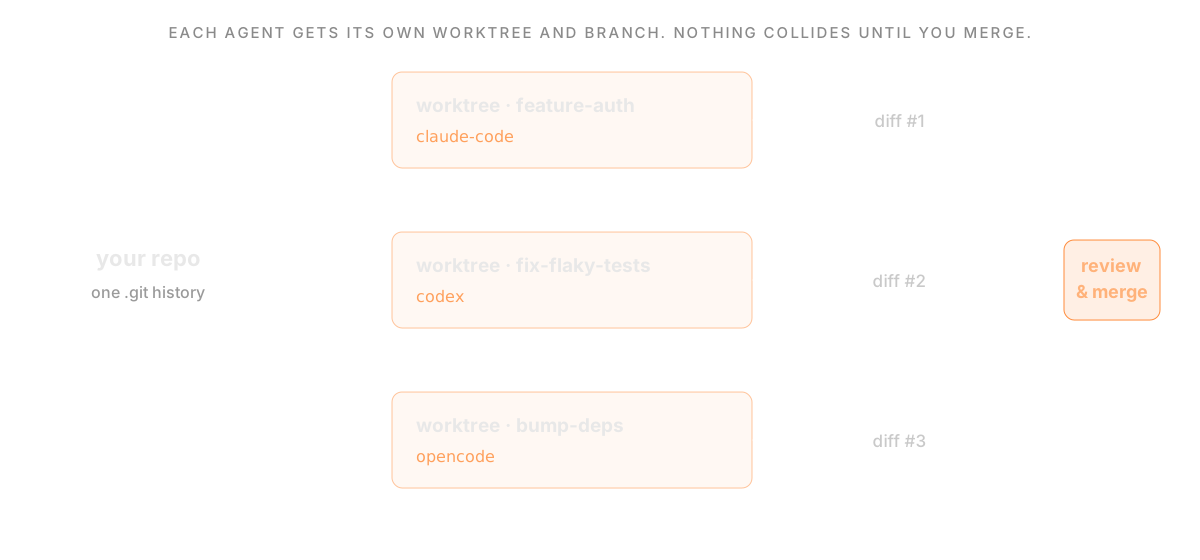
This is why the strongest tools for running multiple agents, from [Conductor](/compare/superset-vs-conductor) to [Orca](/compare/superset-vs-orca) to [Superset](/compare/superset-vs-cursor), are built around a worktree per task. Even [Cursor 2.0](/compare/superset-vs-cursor) adopted local worktrees for its parallel agents.
## The Parallel Agent Workflow
### 1. Break work into independent tasks
Worktrees shine when tasks do not overlap: one agent writing tests, another refactoring a module, a third updating docs. Overlapping tasks that touch the same files heavily are better run in sequence.
### 2. Create a worktree per task
Give each agent its own worktree and branch. Manually, that is a `git worktree add` per task; with a workspace tool, it happens automatically when you start a task.
### 3. Launch an agent in each worktree
Run your agent of choice, such as [Claude Code](/compare/best-ide-for-claude-code) or [Codex](/compare/best-ide-for-codex), inside each worktree with a narrow, focused prompt.
### 4. Review each diff independently
Each worktree produces its own diff. Review them one at a time and merge the ones you want. Isolation is what makes reviewing several parallel changes manageable.
### 5. Clean up
Remove finished worktrees with `git worktree remove`. The branch stays; only the extra directory goes.
## What isolation does not cover
Worktrees share your machine and usually its credentials. They do not isolate databases, port numbers, provider quotas, or external services. Give previews distinct ports, separate writable test data, and run checks on the combined branches before accepting the result.
A Git merge can succeed while the application fails: one branch might rename an API field that another branch expects. Review contracts as well as textual conflicts. The [three-task walkthrough](/blog/parallel-coding-agents-guide) includes scoped prompts and the review sequence.
## Doing It Manually vs Automatically
You can run this whole workflow by hand with `git worktree`, tmux, and discipline. It works, and for two or three occasional agents it may be all you need. The friction grows with scale: creating, tracking, and cleaning up worktrees, launching agents, managing ports for dev servers, and reviewing many diffs becomes real overhead.
That is the gap workspace tools fill. Instead of managing worktrees by hand, they create one per task automatically, launch your agent inside it, and give you review and browser surfaces around the whole thing. See the roundup of [best agentic IDEs](/compare/best-agentic-ide) for the options.
## Where Superset Fits
Superset is built around this exact workflow. Each new local branch-based workspace gets a Git worktree, branch, and terminals. It runs any CLI agent, such as Claude Code, Codex, OpenCode, Cursor, or Gemini, adds a built-in diff editor, an in-app browser for docs and dev servers, port management, and MCP, and extends across remote and cloud hosts. It turns the manual worktree workflow into the default, so you can run many agents in parallel and review each one without the bookkeeping.
## Worktrees in Your Editor
You do not have to give up your editor. Most editors open a worktree directory like any other folder, and there is steady demand for tighter worktree support in tools like VS Code. A common pattern is to let a workspace tool manage the worktrees and then open any one of them in VS Code, Cursor, JetBrains, or Xcode for a full editor view when you want to dig in.
## Verdict
Git worktrees are the foundation of safe parallel AI coding. They give each agent its own isolated directory and branch so many agents can work one repository at once, each producing a reviewable diff. You can manage them by hand, or use a workspace like Superset that creates worktrees for new local branch-based workspaces around your CLI agents.
To go deeper, see [How to Run Multiple Claude Code Agents in Parallel](/compare/multiple-claude-code-agents-parallel), [How to Run Multiple OpenCode Agents in Parallel](/compare/multiple-opencode-agents-parallel), and [Best Agentic IDE in 2026](/compare/best-agentic-ide).
## Frequently Asked Questions
### What is a Git worktree used for?
A Git worktree lets you check out multiple branches at once, each in its own directory sharing the same repository. For AI coding, it gives each agent an isolated place to work so agents do not edit the same working copy.
### How do I run multiple AI agents without conflicts?
Give each independent writer its own Git worktree and branch. This prevents shared-checkout edits, but merging can still introduce conflicts or incompatible behavior. Do it manually with `git worktree add`, or automatically with a workspace like Superset that creates worktrees for new local branch-based workspaces.
### Do AI coding tools use Git worktrees?
Many do. Conductor, Orca, Crystal, and Superset are built around a worktree per task, and Cursor 2.0 uses local worktrees for its parallel agents. See [Best Agentic IDE in 2026](/compare/best-agentic-ide).
### Can I use Git worktrees with VS Code?
Yes. A worktree is just a directory, so you can open it in VS Code like any folder. Many developers let a workspace tool manage the worktrees and open individual ones in VS Code, Cursor, or JetBrains to review.
## How to Run Multiple OpenCode Agents in Parallel
URL: https://superset.sh/compare/multiple-opencode-agents-parallel
Run multiple OpenCode tasks in parallel by giving each task a separate Git worktree and branch, then launching OpenCode from that directory. Review each diff and test the combined changes before merging. Subagents and extra sessions help divide work, but you should verify their working directories rather than assume they isolate edits.
## Sessions, subagents, and worktrees
OpenCode's [agent documentation](https://opencode.ai/docs/agents/) distinguishes primary agents from subagents. Those roles describe how work is delegated. A Git worktree addresses a separate question: which checkout the process edits.
| Approach | Working files | What to check |
|---|---|---|
| Several sessions in one directory | Shared checkout | Overlapping edits and shared Git index |
| Delegation to subagents | Depends on execution setup | Actual working directory and tool permissions |
| One OpenCode process per Git worktree | Separate checkout per task | Branch, dependencies, preview ports, and integration tests |
| Superset workspaces with OpenCode | Worktree and terminal per independent task | Same checks, with workspace management and diff review in the app |
Community plugins may add coordination. Evaluate the specific plugin's current documentation, permissions, and maintenance before relying on its isolation guarantees.
## Start two independent tasks
From your repository, create two worktrees with unused branch names and paths:
```bash
git worktree add -b ai/opencode-tests ../repo-opencode-tests
git worktree add -b ai/opencode-docs ../repo-opencode-docs
```
Open a terminal in each directory, follow your project's dependency setup, and launch your installed OpenCode CLI. Authenticate with your chosen provider. Record `opencode --version`, the selected model, and the repository's starting commit so another developer can reproduce the setup.
Use narrow prompts, adjusted to files that exist in your repository:
```text
Task A: Add regression tests for the input parser. Change only its test
files. Run the existing focused test command and report the result.
Do not commit or merge. Stop if the fix requires production code changes.
Task B: Update the setup guide to match the existing package scripts.
Change only documentation. List the commands you checked and anything
you could not verify. Do not commit or merge.
```
Check both sessions with `git rev-parse --show-toplevel` and `git branch --show-current`. Independent tasks should have different worktree paths and branches. If you use Superset, create a separate workspace for each task and select OpenCode as its agent.

## What worktrees do not isolate
Worktrees share repository history and run with the host user's permissions. They do not separate network ports, databases, API quotas, or credentials. Two agents can still modify the same external service, and their changes can conflict when merged.
Our [Git 2.52.0 isolation check](/parallel-coding-agents#a-reproducible-isolation-check) demonstrates separate edits followed by a merge conflict. It measures Git behavior, not OpenCode performance. See the [Git worktree reference](https://git-scm.com/docs/git-worktree) for the underlying mechanism.
## Review before scaling
Inspect each task's diff and command output. Resolve dependencies between tasks before integrating them, then rerun the relevant checks on the combined branch. Record failures and manual corrections as well as successful runs.
Manual worktrees can be enough for occasional parallel tasks. Superset adds persistent terminals, workspace organization, and built-in diff review when tracking those tasks becomes repetitive. See [Superset vs OpenCode](/compare/superset-vs-opencode) and the [three-task walkthrough](/blog/parallel-coding-agents-guide).
## Frequently Asked Questions
### Can I run OpenCode alongside Claude Code and Codex?
Yes. Give each independent task a separate workspace and use the agent you prefer in its terminal. Keep the task boundaries, review process, and integration checks explicit.
### Do OpenCode subagents guarantee isolated Git worktrees?
Do not infer filesystem isolation from the agent role. Check the working directory and execution setup. For independent edits, use separate worktrees or another explicitly isolated environment.
### Do worktrees eliminate conflicts?
No. They separate working files while tasks run. Merge conflicts and behavioral incompatibilities can still occur when changes are combined; shared services need separate handling too.
## Superset vs Aider (2026): Agent Workspace vs Terminal Pair Programmer
URL: https://superset.sh/compare/superset-vs-aider
Aider is one of the most popular open-source AI pair programmers: a single, focused CLI that edits your code and commits to Git from the terminal. Superset solves a broader problem: it is a local-first workspace that runs Aider (and other agents) across many isolated worktrees at once. In fact, Aider is one of the agents Superset can launch, so the real question is single-session pair programming versus multi-agent orchestration.
---
## At a Glance
| | **Superset** | **Aider** |
|---|---|---|
| **Category** | Agent orchestration workspace | Terminal AI pair programmer |
| **AI approach** | Agent-agnostic: runs Claude Code, Codex, Aider, Superset Chat, or any CLI agent | Model-agnostic: Claude, GPT, Gemini, DeepSeek, or local models |
| **Parallelism** | Core feature: multiple agents across isolated Git worktrees | One interactive session per terminal |
| **Interface** | Desktop app: terminals, diff/file editor, chat, in-app browser | Command-line REPL in your terminal |
| **Git model** | Isolated worktree per task | Auto-commits to your current branch |
| **Pricing** | Free tier + Pro $20/seat/mo (bring your own API keys) | Free, open source (Apache-2.0); bring your own API keys |
---
## What Is Superset?
Superset is a local-first desktop workspace for AI coding agents. It launches Claude Code, Codex, OpenCode, Aider, Copilot, Cursor Agent, Gemini CLI, Superset Chat, and other agent workflows inside isolated Git worktrees with persistent terminal sessions. Around that core, it adds a built-in diff/file editor, chat panel, in-app browser for docs and dev servers, port management, and MCP tooling. You can review inside Superset or jump into VS Code, Cursor, JetBrains, or Xcode. Source-available under Elastic License 2.0 (ELv2).
---
## What Is Aider?
Aider is an open-source AI pair programming tool that runs in your terminal. You point it at a repository, chat with it about changes, and it edits files and commits them to Git for you. It builds a map of your repo to work well in larger codebases, supports a wide range of models (Anthropic, OpenAI, Google, DeepSeek, and local models via OpenAI-compatible endpoints), and stays deliberately lightweight: no GUI, no vendor runtime, just a fast command-line loop. It is free and open source under Apache-2.0.
---
## Key Differences
### Single Session vs Parallel Agents
Aider is designed around one focused conversation: you and the model, iterating on a change in one terminal. Superset is built for parallelism: it runs many agents at once, each in its own Git worktree, so a refactor, a test-generation pass, and a bug fix can all progress simultaneously without stepping on each other.
### Terminal Loop vs Full Workspace
Aider is intentionally minimal: a terminal REPL that edits and commits. Superset wraps agents in a desktop workspace with a diff/file editor, chat, an in-app browser for previewing dev servers and docs, port management, and MCP tooling, so reviewing and steering agents does not require leaving the app.
### Complementary, Not Mutually Exclusive
Aider is one of the CLI agents Superset can run. You can use Aider standalone for quick, focused edits, and launch it inside Superset when you want to run it in an isolated worktree alongside other agents. Superset does not replace Aider; it orchestrates it.
### Privacy
Both keep the code on your machine and let you choose your own model provider. Superset runs agents locally in Git worktrees and is source-available; Aider is fully open source. Neither routes your repository through a required hosted runtime.
---
## Pricing
Superset offers a free tier and a Pro plan at $20/seat/month. You also pay for your agents' API keys (for example Anthropic for Claude Code or OpenAI for Codex): transparent provider costs, no platform credit system.
Aider is free and open source (Apache-2.0). You only pay for the model API you point it at, or nothing at all if you run a local model. That makes Aider the cheapest possible way to start, at the cost of a single-session, terminal-only workflow.
---
## Which Should You Choose?
**Choose Aider if you:**
- Want a lightweight, open-source pair programmer that lives in your terminal
- Work one focused change at a time and like fast, direct Git commits
- Want maximum model flexibility, including local models, with zero platform cost
- Prefer a minimal CLI over a full application
**Choose Superset if you:**
- Want to run Aider and other agents across independent tasks in parallel
- Need isolated Git worktrees so parallel work uses separate working directories
- Want a diff editor, chat, browser preview, and MCP tooling around your agents
- Use any editor and do not want your workflow tied to a single tool
Both tools work together. Use Aider for quick terminal edits, and run it inside Superset when you want worktree isolation and parallel agents around it.
---
## Frequently Asked Questions
### Can Superset run Aider?
Yes. Aider is one of the CLI agents Superset can launch inside an isolated Git worktree, alongside Claude Code, Codex, OpenCode, and others. Superset acts as the workspace and orchestration layer around Aider.
### Is Aider free?
Yes. Aider is open source under Apache-2.0 and free to use. You only pay for the model API you connect it to, or nothing if you run a local model.
### Does Aider support parallel agents?
Not on its own: Aider runs one interactive session per terminal. To run Aider (or a mix of agents) across many tasks at once, you can launch multiple instances inside Superset, each in its own worktree.
## Superset vs Claude Code App (2026): Orchestrator vs Multi-Surface Agent
URL: https://superset.sh/compare/superset-vs-claude-code-app
Claude Code is Anthropic's coding agent, and the same engine now runs across six surfaces: a terminal CLI, a desktop app, VS Code, JetBrains, the web, and mobile. When people say "the Claude Code app," they usually mean the desktop app (a graphical interface over the local engine) or Claude Code on the web. Superset is not another Claude Code surface -- it is an orchestration workspace that runs Claude Code, and other agents, in parallel with Git worktree isolation. This page compares the two.
For the general agent comparison, see [Superset vs Claude Code](/compare/superset-vs-claude-code).
---
## At a Glance
| | **Superset** | **Claude Code App** |
|---|---|---|
| **Category** | Agent orchestration workspace | Anthropic's coding agent, multiple surfaces |
| **Surfaces** | Desktop app, iPhone app, CLI, MCP server | CLI, desktop app, VS Code, JetBrains, web, mobile |
| **Agent support** | Any CLI agent (Claude Code, Codex, OpenCode, Cursor, Gemini, and more) | Claude Code (Anthropic models) |
| **Parallelism** | Many agents on separate branches, one worktree each | Parallel sessions (desktop); cloud sessions (web) |
| **Isolation** | Git worktree for new local branch-based workspaces | Native worktree option for Git-backed desktop sessions |
| **Review tooling** | Built-in diff/file editor, staging, commit | Desktop diff viewer and app preview |
| **Pricing** | Free tier + Pro $20/seat/mo | Claude Pro / Max plans; API pricing |
| **License** | Source-available (ELv2) | Proprietary |
---
## What Is Superset?
Superset is a local-first desktop workspace for AI coding agents. It launches Claude Code, Codex, OpenCode, Cursor Agent, Copilot, Gemini CLI, Mistral Vibe, and other agent workflows inside isolated Git worktrees with persistent terminal sessions. Around that core, it adds a built-in diff/file editor, chat panel, in-app browser for docs and dev servers, port management, and MCP tooling. It also runs across your own network devices through remote and cloud workspaces. You can review inside Superset or jump into VS Code, Cursor, Windsurf, JetBrains, or Xcode. Source-available under Elastic License 2.0 (ELv2).
Superset desktop supports macOS and experimental Linux; Windows is not available. Its iPhone app requires iOS 26 or later, Pro, and a reachable host. See [platform and plan requirements](/pricing) and [remote access setup](https://docs.superset.sh/remote-access).
## What Is the Claude Code App?
Claude Code is Anthropic's AI coding agent, running the same underlying engine across six surfaces, each tuned for a different workflow. The CLI and desktop have different controls and feature availability. The desktop app wraps the local engine in a graphical interface with a diff viewer, app preview, and parallel sessions. VS Code and JetBrains extensions bring it into those editors. Claude Code on the web runs in Anthropic's cloud and keeps working after you disconnect. The mobile apps act as a thin client to start and monitor sessions. Configuration, project memory, and MCP servers are shared across the local surfaces. Claude Code is available on Claude Pro and Max plans and via the API.
## Key Differences
### One Agent, Many Surfaces vs Many Agents, One Workspace
Claude Code offers several interfaces for the same agent. Superset provides a workspace around CLI agents, including Claude Code. You can use it with Claude alone to organize tasks across repositories, or add other agents when useful; multiple providers are not required.
### Isolation Model
Both products support Git worktrees. In Claude Desktop, select the worktree option beside the branch name for a Git-backed session, as described in [Anthropic’s desktop documentation](https://code.claude.com/docs/en/desktop#work-in-parallel-with-sessions). Superset creates a worktree for a new local branch-based workspace. Worktrees separate working files; they do not sandbox processes, isolate shared services, or prevent merge conflicts.
### Review and Orchestration in One Place
Superset centralizes launching, isolating, reviewing, and merging across all your agents in a single workspace, with an in-app browser and one-click handoff to your editor. The Claude Code app gives you Claude's own desktop diff viewer and app preview per session. If you want a single orchestration and review layer that spans more than one agent, that is Superset's role.
### They Work Together
You can run Claude Code inside Superset while keeping Anthropic’s other interfaces available. Try organizing a task, switching repositories, and returning to its terminal and diff before deciding which interface fits your work.
---
## Pricing
Superset offers a free tier and Pro at $20/seat/month, and you bring your own agent providers. Claude Code is available through Claude Pro and Max plans and via Anthropic's API. You pay Anthropic for Claude Code usage whether you run it directly or inside Superset.
---
## Which Should You Choose?
**Choose Superset if you:**
- Want to run multiple agents, or Claude Code alongside others, in one workspace
- Want branch-based task workspaces with terminals and review together
- Want unified review and orchestration across agents
- Prefer local-first work with your own remote/cloud hosts
**Choose the Claude Code App if you:**
- Use Claude Code as your single agent and want it on every surface
- Want Anthropic's own desktop, web, and mobile experiences
- Like starting a task on the web and monitoring it from your phone
- Prefer managing Claude sessions through its native interface, including its worktree option
**Verdict:** Choose Superset if you want a terminal-centered place for task branches, ongoing sessions, and patch review, with Claude Code alone or alongside other agents. Evaluate Claude Desktop if you prefer Anthropic’s native session interface. Both support parallel work with worktrees; choose by the task and review workflow you use.
---
## Frequently Asked Questions
### What does "Claude Code app" mean?
It is ambiguous. It usually refers to the Claude Code desktop app (a GUI over the local engine), but can also mean Claude Code on the web or the mobile apps. Superset is a separate workspace that can run Claude Code as one of many agents.
### Does the Claude Code app use Git worktrees?
Yes. Claude Desktop offers a worktree option for Git-backed sessions. See [Anthropic’s worktree instructions](https://code.claude.com/docs/en/desktop#work-in-parallel-with-sessions).
### Can I use Claude Code inside Superset?
Yes. Run Claude Code in a Superset task workspace, alone or alongside other CLI agents. New local branch-based workspaces use worktrees. You still pay Anthropic for Claude Code usage.
### Which should I use for running several tasks on one repo?
Both can separate tasks into worktrees. Try the same bounded tasks, verify their directories and branches, then review and integrate the patches. Choose Superset for its CLI-agent workspace workflow if that suits you; neither product makes parallel changes conflict-proof.
## Superset vs Claude Squad (2026): Desktop Workspace vs Terminal Multiplexer
URL: https://superset.sh/compare/superset-vs-claude-squad
Superset and Claude Squad both run multiple coding agents in parallel, each in its own Git worktree. Claude Squad does it as a terminal app: a TUI that manages agent sessions with Git worktrees and tmux. Superset does it as a desktop workspace, layering diff review, an in-app browser, MCP, and remote and cloud workspaces on the same worktree model. If you love the terminal, Claude Squad is lean and effective; if you want a graphical workspace around the same idea, Superset covers more.
---
## At a Glance
| | **Superset** | **Claude Squad** |
|---|---|---|
| **Category** | Desktop agent orchestration workspace | Terminal TUI for managing agents |
| **What it does** | Runs multiple agents in parallel with worktree isolation, review, and browser | Runs multiple agent sessions in isolated worktrees via tmux |
| **Isolation** | Git worktrees for local branch-based workspaces | Git worktree per agent + tmux sessions |
| **Agent support** | Any CLI agent (Claude Code, Codex, OpenCode, Cursor, Gemini, and more) | Agent-agnostic (Claude Code, Codex, Gemini, Aider, OpenCode, Amp, custom) |
| **Interface** | Graphical desktop app with panes and diff review | Terminal TUI |
| **Review tooling** | Built-in diff/file editor, staging, commit | Terminal-native; review in the agent or your editor |
| **Remote / cloud** | Remote and cloud workspaces across your network devices | Local |
| **Platform** | Desktop (macOS; experimental Linux AppImage; Windows unavailable), CLI, MCP server | CLI (macOS, Linux) |
| **License** | Source-available (ELv2) | Open source (AGPL-3.0) |
---
## What Is Superset?
Superset is a local-first desktop workspace for AI coding agents. It launches Claude Code, Codex, OpenCode, Cursor Agent, Copilot, Gemini CLI, Mistral Vibe, and other agent workflows inside isolated Git worktrees with persistent terminal sessions. Around that core, it adds a built-in diff/file editor, chat panel, in-app browser for docs and dev servers, port management, and MCP tooling. It also runs across your own network devices through remote and cloud workspaces. You can review inside Superset or jump into VS Code, Cursor, Windsurf, JetBrains, or Xcode. Source-available under Elastic License 2.0 (ELv2).
## What Is Claude Squad?
Claude Squad is an open-source terminal app that manages multiple AI coding agents in separate isolated workspaces so you can run several tasks at once. It combines Git worktrees for per-branch code isolation with tmux for per-agent terminal sessions, driven from a single TUI (`cs`). It is agent-agnostic -- Claude Code, Codex, Gemini, Aider, OpenCode, Amp, and any local agent via custom configuration -- and is AGPL-3.0 licensed, installable via Homebrew or a curl script on macOS and Linux.
## Key Differences
### Terminal TUI vs Desktop Workspace
Claude Squad lives entirely in the terminal. It is fast, keyboard-driven, and pairs worktrees with tmux to keep sessions isolated. Superset is a graphical desktop workspace: the same local branch-based worktree isolation, but with panes, a built-in diff and file editor, an in-app browser for docs and dev servers, and one-click handoff into your IDE. Which you prefer comes down to whether you want a lean terminal tool or a full workspace UI.
### Review and Extras
Because Claude Squad is terminal-native, review happens in the agent itself or in whatever editor you open. Superset adds review, browser preview, port management, and MCP tooling in one app. If you want those surfaces built in rather than assembled yourself, that is Superset's advantage.
### Reach Beyond One Machine
Superset extends past the local desktop with remote and cloud workspaces on your own network devices, plus a CLI and MCP server. Claude Squad runs locally. If moving work across machines or scripting the orchestration matters, Superset offers more.
### Shared Foundation
Both are agent-agnostic and both make a Git worktree per agent the unit of isolation, so the core workflow -- many agents, separate branches, review before merge -- is the same. The difference is the surface: a TUI versus a desktop workspace with more built in.
---
## Pricing
Superset offers a free tier and Pro at $20/seat/month. Claude Squad is free and open source (AGPL-3.0). In both cases, you still pay the underlying providers for Claude Code, Codex, or any compatible API usage.
---
## Which Should You Choose?
**Choose Superset if you:**
- Want a graphical workspace with built-in review and browser
- Need remote, cloud, CLI, or MCP surfaces
- Prefer a full workspace over assembling terminal tooling yourself
- Want a desktop workspace on macOS or experimental Linux
**Choose Claude Squad if you:**
- Live in the terminal and want a lean, keyboard-driven TUI
- Are comfortable with tmux and reviewing in your own editor
- Want a free, open-source tool with minimal footprint
- Only need local, single-machine orchestration
**Verdict:** Claude Squad is a great fit if you want a lightweight terminal multiplexer for parallel agents and are happy managing review yourself. Superset is the better fit if you want the same worktree model wrapped in a desktop workspace with review, browser, remote hosting, and MCP built in.
---
## Frequently Asked Questions
### Do Superset and Claude Squad both use Git worktrees?
Yes. Both support worktree-backed tasks. Superset creates a worktree and branch for each new local branch-based workspace. Claude Squad adds tmux for terminal sessions; Superset adds a desktop UI, review, and browser around the same model.
### Is Claude Squad only for Claude Code?
No. Despite the name, Claude Squad is agent-agnostic and runs Claude Code, Codex, Gemini, Aider, OpenCode, Amp, and custom agents. Superset is likewise agent-agnostic.
### Which one has a graphical interface?
Superset is a graphical desktop app. Claude Squad is a terminal TUI. If you want built-in visual diff review and a browser, Superset provides them; if you prefer the terminal, Claude Squad is lighter.
## Superset vs Cline (2026): Agent Workspace vs In-Editor Agent
URL: https://superset.sh/compare/superset-vs-cline
Cline is a popular open-source autonomous coding agent that lives inside VS Code. It plans, edits files, runs terminal commands, and uses your own API keys, all within the editor. Superset takes a different shape: it is an editor-independent, local-first workspace that runs many CLI agents in parallel across isolated Git worktrees, and treats your editor as a choice rather than the container.
---
## At a Glance
| | **Superset** | **Cline** |
|---|---|---|
| **Category** | Agent orchestration workspace | In-editor autonomous agent |
| **Home** | Standalone desktop app | VS Code (and forks) extension |
| **AI approach** | Agent-agnostic: Claude Code, Codex, Aider, Superset Chat, any CLI agent | Model-agnostic: Anthropic, OpenRouter, Bedrock, and more via your keys |
| **Parallelism** | Core feature: multiple agents across isolated Git worktrees | One agent per editor window/session |
| **Isolation** | Git worktrees for local branch-based workspaces | Works in your open workspace folder |
| **Pricing** | Free tier + Pro $20/seat/mo (bring your own API keys) | Free, open source; bring your own API keys |
---
## What Is Superset?
Superset is a local-first desktop workspace for AI coding agents. It launches Claude Code, Codex, OpenCode, Aider, Copilot, Cursor Agent, Gemini CLI, Superset Chat, and other agent workflows inside isolated Git worktrees with persistent terminal sessions. Around that core, it adds a built-in diff/file editor, chat panel, in-app browser for docs and dev servers, port management, and MCP tooling. You can review inside Superset or jump into VS Code, Cursor, JetBrains, or Xcode. Source-available under Elastic License 2.0 (ELv2).
---
## What Is Cline?
Cline is an open-source AI coding agent that runs as a VS Code extension. It works in Plan and Act modes: it can read and write files, run terminal commands, use a browser, and connect to MCP servers, all from inside the editor. You bring your own model access (Anthropic, OpenRouter, AWS Bedrock, and others), so there is no hosted runtime or credit system: the extension is free and you pay your provider directly. Its strength is tight, in-editor autonomy: the agent operates right where you already write code.
---
## Key Differences
### In-Editor Agent vs Editor-Independent Workspace
Cline is embedded in VS Code: its context is your open editor window. Superset sits outside any single editor: it orchestrates agents around the repository and lets you review in its own UI or in VS Code, Cursor, JetBrains, or Xcode. If you are not a VS Code user, Cline does not fit; Superset does not care which editor you use.
### One Agent vs Many in Parallel
Cline runs one agent session per editor window. Superset organizes tasks in local branch-based workspaces with separate Git worktrees. Working files are separate, but merge conflicts and shared-service interference remain possible; concurrency depends on host resources and provider limits. That is the difference between an in-editor assistant and a multi-agent orchestrator. Worktrees separate working files but do not sandbox processes or prevent merge conflicts; see [workspace types](https://docs.superset.sh/workspaces).
### Worktree Isolation
Cline operates in your currently open workspace folder. Superset gives new local branch-based workspaces separate Git worktrees for independent tasks. Shared services and merge conflicts still require coordination. Isolation is the core primitive Superset is built around.
### Privacy
Both keep code local and use your own model keys: no required hosted runtime. Cline is fully open source; Superset is source-available (ELv2) and runs agents locally in worktrees.
---
## Pricing
Superset offers a free tier and a Pro plan at $20/seat/month. You also pay for your agents' API keys (for example Anthropic for Claude Code or OpenAI for Codex): transparent provider costs, no platform credit system.
Cline is free and open source. You pay only for the model API you connect it to. That makes both tools "bring your own keys" with no markup. The difference is form factor, not billing model.
---
## Which Should You Choose?
**Choose Cline if you:**
- Live in VS Code and want an autonomous agent right inside the editor
- Work one task at a time and want the agent to share your open workspace context
- Want a free, open-source extension with your own model keys
- Value Plan/Act control and MCP support inside the editor
**Choose Superset if you:**
- Want to run many agents in parallel across isolated Git worktrees
- Use JetBrains, Xcode, Neovim, or multiple editors, or want to stay editor-independent
- Need a workspace with diff review, chat, browser preview, and port management around your agents
- Want to mix agents (Claude Code, Codex, Aider, and more) rather than one in-editor agent
Both can coexist: use Cline for in-editor autonomy, and Superset to dispatch parallel agents across worktrees for larger, concurrent work.
---
## Frequently Asked Questions
### Is Superset a VS Code extension like Cline?
No. Superset is a standalone desktop workspace, not an editor extension. It runs agents around your repository and lets you review in its own UI or open the code in VS Code, Cursor, JetBrains, or Xcode.
### Does Cline support running multiple agents in parallel?
Cline runs one agent per editor session. For many concurrent tasks, you would open multiple windows, but they share your workspace folder. Superset gives new local branch-based workspaces separate Git worktrees so parallel work uses separate working directories.
### Are Superset and Cline both bring-your-own-key?
Yes. Both let you use your own model provider keys with no credit system. Cline is a free open-source extension; Superset has a free tier plus a $20/seat/month Pro plan for its workspace features.
## Superset vs cmux (2026): Agent Terminal vs Agent Orchestrator
URL: https://superset.sh/compare/superset-vs-cmux
Superset and cmux both help you run many AI coding agents at once, but they sit in different categories. cmux is a native terminal built for agents: it makes concurrent sessions visible and controllable in one polished macOS app. Superset is an orchestration workspace: it creates separate Git worktrees for new local branch-based workspaces and adds review, browser, and automation around the agents. One organizes your agent sessions; the other isolates and manages the work each agent does. Worktrees separate working files but do not sandbox processes or prevent merge conflicts; see [workspace types](https://docs.superset.sh/workspaces).
---
## At a Glance
| | **Superset** | **cmux** |
|---|---|---|
| **Category** | Agent orchestration workspace | Native terminal for AI agents |
| **What it does** | Runs multiple agents in parallel with Git worktree isolation, review, and browser | Runs agent sessions in vertical tabs and split panes with notifications and an embedded browser |
| **Isolation** | Git worktrees for local branch-based workspaces | None built in -- isolation is left to the agent or to you |
| **Agent support** | Any CLI agent (Claude Code, Codex, OpenCode, Cursor, Gemini, and more) | Any terminal agent (Claude Code, Codex, OpenCode, Gemini, Aider, Goose, and more) |
| **Review tooling** | Built-in diff/file editor, staging, and commit | Terminal-native; review happens in the agent or your editor |
| **Platform** | Desktop (macOS; experimental Linux AppImage; Windows unavailable), CLI, MCP server | macOS only |
| **License** | Source-available (ELv2) | Open source (GPL-3.0) |
---
## What Is Superset?
Superset is a local-first desktop workspace for AI coding agents. It launches Claude Code, Codex, OpenCode, Cursor Agent, Copilot, Gemini CLI, Mistral Vibe, and other agent workflows inside isolated Git worktrees with persistent terminal sessions. Around that core, it adds a built-in diff/file editor, chat panel, in-app browser for docs and dev servers, port management, and MCP tooling. You can review inside Superset or jump into VS Code, Cursor, Windsurf, JetBrains, or Xcode. Source-available under Elastic License 2.0 (ELv2).
## What Is cmux?
cmux is a native macOS terminal built specifically for running AI coding agents. Built on a GPU-accelerated core, it adds vertical tabs, split panes, notification "rings" around a pane when a process needs attention, an embedded scriptable browser, and a programmable socket API. Its goal is to make many concurrent agent sessions visible and controllable in one native app, including surfacing an agent's subagents as their own panes. cmux runs any terminal-launchable agent and is free and open source under GPL-3.0, on macOS only.
> Note: two actively maintained tools share the name "cmux." This page is about the native macOS agent terminal from manaflow. A separate, smaller project (craigsc/cmux) is a Claude-Code-only bash CLI that does use Git worktrees per agent; if that is the tool you mean, its model is closer to Superset's but far narrower in scope.
## Key Differences
### Organizing Sessions vs Isolating Work
This is the core distinction. cmux is a terminal: it makes your agent sessions easy to see, split, and switch between, but it does not isolate what each agent changes. If two agents work on the same repository, they share one working directory unless you set up isolation yourself. Superset creates a Git worktree and branch for each new local branch-based workspace. cmux answers "how do I see all my agents?"; Superset answers "how do I run agents on the same repo in separate working directories?"
### Review and Merge Flow
Because cmux is terminal-native, reviewing and merging happens in the agent itself or in whatever editor you open afterward. Superset includes a built-in diff and file editor where you can review, stage, and commit each task's changes, then jump into VS Code, Cursor, JetBrains, or Xcode if you prefer. If you want the review layer inside the same app that runs the agents, that is a Superset feature rather than a cmux one.
### Beyond the Terminal
Superset extends past a single machine with remote and cloud workspaces, scheduled automations with a TypeScript SDK, and CLI and MCP server surfaces. cmux is focused on being an excellent native terminal on macOS, with an embedded browser and scripting API for driving sessions. They can even be complementary: some developers will keep cmux as their daily agent terminal and reach for a worktree orchestrator when multiple agents need to touch the same repo.
### Platform
cmux is macOS only today. Superset supports macOS and an experimental Linux AppImage, plus CLI and MCP surfaces. Windows is not available.
---
## Pricing
Superset offers a free tier and Pro at $20/seat/month. cmux is free and open source, with an optional paid edition for early access to upcoming features. In both cases, you still pay the underlying providers for Claude Code, Codex, or any compatible API usage.
---
## Which Should You Choose?
**Choose Superset if you:**
- Want automatic Git worktree isolation so agents can share one repo safely
- Want built-in diff review and merge inside the same app
- Need remote, cloud, CLI, or MCP surfaces
- Work on more than just macOS, or plan to
**Choose cmux if you:**
- Want a fast, native macOS terminal purpose-built for agent sessions
- Mostly run one agent (or manage isolation yourself) and value terminal polish
- Like an embedded browser and a scriptable API in your terminal
- Prefer a fully open-source GPL tool
**Verdict:** These tools are not really substitutes. cmux is the best fit if your goal is a beautiful native terminal that keeps many agent sessions organized. Superset is the better fit if your goal is running multiple agents on the same repository in separate working directories, with review and orchestration built in. Many developers will end up using a terminal like cmux alongside an orchestrator like Superset.
---
## Frequently Asked Questions
### Does cmux use Git worktrees?
The native macOS cmux terminal does not isolate tasks in Git worktrees itself -- that is left to the agent or to you. (A separate, smaller project that shares the name, craigsc/cmux, does use worktrees but only for Claude Code.) Superset makes a worktree per task automatic.
### Is cmux only for macOS?
Yes. The cmux agent terminal is macOS only today. Superset supports macOS and experimental Linux; Windows is not available. Superset also offers CLI and MCP surfaces.
### Can I use cmux and Superset together?
Yes. They solve different problems. You can keep cmux as your native agent terminal and use Superset when multiple agents need isolated worktrees on the same repository, with review and orchestration in one place.
### What is the best terminal for AI coding agents?
If you want a polished native terminal for agent sessions on macOS, cmux is a strong choice. If your bottleneck is coordinating several agents on one repository, the deciding factor becomes worktree isolation and review, which is what Superset is built around. See our roundup of the [best terminal for AI coding agents](/compare/best-terminal-for-ai-coding).
## Superset vs Codex App (2026): Agent-Agnostic Workspace vs OpenAI's Coding Surface
URL: https://superset.sh/compare/superset-vs-codex-app
Codex is OpenAI's coding agent, offered as one product across a terminal CLI, IDE extensions, a cloud service, and -- since July 2026 -- a dedicated coding surface inside the unified ChatGPT desktop app on macOS and Windows. The Codex app now runs parallel chats in local Git worktrees as well as cloud task environments, which makes it a closer comparison to Superset than it used to be. The remaining difference is the biggest one: Codex runs OpenAI's agent; Superset runs all of them.
For the terminal-focused comparison, see [Superset vs Codex CLI](/compare/superset-vs-codex).
---
## At a Glance
| | **Superset** | **Codex App** |
|---|---|---|
| **Category** | Local-first agent orchestration workspace | OpenAI's coding surface in the ChatGPT desktop app |
| **What it does** | Runs multiple agents in parallel with Git worktree isolation, review, and browser | Runs parallel Codex chats in local worktrees plus cloud task environments |
| **Agent support** | Any CLI agent (Claude Code, Codex, OpenCode, Cursor, Gemini, and more) | OpenAI Codex (GPT-5.6 Sol, Terra, Luna) |
| **Isolation** | Automatic local Git worktrees for local branch-based workspaces | Worktree mode per chat (Codex-managed checkouts) or per-task cloud environments |
| **Where code runs** | Your local machine (and your own remote/cloud hosts) | Your machine, or OpenAI-managed cloud sandboxes |
| **Platforms** | Desktop (macOS; experimental Linux AppImage; Windows unavailable), CLI, MCP server | macOS and Windows desktop, CLI, IDE extensions, web |
| **Scheduling** | Automations: scheduled agent sessions, TypeScript SDK, Slack bot | Scheduled tasks on background worktrees or in cloud |
| **Pricing** | Free tier + Pro $20/seat/mo | Included with all ChatGPT plans (Free and up); usage scales by tier |
| **License** | Source-available (ELv2) | Proprietary (Codex CLI is open source) |
---
## What Is Superset?
Superset is a local-first desktop workspace for AI coding agents. It launches Claude Code, Codex, OpenCode, Cursor Agent, Copilot, Gemini CLI, Mistral Vibe, and other agent workflows inside isolated Git worktrees with persistent terminal sessions. Around that core, it adds a built-in diff/file editor, chat panel, in-app browser for docs and dev servers, port management, and MCP tooling. It also runs across your own network devices through remote and cloud workspaces, and it can schedule agent sessions as automations with a TypeScript SDK and a Slack bot. You can review inside Superset or jump into VS Code, Cursor, Windsurf, JetBrains, or Zed. Source-available under Elastic License 2.0 (ELv2).
## What Is the Codex App?
Codex is OpenAI's agentic coding system, delivered as one product with a shared account, configuration, and usage limits: a terminal CLI, IDE extensions for VS Code, JetBrains, and Xcode, a cloud agent, and a web experience. In July 2026, the standalone Codex desktop app merged into the unified ChatGPT desktop app, where Codex is a dedicated coding surface you can set as the default view, available on every ChatGPT plan including Free. On desktop, each chat started in Worktree mode gets its own Codex-managed local checkout, so multiple chats work the same project in parallel without interference, and Handoff moves a chat between local, worktree, and remote execution. Cloud tasks still run in per-task OpenAI-managed environments, scheduled tasks can run on background worktrees or in the cloud, and code review spans inline diff editing, PR side panels, and multi-repository review. Current models are the GPT-5.6 family (Sol, Terra, Luna).
## Key Differences
### One Vendor's Suite vs Agent-Agnostic
This is now the core difference. The Codex app runs OpenAI's Codex agent on OpenAI's models. Superset is agent-agnostic: it runs Codex itself as one of many agents, alongside Claude Code, OpenCode, Cursor, Gemini, and others, all in the same workspace -- fan one task across different agents and compare results, or pick the best agent per job. If you want to standardize on OpenAI's stack, the Codex app is cohesive and deeply integrated with ChatGPT. If you want to mix agents or avoid tying your workflow to one vendor, that is exactly what Superset is built for.
### Worktrees on Both Sides Now
Earlier versions of this comparison could say "local worktrees vs cloud environments." That is no longer accurate: the Codex desktop app runs parallel chats in Codex-managed local worktrees, keeps a rolling set of recent ones, and can hand sessions off between machines. Superset's worktree model remains broader in one specific way -- worktrees are ordinary checkouts of your repo that any agent, terminal, or editor can enter, with persistent terminal sessions, an in-app browser, and port management attached, rather than checkouts managed around a single vendor's chats.
### Review and Environment
With Codex cloud tasks, you configure the environment once and review returned diffs and logs; on desktop, review happens in the app's diff and PR panels. With Superset, each agent runs in your existing checkout as a worktree, so the environment is whatever your machine already has -- private services, local databases, real dependencies -- and you review in the built-in diff editor or jump into your own IDE. Teams with complex local setups or offline constraints tend to prefer keeping the loop local; Codex's cloud tasks remain the better fire-and-forget story when your machine is off.
### Pricing Model
Codex is included with every ChatGPT plan, from Free up through Plus, Pro, Business, and Enterprise, with usage limits that scale by tier. Superset offers a free tier and Pro at $20/seat/month, and you bring your own agent providers -- including OpenAI -- so model spend stays with those providers.
---
## Which Should You Choose?
**Choose Superset if you:**
- Run more than one agent, or want to avoid locking into a single vendor
- Want worktrees that are plain checkouts any tool can enter, with terminals and a browser attached
- Need your real local environment, private services, or offline work
- Want orchestration, automations, and review for a mixed-agent fleet in one workspace
**Choose the Codex App if you:**
- Are standardized on OpenAI and want a cohesive Codex + ChatGPT experience
- Like cloud tasks that run while your machine is off
- Already pay for a ChatGPT plan (or want to start free) with Codex bundled in
- Want scheduled tasks and code review inside OpenAI's own surfaces
**Verdict:** The Codex app has become a genuinely strong parallel-coding environment -- local worktrees, scheduled tasks, and cloud delegation, bundled with every ChatGPT plan. What it cannot be is neutral: it runs one vendor's agent. Superset is the better fit if you want Codex as one option among many, running in ordinary worktrees on your own machines, with agent-agnostic orchestration, review, and automations around the whole fleet.
---
## Frequently Asked Questions
### Is the Codex app still a separate desktop app?
No. In July 2026 the standalone Codex app merged into the unified ChatGPT desktop app on macOS and Windows, where Codex is a dedicated coding surface you can set as your default view. The previous ChatGPT app was renamed ChatGPT Classic.
### Does the Codex app use Git worktrees?
Yes, as of 2026. Chats started in Worktree mode get their own Codex-managed local checkout, and parallel chats can work the same project without interference. Cloud tasks still run in OpenAI-managed per-task environments. Superset's worktrees are ordinary repo checkouts usable by any agent or tool, not just one vendor's chats.
### Can Superset run Codex?
Yes. Superset is agent-agnostic and runs the Codex CLI as one of many agents, each in its own worktree, alongside Claude Code, OpenCode, Cursor, Gemini, and others.
### Which is cheaper?
It depends on usage. Codex is bundled with all ChatGPT plans, including a free tier, with usage limits that scale by plan. Superset has a free tier and Pro at $20/seat/month, and you pay OpenAI directly for model usage.
## Superset vs Crystal (2026): Comparing Parallel Claude Code Workspaces
URL: https://superset.sh/compare/superset-vs-crystal
Superset and Crystal both run multiple Claude Code and Codex sessions in parallel Git worktrees inside one desktop app, with per-session diff review and integrated Git operations. The difference is scope and direction: Crystal is a focused, open-source app for Claude Code and Codex, now continuing under the name Nimbalyst, while Superset is a broader, agent-agnostic workspace that adds more agents, an in-app browser, remote and cloud workspaces, and automation.
Note: Crystal has been renamed and is being succeeded by [Nimbalyst](https://nimbalyst.com/) as of early 2026. If you are evaluating "Crystal" today, you are really evaluating Nimbalyst.
---
## At a Glance
| | **Superset** | **Crystal (now Nimbalyst)** |
|---|---|---|
| **What it does** | Runs multiple agents in parallel with Git worktree isolation, review, browser, and automation | Runs Claude Code and Codex sessions in parallel Git worktrees with review and Git ops |
| **Agent support** | Any CLI agent (Claude Code, Codex, OpenCode, Cursor, Gemini, Mistral Vibe, and more) | Claude Code and Codex |
| **Isolation** | Git worktrees for local branch-based workspaces | Git worktree per session |
| **Review tooling** | Built-in diff/file editor, staging, commit | In-app diff review, per-iteration commits, rebase/squash/merge |
| **Remote / cloud** | Remote and cloud workspaces across your network devices | Local desktop |
| **Automation** | Automations: scheduled sessions, TypeScript SDK, Slack bot | Focused on interactive sessions |
| **Platform** | Desktop (macOS; experimental Linux AppImage; Windows unavailable), CLI, MCP server | Desktop (macOS, Windows, Linux) |
| **License** | Source-available (ELv2) | Open source (MIT) |
---
## What Is Superset?
Superset is a local-first desktop workspace for AI coding agents. It launches Claude Code, Codex, OpenCode, Cursor Agent, Copilot, Gemini CLI, Mistral Vibe, and other agent workflows inside isolated Git worktrees with persistent terminal sessions. Around that core, it adds a built-in diff/file editor, chat panel, in-app browser for docs and dev servers, port management, and MCP tooling. It also runs across your own network devices through remote and cloud workspaces and can schedule agent sessions as automations. You can review inside Superset or jump into VS Code, Cursor, Windsurf, JetBrains, or Xcode. Source-available under Elastic License 2.0 (ELv2).
## What Is Crystal?
Crystal is an open-source Electron desktop app for running multiple Claude Code and Codex sessions in parallel Git worktrees. Each session gets its own worktree, with per-iteration commits, in-app diff review, and integrated Git operations like rebase, squash, and merge without leaving the app. It is MIT licensed and runs on macOS, Windows, and Linux. Its maintainers have renamed the project and now direct active development to Nimbalyst, so treat "Crystal" as the legacy name for what is now Nimbalyst.
## Key Differences
### Agent Breadth
Crystal is built around Claude Code and Codex. If those are your two agents, its focus is a feature. Superset is deliberately agent-agnostic: it runs Claude Code, Codex, OpenCode, Cursor, Copilot, Gemini, Mistral Vibe, and custom terminal agents you define. If you want to mix agents or adopt new ones as they launch, Superset gives you more room.
### Same Worktree Core, Wider Surface
Both apps make a Git worktree per session the unit of work and both include strong in-app review and Git operations. Around that, Superset adds an in-app browser for docs and dev servers, port management, an MCP server, and one-click handoff into more editors. Crystal keeps a tighter footprint focused on the review-and-merge loop for Claude Code and Codex.
### Reach and Automation
Superset extends past the local desktop with remote and cloud workspaces on your own network devices, and it can schedule agent sessions as automations with a TypeScript SDK and a Slack bot. Crystal is a local, interactive desktop app. If you want unattended or scheduled runs, or work that moves across machines, Superset covers more of it.
### Project Status
Crystal is stable and open source, but its maintainers have moved active development to Nimbalyst. Superset is actively developed under its current name. If long-term maintenance direction matters to you, factor in the Nimbalyst transition when evaluating Crystal.
---
## Pricing
Superset offers a free tier and Pro at $20/seat/month. Crystal is free and open source (MIT). In both cases, you still pay the underlying providers for Claude Code, Codex, or any compatible API usage.
---
## Which Should You Choose?
**Choose Superset if you:**
- Use more than Claude Code and Codex, or want to adopt new agents freely
- Want remote, cloud, CLI, or MCP surfaces around the same worktree model
- Need scheduled or unattended runs through automations
- Prefer an actively developed product under one name
**Choose Crystal (Nimbalyst) if you:**
- Primarily use Claude Code and Codex and want a focused desktop app
- Want a free, MIT-licensed tool with strong in-app Git operations
- Work on one machine and value a tight review-and-merge loop
**Verdict:** Crystal is a clean, open-source choice if Claude Code and Codex are your world and you want a focused parallel-worktree app -- just note its transition to Nimbalyst. Superset is the better fit if you want the same worktree model with broader agent support, an in-app browser, remote and cloud workspaces, and automation.
---
## Frequently Asked Questions
### Is Crystal still maintained?
Crystal has been renamed and its maintainers now direct active development to Nimbalyst. It still works, but new development happens under the Nimbalyst name.
### Do both use Git worktrees?
Yes. Both give each session its own Git worktree, branch, and working directory. The isolation model is the same; the products differ in agent breadth and surrounding features.
### Can Crystal run agents other than Claude Code and Codex?
Crystal is built specifically for Claude Code and Codex. If you want OpenCode, Cursor, Gemini, or custom agents in the same workspace, Superset is the more flexible choice.
## Superset vs OpenHands (2026): Local Worktrees vs Sandboxed Agent
URL: https://superset.sh/compare/superset-vs-openhands
OpenHands (formerly OpenDevin) is an open-source platform for autonomous AI software engineers that run inside a sandbox, editing code, running commands, and browsing the web to complete tasks. Superset takes a local-first approach instead: it runs your choice of CLI coding agents directly in isolated Git worktrees on your machine, wrapped in a desktop workspace. The core contrast is a sandboxed autonomous agent versus an agent-agnostic local workspace.
---
## At a Glance
| | **Superset** | **OpenHands** |
|---|---|---|
| **Category** | Agent orchestration workspace | Autonomous agent platform |
| **Execution** | Local Git worktrees on your machine | Sandboxed runtime (Docker) or OpenHands Cloud |
| **AI approach** | Agent-agnostic: Claude Code, Codex, Aider, Superset Chat, any CLI agent | Model-agnostic agent framework (via LiteLLM) |
| **Parallelism** | Core feature: multiple agents across isolated worktrees | Multiple sessions, typically one sandbox per task |
| **Interface** | Desktop app: terminals, diff/file editor, chat, in-app browser | Web UI / CLI over a sandboxed agent |
| **Pricing** | Free tier + Pro $20/seat/mo (bring your own API keys) | Open source (MIT) to self-host; Cloud is usage-based |
---
## What Is Superset?
Superset is a local-first desktop workspace for AI coding agents. It launches Claude Code, Codex, OpenCode, Aider, Copilot, Cursor Agent, Gemini CLI, Superset Chat, and other agent workflows inside isolated Git worktrees with persistent terminal sessions. Around that core, it adds a built-in diff/file editor, chat panel, in-app browser for docs and dev servers, port management, and MCP tooling. You can review inside Superset or jump into VS Code, Cursor, JetBrains, or Xcode. Source-available under Elastic License 2.0 (ELv2).
---
## What Is OpenHands?
OpenHands, from All Hands AI, is an open-source platform for autonomous AI agents that perform software-engineering tasks. Agents run inside a sandboxed runtime (typically a Docker container) where they can edit files, execute commands, and use a browser to accomplish a goal. It is model-agnostic through LiteLLM, posts strong results on engineering benchmarks, and can be self-hosted under an MIT license or used through OpenHands Cloud. Its strength is hands-off autonomy: you describe a task and the agent works it inside its sandbox.
---
## Key Differences
### Sandboxed Runtime vs Local Worktrees
OpenHands executes agents inside a sandbox (Docker or cloud), which is great for isolation and reproducibility but adds a runtime layer between the agent and your working copy. Superset runs agents directly on your machine, each in its own Git worktree: no container to manage, and the code stays in your local repo the whole time.
### Autonomous Agent vs Agent Orchestrator
OpenHands is itself the agent: one framework that plans and executes. Superset does not ship its own single autonomous engine: it orchestrates the agents you already use (Claude Code, Codex, Aider, and more), letting you pick the right one per task and run several side by side.
### Review and Workspace Surface
OpenHands centers on the agent's task loop with a web or CLI view. Superset centers on the workspace: a diff/file editor, chat, an in-app browser for dev servers, port management, and MCP tooling, so steering and reviewing multiple agents happens in one desktop app.
### Privacy
Superset keeps everything local in Git worktrees and is source-available. OpenHands can be fully self-hosted (MIT) for local control, or run via OpenHands Cloud, where execution happens on hosted infrastructure. Both give you a local-control option; the default execution model differs.
---
## Pricing
Superset offers a free tier and a Pro plan at $20/seat/month. You also pay for your agents' API keys (for example Anthropic for Claude Code or OpenAI for Codex): transparent provider costs, no platform credit system.
OpenHands is open source under MIT, so self-hosting is free apart from the model API and the compute you run the sandbox on. OpenHands Cloud is a managed, usage-based option if you would rather not run the runtime yourself.
---
## Which Should You Choose?
**Choose OpenHands if you:**
- Want a fully autonomous agent that works inside a reproducible sandbox
- Prefer a containerized runtime for isolation, or a managed cloud option
- Want an open-source agent framework you can extend and self-host
- Optimize for hands-off, benchmark-style task completion
**Choose Superset if you:**
- Want to run your existing CLI agents locally, in isolated Git worktrees
- Want local branch-based task workspaces without requiring a container runtime
- Want a desktop workspace with diff review, chat, browser preview, and MCP
- Prefer agent choice and editor independence over one autonomous engine
The two can complement each other: use OpenHands for sandboxed autonomous runs, and Superset as your day-to-day local workspace for orchestrating CLI agents across worktrees.
---
## Frequently Asked Questions
### Is OpenHands the same as OpenDevin?
Yes. OpenHands is the current name for the project formerly known as OpenDevin, maintained by All Hands AI.
### Does Superset run agents in a sandbox like OpenHands?
No. Superset runs agents directly on your machine in isolated Git worktrees rather than in a Docker sandbox. That removes a runtime layer and keeps code in your local repo, while worktrees still keep parallel tasks separated.
### Can I self-host either tool?
OpenHands is open source (MIT) and designed to be self-hosted, with a managed cloud option. Superset is a source-available (ELv2) local-first desktop app: it already runs entirely on your machine, with a free tier and a $20/seat/month Pro plan.
## Superset vs Orca: worktrees, mobile, and scheduled agents
URL: https://superset.sh/compare/superset-vs-orca
Superset and Orca both support parallel coding work, remote hosts, mobile access, and scheduled automations. Scheduling and a phone companion are shared capabilities. Choose by platform, license, host setup, and the review workflow you actually use.
## At a Glance
| Requirement | Superset | Orca |
|---|---|---|
| Parallel work | Separate workspaces and Git worktrees | Worktrees with terminals and browser tools |
| Desktop | macOS; experimental Linux; Windows unavailable | macOS, Windows, Linux |
| Phone | iPhone, iOS 26+, Pro; Android waitlist | iOS and Android companion, documented as beta |
| Scheduling | Pro automations on a selected host | Scheduled automations through CLI and desktop |
| License | Source-available, Elastic License 2.0 | MIT |
Orca's [product page](https://www.onorca.dev/) describes its worktree, browser, and CLI workflow. Its [automation docs](https://www.onorca.dev/docs/cli/automations) cover schedules, host selection, and run management. Its [mobile docs](https://www.onorca.dev/docs/mobile) describe pairing, status, terminal access, and source-control review.
## Superset requirements
Superset runs CLI coding agents in separate workspaces, with terminals and diff review in one app. Desktop supports macOS and an experimental Linux AppImage. Windows is not yet available. Superset is source-available under Elastic License 2.0.
To use [Superset on iPhone](/mobile), you need iOS 26 or later, Pro, and a host that stays online. Remote access and automations also require a paid plan. See [pricing](/pricing) and [remote access setup](https://docs.superset.sh/remote-access).
## Try it in your repository
Run one of your usual tasks in each app with the same agent and model. Open the diff, ask for a correction, and run your project's checks. Compare how much setup and review each app takes. The [parallel-task guide](/blog/parallel-coding-agents-guide) has prompts you can use.

## Which should you choose?
Choose Superset if you want to send instructions to your coding agents and review their diffs from an iPhone, then continue in the same workspace on desktop. Follow the [phone walkthrough](/blog/claude-code-codex-iphone) and [scheduled-maintenance guide](/blog/scheduled-agent-maintenance) to test those requirements.
Orca is a strong candidate if Windows, Android, or an MIT license is a requirement. If both products meet your platform needs, try the same task in each and compare the review workflow.
Both require an agent provider account or API access. Superset has free and paid plans; Orca describes its core app as free and open source. Check current terms and any optional services before comparing total cost.
## Frequently Asked Questions
### Does Orca support scheduled agents?
Yes. Orca documents scheduled automations. Superset also supports scheduled agent sessions; scheduling alone does not distinguish them.
### Does Superset have a mobile app?
Yes. Superset's iPhone app is available. It requires iOS 26 or later, Pro, and a connected host. Android is on the waitlist.
### Do worktrees prevent all conflicts?
No. They keep working copies separate. Combined changes still need review, conflict resolution when necessary, and tests.
## Superset vs Sculptor (2026): Comparing Parallel Coding Agent Desktops
URL: https://superset.sh/compare/superset-vs-sculptor
Superset and Sculptor are both desktop apps for running coding agents in parallel with isolated workspaces and built-in review. Sculptor, from the AI lab Imbue, centers on Claude Code and Imbue's own Pi harness, with an isolated environment per agent and a "Pairing Mode" that syncs an agent's work back into your local repo. Superset supports CLI agents in local branch-based workspaces with separate Git worktrees, with an in-app browser, MCP, and remote and cloud workspaces around it.
---
## At a Glance
| | **Superset** | **Sculptor** |
|---|---|---|
| **What it does** | Runs multiple agents in parallel with Git worktree isolation, review, and browser | Runs coding agents in parallel isolated environments with pairing back to your repo |
| **Isolation** | Git worktrees for local branch-based workspaces | Isolated worktrees per workspace, plus optional containers |
| **Agent support** | Any CLI agent (Claude Code, Codex, OpenCode, Cursor, Gemini, and more) | Claude Code and Imbue's Pi; can manage other terminal agents |
| **Signature feature** | Broad agent-agnostic orchestration + remote/cloud hosts | Pairing Mode syncs an agent's work into your local repo/IDE |
| **Review tooling** | Built-in diff/file editor, staging, commit | In-app review with pairing to local checkout |
| **Platform** | Desktop (macOS; experimental Linux AppImage; Windows unavailable), CLI, MCP server | Desktop (macOS Apple Silicon, Linux; Intel Mac and Windows planned) |
| **License** | Source-available (ELv2) | Open source (MIT) |
---
## What Is Superset?
Superset is a local-first desktop workspace for AI coding agents. It launches Claude Code, Codex, OpenCode, Cursor Agent, Copilot, Gemini CLI, Mistral Vibe, and other agent workflows inside isolated Git worktrees with persistent terminal sessions. Around that core, it adds a built-in diff/file editor, chat panel, in-app browser for docs and dev servers, port management, and MCP tooling. It also runs across your own network devices through remote and cloud workspaces. You can review inside Superset or jump into VS Code, Cursor, Windsurf, JetBrains, or Xcode. Source-available under Elastic License 2.0 (ELv2).
## What Is Sculptor?
Sculptor is a desktop app from Imbue for running coding agents in parallel. You connect a repository, create isolated workspaces, and prompt agents that each run in their own environment; a "Pairing Mode" syncs an agent's work back into your local repo and IDE. It isolates work with worktrees per workspace, plus an experimental container backend for remote or containerized execution. Sculptor ships with Claude Code and Imbue's Pi harness and can manage other terminal-based agents. It is MIT licensed, free in beta (bring your own Anthropic API key or Claude Pro/Max), and runs on Apple Silicon macOS and Linux, with Intel Mac and Windows planned.
## Key Differences
### Agent Breadth
Sculptor centers on Claude Code and Imbue's Pi harness, though it can manage other terminal agents. Superset is agent-agnostic from the ground up, running Claude Code, Codex, OpenCode, Cursor, Copilot, Gemini, Mistral Vibe, and custom agents in the same workspace. If your work spans several agents or you want to swap them freely, Superset gives you more room; if you mainly use Claude Code and Pi, Sculptor is tailored to that.
### Pairing vs Worktree-First Orchestration
Sculptor's signature is Pairing Mode: an agent works in an isolated environment, and its changes sync back into your local checkout and IDE. Superset keeps the worktree itself as the unit you work in, with in-app review and one-click handoff to your editor. Both isolate agents; they differ in how the isolated work rejoins your main checkout.
### Containers and Reach
Sculptor offers an experimental container backend alongside worktrees. Superset creates Git worktrees for new local branch-based workspaces, and it extends across your own network devices with remote and cloud workspaces, plus CLI and MCP surfaces. If you want containerized isolation specifically, Sculptor leans that way; if you want worktree-first orchestration that spans machines, Superset does.
### Maturity and Platform
Both are actively evolving. Superset supports macOS and an experimental Linux AppImage, plus CLI and MCP. Windows is not available. Sculptor runs on Apple Silicon macOS and Linux, with Intel Mac and Windows on the way, and is in free beta. Match the platform support to your fleet.
---
## Pricing
Superset offers a free tier and Pro at $20/seat/month. Sculptor is open source and free in beta, using your own Anthropic API key or Claude plan. In both cases, you still pay the underlying providers for model usage.
---
## Which Should You Choose?
**Choose Superset if you:**
- Run several agents, or want to swap agents freely
- Want worktree-first orchestration that spans local, remote, and cloud hosts
- Want an in-app browser, MCP, and CLI surfaces built in
- Need a workspace to rely on across a mixed platform fleet
**Choose Sculptor if you:**
- Mainly use Claude Code and Imbue's Pi harness
- Like the Pairing Mode workflow that syncs agent work into your local IDE
- Want an experimental container backend for isolation
- Are comfortable with a free beta on macOS or Linux
**Verdict:** Sculptor is a strong pick if Claude Code and Pi are your focus and you like its pairing and container model. Superset is the better fit if you want agent-agnostic, worktree-first orchestration across many agents, with review, browser, MCP, and remote and cloud workspaces in one place.
---
## Frequently Asked Questions
### Does Sculptor use Git worktrees or containers?
Both. Sculptor isolates workspaces with worktrees and also offers an experimental container backend. Superset creates Git worktrees for new local branch-based workspaces, with remote and cloud hosts available when you want them.
### Is Sculptor only for Claude Code?
Sculptor ships with Claude Code and Imbue's Pi harness and can manage other terminal agents, but it is centered on that pair. Superset is agent-agnostic across many agents.
### What is Pairing Mode?
Pairing Mode is a Sculptor feature that syncs an agent's work from its isolated environment back into your local repository and IDE. Superset instead keeps the worktree as the place you review and hand off from.
## Superset vs T3 Code (2026): Comparing Coding Agent Control Planes
URL: https://superset.sh/compare/superset-vs-t3-code
Superset and T3 Code aim at the same idea: a single GUI that orchestrates multiple AI coding agents, each writing to its own branch in an isolated Git worktree. The main difference today is maturity and scope. T3 Code is a new, openly experimental control plane from the T3 team. Superset is a further-along workspace that wraps the same worktree model in review, browser, remote hosting, and automation surfaces.
Note that T3 Code is a distinct product from T3 Chat, the AI chat app. For that comparison, see [Superset vs T3 Chat](/compare/superset-vs-t3-chat).
---
## At a Glance
| | **Superset** | **T3 Code** |
|---|---|---|
| **What it does** | Runs multiple agents in parallel with Git worktree isolation, review, browser, and automation | A control plane that runs coding agents, each thread on its own branch/worktree |
| **Isolation** | Git worktrees for local branch-based workspaces | Git worktree per agent thread (worktree/local toggle) |
| **Agent support** | Any CLI agent (Claude Code, Codex, OpenCode, Cursor, Gemini, Mistral Vibe, and more) | Claude Code, Codex, OpenCode, Cursor (more planned) |
| **Maturity** | Established, with SOC 2 and remote/cloud workspaces | Very early alpha (expect rapid change) |
| **Review tooling** | Built-in diff/file editor, staging, commit | Inline diff review, one-button commit/push/PR |
| **Remote / cloud** | Remote and cloud workspaces across your network devices | Local desktop and CLI launcher |
| **Platform** | Desktop (macOS; experimental Linux AppImage; Windows unavailable), CLI, MCP server | Desktop (macOS, Windows, Linux) plus `npx` launcher |
| **License** | Source-available (ELv2) | Open source (MIT) |
---
## What Is Superset?
Superset is a local-first desktop workspace for AI coding agents. It launches Claude Code, Codex, OpenCode, Cursor Agent, Copilot, Gemini CLI, Mistral Vibe, and other agent workflows inside isolated Git worktrees with persistent terminal sessions. Around that core, it adds a built-in diff/file editor, chat panel, in-app browser for docs and dev servers, port management, and MCP tooling. It also runs across your own network devices through remote and cloud workspaces and can schedule agent sessions as automations. You can review inside Superset or jump into VS Code, Cursor, Windsurf, JetBrains, or Xcode. Source-available under Elastic License 2.0 (ELv2).
## What Is T3 Code?
T3 Code is an open-source desktop and web GUI from Theo Browne's T3 team, described as a control plane for coding agents. It orchestrates multiple agents from one workspace, and every agent thread writes to its own branch, with a per-thread toggle between an isolated worktree and the local checkout. It wraps agents like Claude Code, Codex, OpenCode, and Cursor on a bring-your-own-subscription basis, adds inline diff review and one-button commit, push, and PR creation, and runs on macOS, Windows, and Linux (or via an `npx` launcher). It is MIT licensed and, by its maintainers' own description, very early alpha software.
## Key Differences
### Maturity and Scope
The honest headline difference is maturity. T3 Code is new and openly labeled as early alpha, so features and stability are moving fast. Superset covers the same worktree-per-task idea but has grown a larger surface around it: remote and cloud workspaces, scheduled automations with a TypeScript SDK and Slack bot, an MCP server, and enterprise groundwork like a passed SOC 2 audit. If you want to experiment on the leading edge, T3 Code is appealing. If you want a workspace to rely on for daily multi-agent work, Superset is further along.
### Same Isolation Idea, Different Surface Area
Both make a per-task branch and worktree the unit of work, and both offer inline diff review with quick commit and PR flows. Around that shared core, Superset adds an in-app browser for docs and dev servers, port management, and one-click handoff into VS Code, Cursor, JetBrains, or Xcode. T3 Code keeps a tighter footprint as a front-end over your chosen agents. So the deciding question is less "does it use worktrees" -- both do -- and more how much surrounding workflow you want built in.
### Agent Breadth
T3 Code currently wraps Claude Code, Codex, OpenCode, and Cursor, with more planned. Superset runs those plus Copilot, Gemini, Mistral Vibe, and custom terminal agents you define with your own launch command. If your agent mix is broad or changes often, Superset gives you more room today; if you use the common four, T3 Code covers them.
### Reach Beyond One Machine
Superset extends past the local desktop with remote and cloud workspaces that run on your own network devices, plus CLI and MCP surfaces. T3 Code is a local desktop GUI with an `npx` launcher. If moving work across machines or scripting the orchestration matters, Superset has more of that built in.
---
## Pricing
Superset offers a free tier and Pro at $20/seat/month. T3 Code is free and open source with a bring-your-own-subscription model -- no resold tokens and no quota caps. In both cases, you still pay the underlying providers for Claude Code, Codex, or any compatible API usage.
---
## Which Should You Choose?
**Choose Superset if you:**
- Want a mature workspace with review, browser, and automation built in
- Need remote, cloud, CLI, or MCP surfaces
- Run a broad or changing set of agents
- Care about enterprise readiness like SOC 2
**Choose T3 Code if you:**
- Want a free, MIT-licensed, openly experimental control plane
- Use Claude Code, Codex, OpenCode, or Cursor and like the T3 approach
- Are comfortable with early alpha software that changes quickly
- Prefer the smallest possible front-end over your own agents
**Verdict:** T3 Code and Superset share a philosophy: worktree-per-thread orchestration with bring-your-own agents. T3 Code is the choice if you want to ride an early, open, fast-moving project. Superset is the choice if you want the same model with more built-in workflow and the stability to depend on it day to day.
---
## Frequently Asked Questions
### Is T3 Code the same as T3 Chat?
No. T3 Chat is the AI chat app; T3 Code is a separate control plane for coding agents. For the chat comparison, see [Superset vs T3 Chat](/compare/superset-vs-t3-chat).
### Do both use Git worktrees?
Yes. Both support worktree-backed tasks; Superset creates worktrees for new local branch-based workspaces (T3 Code offers a per-thread worktree-or-local toggle). The isolation model is shared; the products differ in maturity and surrounding features.
### Is T3 Code production ready?
Its maintainers describe it as very early alpha, so expect rapid change. Superset is further along and adds remote/cloud workspaces, automations, and a passed SOC 2 audit.
### Can both run agents other than Claude Code?
Yes. T3 Code supports Claude Code, Codex, OpenCode, and Cursor today. Superset runs those plus Copilot, Gemini, Mistral Vibe, and custom terminal agents.
## Superset vs Vibe Kanban (2026): A Vibe Kanban Alternative for Parallel Agents
URL: https://superset.sh/compare/superset-vs-vibe-kanban
Vibe Kanban put a Kanban board over AI coding agents: plan work as cards, then spin up workspaces where agents execute in parallel, each in its own Git worktree. It became one of the most popular tools in this category. Bloop has since announced that Vibe Kanban is sunsetting, with the project continuing as community open source, which makes "what do I move to?" a live question. Superset covers the same worktree-based parallel-agent model in an actively developed workspace, so it is a natural place to land.
---
## At a Glance
| | **Superset** | **Vibe Kanban** |
|---|---|---|
| **What it does** | Runs multiple agents in parallel with Git worktree isolation, review, and browser | Kanban board that runs coding agents in parallel workspaces |
| **Interface** | Agent workspace with panes, diff review, and browser | Kanban board of tasks mapped to agent runs |
| **Isolation** | Git worktrees for local branch-based workspaces | Git worktree per workspace/task |
| **Agent support** | Any CLI agent (Claude Code, Codex, OpenCode, Cursor, Gemini, and more) | Agent-agnostic (10+, including Claude Code, Codex, Gemini, Copilot, Amp, Cursor, OpenCode) |
| **Project status** | Actively developed | Sunsetting; continues as community open source |
| **Remote / cloud** | Remote and cloud workspaces across your network devices | Local |
| **Platform** | Desktop (macOS; experimental Linux AppImage; Windows unavailable), CLI, MCP server | Cross-platform (Node + Rust) |
| **License** | Source-available (ELv2) | Open source (Apache-2.0) |
---
## What Is Superset?
Superset is a local-first desktop workspace for AI coding agents. It launches Claude Code, Codex, OpenCode, Cursor Agent, Copilot, Gemini CLI, Mistral Vibe, and other agent workflows inside isolated Git worktrees with persistent terminal sessions. Around that core, it adds a built-in diff/file editor, chat panel, in-app browser for docs and dev servers, port management, and MCP tooling. It also runs across your own network devices through remote and cloud workspaces and can schedule agent sessions as automations. You can review inside Superset or jump into VS Code, Cursor, Windsurf, JetBrains, or Xcode. Source-available under Elastic License 2.0 (ELv2).
## What Is Vibe Kanban?
Vibe Kanban is an open-source app from Bloop that puts a Kanban board over AI coding agents. You plan work as issues, then spin up workspaces where agents execute in parallel or in sequence, with centralized configuration and review. It is agent-agnostic, switching between 10+ coding agents including Claude Code, Codex, Gemini CLI, Copilot, Amp, Cursor, and OpenCode, and it uses Git worktrees per workspace. It is Apache-2.0 licensed and became the most-starred tool in this category. Bloop has announced that Vibe Kanban is sunsetting; the project continues as community open source, so evaluate its current maintenance state before adopting it.
## Key Differences
### Actively Developed vs Sunsetting
The most practical difference today is direction. Vibe Kanban is sunsetting as a maintained product, even though the open-source code remains. Superset is actively developed, with ongoing work on remote and cloud workspaces, automations, and its review and browser surfaces. If you are choosing where to invest your workflow now, ongoing maintenance matters.
### Board Metaphor vs Agent Workspace
Vibe Kanban organizes work as a Kanban board, mapping cards to agent runs. Superset organizes work as a workspace of live agent sessions, each in its own pane and worktree, with review and an in-app browser alongside. Both run agents in parallel Git worktrees underneath. If you like planning work as a board, Vibe Kanban's metaphor is appealing; if you prefer a live workspace you drive directly, Superset fits better.
### Reach and Surfaces
Superset extends past the local desktop with remote and cloud workspaces on your own network devices, plus CLI and MCP server surfaces and scheduled automations. Vibe Kanban runs locally as a cross-platform app. If you want the orchestration to move across machines or be scripted, Superset offers more of that.
### Shared Foundation
Both are agent-agnostic and both support worktree-backed tasks; Superset uses worktrees for new local branch-based workspaces, so migrating mental models is easy: your agents, your branches, your review flow. The move from Vibe Kanban to Superset is mostly about trading a board view for a live workspace, and gaining active development plus remote and automation surfaces.
---
## Pricing
Superset offers a free tier and Pro at $20/seat/month. Vibe Kanban is free and open source (Apache-2.0). In both cases, you still pay the underlying providers for Claude Code, Codex, or any compatible API usage.
---
## Which Should You Choose?
**Choose Superset if you:**
- Want an actively developed home for parallel agent work
- Prefer a live agent workspace with built-in review and browser
- Need remote, cloud, CLI, or MCP surfaces
- Want scheduled or unattended runs through automations
**Choose Vibe Kanban if you:**
- Specifically want a Kanban-board metaphor over your agents
- Are comfortable running a sunsetting project as community open source
- Want a fully permissive Apache-2.0 tool and will self-maintain
**Verdict:** Vibe Kanban popularized the board-over-agents approach, but its sunset makes long-term reliance a question. Superset offers the same worktree-based, agent-agnostic parallel model in an actively developed workspace, with review, browser, remote hosting, and automation built in -- a natural place to move as Vibe Kanban winds down.
---
## Frequently Asked Questions
### Is Vibe Kanban still maintained?
Bloop has announced that Vibe Kanban is sunsetting. The open-source code continues as a community project, but it is no longer positioned as an actively maintained product. Check its current state before adopting it.
### Is Superset a good Vibe Kanban alternative?
Yes. Superset uses worktrees for local branch-based workspaces with support for CLI agents, and adds a live agent workspace with review, an in-app browser, remote and cloud workspaces, and automations, under active development.
### Do both use Git worktrees?
Yes. Both support Git worktrees. Superset creates a worktree and branch for each new local branch-based workspace. The isolation model is shared; the interfaces and project direction differ.
### Can Superset run the same agents Vibe Kanban did?
Largely yes. Superset runs Claude Code, Codex, OpenCode, Cursor, Copilot, Gemini, Mistral Vibe, and custom terminal agents, covering the common agents Vibe Kanban supported.
## Warp vs Conductor (2026): Agentic Terminal vs Parallel Agent App
URL: https://superset.sh/compare/warp-vs-conductor
Warp and Conductor both help you run AI coding agents, but from different angles. Warp is a fast terminal that has grown into an agentic development environment, running multiple agents side by side and adding a cloud orchestrator for background work. Conductor is a macOS app focused on running agents in parallel, each isolated in its own Git worktree, with a review-and-merge flow. The choice comes down to whether you want an agentic terminal or a dedicated worktree orchestrator.
If you want worktree-based orchestration that is agent-agnostic on macOS and experimental Linux, [Superset](/compare/superset-vs-warp) is a third option. This page compares all three.
---
## At a Glance
| | **Warp** | **Conductor** | **Superset** |
|---|---|---|---|
| **Category** | Agentic terminal and dev environment | Mac app for parallel agents | Agent orchestration workspace |
| **Agents** | Runs Claude Code, Codex, Gemini, OpenCode, plus Warp Agent | Claude Code, Codex, Cursor | Any CLI agent (Claude Code, Codex, OpenCode, Cursor, and more) |
| **Parallel model** | Multiple agents in panes; Oz cloud orchestrator | Worktree per task (local) | Local branch-based worktrees; connected hosts |
| **Task isolation** | No named per-task worktree isolation | Git worktree per task | Git worktrees for local branch-based workspaces |
| **Platform** | macOS, Linux, Windows + cloud | macOS only | macOS; experimental Linux AppImage; Windows unavailable |
| **Pricing** | Free; Build $20/mo, Max $200/mo, Business $50/seat | Free, bring your own subscription | Free tier + Pro $20/seat/mo |
---
## What Is Warp?
Warp is a Rust-based, GPU-accelerated terminal that has repositioned as an agentic development environment. As of 2026 it is open source, runs multiple third-party coding agents such as Claude Code, Codex, Gemini, and OpenCode side by side in panes, and includes Warp Agent plus a cloud orchestrator called Oz for managing background and parallel agents. Pricing starts free, with Build at $20/month, Max at $200/month, and Business at $50/seat.
## What Is Conductor?
Conductor is a native macOS app from Melty Labs for running Claude Code, Codex, and Cursor agents in parallel, each in an isolated Git worktree, with a review-and-merge and pull-request flow. It is Mac only and free, reusing your existing agent subscriptions.
## Warp vs Conductor: Key Differences
### Terminal vs Worktree Orchestrator
Warp's center of gravity is the terminal: it runs agents in panes and adds Oz for cloud orchestration, but it does not name a per-task Git worktree isolation model. Conductor's whole purpose is worktree-per-task isolation on your machine, with a dashboard to review and merge. If you want a great agentic terminal, Warp leads; if you want each task isolated in its own worktree, Conductor is built for that.
### Local vs Cloud Parallelism
Conductor runs agents locally in worktrees. Warp runs agents in local panes and offloads background and parallel work to its Oz cloud orchestrator. Local worktrees keep everything on your machine; a cloud orchestrator is convenient for background runs.
### Platform
Warp runs on macOS, Linux, and Windows, plus its cloud. Conductor is macOS only. If you need Linux or Windows, Warp is the option here.
## Where Superset Fits
If you like Conductor's worktree isolation but want it agent-agnostic on macOS and experimental Linux, or you like Warp's multi-agent approach but want per-task worktrees rather than terminal panes, Superset combines the two ideas. It runs Claude Code, Codex, OpenCode, Cursor, Gemini, and custom agents in local branch-based workspaces with separate worktrees, review, an in-app browser, MCP, and remote and cloud workspaces. See [Superset vs Warp](/compare/superset-vs-warp) and [Superset vs Conductor](/compare/superset-vs-conductor).
## Which Should You Choose?
- **Choose Warp** if you want a fast, agentic terminal that runs multiple agents and offloads background work to a cloud orchestrator, on any platform.
- **Choose Conductor** if you are on macOS and want a focused app for parallel agents in isolated worktrees.
- **Choose Superset** if you want agent-agnostic worktree orchestration across many agents, local plus remote and cloud, not tied to a terminal or macOS.
**Verdict:** Warp is the strongest agentic terminal; Conductor is a focused worktree orchestrator for the Mac. Superset sits between them: worktree isolation like Conductor, broad CLI-agent support on macOS and experimental Linux; Windows is not available.
---
## Frequently Asked Questions
### Does Warp use Git worktrees?
Warp runs multiple agents in panes and orchestrates background agents through its Oz cloud, but it does not name a per-task Git worktree isolation model. Conductor supports worktree-based tasks. Superset creates worktrees for new local branch-based workspaces.
### Is Warp or Conductor cross-platform?
Warp runs on macOS, Linux, and Windows plus its cloud. Conductor is macOS only. Superset supports macOS and experimental Linux; Windows is not available.
### Can both run Claude Code and Codex?
Yes. Warp runs Claude Code, Codex, Gemini, and OpenCode in panes; Conductor runs Claude Code, Codex, and Cursor in worktrees. Superset runs all of these, each in its own worktree.
## What Is an Agentic IDE? A 2026 Guide
URL: https://superset.sh/compare/what-is-an-agentic-ide
An agentic IDE is a development environment where AI agents can autonomously plan and carry out multi-step coding tasks -- reading the codebase, editing multiple files, running commands and tests, and iterating on the results -- rather than only suggesting the next line of code. The shift is from autocomplete to delegation: you describe an outcome, and the agent does the work while you review.
The term is new and a little overloaded, so this guide defines it clearly, separates the two things people mean by it, and explains how to choose.
One of those meanings now has its own acronym. An **ADE**, or agent development environment, is a tool organized around agent tasks, isolated workspaces, and review rather than a human editing one working copy. See [What Is an ADE?](/compare/what-is-an-agent-development-environment) for the full definition.
---
## Autocomplete vs Agent
The first generation of AI coding tools completed code as you typed. You stayed in control of every keystroke; the AI predicted the next few.
An agentic IDE inverts that. You give the agent a task -- "add pagination to the users endpoint and update the tests" -- and it plans the steps, edits the files, runs the test suite, reads the failures, and tries again. You move from writing code to directing and reviewing it. The editor is still there, but it is no longer the center of gravity.
## What Makes an IDE "Agentic"
A tool is meaningfully agentic when it can do most of the following without hand-holding:
- **Plan** a multi-step task from a natural-language goal
- **Edit across files**, not just the open buffer
- **Run the terminal** -- build, test, lint, and read the output
- **Iterate** on errors until the task is done or it asks for help
- **Use tools** through protocols like MCP to reach docs, databases, and services
Autocomplete and single-file chat do not clear this bar. Planning, multi-file edits, command execution, and iteration are what separate an agentic IDE from an AI-assisted editor.
## The Two Kinds of Agentic IDE
In practice, "agentic IDE" refers to two different product shapes.
### 1. AI editors with an agent mode
These start as editors and add an autonomous agent. You still open files and type, but an agent mode can take over a task end to end. [Cursor](/compare/superset-vs-cursor), Zed, VS Code with GitHub Copilot, and JetBrains with Junie fit here. They are excellent for hands-on work with agent assistance, and several now run multiple agents at once.
### 2. Agent workspaces
These treat the agent as the primary unit. The product is built around launching many agents, isolating each task, and reviewing and merging what they produce. [Superset](/compare/superset-vs-cursor), [Conductor](/compare/superset-vs-conductor), and [Orca](/compare/superset-vs-orca) fit here. You spend less time typing code and more time directing a fleet of agents.
Both are legitimately agentic. The difference is whether the editor or the agent is the center of the product.
## The Multi-Agent Problem
The moment you run more than one agent on the same repository, a new problem appears: collisions. Two agents editing the same working directory will overwrite each other's changes and tangle their branches.
The clean solution is a **Git worktree per task**. A worktree gives each agent its own directory and branch that share the same repository history, so agents can work in parallel without stepping on each other. You review each worktree's diff independently and merge the ones you want.

This is why the strongest multi-agent IDEs are built around worktrees. It is also the dividing line in the category: some tools isolate parallel work in local worktrees ([Superset](/compare/superset-vs-orca), Orca, Conductor, and Cursor 2.0), some push isolation to the cloud as a branch and a pull request (Copilot, Devin, JetBrains), and some edit the working copy with review gating (Zed and most in-editor agent modes).
## Where the Agents Actually Run
An agentic IDE has to run agents somewhere:
- **Locally**, in worktrees on your own machine, using your real environment and services
- **On a remote host** you own, over the network
- **In the cloud**, in a managed sandbox that clones your repo and runs tasks in the background
Local execution keeps everything on your machine and works offline; cloud execution is convenient for fire-and-forget tasks. Some tools do one; a few, like Superset, do both.
## How To Choose an Agentic IDE
Start from your bottleneck:
- If you mostly write code with agent assistance, an AI editor like Cursor, Zed, VS Code + Copilot, or JetBrains + Junie is the right home.
- If you want to host external CLI agents inside an editor, look at Zed, JetBrains, and Devin Desktop, which support the Agent Client Protocol.
- If your bottleneck is running many agents on one repository in separate working directories, use an agent workspace built around worktrees, like Superset, Conductor, or Orca.
For a full head-to-head, see [Best Agentic IDE in 2026](/compare/best-agentic-ide). For agent-specific guides, see [Best IDE for Claude Code](/compare/best-ide-for-claude-code) and [Best IDE for OpenAI Codex](/compare/best-ide-for-codex).
## Verdict
An agentic IDE is not just an editor with a smarter autocomplete. It is an environment where agents plan, edit, run, and iterate, and where the hard problems become isolation, review, and orchestration. If you only need agent-assisted editing, an AI editor is enough. If you are running many agents at once, the worktree-per-task workspaces are what the category is really about -- and that is where [Superset](/compare/superset-vs-cursor) is built to live.
## Frequently Asked Questions
### What is an agentic IDE in simple terms?
It is a coding environment where you give an AI agent a task and it plans and executes the steps -- editing files, running commands, and iterating -- instead of only autocompleting code. You direct and review rather than type every line.
### What is the difference between an agentic IDE and an AI editor?
An AI editor centers on you writing code with AI assistance. An agentic IDE centers on agents doing tasks autonomously. Many products blur the line: an AI editor with a strong agent mode is agentic, and an agent workspace can still hand off to an editor.
### What is a multi-agent IDE?
A multi-agent IDE runs several coding agents at once. Worktree-based workflows separate working files for independent tasks. They do not sandbox processes or prevent merge conflicts. See [Best Agentic IDE in 2026](/compare/best-agentic-ide).
### Do I need an agentic IDE?
If you only occasionally use AI to complete code, a standard editor is fine. If you delegate whole tasks to agents -- especially several at a time -- an agentic IDE built around worktree isolation and review helps keep task changes separate for review; shared services and integration conflicts still need attention.
## Superset vs T3 Chat (2026): Agent Orchestration vs Multi-Model AI Chat
URL: https://superset.sh/compare/superset-vs-t3-chat
T3 Chat and Superset both help developers work with AI, but they sit at different layers of the stack. T3 Chat is a hosted multi-model chat product. Superset is a local-first agent workspace with built-in chat, in-app browser, diff/file review, and Git worktree orchestration. They overlap more than a pure terminal-vs-chat comparison would suggest, but they are still complementary much more often than direct substitutes.
---
## At a Glance
| | **Superset** | **T3 Chat** |
|---|---|---|
| **Category** | Agent orchestration workspace | Multi-model AI chat app |
| **What it does** | Runs multiple coding agents in parallel with Git worktrees, built-in chat, diff/file review, and browser preview | Lets you chat with multiple frontier models from one hosted interface |
| **AI approach** | Agent-agnostic orchestration plus Superset Chat and MCP tools | Hosted chat surface with model switching, search, attachments, and profiles |
| **Execution model** | Local agents can read, edit, and run code in your repo | Chat-first workflow; useful for questions, planning, and pasted context |
| **Parallelism** | Core feature: many agents across isolated worktrees | Conversation-based, not agent orchestration |
| **Isolation** | Git worktrees for local branch-based workspaces | No Git worktree or branch isolation |
| **Pricing model** | Free tier + Pro $20/seat/mo | Free up to usage limits, with paid usage beyond those limits |
---
## What Is Superset?
Superset is a local-first desktop workspace for AI coding agents. It launches Claude Code, Codex, OpenCode, Aider, Copilot, Cursor Agent, Gemini CLI, Superset Chat, and other agent workflows inside isolated Git worktrees with persistent terminal sessions. Around that core, it adds a built-in diff/file editor, chat panel, in-app browser for docs and dev servers, port management, and MCP tooling. It is strongest when the real problem is coordination: multiple tasks, multiple branches, and multiple autonomous coding sessions that all need review.
---
## What Is T3 Chat?
T3 Chat is a hosted AI chat app built around fast access to many models from one interface. Its public product surfaces emphasize model selection, search, attachments, profiles, temporary chats, and sharable new-chat URLs with query parameters for model and search state. In practice, it is a strong place to compare model behavior, ask questions, draft prompts, and work through coding ideas before touching a repository. Note that the T3 team also builds a separate coding product, T3 Code, an open-source desktop GUI that orchestrates coding agents in Git worktrees; if you want the coding-agent comparison rather than the chat one, see [Superset vs T3 Code](/compare/superset-vs-t3-code).
---
## Key Differences
### Repo-Execution Workspace vs Chat Front End
Superset now has its own built-in chat panel and Superset Chat agent, but the center of gravity is still repo execution. Tasks turn into worktrees, agents can edit files and run commands, and you review concrete diffs. T3 Chat is the opposite: it is a hosted conversation product first. That makes it good for reasoning, brainstorming, and one-off coding help, but not a substitute for local multi-agent execution.
### Local Repo Execution vs Hosted Conversations
Superset runs agents on your machine in real Git worktrees. Those agents can read files, edit code, run tests, preview dev servers in the built-in browser, and produce reviewable diffs. T3 Chat is fundamentally a hosted conversation product. Even when you use it for coding, the interaction is still prompt-and-response unless you manually move the result into your repo.
### Worktree Isolation vs Thread Context
Superset's main primitive is isolation: one task, one worktree, one branch. That is what makes parallel coding agents safe. T3 Chat's main primitive is conversation context. That is useful for continuing a line of reasoning, but it does not solve branch isolation, diff review, browser-based app validation, or concurrent agent execution.
### Model Access vs Agent Flexibility
T3 Chat is strong when you want one place to switch between models quickly and compare answers. Superset is strong when you want one place to orchestrate whichever coding agents you prefer, with the chat, browser, and review surfaces attached to the same workspace. If your question is "which model should I ask?", T3 Chat fits. If your question is "how do I run five coding agents on five tasks without branch chaos?", Superset fits.
### Privacy and Data Flow
Superset keeps the workspace and orchestration local-first, and the code path depends on whichever agent and provider you choose. T3 Chat is a hosted service. Its FAQ says it does not train its own models and that it opts out of training with providers where possible, but the product still routes through a hosted web service and external model providers.
---
## Pricing
Superset offers a free tier and Pro at $20/seat/month, then you pay the underlying providers for whichever coding agents you run.
T3 Chat's public terms say the service is available without charge up to certain usage limits, and usage beyond those limits may require purchasing additional resources or paying fees. Its FAQ also documents a base-and-overage usage meter. The exact commercial details are handled in-product rather than on a stable public pricing page.
---
## Which Should You Choose?
**Choose T3 Chat if you:**
- Want one hosted UI for comparing multiple models quickly
- Mostly need brainstorming, planning, explanation, or prompt iteration
- Want search, attachments, and lightweight chat workflows without setting up CLI agents
- Prefer a chat product over a repo-execution workflow
**Choose Superset if you:**
- Run CLI-based coding agents and want to parallelize across many tasks
- Need local Git worktree isolation so work stays reviewable
- Want agents to actually execute inside your repository
- Care about orchestration more than chat UX
**Use both** if you want the best of each. T3 Chat is useful for model comparison, prompt drafting, and working through architecture questions. Superset is useful once you want actual coding agents to execute on real tasks in parallel.
---
## Frequently Asked Questions
### Is T3 Chat a coding agent?
Not in the same sense as Claude Code or Codex. T3 Chat is a hosted multi-model chat product. It can help with coding questions and prompt-driven assistance, but it is not the same thing as a local coding agent running in your repo.
### Can T3 Chat replace Superset?
Not if you need actual repo execution. Superset now includes chat as well, but its core primitives are still worktrees, agents, diffs, browser preview, and MCP-connected workflow. T3 Chat is better understood as a hosted chat layer, not an orchestration layer.
### Can I use T3 Chat alongside Superset?
Yes. A practical pattern is to use T3 Chat for quick model comparisons, debugging discussion, or prompt drafting, then use Superset to dispatch the real implementation tasks to coding agents inside isolated worktrees.
### Does T3 Chat run inside my repository?
Not the way Superset-orchestrated agents do. T3 Chat is a hosted service with conversation state, while Superset's agents run locally in Git worktrees on your machine.
## Best Terminal for AI Coding Agents in 2026
URL: https://superset.sh/compare/best-terminal-for-ai-coding
The best terminal for AI coding depends on what problem you are actually trying to solve.
If you want built-in AI and one polished interface, Warp is the obvious candidate. If you want a classic daily-driver terminal, iTerm2, Ghostty, kitty, Alacritty, and WezTerm are all credible choices. If you want to run multiple coding agents safely on the same repository, the answer changes: you need orchestration and Git isolation more than you need another tab bar.
That is where Superset stands apart. It is not trying to be the best general-purpose terminal emulator. It is a local-first workspace for running coding agents in parallel, not a classic terminal, and that is exactly why it stands out for parallel coding workflows.
## Keep Your CLI Agent, Add a Visual Workspace
Superset is also useful when you run one agent at a time. Give a task its own workspace, use your existing CLI agent in the terminal, and inspect its diff or browser preview alongside it. Separate workspaces give unfinished tasks a place to return to across projects.
Try it with a small fix before adding parallel agents: [download Superset](/download), launch your usual agent, review the patch, then switch away and return. Evaluate how easily you can find the task and continue reviewing it. The [terminal guide](https://docs.superset.sh/terminal-integration) explains session persistence, and the [workspace walkthrough](/blog/parallel-coding-agents-guide) covers adding independent tasks.
For UI feedback, [select an element in the preview](/blog/change-ui-with-your-coding-agent) and send its element context to your agent, with a screenshot when available. For code review, [send feedback from selected PR diff lines](/blog/send-pr-feedback-to-your-agent). You can try either workflow with a single agent.
## Which part actually edits files and runs commands?
A terminal displays a shell session. The coding agent running in that session supplies the model interaction, file-editing tools, command execution, and permission controls. Choosing a terminal does not determine the agent's correctness or permissions.
For example, OpenCode's [tools documentation](https://opencode.ai/docs/tools/) describes its file and shell tools, while its [permissions documentation](https://opencode.ai/docs/permissions/) explains how to allow, ask for approval, or deny operations. Check those controls in whichever agent you choose. A second terminal tab does not create a second working copy.
To compare setups in your own repository, use the same agent, model, base commit, and bounded task. Record setup effort, the patch, check results, and review work separately. Follow the [three-task workflow](/blog/parallel-coding-agents-guide) to verify directories and branches before parallel writes.
This article is published by Superset. The recommendations describe workflow fit; they are not results from a timed terminal benchmark.
---
## The Short Version
| Tool | Best for | AI model | Working-directory isolation | Main tradeoff |
|---|---|---|---|---|
| **Superset** | Organizing, reviewing, and returning to CLI-agent tasks | Bring your own agents plus Superset Chat | Git worktrees for new local branch-based workspaces | Not a classic SSH-first or shell-first terminal emulator |
| **Warp** | One app for terminal + built-in AI | Built-in agents plus third-party CLI agents | Partially - agent support without automatic worktree isolation per task | More opinionated workflow and cloud-connected AI features |
| **iTerm2** | macOS power users who want a mature terminal | None built in | No - use manual Git worktrees or tmux | Great terminal, no agent orchestration layer |
| **Ghostty** | Fast, modern, native-feeling daily driver | None built in | No - pair with Git worktrees or zellij/tmux | Focused on terminal quality, not AI workflow management |
| **kitty** | Keyboard-heavy automation and scripting | None built in | No - pair with manual Git discipline | Powerful, but more DIY |
| **Alacritty** | Minimal, fast terminal with sensible defaults | None built in | No - pair with tmux/zellij and worktrees | Deliberately narrower feature set |
| **WezTerm** | Terminal + multiplexer + remote workflows | None built in | No - pair with Git worktrees | Very configurable, but still not an agent orchestrator |
## The Market Has Split in Two
There are now two different categories hiding under "AI terminal":
### 1. Terminal emulators
These are your daily-driver terminals. They optimize rendering, tabs, panes, shell integration, remote sessions, configuration, and keyboard workflow.
This group includes iTerm2, Ghostty, kitty, Alacritty, and WezTerm.
### 2. Agent workflow layers
These tools are built around AI-assisted development itself: prompt entry, agent execution, review, and automation.
Warp sits between the categories because it is both a terminal emulator and an AI product. Superset is even more specialized: it is built around orchestrating coding agents in isolated Git worktrees, with chat, file review, and browser preview layered into the same workspace.
That means many developers will end up using two tools:
- one daily terminal
- one orchestration layer for larger agent workflows
## Tool-by-Tool Breakdown
### Superset
Superset fits developers who want a visual home for their existing CLI-agent work, from one unfinished task to several independent agents.
New local branch-based workspaces get separate Git worktrees and branches, with terminals for your agents. That separates working files for review; it does not prevent merge conflicts or sandbox agent processes. Around that, Superset now adds a built-in chat panel, diff/file editing, browser preview for docs and dev servers, and MCP tooling. It is strongest when you are dispatching independent work like tests, refactors, docs, or bug fixes across the same repository.
Best for:
- multiple agents on one codebase
- isolated reviewable work per task
- teams or solo developers who already use CLI agents
### Warp
Warp is the strongest all-in-one option if you want built-in agents inside a polished terminal. Warp's agent stack can interact with active terminal apps, reuse prompts and rules, and work alongside third-party CLI agents. It is a much broader product than a plain terminal emulator.
Warp is the right fit if you want AI features without assembling your own stack. It is less opinionated about Git isolation than Superset, which matters once multiple agents work against the same repository.
For the direct comparison, see [Superset vs Warp](/compare/superset-vs-warp).
### iTerm2
iTerm2 remains the default answer for a lot of macOS developers because it is mature and deep. Split panes, notifications, shell integration, search, captured output, and years of workflow polish still make it a strong daily-driver terminal.
If you already know how to manage tmux, Git worktrees, and review flow yourself, iTerm2 is still a perfectly strong front-end for that stack.
### Ghostty
Ghostty is attractive because it aims to be fast, feature-rich, and native at the same time. It feels modern without trying to become a whole platform. Tabs, splits, system-native behavior, and strong terminal features make it a compelling daily driver for developers who care about responsiveness and UI fit.
What Ghostty does not try to do is manage AI agents for you. It is a terminal emulator, not an orchestration workflow.
### kitty
kitty is a good choice for developers who want a powerful keyboard-driven terminal with serious scripting and remote-control capability. It rewards people who like automation and do not mind a more DIY workflow.
For AI coding, kitty works well as a host for Claude Code, Codex, or OpenCode. You still have to bring your own process isolation strategy.
### Alacritty
Alacritty is the performance-first option. It keeps the product focused: modern rendering, solid defaults, and configuration rather than a long list of built-in workflow abstractions.
That makes it a good terminal if you already know the rest of your stack. It is not the answer if you are specifically looking for agent management.
### WezTerm
WezTerm is especially strong if you want a terminal and multiplexer together. Workspaces, scripting, SSH support, and broad platform coverage make it useful for developers who move between local and remote environments constantly.
For AI coding, WezTerm gives you a flexible shell environment. It does not give you per-task Git isolation on top of your agents.
## How To Choose
Choose based on your primary bottleneck:
- If your bottleneck is terminal polish, use Ghostty, iTerm2, kitty, Alacritty, or WezTerm.
- If your bottleneck is built-in AI inside the terminal, use Warp.
- If your bottleneck is organizing agent tasks and reviewing their output, use Superset.
That last category matters more than it sounds. Once you are running more than one agent on the same repo, the terminal itself matters less than branch isolation, review flow, and session management.
## Best Picks by Use Case
### Best for parallel coding agents: Superset
Superset wins when you need multiple agents working at once with clean isolation.
### Best all-in-one AI terminal: Warp
Warp wins if you want one product that combines terminal UX and built-in AI features.
### Best classic power-user terminal on macOS: iTerm2
iTerm2 is still an excellent answer for people who want depth and maturity over novelty.
### Best modern daily driver: Ghostty
Ghostty is the most compelling choice if you want a modern native terminal and do not need AI baked in.
### Best configurable terminal + mux hybrid: WezTerm
WezTerm is ideal for developers who want one tool to cover terminal work, scripting, and workspace/session management.
## Verdict
For AI coding, there is no single "best terminal" in the abstract.
There is a best terminal for your workflow:
- Warp if you want built-in AI inside your terminal
- Ghostty or iTerm2 if you want a high-quality daily driver
- WezTerm if you want terminal plus multiplexing
- Superset if you want separate worktrees and a shared review interface for parallel agents
The more agent-heavy your workflow becomes, the more the winning criterion shifts from rendering and tabs to isolation and review.
If that is your world, Superset is the terminal to optimize around.
For the adjacent categories, see [Best IDE for AI Coding Agents](/compare/best-ide-for-ai-agents) and [Best Agent Development Environments](/compare/best-agent-development-environment); for a broader tool comparison, [Best AI Coding Tools and Agents (2026)](/compare/best-ai-coding-agents-2026).
## Frequently Asked Questions
### Is Superset a replacement for iTerm2, Ghostty, or WezTerm?
Not really. Superset is best understood as a workspace for coding agents. It now includes chat, browser, and file review, but many developers will still keep a separate daily-driver terminal for SSH, logs, and ad hoc shell work.
### What is the best terminal for Claude Code?
If you run Claude Code one task at a time, any strong terminal emulator works. If you want multiple Claude Code sessions in parallel on one repository, the better answer is a worktree-based workflow such as Superset. See [How to Run Multiple Claude Code Agents in Parallel](/compare/multiple-claude-code-agents-parallel).
### Do I need built-in AI in my terminal?
No. Many developers prefer a normal terminal plus a separate CLI agent. Built-in AI becomes more valuable when you want one integrated product and do not mind adopting its opinionated workflow.
### Why do Git worktrees matter for AI coding?
They let each agent operate in a separate branch and directory. That keeps parallel changes isolated until you review and merge them, but they do not isolate processes, ports, databases, or credentials. Review and test the combined result after merging.
## How to Run Multiple Claude Code Agents in Parallel
URL: https://superset.sh/compare/multiple-claude-code-agents-parallel
Run multiple Claude Code sessions by assigning each task its own Git worktree and branch. Install the project dependencies in each worktree, launch a session there, and review each diff before merging. Separate working directories prevent shared-checkout edits; they do not prevent merge conflicts or isolate shared services.
---
## The Real Problem
Running multiple Claude Code sessions is easy. Running them without stepping on each other is the hard part.
If two sessions share one working directory, they can both edit the same files, overwrite each other's changes, and leave you with a review mess. Even when they touch different files, you still have to remember which branch belongs to which task, which terminal owns which session, and what changed where.
That is why "multiple agents" is really an isolation problem first and an interface problem second.
For a complete exercise with three scoped prompts, a deliberate approval pause, separate previews, and an integration check, follow the [three-task walkthrough](/blog/parallel-coding-agents-guide).
## The Three Common Approaches
### 1. Multiple Terminal Tabs or tmux Panes
This is where most people start. Open a few tabs, run `claude` in each, and keep a mental map of which session owns which task.
It works for quick experiments, but it has two problems:
- no automatic Git isolation
- no single place to review diffs across sessions
If every tab points at the same checkout, parallelism becomes unsafe immediately.
### 2. Manual Git Worktrees
This is the Git-native way to do it. You create a separate worktree and branch for each Claude Code session:
```bash
git worktree add ../repo-tests -b ai/tests
git worktree add ../repo-refactor -b ai/refactor
```
Then you `cd` into each directory and launch Claude Code there.
This separates working files, but does not sandbox the agent or prevent merge conflicts. It is also repetitive. You still have to create branches, name directories, track which session maps to which task, and review each diff manually in your editor or Git UI.
### 3. Superset + Claude Code
This is the same worktree-based approach, but automated.
Superset creates an isolated worktree per task, launches Claude Code inside it, keeps the sessions organized, and gives you one place to review the resulting diffs. Claude Code still does the coding. Superset handles the orchestration.
That is the key distinction: Claude Code is the agent; Superset is the workflow layer that lets you run many Claude Code sessions safely.
## Quick Comparison
| Approach | Parallel? | Isolated by default? | Review workflow | Ongoing overhead |
|---|---|---|---|---|
| Terminal tabs | Yes | No | Manual | Low setup, high risk |
| tmux | Yes | No | Manual | Good for power users, still no isolation |
| Manual Git worktrees + Claude Code | Yes | Yes | Git-native, but manual | Safe, but repetitive |
| Superset + Claude Code | Yes | Yes | Built-in diff review per task | Lowest overhead once installed |
## Recommended Workflow
### 1. Break work into independent tasks
Good parallel tasks:
- write tests for module A
- refactor service B
- update docs for feature C
- fix lint or type errors in package D
Bad parallel tasks:
- three agents touching the same core file
- tasks that depend on one unfinished refactor
- anything where you do not yet know the right architecture
Parallelism works best when each agent can finish a reviewable unit of work on its own branch.
### 2. Give every session its own worktree
This is the non-negotiable part.
If you are doing it manually, use `git worktree add` for every task before launching Claude Code. If you are using Superset, create one task per job and let Superset provision the worktree and branch automatically.
### 3. Keep prompts narrow
Claude Code performs better in parallel when each session has a tight, outcome-based prompt:
- "Add table-driven tests for `normalizeUserInput` and stop when they pass."
- "Refactor the billing service to remove duplicate retry logic without changing external behavior."
- "Document how background jobs are retried in the API README."
Avoid mega-prompts that ask one session to do design, implementation, and cleanup across the entire repo. Those are better done sequentially.
### 4. Review each diff before merging
Parallel agents increase output, not certainty.
The right loop is:
1. dispatch several narrow tasks
2. review the finished diffs one by one
3. merge the good ones
4. spawn follow-up tasks from the remaining gaps
This is why worktrees matter so much: every agent output stays isolated until you decide what lands.
## Verify the setup before adding more agents
In each session, run these commands and compare the output:
```bash
git rev-parse --show-toplevel
git branch --show-current
git status --short
```
Each independent task should show a different worktree path and branch. If both sessions show the same path, they are editing the same checkout. Assign separate preview ports, and check whether both tasks use the same database or credentials.
Record the starting commit, agent version, model, prompt, test command, and result for each task. After reviewing and integrating the changes, run the relevant checks on the combined branch. A passing test in one worktree does not prove two changes work together.
Our [reproducible worktree check](/parallel-coding-agents#a-reproducible-isolation-check) demonstrates both independent edits and a deliberate merge conflict. Use the [three-task walkthrough](/blog/parallel-coding-agents-guide) to apply that review process to a real project.
## Why Superset Fits This Workflow

Superset is useful here because it removes the boring parts of manual parallelism:
- separate worktree per task
- separate branch per task
- persistent terminal sessions
- one interface for reviewing outputs
If you already like Claude Code, Superset is not a replacement. It is the layer that makes multiple Claude Code sessions manageable.
For a product comparison, see [Superset vs Claude Code](/compare/superset-vs-claude-code).
## When Manual Worktrees Are Enough
You do not need another tool if:
- you only run one or two Claude Code sessions occasionally
- you are comfortable living in Git and tmux all day
- you prefer assembling your own workflow from terminal tools
Manual worktrees are still the correct primitive. Superset just packages that primitive into a faster operating model.
## Verdict
If you want to run multiple Claude Code agents in parallel, the decision is not really "Claude Code or Superset."
The real choice is:
- Claude Code alone, one task at a time
- Claude Code plus manual worktrees, with more setup overhead
- Claude Code plus Superset, with the same isolation model but less operational friction
For most teams and solo developers, worktree-based orchestration is the difference between "parallel in theory" and "parallel every day."
## Frequently Asked Questions
### Can Claude Code itself run multiple agents?
You can run multiple Claude Code sessions, but each session still needs its own safe workspace. Claude Code is the agent process. The missing piece is orchestration and isolation across sessions.
### Do I need Git worktrees to parallelize Claude Code?
If you care about safety, yes. Separate worktrees keep each session on its own branch and working directory, which prevents overlapping changes from colliding in one checkout.
### Is tmux enough?
tmux is enough to manage panes and sessions. It is not enough to isolate file changes by itself. You still need a Git workflow, usually worktrees, underneath it.
### Is Superset only for Claude Code?
No. Superset can orchestrate Claude Code, Codex, OpenCode, Aider, and other CLI agents. Claude Code is just one of the strongest fits for the workflow.
## Best AI Coding Tools and Agents (2026): Complete Comparison
URL: https://superset.sh/compare/best-ai-coding-agents-2026
The AI coding landscape in 2026 is no longer just "pick one coding assistant." The market has split into three layers:
- agent suites that actually read, write, and run code
- AI editors that embed those workflows into an IDE
- orchestrators that manage many agents at once
The right stack usually combines tools across those layers. This guide compares workflow options and explains where Superset fits.
One important correction to older comparison copy: Superset is no longer well-described as only "a terminal for parallel agents." The current product includes its own chat surface, diff/file editor, in-app browser, and MCP tooling on top of the orchestration core.
---
## The Three Layers
### 1. AI Coding Agents and Suites
These tools do the coding work itself:
- **Claude Code**: Anthropic's coding agent, available through the CLI and a desktop app
- **Codex**: OpenAI's coding stack spanning CLI, IDE extension, desktop app, and cloud delegation
- **GitHub Copilot**: Inline completions, chat, agent mode, and GitHub-centered workflows
- **Devin**: Fully autonomous cloud AI software engineer
- **OpenCode**: Open-source terminal agent with broad model/provider support
- **Aider**: Open-source terminal pair-programming assistant
### 2. AI Editors
These center the editing environment itself:
- **Cursor**: AI-native editor plus cloud agents, web/mobile agents, and automations
- **Devin Desktop (formerly Windsurf)**: IDE with local and cloud agent management
- **Zed**: Fast open-source editor with native Parallel Agents threads (April 2026), optional worktree isolation per thread
### 3. Agent Orchestrators and Workspaces
These tools run and manage multiple agents:
- **Superset**: Workspace for organizing CLI-agent tasks, terminals, branches, and review
- **Capy**: Hosted parallel-agent platform with isolated environments
- **Conductor**: Mac workspaces and managed cloud collaboration for Claude Code, Codex, Cursor, and OpenCode
- **Augment Intent**: Spec-driven workspace where a coordinator agent decomposes features and runs implementors in parallel worktrees
- **Parallel Code**: MIT-licensed desktop app for dispatching agents into worktrees with diff review and merge
A workflow can combine tools from more than one layer. The agent does the coding. The IDE improves the editing loop. The orchestrator scales work across many tasks.
---
## Comparison Table
| Tool | Type | Parallelism | Main surface | Infra model | Pricing snapshot |
|---|---|---|---|---|---|
| **Superset** | Agent workspace | Separate task workspaces | Desktop, iPhone, CLI: terminals and review | Local plus connected remote/cloud hosts | Free + paid plans; provider usage separate |
| **Cursor** | AI editor + cloud agents | Local editing + remote parallel agents | Cursor IDE, JetBrains ACP, web/mobile | Managed platform | Hobby free, Pro $20/mo, Pro+ $60/mo, Ultra $200/mo |
| **Claude Code** | Agent suite | Parallel desktop sessions with a worktree option | CLI + desktop app | Local client + model/provider calls | Anthropic plans, enterprise, or provider usage |
| **Codex** | Agent suite | Local sessions + cloud tasks + app workflows | CLI, IDE extension, desktop app, cloud | Mixed local + hosted | ChatGPT-plan and API usage vary by surface |
| **GitHub Copilot** | Editor assistant + agent features | Single-threaded editing + cloud workflows | VS Code, JetBrains, GitHub | Managed platform | Free, Pro $10/mo, Business $19/user/mo |
| **Devin Desktop (formerly Windsurf)** | IDE + agent management | Local and cloud agents | Desktop IDE and Agent Command Center | Local + managed cloud | See current [plans](https://devin.ai/desktop) |
| **Devin** | Cloud AI engineer | Multiple cloud environments | Web + Slack | Hosted cloud runtime | Enterprise-style / premium team pricing |
| **OpenCode** | Coding agent | Multiple sessions; verify working directories | Terminal, desktop, IDE | Local client + provider calls | Free + provider usage |
| **Aider** | CLI agent | Single session | Terminal | Local client | Free + API usage |
| **Capy** | Parallel-agent platform | Up to 25 concurrent jams on Pro | Hosted dashboard | Hosted runtime | Pro $20/mo, Enterprise custom |
| **Conductor** | Agent workspace | Local worktrees or cloud sandboxes | Mac app + cloud | Local + managed cloud | See current [plans](https://www.conductor.build/pricing) |
| **Zed** | Editor + parallel agent threads | Threads Sidebar; optional worktree per thread | Editor (macOS, Windows, Linux) | Local, open source | Free personal tier, Pro $10/mo, Business $30/seat |
| **Augment Intent** | Coordinator-led orchestrator | Implementor agents in waves, worktree per workspace | macOS app (Apple Silicon beta) | Local app + Augment platform | Free app; usage in Augment credits or BYOA |
| **Parallel Code** | Orchestrator | Multiple agents, Git worktrees | macOS/Linux app | Local, open source (MIT) | Free |
---
## Detailed Breakdown
### Superset
Choose Superset when you want a visual workspace around your CLI agents: organize tasks, return to their terminals, and review patches in one place. It keeps terminals and changes alongside task workspaces, with chat, a browser, and MCP tooling. [Remote access](https://docs.superset.sh/remote-access) and [automations](https://docs.superset.sh/automations) are available on paid plans with a reachable execution host. Desktop supports macOS and experimental Linux; Windows is not available. New local branch-based workspaces use Git worktrees; cloud workspaces use clones. Neither arrangement guarantees compatible patches or replaces review. Start with one task and add independent work as you need it. [Download Superset](/download) to try the workflow.
**Best for:** Organizing ongoing CLI-agent tasks and reviewing their patches, with optional parallel work and connected hosts
### Claude Code
Claude Code is Anthropic’s coding agent. Its [desktop documentation](https://code.claude.com/docs/en/desktop) covers parallel sessions, optional Git worktrees, and diff review. Evaluate the CLI or desktop interface on your actual tasks rather than assuming one session or a particular reasoning-quality advantage.
**Best for:** Deep refactors, architecture-heavy work, Anthropic-first teams
### Codex
OpenAI now presents Codex as a broader coding suite, not just a CLI. Codex spans the CLI, IDE extensions, a desktop app, cloud delegation, Slack integration, and automatic PR review. The Codex app is especially notable because OpenAI positions it as a way to run multiple Codex agents in parallel across projects with built-in worktree support, skills, automations, and Git functionality.
**Best for:** Teams already in the OpenAI ecosystem, mixed local/cloud workflows, app-based Codex usage
### Cursor
Cursor is no longer just a VS Code fork with autocomplete. It now includes cloud agents, automations, web/mobile agent access, and JetBrains support through ACP. The strength of Cursor is a tightly integrated managed platform: editor AI, remote agents, and shared account-level tooling all in one product.
**Best for:** Developers who want one managed AI stack across editor and cloud agents
### GitHub Copilot
Copilot offers inline completions and editor-native assistance. Its newer agent and code review features matter, but the product's center of gravity is still "help me while I code" rather than "run an entire parallel agent workforce."
**Best for:** Inline completions, editor-native assistance, GitHub-centric teams
### Devin Desktop (formerly Windsurf)
Windsurf became [Devin Desktop](https://cognition.com/blog/introducing-devin-desktop), combining an IDE with local and cloud agent management and ACP-compatible agents. Evaluate the execution environment and review workflow rather than treating it as limited to sequential editing.
**Best for:** Developers who want a single AI IDE focused on end-to-end workflow inside the editor
### Devin
Devin offers a cloud workflow for delegating tasks. It runs in cloud environments, can own substantial tasks end-to-end, and is aimed more at delegation than collaboration. The tradeoff is cost and reduced local control.
**Best for:** Teams that want heavy delegation and are comfortable with premium cloud-first workflows
### OpenCode
[OpenCode](https://opencode.ai/) provides terminal, desktop, and IDE interfaces with provider choice and multiple sessions. Session count does not establish separate working directories; verify task isolation before parallel writes.
**Best for:** Provider flexibility, open-source preference, model cost optimization
### Aider
Aider is the lightweight, iterative pair-programming choice. It is strong when you want tight back-and-forth collaboration on focused edits rather than a large autonomous workflow.
**Best for:** Smaller scoped changes, pair-programming style loops, lightweight terminal usage
### Capy
Capy describes itself as "the IDE for the parallel age" and focuses on orchestrating many coding agents from one dashboard. Its pricing and product language emphasize hosted parallel execution, isolated environments, GitHub-native workflows, and support for many major models. It looks more like a hosted parallel-agent platform than a classic local terminal workflow.
**Best for:** Teams who want managed parallel-agent infrastructure and a dashboard-first workflow
### Conductor
Conductor’s [documentation](https://www.conductor.build/docs) lists Claude Code, Codex, Cursor, and OpenCode. It offers local Mac workspaces and [managed cloud workspaces](https://www.conductor.build/docs/cloud) for collaboration. Compare setup, review, and hosting requirements; check [current plans](https://www.conductor.build/pricing) rather than assuming all work runs locally.
**Best for:** Mac users evaluating local agent workspaces or managed cloud collaboration
### Zed
Zed's Parallel Agents (April 2026) turned a very fast open-source editor into a legitimate multi-agent surface: a Threads Sidebar manages agent threads per project, external agents run over ACP (Claude Code, Codex, Gemini, OpenCode), any CLI agent runs as a Terminal Thread, and threads can optionally get their own Git worktree. Isolation is opt-in per thread and merging isolated work is manual Git, so it sits between the editor and orchestrator camps. See [Superset vs Zed](/compare/superset-vs-zed).
**Best for:** Developers who want parallel agents inside a fast, open-source, cross-platform editor
### Augment Intent
Intent is Augment Code's coordinator-led workspace, in public beta on Apple Silicon Macs. A coordinator drafts a living spec, decomposes tasks, and runs implementor agents in parallel worktrees with a verifier pass and an in-app PR flow; you approve at spec, decomposition, and diff checkpoints. It runs Augment's Auggie or BYOA Claude Code, Codex, and OpenCode, and targets PR-sized multi-file features. See [Superset vs Augment Intent](/compare/superset-vs-augment-intent).
**Best for:** Hands-off, spec-driven feature work with human approval gates
### Parallel Code
Parallel Code is an MIT-licensed macOS/Linux desktop app from the creator of Super Productivity: dispatch Claude Code, Codex, Gemini, Copilot, or Antigravity CLI agents into per-task worktrees, review diffs with inline comments, and merge from the sidebar. Extras include optional Docker sandboxing, an AI Arena race mode, and phone monitoring. It is free, fast-moving, and largely a single-maintainer project. See [Superset vs Parallel Code](/compare/superset-vs-parallel-code).
**Best for:** Open-source purists who want a focused dispatch-review-merge loop with no platform fees
## Recommended Stacks
### The CLI-Agent Workspace Stack
**Superset + Claude Code + Codex**
Start with your preferred agent in Superset and evaluate it on your own tasks. Add another agent when useful. Add Copilot or Cursor in your editor for inline assistance.
### The Managed Platform Stack
**Cursor or Capy**
If you want one vendor-managed environment for hosted agents, model access, and workflow automation, Cursor and Capy are the most current examples. Cursor is stronger on editor experience; Capy is more explicitly parallel-agent oriented.
### The Provider-Choice Stack
**Superset + OpenCode + Aider**
Use OpenCode for flexible provider routing, Aider for tight iterative edits, and Superset to orchestrate them in parallel. Check each license and provider bill separately: Superset uses Elastic License 2.0, and adding agents does not inherently reduce cost.
### The Heavy Delegation Stack
**Devin + Copilot**
Delegate larger tasks to Devin while keeping Copilot in your editor for real-time assistance. High leverage, high cost.
---
## Frequently Asked Questions
### Which AI coding tool is the best in 2026?
Choose by the missing part of your workflow. Choose Superset for organizing CLI-agent tasks and their review; agent suites handle execution, editors support hands-on editing, and hosted platforms provide remote environments. Test a bounded task, returning to it later, and reviewing its result before choosing a stack.
### Can I use multiple AI coding tools together?
Yes. One possible stack is an orchestrator (Superset or Capy), a primary coding agent (Claude Code or Codex), and an editor assistant (Copilot or Cursor). These tools often complement each other more than they compete.
### What is the difference between an agent and an orchestrator?
An agent writes code. An orchestrator manages many agents at once. Think of it as the difference between one engineer and the workflow system that coordinates ten engineers on separate branches.
### Are the app surfaces for Codex and Claude Code important?
Yes, because they change how people evaluate the products. Codex is no longer just a CLI, and Claude Code is no longer only a terminal workflow. That matters when comparing them to editor-like or dashboard-like products.
### What changed most in the market recently?
The biggest shifts are not just new models. The product surfaces changed: Superset added GA chat, a built-in browser, richer MCP tooling, and a built-in editor; Zed shipped Parallel Agents and made agent threads an editor primitive; Augment launched Intent's coordinator-led workflow; Cursor expanded beyond the editor; Codex added an app and broader suite positioning; Claude Code added a desktop app; and hosted parallel-agent platforms like Capy became much more relevant.
## Superset vs Claude Code (2026): Agent Orchestrator vs AI Coding Agent
URL: https://superset.sh/compare/superset-vs-claude-code
Claude Code is Anthropic's AI coding agent, with both terminal and desktop app surfaces. Superset is a local-first desktop workspace that can run multiple Claude Code sessions, other agents, and Superset Chat in parallel across isolated Git worktrees. They're complementary: Claude Code is the agent, while Superset is the orchestration and review layer around many agents.
---
## At a Glance
| | **Superset** | **Claude Code** |
|---|---|---|
| **Category** | Agent orchestration workspace | AI coding agent (CLI + desktop app) |
| **What it does** | Runs multiple coding agents in parallel with Git worktrees, chat, diff/file review, and browser tooling | AI assistant that reads, writes, and debugs code in your terminal or desktop app |
| **AI approach** | Agent-agnostic: orchestrates Claude Code, Codex, Aider, OpenCode, Superset Chat, and more | Claude models only (Sonnet, Opus, Haiku) via Anthropic API |
| **Parallelism** | Core feature: many agents on separate branches simultaneously | Single session; requires separate terminal tabs for parallelism |
| **Isolation** | Git worktrees for local branch-based workspaces; separate working files | Shares your working directory. Manual worktree setup needed |
| **Pricing** | Free tier + Pro $20/seat/mo | Claude Pro / Max / Teams / Enterprise / Console account, or provider usage |
| **License** | Source-available (ELv2) | Source-available (not open source) |
---
## What Is Superset?
Superset is a local-first desktop workspace for AI coding agents. It launches Claude Code, Codex, OpenCode, Aider, Copilot, Cursor Agent, Gemini CLI, Superset Chat, and other agent workflows inside isolated Git worktrees with persistent terminal sessions. Around that core, it adds a built-in diff/file editor, chat panel, in-app browser for docs and dev servers, port management, and MCP tooling. You can review inside Superset or jump into VS Code, Cursor, Windsurf, JetBrains, or Xcode. Source-available under Elastic License 2.0 (ELv2).
---
## What Is Claude Code?
Claude Code is Anthropic's official coding agent. The CLI is still the core experience, but Anthropic now also documents a Desktop app for macOS and Windows if you want Claude Code without living in the terminal full time. Underneath, it is still the same product: you describe what you want, Claude reads your codebase, writes code, runs commands, and iterates through the task using Anthropic models.
---
## Key Differences
### Orchestrator vs Agent
Claude Code is the agent: it talks to Claude models, reads your code, and makes changes. Superset is the orchestration workspace: it runs many Claude Code instances in parallel, each in its own isolated environment, then gives you chat, browser preview, diff/file review, and MCP-connected workflow around them. Claude Code does the work; Superset scales and organizes it.
### Single Product Surface vs Many Isolated Sessions
With Claude Code alone, whether from the CLI or the Desktop app, you are still mostly working one task at a time. You can open multiple tabs or windows, but you have to manually set up isolation and keep track of the resulting repos, branches, diffs, and previews yourself. Superset automates that entire loop: create a task, and it spins up a worktree, creates a branch, launches Claude Code, and keeps the review surface in one place.
### Automatic Isolation
When two agents write to the same working directory, they can overwrite each other’s changes. Superset creates a Git worktree for each new local branch-based workspace, separating working files for review. Worktrees do not sandbox processes or prevent merge conflicts. Choose concurrency to fit the tasks, host resources, and provider limits; saved sessions are not a measure of simultaneous execution capacity.
### Agent Flexibility
Claude Code only works with Anthropic's models. Superset doesn't care which agent you use: run Claude Code for complex refactors, Codex for well-defined tasks, Aider for iterative changes, or mix and match per task. If a better agent ships tomorrow, you can use it in Superset immediately without changing your workflow.
### Session Persistence
Claude Code gives you the agent surfaces themselves. Superset adds the operational layer around them: task lists, long-lived sessions, in-app diff/file review, browser previews for local apps, and chat/MCP workflow tied to the same workspace. That matters once you are coordinating many tasks across one repo instead of staying inside a single Claude session.
---
## Pricing
Superset offers a free tier and Pro at $20/seat/month. Claude Code currently requires a Pro, Max, Teams, Enterprise, or Console account, and Anthropic also documents support for provider-based access through services like Bedrock, Vertex AI, and Foundry. The comparison that matters is structure rather than price: Claude Code gives you the agent, while Superset adds orchestration on top.
---
## Which Should You Choose?
**Choose Claude Code alone if you:**
- Work on one task at a time with real-time AI collaboration
- Prefer a single-agent workflow with deep context
- Don't need to run multiple agents in parallel
- Want the simplest possible setup (just install and run)
**Choose Superset + Claude Code if you:**
- Want to run Claude Code instances in parallel across separate tasks
- Need automatic Git worktree isolation to separate working files for review
- Want sessions that survive crashes and app restarts
- Plan to use other agents alongside Claude Code (Codex, Aider, OpenCode)
- Work on large codebases where parallel execution saves hours
Most Superset users run Claude Code as their primary agent. Superset doesn't compete with Claude Code: it makes Claude Code more powerful by adding parallelism, isolation, and persistence.
---
## Frequently Asked Questions
### Is Superset a Claude Code replacement?
Not really. Superset now has built-in chat, MCP tooling, browser previews, and file review, but its core job is still coordinating agents and worktrees. Claude Code is the coding agent. Superset is the layer that lets you run many Claude Code sessions safely or mix Claude Code with other agents on the same repo.
### Can I use Claude Code without Superset?
Yes. Claude Code works on its own from the CLI or Anthropic's Desktop app. Superset adds value when you want to run multiple Claude Code sessions in parallel with automatic isolation, which becomes important as you scale from one agent to many.
### How many Claude Code instances can I run in Superset?
As many as your machine and API rate limits allow. Most developers run 5-10 concurrent agents. Superset's daemon handles concurrency, and its priority-based scheduling ensures the focused task gets full resources.
### Does Superset modify how Claude Code works?
No. Claude Code runs exactly as it would in any terminal. Superset just provides the worktree, branch, and terminal session. All Claude Code features (tool use, MCP servers, hooks, slash commands) work normally.
### Is Superset open source?
No. Superset is source-available on GitHub under Elastic License 2.0 (ELv2). Claude Code is also source-available rather than open source.
## Superset vs Codex CLI (2026): Agent Orchestrator vs OpenAI's Coding Agent
URL: https://superset.sh/compare/superset-vs-codex
Codex CLI is OpenAI's terminal-based coding agent, but it now sits inside a broader Codex product that also spans IDE extensions, a desktop app, and cloud workflows. Superset is a local-first desktop workspace that can run multiple Codex instances, other agents, and Superset Chat in parallel across isolated Git worktrees. The products overlap more than they used to, but they still solve different jobs: Codex is the coding suite, while Superset is the orchestration and review layer around many agents.
---
## At a Glance
| | **Superset** | **Codex CLI** |
|---|---|---|
| **Category** | Agent orchestration workspace | AI coding agent (terminal-native) |
| **What it does** | Runs multiple coding agents in parallel with Git worktrees, chat, diff/file review, and browser tooling | AI assistant that reads, writes, and executes code via OpenAI models |
| **AI approach** | Agent-agnostic: works with Codex, Claude Code, Aider, OpenCode, Superset Chat, and more | OpenAI's Codex model family and related OpenAI coding workflows |
| **Parallelism** | Core feature: many agents on separate branches simultaneously | Single session; cloud Codex runs tasks remotely |
| **Isolation** | Git worktrees for local branch-based workspaces | Sandbox modes (network-disabled, full-auto) per session |
| **Pricing** | Free tier + Pro $20/seat/mo | ChatGPT-plan access and API usage vary by Codex surface |
| **License** | Source-available (ELv2) | Open source (Apache 2.0) |
---
## What Is Superset?
Superset is a local-first desktop workspace for AI coding agents. It launches Codex, Claude Code, OpenCode, Aider, Copilot, Cursor Agent, Gemini CLI, Superset Chat, and other agent workflows inside isolated Git worktrees with persistent terminal sessions. Around that core, it adds a built-in diff/file editor, chat panel, in-app browser for docs and dev servers, port management, and MCP tooling. You can review inside Superset or jump into VS Code, Cursor, Windsurf, JetBrains, or Xcode. Source-available under Elastic License 2.0 (ELv2).
---
## What Is Codex CLI?
Codex CLI is OpenAI's open-source local terminal client for Codex. It runs on your machine, understands your codebase through file reading and command execution, and can write code, fix bugs, and refactor across files. OpenAI now presents Codex as a broader coding suite that spans the CLI, IDE extensions, a desktop app, and cloud task delegation. The Codex app is especially relevant here because OpenAI now positions it as a way to run multiple Codex agents in parallel across projects with built-in worktree support, skills, automations, and Git functionality.
---
## Key Differences
### Orchestrator vs Agent Suite
Codex is the agent suite: it reads code, talks to OpenAI models, and writes changes through local and cloud surfaces. Superset is the orchestration workspace around agents: it runs many Codex sessions in parallel, each in its own isolated environment, then gives you chat, review, browser preview, and MCP-connected workflow around them. Run Codex inside Superset to get automatic worktree isolation and parallel execution with zero manual setup.
### Local, App, and Cloud vs Local Orchestration
Codex now spans multiple surfaces: CLI, IDE extension, desktop app, and cloud delegation. Superset today is local-first: the worktrees, terminals, chat UI, browser tabs, and diff/file review all live on your machine, and provider traffic depends on whichever agents you run. That makes the relationship clearer: Codex provides the coding surfaces, while Superset provides the local orchestration layer around many tasks.
### Single Product Stack vs Mixed-Agent Stack
With Codex alone, whether from the CLI or app, you stay inside OpenAI's Codex product model. With Superset, you can assign tasks to multiple Codex instances simultaneously (or mix Codex with Claude Code, Aider, OpenCode, or Superset Chat), each on its own branch with its own worktree.
### Agent Flexibility
Codex CLI only works with OpenAI's models. Superset doesn't care which agent you use: run Codex for tasks where OpenAI models excel, Claude Code for complex architectural work, and Aider for iterative changes. Mix and match per task based on what works best.
### Session Persistence
Codex gives you the agent surfaces. Superset adds the operational layer around them: task-level worktrees, long-lived sessions, browser previews for local apps, in-app diff/file review, and MCP-aware coordination. That matters once you are managing many tasks on one codebase rather than one prompt in one surface.
---
## Pricing
Superset offers a free tier and Pro at $20/seat/month. Codex pricing now depends on which surface you use: OpenAI exposes Codex through ChatGPT plans, local and cloud permissions, and API-based workflows. The important practical difference is still the same: Codex gives you OpenAI's agent surfaces, while Superset gives you the orchestration layer to run many local tasks in parallel.
---
## Which Should You Choose?
**Choose Codex CLI alone if you:**
- Work on one task at a time and prefer a simple terminal workflow
- Want OpenAI's Codex model family and product stack for coding tasks
- Prefer Full Auto mode for autonomous execution in a sandboxed environment
- Need cloud-based Codex for heavy tasks that benefit from remote compute
**Choose Superset + Codex CLI if you:**
- Want to run Codex instances in parallel across separate tasks
- Need automatic Git worktree isolation to separate working files for review
- Want sessions that survive crashes and app restarts
- Plan to mix Codex with other agents (Claude Code, Aider, OpenCode) per task
- Work on large codebases where parallel execution saves hours
Superset and Codex CLI work together naturally. Each Superset task launches Codex in its own worktree: you get Codex's coding ability with Superset's parallelism and isolation.
---
## Frequently Asked Questions
### Is Superset a Codex replacement?
Not really. Superset now has built-in chat, MCP tooling, browser previews, and file review, but its core job is still coordinating agents and worktrees. Codex is the coding agent suite. Superset is the layer that lets you run many Codex sessions safely or mix Codex with other agents on the same repo.
### Can I run Codex in Full Auto mode inside Superset?
Yes. Each Superset task runs Codex in its own isolated worktree. You can use any Codex mode (Suggest, Auto Edit, or Full Auto) safely, because worktree isolation means an autonomous agent can't affect your main working directory.
### How does the Codex app compare to Superset?
The Codex app gives you an OpenAI-native GUI for Codex itself, with built-in worktrees, skills, automations, and Git support. Superset is broader in a different direction: it is not tied to Codex, and it can orchestrate many different agents while also giving you chat, browser preview, and in-app diff/file review. If you want a Codex-specific app, use the Codex app. If you want an agent-agnostic control plane, use Superset.
### Are both tools open source?
No. Codex CLI is open source under Apache 2.0. Superset is source-available on GitHub under Elastic License 2.0 (ELv2).
## Superset vs Devin (2026): Local Agent Orchestration vs Cloud AI Engineer
URL: https://superset.sh/compare/superset-vs-devin
Devin is a cloud-based AI software engineer that works autonomously in a remote VM. Superset is a local-first desktop workspace that orchestrates coding agents in parallel across Git worktrees. They represent opposite ends of the AI development spectrum: Devin offloads work to the cloud, while Superset keeps the repo, review flow, and agent runtime anchored on your machine.
---
## At a Glance
| | **Superset** | **Devin** |
|---|---|---|
| **Category** | Agent orchestration workspace | Autonomous AI software engineer |
| **Architecture** | Local-first today: worktrees, review, browser, and chat run on your machine | Fully remote: runs in cloud VMs |
| **AI approach** | Agent-agnostic: orchestrates external agents plus Superset Chat and MCP tools | Proprietary AI with browser, editor, and terminal in cloud |
| **Parallelism** | Multiple agents across isolated local worktrees | Parallel cloud sessions (10 concurrent on Pro, unlimited on Max) |
| **Code privacy** | Local-first; outbound model traffic depends on your chosen agents/providers | Code runs on Cognition's cloud infrastructure |
| **Pricing** | Free tier + Pro $20/seat/mo | Free; Pro $20/mo, Max $200/mo, Teams $80 + $40/seat |
| **License** | Source-available (ELv2) | Closed source |
---
## What Is Superset?
Superset is a local-first desktop workspace for AI coding agents. It launches Claude Code, Codex, OpenCode, Aider, Copilot, Cursor Agent, Gemini CLI, Superset Chat, and other agent workflows inside isolated Git worktrees with persistent terminal sessions. Around that core, it adds a built-in diff/file editor, chat panel, in-app browser for docs and dev servers, port management, and MCP tooling. You can review inside Superset or jump into VS Code, Cursor, Windsurf, JetBrains, or Xcode. Source-available under Elastic License 2.0 (ELv2).
---
## What Is Devin?
Devin is Cognition's AI software engineer: a cloud-based autonomous agent that runs in its own virtual machine with a browser, code editor, terminal, and planner. You assign tasks via chat or Slack, and Devin works independently: reading docs, writing code, debugging, running tests, and creating pull requests. It has event-driven workflows (triggers from Linear, Slack, etc.) and a review system that annotates PRs before human review. Since Devin 2.0, Cognition retired the old $500/month usage model for flat tiers starting at $20/month, with parallel cloud sessions (up to 10 concurrent on Pro, unlimited on Max). Devin and the former Windsurf editor are now sold as one product family, so every paid tier also bundles Devin Desktop; see [Superset vs Windsurf](/compare/superset-vs-windsurf) for the editor comparison.
---
## Key Differences
### Local vs Cloud
Superset's shipped workflow is local-first today. Your repo, worktrees, review flow, chat, and browser preview stay on your machine, and outbound traffic depends on the specific agents or providers you choose. Devin runs entirely in Cognition's cloud: your code is cloned into remote VMs where Devin operates. This is the fundamental architectural difference and drives most of the trade-offs below.
### Control vs Autonomy
Superset gives you direct access to each agent session. You can watch the terminal, inspect diffs, open a browser preview, chat in the same workspace, interrupt, or redirect mid-task. Devin aims for full autonomy: you assign a task and check back later for a PR. This makes Devin more hands-off but less controllable when it goes in the wrong direction.
### Agent Flexibility
Devin is a single proprietary agent: you use Cognition's AI or nothing. Superset is agent-agnostic: run Claude Code for complex refactors, Codex for well-scoped tasks, Aider for iterative work. When a better agent ships, use it in Superset immediately. With Devin, you wait for Cognition to improve their model.
### Isolation Mechanism
Superset isolates agents using Git worktrees: lightweight, fast, and built into git itself. Devin isolates each session in a full cloud VM with its own OS, browser, and toolchain. VMs provide stronger isolation and fuller environment parity, but at much higher cost and latency.
### Pricing
Superset offers a free tier and Pro at $20/seat/month plus your agents' API costs. Devin, since Devin 2.0, starts with a free tier and Pro at $20/month (up to 10 concurrent cloud sessions), with Max at $200/month (unlimited sessions) and Teams at $80/month plus $40/seat. Both entry tiers now sit at $20, so the decision is less about price and more about local control versus cloud autonomy, and about whether you want one proprietary agent or many.
---
## Which Should You Choose?
**Choose Devin if you:**
- Want a fully autonomous AI that works in the background with minimal oversight
- Need event-driven workflows (auto-respond to Linear tickets, Slack messages)
- Prefer cloud-based execution where you don't manage local compute
- Want autonomous parallel cloud sessions and the ROI justifies the cloud usage
**Choose Superset if you:**
- Want direct control over each agent: see what they're doing, redirect in real time
- Need local execution and direct control over each agent
- Want agent flexibility (your choice per task: Claude Code, Codex, Aider, OpenCode)
- Prefer the cost efficiency of local execution with direct API pricing
- Need a source-available tool you can inspect and modify
---
## Frequently Asked Questions
### Can Devin and Superset work together?
They serve different workflows. Devin is a cloud-based autonomous engineer. Superset is a local agent orchestrator. You might use Devin for fully autonomous background tasks and Superset for interactive parallel work where you want more control.
### How much does Devin cost now?
Since Devin 2.0, Cognition retired the old $500/month model. Devin now starts free, with Pro at $20/month (up to 10 concurrent cloud sessions), Max at $200/month (unlimited), and Teams at $80/month plus $40/seat. Superset is $20/seat/month plus your own agent API costs. Both entry tiers are $20, so choose on control and agent flexibility rather than price alone.
### Is Superset open source?
No. Superset is source-available on GitHub under Elastic License 2.0 (ELv2). Devin is closed source from Cognition.
### Which is better for security-sensitive codebases?
Superset is the safer default if local-first execution is a hard requirement. Devin runs code on Cognition's cloud infrastructure. For regulated industries, government work, or sensitive IP, keeping the repo and review loop on your own machine is often the deciding factor.
## Superset vs GitHub Copilot (2026): Agent Orchestration vs AI Pair Programmer
URL: https://superset.sh/compare/superset-vs-github-copilot
GitHub Copilot is an AI pair programmer that lives inside your editor, offering inline completions and chat. Superset is a local-first workspace that runs many AI coding agents in parallel, each in its own Git worktree. They target different workflows: Copilot assists you line-by-line as you type, while Superset dispatches autonomous agents to work on entire tasks independently and gives you a workspace around them.
---
## At a Glance
| | **Superset** | **GitHub Copilot** |
|---|---|---|
| **Category** | Agent orchestration workspace | AI pair programmer (editor extension) |
| **What it does** | Runs multiple coding agents in parallel with Git worktrees, chat, diff/file review, and browser tooling | Inline code completions, chat, and Copilot Agent mode in your editor |
| **AI approach** | Agent-agnostic: orchestrates any CLI agent | Multiple frontier models (Claude, GPT, Gemini) via GitHub |
| **Parallelism** | Core feature: many agents on separate branches simultaneously | In-editor agent mode; cloud coding agent runs on a branch and opens a PR |
| **Editor** | Works alongside any editor | VS Code, JetBrains, Visual Studio, Neovim (extension) |
| **Pricing** | Free tier + Pro $20/seat/mo | Free; Pro $10/mo, Pro+ $39/mo, Max $100/mo; Business $19/user, Enterprise $39/user |
| **License** | Source-available (ELv2) | Closed source |
---
## What Is Superset?
Superset is a local-first desktop workspace for AI coding agents. It launches Claude Code, Codex, OpenCode, Aider, Copilot, Cursor Agent, Gemini CLI, Superset Chat, and other agent workflows inside isolated Git worktrees with persistent terminal sessions. Around that core, it adds a built-in diff/file editor, chat panel, in-app browser for docs and dev servers, port management, and MCP tooling. You can review inside Superset or jump into VS Code, Cursor, Windsurf, JetBrains, or Xcode. Source-available under Elastic License 2.0 (ELv2).
---
## What Is GitHub Copilot?
GitHub Copilot is an AI coding assistant from GitHub (Microsoft). It integrates into your editor as an extension, providing inline code completions (ghost text as you type), a chat panel for questions and code generation, and Copilot agent mode that can make multi-file changes autonomously. Copilot also offers a cloud-based coding agent that creates PRs from GitHub Issues, MCP support across all plans, and delegation to third-party agents like Claude and Codex on higher tiers. It uses multiple frontier models including Claude, GPT, and Gemini, accessible through GitHub's infrastructure.
---
## Key Differences
### Inline Assistant vs Parallel Orchestrator
Copilot is built for the editing experience: it completes your code as you type, answers questions in a chat panel, and can make changes across files via Agent mode. Superset runs many autonomous agents simultaneously, each on a separate task in a separate worktree, then adds chat, file review, and browser preview around those tasks. Copilot makes you faster at writing code; Superset makes many agents work in parallel while you do something else.
### Completions vs Autonomous Tasks
Copilot's primary interaction is inline completion: you type, it suggests. Its Agent mode and Coding Agent can handle larger tasks, but the core experience is real-time assistance while you code. Superset dispatches fully autonomous tasks ("refactor the payment service," "add tests for the auth module") and agents work independently until done, with the resulting diffs and local app previews collected inside the same workspace.
### Editor Integration vs Editor Independence
Copilot lives inside your editor (VS Code, JetBrains, Neovim). Superset is a separate terminal that works alongside any editor. This means Copilot can assist with editing-specific features (completions, inline diffs), while Superset focuses on orchestration and isolation without caring which editor you use.
### Model and Agent Flexibility
Copilot supports multiple frontier models (Claude, GPT, Gemini) through GitHub's infrastructure. Superset supports any CLI-based agent, and by extension, whatever models those agents support. The difference is direct vs proxied: with Superset, you bring your own API keys and pay providers directly. With Copilot, you use GitHub's model access through their pricing tiers.
### Privacy
Superset runs the workspace locally in Git worktrees, and its source-available codebase is fully auditable. Copilot sends code context to GitHub/Microsoft servers for processing. Copilot Business and Enterprise offer data retention controls, but code still transits external servers.
---
## Pricing
Superset offers a free tier and Pro at $20/seat/month, plus your agents' API costs. GitHub Copilot offers Free (limited), Pro ($10/mo), Pro+ ($39/mo), and Max ($100/mo) for individuals, plus Business ($19/user/mo) and Enterprise ($39/user/mo); higher tiers add more usage and third-party agent delegation. Copilot's pricing includes model access; Superset's doesn't (you pay agents' API costs separately).
---
## Which Should You Choose?
**Choose GitHub Copilot if you:**
- Want real-time inline code completions as you type
- Prefer AI assistance integrated directly into your editor
- Work primarily in VS Code or JetBrains
- Want a simple, low-cost AI assistant ($10/mo) that improves your editing speed
**Choose Superset if you:**
- Run CLI-based coding agents and want to parallelize independent tasks
- Need autonomous agents working on separate tasks while you do other work
- Want agent and model flexibility with no vendor lock-in
- Need local execution and direct control over providers
- Work on large codebases where parallel execution saves hours
**Use both** for the best of each: Copilot for inline completions while you code, Superset to dispatch parallel agents for larger tasks. They don't overlap: Copilot helps you write code faster, Superset helps you scale agent work wider.
---
## Frequently Asked Questions
### Is Superset a Copilot replacement?
No. Superset is not an inline-completion assistant. It does provide in-app chat, diff/file editing, browser previews, and IDE handoff, but it does not try to replace Copilot's live suggestions while you type. Use Copilot for real-time editing assistance and Superset for parallel autonomous tasks.
### How does Copilot's Coding Agent compare to Superset?
Copilot's Coding Agent runs in a cloud VM and creates PRs from GitHub Issues, one task at a time per repository. Superset runs many agents locally in parallel across Git worktrees. Copilot's agent is cloud-hosted and GitHub-integrated; Superset's approach is local, agent-agnostic, and parallel.
### Can I use Copilot inside a Superset worktree?
Yes. When you open a Superset worktree in VS Code, Copilot works normally: it sees the worktree as a regular git repository. You get Copilot's completions while reviewing or editing agent output.
### Is Superset open source?
No. Superset is source-available on GitHub under Elastic License 2.0 (ELv2). GitHub Copilot is closed source.
## Superset vs Windsurf (2026): Parallel Agent Orchestration vs AI IDE
URL: https://superset.sh/compare/superset-vs-windsurf
Windsurf is an AI-powered IDE, now rebranded as Devin Desktop after Cognition's acquisition. Superset is a local-first workspace that runs many AI coding agents in parallel, each in its own Git worktree. They solve different problems: Windsurf, as Devin Desktop, is an AI-native editor with a command center for local and cloud agents, while Superset scales autonomous agent work across isolated worktrees alongside any editor.
Note: as of mid-2026, Windsurf is now Devin Desktop, and the original Cascade agent has been retired in favor of Devin Local. This page uses both names. For Cognition's autonomous cloud engineer, see [Superset vs Devin](/compare/superset-vs-devin).
---
## At a Glance
| | **Superset** | **Windsurf (Devin Desktop)** |
|---|---|---|
| **Category** | Agent orchestration workspace | AI-powered IDE with an agent command center |
| **AI approach** | Agent-agnostic -- Claude Code, Codex, OpenCode, Cursor, Gemini, or any CLI agent | Devin Local plus ACP agents (Codex, Claude, OpenCode) |
| **Parallelism** | Core feature -- multiple agents across isolated worktrees | Manages local and cloud agents from a Kanban command center |
| **Isolation** | Git worktrees for local branch-based workspaces | Cloud isolated; local mechanism not clearly documented |
| **Editor** | Works alongside any editor (VS Code, Cursor, JetBrains, Xcode) | You use the Devin Desktop IDE |
| **Pricing** | Free tier + Pro $20/seat/mo | Free tier, Pro $20/mo, Max $200/mo |
| **License** | Source-available (ELv2) | Closed source |
---
## What Is Superset?
Superset is a local-first desktop workspace for AI coding agents. It launches Claude Code, Codex, OpenCode, Cursor Agent, Copilot, Gemini CLI, Mistral Vibe, and other agent workflows inside isolated Git worktrees with persistent terminal sessions. Around that core, it adds a built-in diff/file editor, chat panel, in-app browser for docs and dev servers, port management, and MCP tooling. You can review inside Superset or jump into VS Code, Cursor, Windsurf, JetBrains, or Xcode. Source-available under Elastic License 2.0 (ELv2).
---
## What Is Windsurf (Devin Desktop)?
Windsurf began as a VS Code fork with AI integrated throughout the editing experience, built around Cascade, an agentic flow engine. After Cognition acquired Windsurf, it was rebranded as Devin Desktop, delivered as an over-the-air update and backwards-compatible with Windsurf. The original Cascade agent has been retired in favor of Devin Local, a from-scratch rewrite in Rust with subagent support. Devin Desktop makes an "Agent Command Center" the default surface -- a Kanban view to manage local and cloud agents, pull requests, and context -- and supports the Agent Client Protocol (ACP), so agents like Codex, Claude, and OpenCode can run inside it alongside Devin.
---
## Key Differences
### One IDE vs an Agent-Agnostic Workspace
Devin Desktop is an editor: you work inside its IDE, with Devin Local and a command center for managing agents. Superset is a workspace that sits around any editor. It runs Claude Code, Codex, OpenCode, Cursor, Copilot, Gemini, Mistral Vibe, and custom agents, each in its own worktree, and hands off to VS Code, Cursor, JetBrains, or Xcode. If you want one AI-native IDE, Devin Desktop is that; if you want an editor-independent orchestration layer, Superset is built for it.
### Isolation Model
Superset creates Git worktrees for new local branch-based workspaces, so many agents can work the same repository at once in separate working directories. Devin Desktop manages multiple agents from its command center and runs autonomous work in the cloud (isolated remotely), but its local per-agent isolation mechanism is not clearly documented. If local worktree isolation is the point, that is Superset's core. Worktrees separate working files but do not sandbox processes or prevent merge conflicts; see [workspace types](https://docs.superset.sh/workspaces).
### Hosting External Agents
Both can run external CLI agents now. Devin Desktop added ACP support, so ACP-compatible agents run inside it. Superset runs any terminal agent directly in a worktree. The difference is framing: Superset treats agent orchestration as the product, while Devin Desktop treats it as a capability inside an IDE.
### Reach and Automation
Superset extends past the local desktop with remote and cloud workspaces on your own network devices, plus CLI and MCP surfaces and scheduled automations. Devin Desktop pairs its local IDE with Cognition's cloud agents. Both cross the local/cloud boundary; they differ in whether the center of gravity is a worktree workspace or an IDE.
### Privacy and Licensing
Superset runs agents locally in Git worktrees and is source-available on GitHub under Elastic License 2.0 (ELv2). Windsurf/Devin Desktop is closed source. If auditability and local-first control matter, that is a real distinction.
---
## Pricing
Superset offers a free tier and Pro at $20/seat/month, and you pay your agents' providers directly with no markup. Devin Desktop offers a free tier, Pro at $20/month, and Max at $200/month, with team plans available; usage is governed by quotas.
---
## Which Should You Choose?
**Choose Windsurf (Devin Desktop) if you:**
- Want an AI-native IDE with a command center for local and cloud agents
- Like managing agents and pull requests from a Kanban board
- Are comfortable adopting Cognition's editor and cloud agents
- Want ACP agents hosted inside one IDE
**Choose Superset if you:**
- Run CLI-based agents and want to parallelize across many isolated worktrees
- Use JetBrains, Xcode, Neovim, or any editor, and want orchestration to stay independent
- Need local worktrees plus your own remote and cloud hosts
- Want agent and model flexibility with no editor lock-in
Both can coexist. Use Devin Desktop as your AI IDE, and Superset alongside it to dispatch parallel agents for larger tasks like test generation, refactors, and migrations.
---
## Frequently Asked Questions
### Is Windsurf still called Windsurf?
Windsurf is now Devin Desktop, following Cognition's acquisition. It shipped as a backwards-compatible update, and the original Cascade agent has been replaced by Devin Local. Many people still search for "Windsurf," which is why this comparison keeps the name.
### Does Windsurf (Devin Desktop) support parallel agents?
Devin Desktop manages multiple local and cloud agents from its command center, and its cloud agents run in isolation. It does not clearly document a local worktree-per-agent model. Superset's worktree isolation is built specifically for parallel agent execution on one repository.
### Is Superset open source?
Superset is source-available on GitHub under Elastic License 2.0 (ELv2). Windsurf/Devin Desktop is closed source.
### What is the difference between Windsurf and Devin?
Windsurf, now Devin Desktop, is the IDE. Devin is Cognition's autonomous cloud software engineer. They are related surfaces from the same company. See [Superset vs Devin](/compare/superset-vs-devin).
## Superset vs Conductor: local agents, cloud workspaces, and review
URL: https://superset.sh/compare/superset-vs-conductor
Superset and Conductor both organize parallel coding tasks into isolated workspaces. Conductor now includes cloud workspaces, shared team conversations, and an API. Superset lets you continue workspace terminals and review diffs from its iPhone app.
## At a Glance
| Requirement | Superset | Conductor |
|---|---|---|
| Agents | Installed CLI coding agents | Claude Code, Codex, Cursor, OpenCode |
| Work location | Local workspaces and connected hosts | Local Mac workspaces and cloud sandboxes |
| Review | Workspace diffs and pull-request workflow | Diffs, checks, pull requests, merge and archive |
| Team access | Host membership and organization access | Shared cloud workspaces and conversations |
| Phone | Shipped iPhone app, iOS 26+, Pro | Coming soon |
Conductor's [current introduction](https://www.conductor.build/docs) lists four agent harnesses and its review path. Its [Cloud documentation](https://www.conductor.build/docs/cloud) explains shared environments and isolated sandboxes. Its [iPhone app](https://www.conductor.build/) is listed as coming soon.
## Superset requirements
Superset runs CLI coding agents in separate workspaces, with terminals and diff review in one app. Desktop supports macOS and an experimental Linux AppImage. Windows is not yet available. Superset is source-available under Elastic License 2.0.
To use [Superset on iPhone](/mobile), you need iOS 26 or later, Pro, and a host that stays online. Remote access and automations also require a paid plan. See [pricing](/pricing) and [remote access setup](https://docs.superset.sh/remote-access).
## Try it in your repository
This comparison is published by Superset. The linked Conductor documentation supports the feature descriptions; the trial below is an evaluation method, not a measured performance ranking.
Use the same repository commit, agent, model, and two independent task prompts in each app. Record the app and agent versions, the date, and any setup differences. The [parallel-task guide](/blog/parallel-coding-agents-guide) includes scoped prompts.
| Trial step | Evidence to record |
|---|---|
| Create two independent tasks | Workspace paths and branch names; setup steps needed before tests run |
| Let each agent finish a small change | Prompt, model, changed files, and check output |
| Ask for one correction | Whether you can find and resume the correct session |
| Review and integrate both changes | Review steps, conflicts, and combined test result |
| Try remote access if you need it | Host availability, required plan, and what happens when disconnected |
Measure setup and review time separately from agent execution time. Repeat before drawing a speed conclusion: agent output varies, and a faster run can still produce a worse diff. Git worktrees separate working files; they do not guarantee conflict-free integration or sandbox agent permissions.

## Which should you choose?
Choose Superset if you want to answer an agent from your iPhone and review its changes while the task runs on your computer. Validate the setup with the [phone walkthrough](/blog/claude-code-codex-iphone).
Choose Conductor if its Mac app, supported harnesses, and managed cloud collaboration match your team's workflow. Its cloud offering deserves a direct trial if shared agent conversations are central to your process.
Compare the current [Superset plans](/pricing) and [Conductor pricing](https://www.conductor.build/pricing), including compute and agent-provider costs. Agent-provider usage is billed separately.
## Frequently Asked Questions
### Is Conductor only for local work?
No. Conductor documents both local Mac workspaces and cloud sandboxes, including team collaboration.
### Can Conductor run OpenCode?
Yes. Its current introduction lists OpenCode alongside Claude Code, Codex, and Cursor.
### Does Superset require switching editors?
No. You can open a workspace directory in your editor while Superset manages its terminals and workspaces. Keep one owner for overlapping edits.
## Superset vs Cursor (2026): Parallel Agents vs AI Editor
URL: https://superset.sh/compare/superset-vs-cursor
Cursor started as an AI-native editor, but it now spans its own IDE, cloud agents, web/mobile agents, JetBrains support via ACP, and automation workflows. Superset solves a different problem: it is a local-first agent workspace that can run many coding agents in parallel while staying editor-independent.
---
## At a Glance
| | **Superset** | **Cursor** |
|---|---|---|
| **Category** | Agent orchestration workspace | AI coding suite (editor + cloud agents) |
| **AI approach** | Agent-agnostic: works with Claude Code, Codex, Aider, Superset Chat, or any CLI agent | Managed platform with Cursor-hosted agents and access to frontier models |
| **Parallelism** | Core feature: multiple agents across isolated worktrees | Up to 8 agents in local Git worktrees (Cursor 2.0), plus cloud agents |
| **Editor surface** | Works alongside any editor (VS Code, Cursor, JetBrains, Xcode) | Cursor IDE first, plus JetBrains via ACP and web/mobile agent surfaces |
| **Pricing** | Free tier + Pro $20/seat/mo | Hobby free, Pro $20/mo, Pro+ $60/mo, Ultra $200/mo, Teams $40/user/mo |
| **Privacy** | Local Git worktrees; you control agent and provider choices | Requests route through Cursor's services for managed models and cloud agents |
---
## What Is Superset?
Superset is a local-first desktop workspace for AI coding agents. It launches Claude Code, Codex, OpenCode, Aider, Copilot, Cursor Agent, Gemini CLI, Superset Chat, and other agent workflows inside isolated Git worktrees with persistent terminal sessions. Around that core, it adds a built-in diff/file editor, chat panel, in-app browser for docs and dev servers, port management, and MCP tooling. You can review inside Superset or jump into VS Code, Cursor, Windsurf, JetBrains, or Xcode. Source-available under Elastic License 2.0 (ELv2).
---
## What Is Cursor?
Cursor is no longer just a VS Code fork with autocomplete. It is a broader AI coding suite: the desktop IDE still anchors the experience, but Cursor now also offers cloud agents, automations, web/mobile agent access, and JetBrains support through ACP. Cursor 2.0 added a multi-agent interface that runs up to eight agents in parallel, each in its own local Git worktree, so you can compare results and pick the best. The common thread is that Cursor manages the model access and agent runtime for you, rather than asking you to bring your own CLI tools.
---
## Key Differences
### Managed Agent Platform vs Agent Orchestrator
Cursor has expanded well beyond a single chat panel. You can now launch remote agents, work with them from the web, and automate recurring workflows. But all of that still lives inside the Cursor stack. Superset is different: it is the workspace around whichever agents you choose, keeping each one isolated in its own worktree while adding chat, browser preview, and review tooling around the repo itself.
### Cursor-Centered Workflow vs Editor Freedom
Cursor is less editor-locked than it used to be. It now reaches JetBrains through ACP and lets you monitor or launch agents from the web and mobile. But the product is still fundamentally Cursor-centered: you are buying into its hosted runtime, its plans, and its workflow model. Superset stays editor-independent. It now has its own chat, file review, and browser surfaces, but it still treats your editor as a choice rather than the center of the product.
### Hosted Runtime vs Bring-Your-Own Agents
Cursor gives you convenience: hosted agents, managed model access, and a unified account. Superset gives you freedom: Claude Code, Codex, OpenCode, Aider, Superset Chat, or anything else that runs in a shell. That matters if you want to switch models often, compare agents head-to-head, or avoid tying your entire workflow to one vendor's runtime.
### Privacy
Superset runs agents locally in Git worktrees and has a source-available codebase. Cursor's hosted features route through Cursor infrastructure and external model providers. That is the tradeoff: managed convenience versus direct local control.
---
## Pricing
Superset offers a free tier and a Pro plan at $20/seat/month. You also pay for your agents' API keys (for example Anthropic for Claude Code or OpenAI for Codex): transparent provider costs, no platform credit system.
Cursor's current public pricing is Hobby (free), Pro ($20/month), Pro+ ($60/month), Ultra ($200/month), Teams ($40/user/month), and Enterprise (custom). That structure makes Cursor easier to adopt out of the box, but it also means your agent usage, hosted runtime, and model access stay bundled inside Cursor's platform economics.
---
## Which Should You Choose?
**Choose Cursor if you:**
- Want one managed product for editor AI, cloud agents, and web/mobile agent access
- Prefer convenience over control: no separate CLI agent setup or API key juggling
- Like Cursor's hosted model access and plan-based workflow
- Want AI tightly integrated into either Cursor IDE or its remote agent surfaces
**Choose Superset if you:**
- Run CLI-based coding agents and want to parallelize independent tasks
- Use JetBrains, Xcode, Neovim, Cursor, or any other editor and do not want orchestration tied to one product
- Need local worktrees and direct control over providers
- Want agent and model flexibility with no vendor lock-in
Both tools work together. Use Cursor for inline AI editing, Superset alongside it to dispatch parallel agents for test generation, refactors, and migrations. Cursor is where you write code interactively; Superset is where you orchestrate autonomous work at scale.
---
## Frequently Asked Questions
### Is Superset a Cursor replacement?
Not as an IDE. Superset does not provide Cursor-style inline completions or replace a full code editor, but it does provide in-app chat, diff/file editing, browser previews, and worktree orchestration. It works alongside Cursor rather than trying to become Cursor.
### Does Cursor support parallel agents?
Yes. Cursor 2.0 runs up to eight agents in parallel, each in its own local Git worktree, plus cloud agents and automations. The difference is agent choice: Cursor's parallelism runs its own agents inside the Cursor stack, while Superset runs any CLI agent (Claude Code, Codex, OpenCode, and more) in worktrees on your machine, independent of any one editor.
### Is Superset really free?
Superset has a free tier and a Pro plan at $20/seat/month. You also need API keys for your chosen agents (e.g., Anthropic for Claude Code). No credit system, no markup on API costs.
## Superset vs OpenCode (2026): Orchestrating OpenCode Across Worktrees
URL: https://superset.sh/compare/superset-vs-opencode
**OpenCode is a coding agent; Superset organizes the workspaces where you run it.** You can use OpenCode on its own or run it inside Superset alongside other agents. For an OpenCode orchestrator, evaluate how tasks get separate working directories, how you monitor sessions, and how you review and integrate their changes.
OpenCode is not limited to one session or a terminal-only interface. Its [documentation](https://opencode.ai/docs/) describes terminal, desktop, and IDE interfaces; its [CLI reference](https://opencode.ai/docs/cli/) includes session management and a web interface.
This comparison is published by Superset. It describes workflow differences, not measured code quality or a speed benchmark. Product documentation was checked on September 23, 2026.
## At a glance
| Question | Superset | OpenCode |
|---|---|---|
| What do you use it for? | Organizing agent workspaces, terminals, review, and previews | Asking an agent to inspect code, edit files, and run commands |
| Can they work together? | Run the installed OpenCode CLI in a workspace | Use the same provider configuration you use outside Superset |
| How do you separate parallel tasks? | Create a workspace with its own Git worktree and branch for each task | Use separate working directories for independent writers; session management alone does not establish file isolation |
| Where do you review changes? | Workspace diffs and your usual Git/PR checks | Inspect the agent's changes and use your usual Git/PR checks |
| What do you pay for? | A Superset plan where required, plus the agent's provider usage | Provider usage according to your configured service |
## Use OpenCode in parallel with Superset
Start with two independent tasks, such as a documentation correction and a focused test. Create one Superset workspace per task from the same known base commit, then launch `opencode` in each workspace's terminal.
Before giving either agent write access, run these commands in both terminals:
```bash
pwd
git branch --show-current
git worktree list
```
Confirm that the tasks have different directories and branches. Give each session a bounded prompt naming the files it may change, the acceptance check, and what to do if it needs work outside that scope.
Follow the [OpenCode parallel-session walkthrough](/compare/multiple-opencode-agents-parallel) for a complete task and review procedure. The [three-task guide](/blog/parallel-coding-agents-guide) also covers blocked agents, previews, and combined checks.
## What worktrees isolate
A Git worktree gives a task separate working files and an index while sharing the repository. It is not a process sandbox. Agents can still contend for ports, databases, credentials, memory, or provider limits. Changes can conflict when merged, and compatible text changes can still break a shared API.
Use distinct ports and test data where needed. Review each diff, then integrate accepted branches one at a time and rerun the relevant checks on the combined result. See the [reproducible worktree example](/parallel-coding-agents#a-reproducible-isolation-check).
## Which setup fits your work?
Use OpenCode on its own if your existing terminal or editor and Git workflow already make tasks easy to track. Adding a workspace manager is optional.
Use OpenCode with Superset if switching among tasks, tracking their branches, and reviewing separate changes is becoming the bottleneck. Start with two agents and increase concurrency only while the machine, provider allowance, and review queue can support it.
Mix OpenCode with another CLI agent when that helps a specific task. Using the same underlying model does not establish equal code quality; compare actual patches and checks for your repository.
## Pricing and prerequisites
Install and authenticate OpenCode on the host where it will run. Superset does not include arbitrary model-provider usage in its workspace plan. Check [Superset pricing](/pricing) and [OpenCode provider configuration](https://opencode.ai/docs/providers/) for your intended setup. OpenCode also documents its optional [Zen service](https://opencode.ai/docs/zen/).
## Frequently asked questions
### Is Superset an OpenCode replacement?
You can use them together. OpenCode performs coding work; Superset provides workspaces, persistent terminals, and review tools around those sessions.
### Does opening two OpenCode sessions isolate their files?
Check their working directories. Two sessions in one directory can edit the same working copy. For independent writers, use separate worktrees and branches and verify them before starting.
### Does Superset prevent merge conflicts?
No. Separate worktrees keep active working files apart. You still need to review and integrate changes, resolve conflicts, and test the combined result.
## Superset vs Warp (2026): Agent Orchestration vs AI-Powered Terminal
URL: https://superset.sh/compare/superset-vs-warp
Superset and Warp both help developers work with AI around the command line, but they solve different problems. Warp is a modern terminal emulator with built-in AI agents. Superset is a local-first workspace for running many coding agents in parallel, each in its own isolated Git worktree.
---
## At a Glance
| | **Superset** | **Warp** |
|---|---|---|
| **Category** | Agent orchestration workspace | AI-powered terminal emulator |
| **What it does** | Runs multiple AI coding agents in parallel with Git worktrees, chat, diff/file review, and browser tooling | Modern terminal with built-in AI agents, code editing, and collaboration |
| **AI approach** | Agent-agnostic: works with Claude Code, Codex, Aider, Superset Chat, or any CLI agent | Built-in agents (OpenAI, Anthropic, Google); supports BYOK and third-party CLI agents |
| **Parallelism** | Core feature: new local branch-based workspaces get separate worktrees and branches | Agents run in terminal panes; Oz cloud orchestrator for background agents |
| **Pricing** | Free tier + Pro $20/seat/mo | Free; Build $20/mo, Max $200/mo, Business $50/seat |
| **License** | Source-available (ELv2) | Open source |
---
## What Is Superset?
Superset is a local-first desktop workspace for AI coding agents. New local branch-based workspaces give tasks separate Git worktrees and branches with terminals for your agents. Size concurrent workloads to your host resources and provider limits. Around that core, Superset adds a built-in diff/file editor, chat panel, in-app browser for docs and dev servers, port management, and MCP tooling. Superset ships no required model layer: you can bring Claude Code, Codex, Aider, OpenCode, or other agents, and you can review inside Superset or jump into your editor of choice. Source-available under Elastic License 2.0 (ELv2).
---
## What Is Warp?
Warp is a Rust-based, GPU-accelerated terminal that evolved into an agentic development environment and went open source in 2026. It runs built-in Warp Agents plus third-party CLI agents like Claude Code, Codex, Gemini, and OpenCode side by side in panes, adds a code editor with diff review and Warp Drive for team knowledge sharing, and includes a cloud orchestrator called Oz for managing background and parallel agents. Available on macOS, Windows, and Linux, plus the Oz cloud.
---
## Key Differences
### Built-In Agents vs Bring-Your-Own
Warp ships its own agents: type a prompt, get results, no external tools to install. Superset is more bring-your-own by default: you install Claude Code, Codex, Aider, or another agent, and Superset runs them in parallel. Warp is more convenient out of the box; Superset gives you complete freedom over which agent, model, and provider you use, while still adding its own chat and workspace tooling around them.
### Parallelism and Isolation
Both tools support multiple agents, but the isolation model differs. Superset gives each new local branch-based workspace a separate Git worktree and branch. This separates working files but does not restrict what an agent process can access. Warp runs agents in terminal panes on your file system directly. For a few agents on unrelated tasks, that works. For independent tasks on the same codebase, worktrees separate working files; merge conflicts and shared-service interference still require review and coordination.
### Terminal Quality vs Orchestration Focus
Warp is a polished terminal: GPU-accelerated, with block-based output and a command palette. Superset includes terminals because agents need them, but the product is a workspace for organizing parallel coding-agent tasks, not a classic daily-driver terminal. You would still use Warp, iTerm2, or Kitty for SSH and ad-hoc commands.
### Team Collaboration
Warp has team features via Warp Drive: shared commands, notebooks, environment variables, plus Slack/Linear/GitHub integrations. Superset has no team collaboration features.
---
## Pricing
Superset offers a free tier and Pro at $20/seat/month. You also pay for the API keys your chosen agents consume.
Warp's terminal features are free, and the app is now open source. AI features come with the Build plan ($20/month, 1,500 credits) or BYOK, with Max at $200/month for higher credit volume and Business at $50/user/month with SSO and zero data retention.
---
## Which Should You Choose?
**Choose Warp if you:**
- Want an all-in-one terminal with built-in AI agents, code editing, and team tools
- Value terminal polish: GPU rendering, block output, command palette
- Need cross-platform support (macOS, Windows, Linux)
- Prefer built-in agents that work without configuring external tools
**Choose Superset if you:**
- Run many coding agents in parallel and need Git-level isolation between them
- Want full control over which agent and model you use, with no lock-in
- Require source-available tooling with local Git worktrees
- Already have a terminal you like and need an orchestration layer on top
These tools complement each other. Use Warp as your daily terminal and Superset for parallel agent orchestration across worktrees.
---
## Frequently Asked Questions
### Is Superset a replacement for Warp?
No. Superset is not your general daily-driver terminal. It now includes chat, browser, and diff/file review for agent workflows, but it is still specialized around orchestrating coding agents in parallel. You can use both: Warp for daily terminal work, Superset for parallel agent workflows.
### Does Warp isolate agents with Git worktrees?
No. Warp agents operate on your file system directly. If two agents modify the same file concurrently, conflicts can arise. Superset separates working files in new local branch-based workspaces. Worktrees do not sandbox agents or prevent merge conflicts.
### Can I run Claude Code or Codex in both tools?
Yes. Warp runs them in terminal panes alongside its built-in agents. Superset runs them in isolated Git worktrees with parallel execution as the core workflow. For one or two agents, either works. For ten agents on ten tasks with branch isolation, Superset is purpose-built for that.
---
# Blog Posts
## Meet the Superset leaderboard
URL: https://superset.sh/blog/superset-leaderboard
Date: 2026-10-05
Author: Kiet Ho
Thirty billion tokens in 30 days. That's what [Tyler Holland shared](https://www.linkedin.com/posts/tylerholland-_just-crossed-30b-tokens-in-the-last-30-days-share-7506055808129028096-yKxx/) after a month of building with Superset. His linked Superset profile showed rank #152.
Where do you rank?
The [Superset leaderboard](/leaderboard) shows how your agent usage compares with the Superset community. See which models you use most and share your rank while keeping your code private.
## Put your usage in context
A billion tokens is hard to picture on its own. Pick a date range on the board and see where your usage falls among other developers who publish theirs.
Use seven days to look at a busy week, 30 days for a longer view, or a custom range for the dates you care about. Search for a friend by name or handle and compare the same window.
Switch between tokens and API-equivalent cost to see how the rankings change. Different models have different prices, so the two lists can tell different stories. Cost is an estimate at API rates; it isn't someone's subscription bill.
## See where the tokens went
Your Superset profile brings your usage, models, and daily activity together. The model breakdown shows which models account for your tokens. The activity chart lets you look back at when you used your agents.
Tried a different model this week? Open your profile and look at your model mix. Curious what other developers use? Open their profiles, or visit [site-wide stats](/stats) to compare models by users, tokens, and estimated cost.
Here's [my profile](https://superset.sh/kiet): 41.2B tokens all time, ranked #208 when these screenshots were taken on October 5. Opening the profile takes you from one number to the models and daily activity behind it.
The drilldown shows 39.9B of those tokens were cache reads, about 97% of the total. That gives you context a rank alone can't: a large token total can include a lot of reused context.
## Challenge a friend to a fight
You can also turn the comparison into a game. [Super Fights](/fight) turns two Superset profiles into pixel monsters and uses their stats to simulate a battle.
I put [my profile](https://superset.sh/kiet) up against [Satya's](https://superset.sh/saddlepaddle). My monster has three swings to his two, but his power is higher. Satya won in 15 turns. Now he has a result to send me instead of a screenshot of his rank.
[Watch Kiet vs. Satya](/fight?a=kiet&b=saddlepaddle), or pick two profiles and try your own matchup.
## Give your milestones a link
When you cross a milestone in Superset, you have a profile to share. It includes your rank and the usage behind it, with a Share menu for X, LinkedIn, and copying the link.
People are already doing this. [Vir Sanghavi shared a 50-billion-token milestone](https://www.linkedin.com/posts/vir-sanghavi_crossed-50b-tokens-on-superset-genuinely-share-7506363972678488064-qXiB/). [Cyrus Kelly posted his #35 rank](https://www.linkedin.com/posts/cyruskelly_35-worldwide-since-supersets-new-leaderboard-share-7501711088556691456-KC3I/). Tyler's 30-billion-token month landed him at #152 when he posted.
Those ranks are snapshots from their posts. The board changes as people publish more usage. Tokens measure usage; what you build with them is your story to tell.
## Keep your work private
You can show how much you use your agents without posting your prompts or opening your repositories. The leaderboard doesn't publish prompts, repo names, or file paths.
Participation is optional. You choose your handle when you join, and you can leave at any time to delete your published usage.
## Find your place on the board
[Join the leaderboard](/leaderboard), find your rank, and challenge a friend.
For the measures behind each tier, see [how tiers work](/the-production-run).
## Send a UI change to your coding agent
URL: https://superset.sh/blog/change-ui-with-your-coding-agent
Date: 2026-09-24
Author: Kiet Ho
When a button looks wrong, pointing at it is easier than describing where it lives. Superset's Design Mode lets you select an element in the browser preview and send a change request to your coding agent.
## Select the element you want to change
Open your repository in a Superset workspace, start its development server, and open the URL in a browser pane. Click **Design** in the browser toolbar, then click the element you want to change.
A prompt card opens beside the selection. Describe one change, choose your agent, and send it to an existing terminal or a new session. For example:
```text
Make this button use the same spacing as the other buttons in this form.
Keep its label and click behavior unchanged.
```
Superset sends the selected element's DOM and computed styles. A cropped screenshot and React component metadata are included when available. You can keep using the CLI agent you already use for the project.
See the [Design Mode demonstration](https://docs.superset.sh/browser#design-mode) for the element picker and prompt card.
## Check the result in the preview
Read the agent's diff, reload the preview, and check the button at the screen sizes your app supports. Try its click behavior too. The screenshot gives the agent context; the preview lets you check what it actually changed.
For browser checks you want to delegate, agents can also [read and interact with the workspace's browser pane](https://docs.superset.sh/browser#drive-it-from-the-cli-and-agents).
[Download Superset](/download) and try one UI change in a repository you already work on.
## Review an agent’s work with comments on a Page
URL: https://superset.sh/blog/review-agent-work-with-pages
Date: 2026-09-24
Author: Kiet Ho
An agent's report is easier to discuss when your teammates can point to the part they want changed. Superset Pages turns the report into a shareable page with comments that can reach the agent.
## Publish something your team can review
Ask an agent in your workspace to turn its work into a Page:
```text
Turn your findings into a short report and publish it as a Superset Page
for the team to review. Link each recommendation to its supporting evidence.
```
You can also open **Pages → Create with AI** to start a new page. A Page can present a design proposal, a report, or an interactive HTML prototype. Choose who can open it using **Share**. New pages are visible to your organization by default; private drafts and public links are also available.
## Leave feedback where it belongs
Enter comment mode and click the element you want to discuss. A teammate can ask for a clearer explanation beside a chart or request a change on the design itself.
The watching agent receives the comment with context identifying the element. It can update the source, publish a new version, and reply to the thread. Keep the host and agent session running. If the page says **Nothing is watching this page**, select a running agent from its agent menu.
## Compare the next version
Republishing the same source from the same workspace updates the existing Page. Your team keeps the link, and earlier versions remain available for review. Share settings let you keep a shared link on a specific version or have it follow the latest publish.
The [Pages guide](https://docs.superset.sh/pages) shows pinned comments and an agent's response. This works for work outside the codebase too, such as a research report or launch plan.
[Download Superset](/download) and ask your agent to publish a report you already need to share.
## Send PR feedback to your coding agent
URL: https://superset.sh/blog/send-pr-feedback-to-your-agent
Date: 2026-09-24
Author: Kiet Ho
You found the change you want in a PR. Send the feedback from the diff instead of copying the file path and surrounding code into another terminal.
Superset's Pull requests view brings the PR's code and review context into the app. Connect GitHub for your project, then open **Pull requests** in the sidebar.
## Give feedback on the relevant lines
Select a PR, open its **Code** tab, and select the lines you want to discuss. Write the change you want the agent to make:
```text
Handle an empty result here and add a test for it.
Follow the error-handling pattern already used in this file.
```
Send the comment to a running agent in the linked workspace, or start a new agent session there. If the PR has no workspace yet, Superset creates a PR-checkout workspace and launches the agent with your feedback. The agent receives the file and line range, including which side of the diff you selected.
Posting the comment to GitHub is optional. You can send instructions to your agent without adding them to the public review thread.
## Review the revision
Inspect the resulting patch and run the relevant tests. The PR's **Summary** tab shows its description, review status, and CI checks. Use **Start Workspace** when you want to run the branch yourself.
When the result is ready, the PR view offers squash, merge, and rebase actions through your GitHub connection. You keep the decision about what gets merged.
The [pull request guide](https://docs.superset.sh/pull-requests) covers the controls. For a batch of existing comments, try the [PR feedback recipe](https://docs.superset.sh/recipes/pr-feedback).
[Download Superset](/download) and try sending one review comment to an agent.
## Manage Claude Code and Codex from your iPhone
URL: https://superset.sh/blog/claude-code-codex-iphone
Date: 2026-09-22
Author: Kiet Ho
Your agent asks a question just as you leave your desk. Open Superset on your iPhone, reply in the same terminal, and check the diff when the change is ready.
Claude Code and Codex keep running on your computer. Superset Mobile gives you access to those workspaces from your phone.
## What you need
- An iPhone running **iOS 26 or later** and **Superset Pro**.
- A host computer with your repository and an authenticated coding agent.
- The same Superset account and organization on both devices.
The host must stay awake and online. Closing your laptop can put it to sleep and disconnect the session. For work that needs to continue overnight, use a computer that stays on.
Your agent subscription or API usage is billed separately. See [plans](/pricing). Android is on the [waitlist](/mobile#android).
## Connect your computer
In Superset desktop, open **Settings → Remote Access** and enable **Allow remote access to this device via relay**. Enable it before starting work: changing this setting restarts the host service and interrupts running terminals.
On a dedicated host, use the CLI:
```bash
superset auth login
superset start --daemon
superset status
```
See [remote access setup](https://docs.superset.sh/remote-access) for host permissions and connection settings.
## Start a task on desktop
Create a workspace in your repository and start Claude Code or Codex. For a small search-copy change, try:
```text
Propose a clearer message for the search screen's no-results state.
Ask me to approve the wording before editing. Then change the message
and any existing test that asserts it. Run the relevant check.
Do not commit, push, or merge.
```
Replace the example with a task from your project. Asking for a proposal gives you a chance to choose the wording before the agent edits it.
## Reply from your iPhone
Open the connected host in Superset Mobile, then open the workspace. Read the proposal in its terminal and send your approval or a revision.
You're continuing the session on your computer. You don't need to start a new chat or paste in the conversation. Try sending a message from your phone before leaving your desk to check the connection.
## Review the diff
Open **Files changed** to see what the agent edited. Check the message and its test result, then ask for any corrections in the terminal.
Inspect the diff, then mark the file as viewed.
For a larger change, continue the review on desktop. Open the same workspace, run any remaining checks, and commit or open a pull request when you're ready.
## If you can't connect
- **Host offline:** check that the computer is awake, online, and running the host service.
- **Host missing:** check your account, organization, and host membership on both devices.
- **Terminal works but the agent doesn't:** check the agent's login, usage limits, and repository setup on the host.
- **Session stopped after changing remote access:** reopen the workspace and check the terminal before resuming.
## Frequently asked questions
### Does Claude Code or Codex run on the iPhone?
The agent runs on your connected computer. The iPhone lets you send instructions and review its work.
### Can I use Claude Code and Codex together?
Yes. Install and authenticate both on the host, then use separate workspaces for independent tasks. You can open either workspace from your phone.
### Will work continue if my laptop is closed?
Only if it stays awake and connected. Use another host that stays online if you need work to continue while your laptop sleeps.
### Is the mobile app free?
It's free to download. Mobile access requires Superset Pro, and agent usage is billed separately by its provider.
For several tasks at once, follow the [parallel coding workflow](/blog/parallel-coding-agents-guide). To run work on a schedule, see the [maintenance automation guide](/blog/scheduled-agent-maintenance).
## Schedule an agent maintenance check you can review
URL: https://superset.sh/blog/scheduled-agent-maintenance
Date: 2026-09-22
Author: Kiet Ho
Have an agent check your repository every week and leave a report you can review. Superset Automations run the task on a computer you choose and keep the work in a workspace you can reopen.
Start with a check that reports findings without changing files.
## Prepare the host and project
Automations require **Superset Pro or Enterprise**, an available target device, and an installed, authenticated agent. Choose a project with an existing test or lint command. Set up its dependencies and credentials on the host first.
Use a connected machine that will be awake when the schedule fires. A remote host requires appropriate host membership; see [remote access](https://docs.superset.sh/remote-access). Your model subscription or API usage is separate from Superset's plan.
## Create a weekly maintenance check
Open **Automations → New automation**. Select the project, device, and agent, then use a title such as “Weekly test and documentation check.” Choose a weekly time when you can review the result. The schedule uses the timezone selected at creation.
Use this prompt and add the test or lint command from your project:
```text
Inspect this project's documented local setup and run its existing
focused test or lint command. Do not install or upgrade dependencies,
change files, commit, push, open issues, or contact external services.
Report:
- the starting commit;
- the exact command and exit status;
- any setup documentation that disagrees with package scripts;
- at most three actionable findings, with paths and supporting output;
- which checks could not run and why.
If the environment is missing a dependency or credential, stop and
report the missing prerequisite. Do not attempt to repair the host.
This job may run more than once; do not create duplicate external work.
```
For expensive test suites, name a focused command and time budget rather than asking the agent to “check everything.” An empty findings list is a valid outcome.
## Run it once before relying on the schedule
Use **Run now**, then open **Run History**. Open the created workspace and inspect the terminal and report. Confirm the agent used the intended repository, command, and scope.
A run marked **created** means Superset created the workspace. It does **not** mean the agent's checks passed or its work was correct. Read the actual output before treating the maintenance job as successful.
## Handle offline and duplicate runs
If the target host is offline at dispatch time, the run fails and the schedule advances. Restore the host and inspect the recorded error. Use **Run now** to re-dispatch that automation, or **Retry all** on the **Mine** tab to re-dispatch all your automations whose latest run failed. Do not assume the missed work was completed later.
A retry can occasionally start the job twice. Write prompts that are safe to repeat, especially if a later version opens issues or pull requests.
## Turn a finding into an isolated change
Choose one validated finding and start a separate workspace for its fix. Ask the agent to make the smallest relevant change and run the focused check. Review the diff and combined test result before merging, using the [parallel-workflow review steps](/blog/parallel-coding-agents-guide).
After a few runs, check whether the findings are worth the time and model usage. Narrow the prompt or pause the schedule if it keeps reporting noise.
## Share the review responsibility
Choose who will review each run. Teammates need host and project access to continue the work. The automation owner can edit the schedule, pause it, or run it manually.
See the [Automations documentation](https://docs.superset.sh/automations) for CLI commands and schedule options.
## Superset Mobile: leave your desk, keep building
URL: https://superset.sh/blog/superset-mobile
Date: 2026-09-21
Last updated: 2026-09-22
Author: Kiet Ho
You give an agent a task, then step away from your desk. A few minutes later, it needs an answer. Or the work is ready to review. Either way, the next step is waiting on you.
Open the same workspace in Superset Mobile on your iPhone. Send a follow-up prompt, check the terminal, or review what changed. You can keep work moving without opening your laptop.
Requires iOS 26 or later and Superset Pro. See everything it does on the [Superset for iPhone page](/mobile).
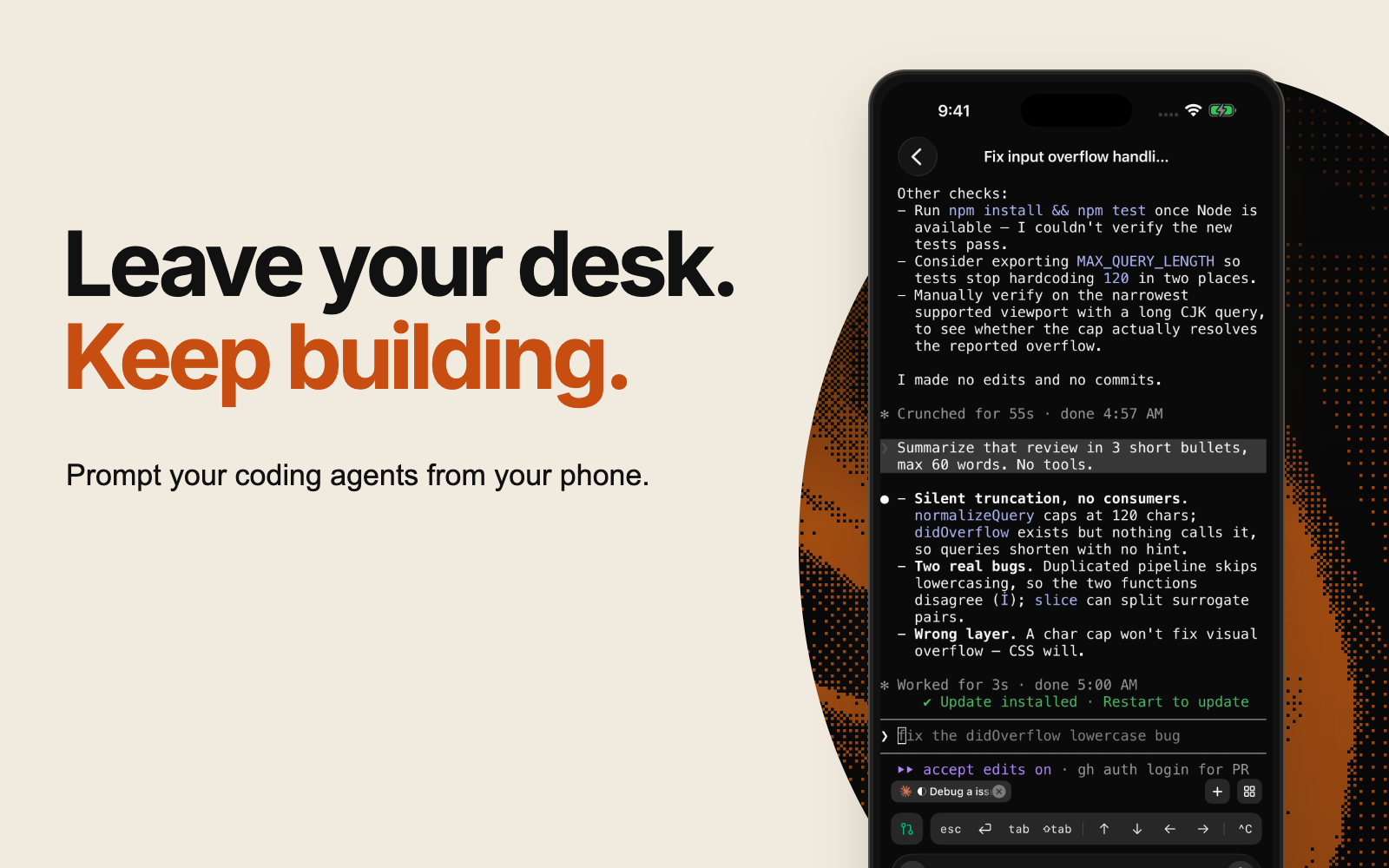
## Continue the same workspace
Superset Mobile connects you to your workspaces and sessions on your connected machine. Your agents run there; your phone gives you a way to pick up the conversation.
Your agents keep running on the host. Sign in with the same account and organization to open the hosts you have access to. Keep the host awake and online.
It works with Claude Code, Codex, and other terminal agents you use in Superset. You don't need to start a new session or explain the task again just because you've switched screens.
## Built for the moments you're not at your desk
An agent asks a question while you're at dinner. Open the workspace, type the one line it needs, and it carries on.
Production breaks while you're across town. Start an agent on the machine that has the repo, watch the terminal, and read the fix before you're back.
An idea lands on a morning walk. Start a session, let it work, and come home to a pull request.
## Unblock an agent in one line
Check what an agent is doing in its terminal session. Answer its question, clarify the task, or send the next prompt from your phone. Type it, dictate it, or attach a photo.
## Review before you merge
Check pull request status and open syntax-highlighted diffs to see what changed. Read the full diff file by file, then give your agent feedback from the same workspace.
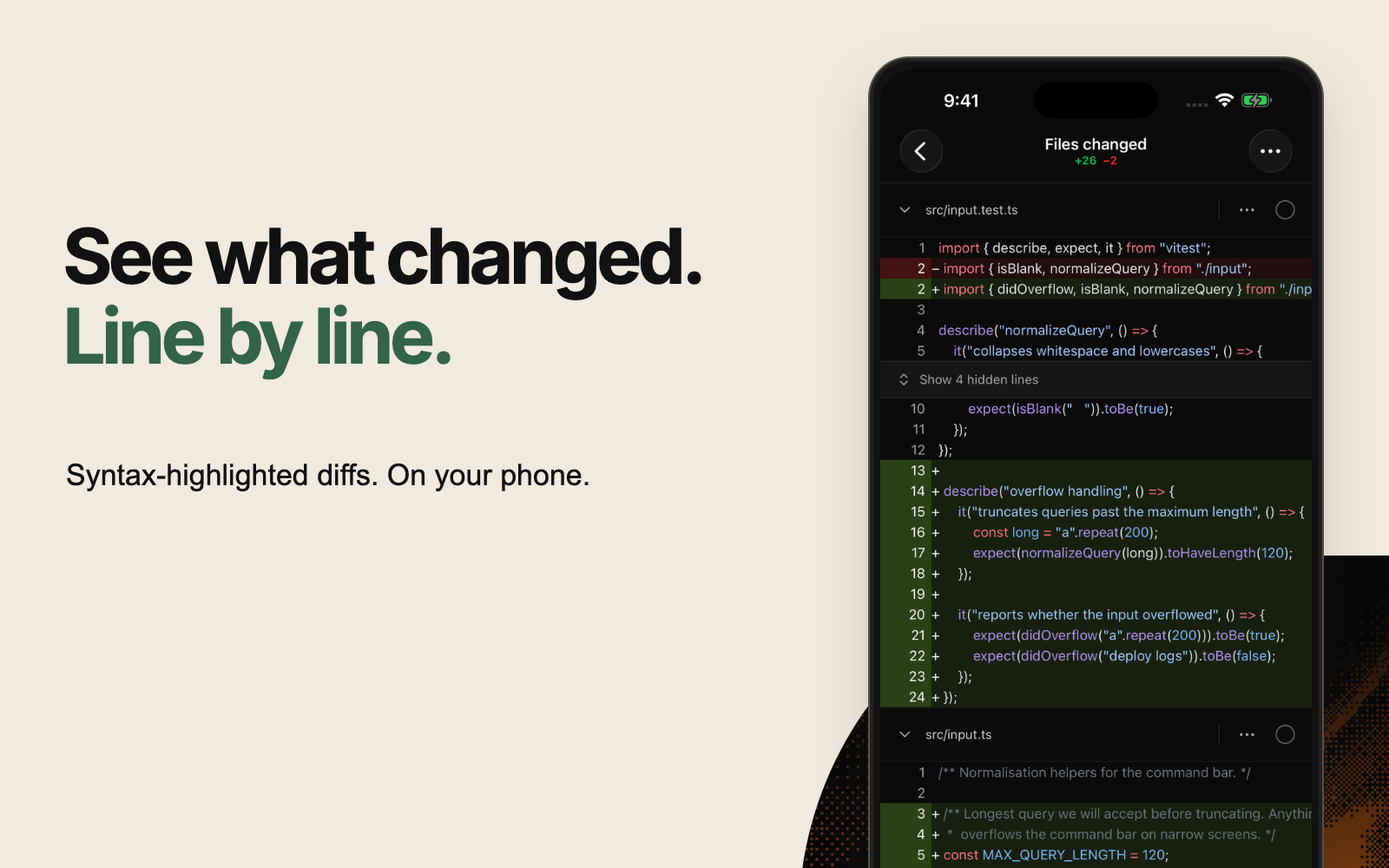
## What early users say
## Set up phone access
Follow the [Claude Code and Codex iPhone walkthrough](/blog/claude-code-codex-iphone) to configure a host, unblock an agent, inspect its diff, and troubleshoot an offline connection.
## Get started
1. Set up Superset on your computer and keep your machine online and connected.
2. Download Superset Mobile on your iPhone and sign in to your Superset account.
3. Open a workspace to continue an agent session or review its changes.
Mobile access requires **Superset Pro** and iOS 26 or later. The iPhone app is free to download.
To celebrate the launch, use **MOBILELAUNCH** at checkout on the monthly Pro plan for your first month free. The code is valid through September 28, 2026, and existing subscribers can use it too. After that first month, Pro renews at **$20 per seat per month** unless you cancel. The offer applies to monthly Pro.
[Download Superset Mobile on the App Store](https://apps.apple.com/app/id6788926383) · [Get Superset for your computer](https://superset.sh)
## What's next
Android is next. [Join the waitlist](/mobile#android) and we'll email you when it ships.
Send feedback to [founders@superset.sh](mailto:founders@superset.sh).
## Switching Between AI Coding Agents Without Losing Context
URL: https://superset.sh/blog/switching-between-ai-coding-agents
Date: 2026-08-30
Author: Kiet Ho
You are forty minutes into a session. The agent knows your repo, the three files that matter, the approach you rejected twice, and the one test that keeps failing. Then it wedges. Or it burns through its context window. Or you want to try a different model.
Starting over means explaining it again. It can feel cheaper to keep pushing the stuck session than to explain the task to a fresh agent.
A useful handoff needs more than the files the agent changed. It needs the task, the decisions already made, and the checks still failing.
---
## What "context" actually is
"Context" gets used as one word for four different things, and they do not travel equally.
**The conversation.** Every turn you and the agent exchanged. This is the biggest piece and the one people mean. Each harness stores it in its own place and its own shape: Claude Code under `~/.claude`, Codex under `~/.codex`, and so on, each keyed by a session id.
**The working state.** The branch, the worktree, the files already edited. This lives on disk rather than in the agent, so it transfers on its own: a second agent pointed at the same directory sees the same code. Process state is a different matter. A running dev server, its port, and anything held in memory belong to the process that started them, and the next agent inherits none of it.
**The instructions.** `AGENTS.md`, `CLAUDE.md`, skills, MCP server config. These live on disk too, though tools differ in which files and formats they read. Keep recurring instructions here so you can reuse them across sessions.
**The reasoning.** Why you rejected the first approach, which lead went nowhere. This one lives only in the transcript, and it hurts to lose, because the diff never shows it.
The files and the instructions travel on their own. The conversation and the reasons behind decisions need an explicit handoff.
---
## Why the conversation does not travel
No vendor-neutral interchange format exists for agent sessions. Each vendor stores transcripts in its own schema, and by default none of them read another's. A few one-way importers have appeared, such as `grok import`, which pulls the current Claude Code conversation into Grok and prints a resume command. Check whether one exists for your pair before falling back to replay.
Two common options are native session forks and transcript replay.
**Native fork or resume** keeps full fidelity, because the harness reads its own store. It only works inside one harness. Claude cannot resume a Codex session.
**Transcript replay** ports across harnesses by feeding the previous session's output to a new agent as text. That is lossy by construction, since you hand over a rendering rather than structured turns. It is the fallback when no importer covers your pair, which is still most pairs.
Use the first when you want another branch of the same conversation. Use the second when you are switching tools.
---
## The fork commands
Most agent CLIs ship a way to branch a session. The flags disagree with each other, which is the main reason people do not know the feature exists.
| Agent | Fork an existing session |
|---|---|
| Claude Code | `claude --resume --fork-session` |
| Codex | `codex fork ` |
| OpenCode | `opencode --session --fork` |
| Grok | `grok --resume --fork-session` |
| Pi | `pi --fork ` |
| Droid | `droid --fork ` |
We verified the first five by saying a codeword to the source session, forking it, and asking the fork to repeat the codeword back. Droid's flag comes from its documentation and we have not run it. OpenCode titles the new session "(fork #1)", which is a nice touch once you have a stack of them.
A fork leaves the original untouched, and most CLIs fork from the saved session rather than a live process, so the source does not need to still be running. That is the point: you get two branches of one conversation, so you can try the risky refactor in one and keep the other intact.
---
## The scrollback trap
If you want to move context to a *different* agent, you have to capture the old session's output. Reading the visible terminal buffer can miss most of the conversation.
Most fullscreen agent TUIs draw to the **alternate screen buffer**. That is the same mechanism `vim` and `less` use, the reason your prompt reappears untouched when you quit them. The alternate screen keeps no scrollback. Nothing scrolls off, because nothing scrolls: the program redraws in place. It depends on the mode, not the tool: Pi's default `regular` mode renders to the main buffer and keeps normal scrollback, while its fullscreen mode does not.
So reading the terminal's visible buffer gives you one screen, no matter how large a line budget you ask for. We measured it against a pager showing 300 known lines:
| Source | Alt-screen agent | Normal shell |
|---|---|---|
| Visible screen buffer, 800-line budget | 392 chars, **23** history lines | 4,991 chars, 300 lines |
| Raw pty stream | 4,478 chars, **253** history lines | 4,993 chars, 300 lines |
The 800-line budget is inert on the left. Worse, once the pager exits and restores the normal screen, the visible buffer holds **none** of the 300 lines, even though every byte went down the pty.
The fix is to read the raw pty output rather than the rendered screen, which means something has to keep that stream while the session runs. If you are building this yourself, that is the piece to get right first. If a harness keeps its own conversation store, prefer it: structured turns beat a reconstructed screen every time.
---
## Practical patterns
**Put durable knowledge in `AGENTS.md`, not in the chat.** Anything you find yourself re-explaining after a handoff belongs in a file. Keep it in a file the next agent will read.
**Fork to try another approach.** A fork gives you another conversation to return to. It does not undo file edits or database changes; use a separate worktree when you need an independent checkout.
**Switch tools on capability, not frustration.** A wedged agent is often a context-window problem, and a fresh session of the *same* agent fixes it. Change harness when you want a different model's strengths.
**Hand over a summary, not a transcript.** When you do move across tools, asking the old session to write what it learned often beats replaying its raw output. You get the reasoning without the noise.
**Know what you are sending.** A transcript handoff ships your terminal output to a different vendor. Stripping control sequences is not redaction, so anything a command printed, including a token or a connection string, goes along with it. Summarize instead of replaying when the session touched credentials.
---
## How we handle it
We ship this in [Superset](https://superset.sh) because we kept hitting it ourselves. Any agent terminal has two actions behind the fork icon: **Continue with another agent**, which starts a different harness seeded with the source session's recent output, and **Fork session**, which asks the agent for a native clone of its own session and leaves the original running.
Both work from the CLI:
```bash
superset agents create --workspace W --agent codex --from-terminal T
superset agents create --workspace W --agent claude --fork-session S
```
The handoff reads the retained pty stream rather than the visible screen, for the reason above, and prefers a harness's own conversation store when one exists.
Before switching tools, save a short handoff: the goal, current changes, rejected approaches, and remaining checks. Give the next agent that summary and the workspace path.
## The Production Run
URL: https://superset.sh/blog/the-production-run
Date: 2026-08-27
Author: Kiet Ho
A factory doesn't prove itself with a prototype. Anyone can build one good car by hand. The thing that separates a workshop from a factory is the production run: the same output, repeatedly, at a rate, without heroics.
We've spent two years arguing that software is heading that way. We wrote down what the levels look like in [Factory 2026](/factory-2026) and what our own path to 100 parallel agents looks like in [our 2026 roadmap](/blog/roadmap-to-100-agents). What we never did was put a number on ourselves and let it be checked.
So: **by August 2028, we expect the factory to be running on our leaderboard: more than one in five developers at the top tier, and the median developer at the tier below it.** Ten or more agent workstreams at once, ten agent-written PRs merging every week, for a fifth of the board. On August 27, 2026, that number was zero.
This post is that prediction, the instrument we're measuring it with, and the first run, which starts in September and asks for something much smaller than ten agents.
---
# What a production run is
A production run is a fixed window where we all push one number and see what actually moves.
For one month, everyone on the board works toward the same target. We measure the results to test our claims about software development against our own work.
Predictions that can't be checked are marketing. This one has a date, a metric, and a public scoreboard. If we're wrong, the [leaderboard](/leaderboard) will say so in front of everybody, which is the point.
# What we measure
Six variables come off your machine. Five are recorded per day, one is measured across the trailing 30.
| Variable | Grain | What it is |
| --- | --- | --- |
| `tokens` | per day | All tokens across every session |
| `sessions` | per day | Distinct sessions with activity |
| `parallelSessions` | per day | Median distinct sessions active in the same 15-minute bucket |
| `agentPrsMerged` | per day | PRs merged from a Superset workspace that ran an agent |
| `activeDays` | window | Days in the trailing 30 with any activity |
| `usd` | per day | API-equivalent cost of those tokens |
Five of them get graded, as five axes:
**Width**, from `parallelSessions`. How many agents you actually run at once. Concurrency is counted by bucketing usage entries in time and counting distinct sessions per bucket, so it needs no session end time. Session ends aren't reliably observable, and nothing here depends on them.
**Depth**, from `tokens / sessions`, never tokens on their own. A supervised back-and-forth burns a fraction of what a session that runs a whole task alone does. Because it's a ratio, spending more inside one session raises Depth but not Width, and opening more sessions raises Width but dilutes Depth. You have to change how you work to move either one.
**Output**, from `agentPrsMerged`. Whether the work lands, counted from PRs merged out of a Superset workspace that ran an agent. Hard to reach by accident; possible to fake on purpose, which is what the flag button is for.
**Sustain**, from `activeDays`. Whether it's your normal mode or a good week.
**Cost**, from `usd / agentPrsMerged`. Dollars per merged PR, and the only axis where lower is better. Graded as efficiency, never as spend: burn twice the tokens to land the same change and you move down, not up.
The tier is the **minimum** across all five, not an average. Ten parallel sessions that never merge anything leaves Output at the bottom, so you're at the bottom. You can't buy your way past an axis by overperforming on another one, because each axis measures something you had to *give up*: watching, reviewing, scheduling, holding state. You can't compensate for still doing a thing by doing more of something else.
Cost is graded on dollars per merged PR rather than on spend, because spend is about to get trivially easy, and grading it would grade the calendar. Efficiency doesn't: closing the gap from $15 a change to $3.50 takes fewer wasted sessions, not a bigger budget.
The leaderboard payload contains five aggregate numbers a day and your chosen handle. It does not include prompts, file paths, repo or branch names, or PR titles or numbers.
> **A note on this being wrong.** These thresholds are calibration guesses. The parallelism numbers are quoted from Factory 2026, but the token and PR floors are our best estimates and they will move as we see real data. The Output axis is the weakest of them today: PR sync is GitHub-only, it sees work inside Superset workspaces and nothing outside them, and a merge observed while the app is closed can go unrecorded. We'd rather ship an instrument that undercounts and fix it in public than wait for a perfect one. Expect this to change. We'll say so when it does.
# The four tiers
Factory 2026 grades *teams*. Two of its five top-level gates are team properties no individual can clear, so nobody is ever assigned an F-level personally. These four are the individual projection of that ladder.
There's one idea underneath all of them: **each tier moves the unit of your attention up one level.** Line, task, queue, direction.
## Tier 1: Button pusher
*One session at a time, shallow. The unit of your attention is the line.*
You're in the loop for every step. The agent writes, you read every line before it merges, and your throughput is bounded by your reading speed, which means the agent isn't saving you the expensive part.
**Gates:** one session running, active 8 of 30 days, ≤ $15 per merged PR. No Depth or Output floor, deliberately. At this tier there's nothing to measure but presence, because you *are* the process.
**How you know you're here:** close the laptop and nothing continues.
## Tier 2: Operator
*A couple running at once, sessions going deeper than a chat, and something merges each week. The unit of your attention is the task.*
This is the real break, and it's psychological before it's technical. Starting a second session is admitting you can't watch both. You stop reading keystrokes and start reading outcomes.
**Gates:** 2 parallel sessions, 2.5M tokens per session, 1 merged agent PR a week, active 10 of 30 days, ≤ $9 per merged PR.
**How you know you're here:** you've been surprised, well or badly, by a diff you didn't watch get written.
**When we expect it to be the board's median tier: mid 2027.**
## Tier 3: Plant Manager
*Three or more in parallel through a workday, sessions doing real work, and the work lands. The unit of your attention is the queue.*
Three streams through a workday means you're scheduling rather than executing. Your day becomes deciding what runs next and judging what came back. This is where serious teams are.
**Gates:** 3 parallel sessions, 10M tokens per session, 3 merged agent PRs a week, active 15 of 30 days, ≤ $7 per merged PR.
**How you know you're here:** you run out of well-specified work before you run out of agent capacity. Your constraint is no longer typing or reviewing. It's deciding what should be built.
**When we expect it to be the board's median tier: mid 2028.**
## Tier 4: Henry Ford
*Ten or more at once, every session a substantial run, ten agent PRs a week merging, nearly every day. The unit of your attention is the decision.*
Ten concurrent streams is past what a person can hold in working memory. So reaching this tier means you stopped holding it, and something else tracks state: agents reviewing agents, overnight runs, a queue that survives you closing the laptop.
**Gates:** 10 parallel sessions, 40M tokens per session, 10 merged agent PRs a week, active 20 of 30 days, ≤ $3.50 per merged PR.
**How you know you're here:** work completes while you sleep and is mergeable in the morning. You find out what shipped by reading, not by watching.
**When we expect it to be the board's median tier: 2029. Getting one in five there by August 2028 is the claim in this post.**
# The shape of the growth
The rungs span 1 to 10 parallel sessions. That's 10x. Put the top at August 2028 and the growth rate falls out of the ladder itself:
```
10x over 24 months = 2^3.32 = a doubling every ~7 months
```
Depth's 16x wants a doubling every 6 months, Output's 10x wants 7. We ramp all three at seven and let Depth arrive last. This is not evidence the rate is right. It is the rate the ladder implies once you fix the top rung to a date. The span is the input, not a finding.
That rate is not aggressive. If you read [AI 2027](https://ai-2027.com), the scenario it lays out compresses far harder than a 7-month doubling: an AI R&D progress multiplier going 1.5x to 4x, 10x, 25x and 50x inside about twenty months, with milestones bunching rather than spreading, though those are algorithmic-progress figures inside a frontier lab, and the same scenario puts total progress at roughly half that. Our ladder assumes something much slower than that and still lands at the factory in 2028.
The other thing that scenario gets right, and that we can already see on our own board, is that **the frontier arrives long before the median.** One developer on the leaderboard was running a median of 15 concurrent sessions across the 30 days to 27 August 2026. Top-tier parallelism already, while the median developer was at one. The distance between those two people is the whole story of the next two years.
The bottom drains steadily; the top tier stays near zero for a year and a half before it moves. This table is our judgement, not output from the doubling above, and nothing derives a population from one developer's path:
| | Button pusher | Operator | Plant Manager | Henry Ford |
| --- | --- | --- | --- | --- |
| **Aug 2026, measured** | **99.7%** | **0.3%** | **0%** | **0%** |
| Aug 2026, where we want to be | 70% | 25% | 5% | 0% |
| Feb 2027 | 58% | 30% | 11% | 1% |
| Aug 2027 | 44% | 34% | 19% | 3% |
| Feb 2028 | 27% | 33% | 31% | 9% |
| Aug 2028 | 13% | 25% | 40% | 22% |
That first row is real. One person out of the 320 developers ranked on the board on 27 August 2026 was above the bottom tier, and we're publishing it without recalibrating to make the chart look better.
Some of that gap is the instrument. Output must pass alongside the other four axes, and Output is the axis that currently can't see most people's merged PRs, so developers who are genuinely running four or five agents in parallel are reading as Button pushers because the sync never observed their work landing. Fixing that measurement is on us and it's the first thing we're doing. Some of the gap is real, though, and no amount of instrument work will move it. Telling those two apart is most of what September is for.
One rule holds this together: **the floors never move to chase that curve.** If we lowered thresholds to make the distribution look healthy, a 2028 Henry Ford would no longer mean what a 2026 Henry Ford meant, and there'd be no progress to show, just a ranking. The numbers stay put. The distribution moves because people change.
Which is also what makes the prediction falsifiable. If eighteen months from now the observed doubling time is twenty months instead of seven, we were wrong, and the same scoreboard that made the claim will be the thing that disproves it.
# The first run: September
The table above says Operator becomes the board's median tier sometime in mid 2027. We're going to try to get there in a month.
**The September production run has one goal: everybody on the board reaches Operator.**
For thirty days, the target is:
- **Two agents at once.** Often enough that it's your median rather than your best afternoon.
- **2.5M tokens per session.** Give a session a whole task instead of a question.
- **One merged agent PR a week.** Four in the month. The work has to land.
- **Ten active days.** A third of the month.
- **Under $9 per merged PR.** Falls out of the rest if you are not burning sessions on rework.
Clear all five inside the window and you get three things: a dated, numbered Run 01 badge that stays on your profile and beside your name on the board, a factory tee, and one more thing we are not naming until October. Later runs mint their own badge, so this one only ever comes from September 2026.
We picked a tiny goal on purpose. Operator is the smallest tier by the numbers and the hardest one by everything else, because it's the only rung where you give up something you're currently good at. Going from two agents to three is logistics. Going from one to two is deciding you're no longer going to watch. Every tier above it is a variation on that same move. You can't get to ten streams without first getting comfortable not watching two.
One month with a shared target should help us distinguish limits in the tooling from the difficulty of changing work habits. We think the tooling is the larger problem. September is how we test that.
The board is [public](/leaderboard). Opt in from the desktop app, and your tier and progress show up alongside everyone else's. If you'd rather compete without a name attached, you can publish privately and still see where you land.
We'll post the results in early October: the real distribution, what moved, what didn't, and which of the numbers in this post turned out to be wrong.
## Managing Several Coding Agents at Once
URL: https://superset.sh/blog/agent-orchestration-not-another-agent
Date: 2026-02-18
Author: Satya Patel
One coding agent is easy to follow. With several running at once, you need to know which task each one owns, which agent needs an answer, and which changes are ready to review.
That's the problem we built Superset to help with. It runs the agents you already use in separate workspaces and gives you a place to manage their output.
## Start with independent tasks
A test for an existing helper, a documentation correction, and a small UI change can often run separately. An API rewrite and tests that depend on that rewrite need an order.
Parallel work helps when one task can progress while you're reviewing another. More agents also create more output to check. Add tasks at a pace you can review, and watch for shared dependencies that make them less independent than they look.
The [parallel coding guide](/blog/parallel-coding-agents-guide) walks through three tasks, with prompts and review steps.
## Give each task its own workspace
Agents editing the same working directory can overwrite each other's changes or mix them in the staging area. A Git worktree gives each task a separate checkout and index while sharing the repository's history.
In Superset, create a workspace and branch for each independent task. The agent works there while you keep using your main checkout. When it's ready, review its diff before merging.
Worktrees separate files. They don't isolate ports, databases, credentials, or machine resources. Two branches can also make incompatible changes, so test the combined result after merging.
## Keep sessions separate from the app window
Closing the interface shouldn't end the work running inside it. Superset's terminal daemon owns terminal sessions separately from the desktop UI, so you can reconnect after an app restart.
The host and daemon still need to be running. A machine reboot stops the processes; saved terminal history helps you recover context, but it doesn't keep an agent executing through a reboot. The [terminal daemon deep dive](/blog/terminal-daemon-deep-dive) explains the design.
## See what needs your attention

A useful workspace view tells you where to act next. Answer the agent waiting for a decision, then review a completed task while the others keep running.
For each change, check what the agent edited and whether it ran the right tests. Open the workspace in your editor when you need more context. A short diff can still change important behavior.
## Choose agents without rebuilding your workflow
Use the agent and model that work for your repository. Keep the task description and acceptance checks consistent when trying another tool so you can compare the results.
Superset runs CLI agents in workspace terminals. You can use Claude Code for one task and Codex for another, then review both through the same workspace workflow. Your editor stays part of the process: open the worktree in VS Code, Cursor, JetBrains, Xcode, or the editor you prefer.
## Start with two tasks
Give each agent a clear scope and a check it must run. When one finishes, review it while the other continues. If the review queue grows faster than you can clear it, start fewer tasks or make them smaller.
The point is to finish useful work with less waiting. The number of open terminals is only part of that.
**Related:** [Working with Git Worktrees in Superset](/blog/working-with-worktrees-in-superset) · [Best Agentic IDE in 2026](/compare/best-agentic-ide)
## Run three AI coding tasks in parallel, then review each change
URL: https://superset.sh/blog/parallel-coding-agents-guide
Date: 2026-02-18
Last updated: 2026-09-22
Author: Avi Peltz
To run coding agents in parallel, give each independent task its own workspace and branch, define what it may change, and review the results separately. Git worktrees prevent agents from editing the same working copy. They do not prevent merge conflicts or incompatible changes when you combine the branches.
Start with three small tasks in your repository: a test, a copy change, and a documentation fix.
## Choose three tasks with separate ownership
For a small application, use these task shapes and replace the paths with ones that exist in your project:
1. **Tests:** cover an existing formatting helper without changing its behavior.
2. **Interface:** improve a search empty-state message without changing the search API.
3. **Documentation:** clarify an existing setup step without changing dependencies or configuration.
Avoid pairing an API rewrite with tests that depend on the old API. Different filenames alone do not make two tasks independent.
Record the starting commit with `git rev-parse HEAD`. Use that same base for all three workspaces. This gives you a known point to compare against during review.
## Create one worktree per task
In Superset, open your project and create three workspaces, each with its own branch. Use descriptive names such as `demo/format-tests`, `demo/search-copy`, and `demo/setup-docs`. Start Claude Code or Codex in each workspace.

You can also create the worktrees manually from a clean repository:
```bash
git worktree add -b demo/format-tests ../demo-format-tests HEAD
git worktree add -b demo/search-copy ../demo-search-copy HEAD
git worktree add -b demo/setup-docs ../demo-setup-docs HEAD
git worktree list
```
In a separate terminal for each directory, launch the installed agent with `claude` or `codex`. For example:
```bash
cd ../demo-format-tests
claude
```
Use a worktree per independent writer. Opening three terminals inside one workspace does not give them three isolated working directories.
## Give every agent an acceptance check
For the test task:
```text
Add focused tests for the formatting helper's existing behavior.
Inspect the existing test framework first. Change only its test file.
Cover empty input and a normal input using the current contract.
Run the focused test command and report the exact command and result.
If the behavior is ambiguous, ask before changing production code.
Do not commit, push, or merge.
```
For the interface task:
```text
Propose clearer copy for the search screen's no-results state.
Ask me to approve the wording before editing. Then change only that
message and the existing test that asserts it, if one exists.
Run the relevant check and report the diff. Do not commit, push, or merge.
```
For the documentation task:
```text
Clarify one confusing step in the README's local setup instructions.
Check the documented command against package scripts or project config.
Keep the edit in the README. Do not install packages or change config.
Report what you verified and what still needs a human check.
Do not commit, push, or merge.
```
If two tasks need to change the same dependency, assign that change to one agent before the others continue.
## Handle a blocked agent without losing the other tasks
The interface agent should pause for wording approval. Open its workspace, read the proposed message, and reply. The test and documentation tasks remain in their own workspaces.
If you leave your desk, the [iPhone walkthrough](/blog/claude-code-codex-iphone) explains how to continue the same session. That requires Pro, an eligible iPhone, and a reachable host; a sleeping laptop cannot keep an agent working.
## Give previews and services their own resources
A Git worktree separates files and the index. It does not allocate a new database, port, container name, or provider rate limit.
If two tasks need web previews, give their dev servers distinct ports using the project's supported configuration. Use separate test data or isolated databases for tasks that write data. Install dependencies and configure the environment in each workspace according to the project's setup instructions.
Watch memory, build load, and provider limits. Start fewer agents if the machine becomes slow or the review queue grows.
## Review each diff, then test the combined result

For each workspace:
1. Inspect `git status --short` for unexpected files.
2. Read the diff, including changes outside the requested scope.
3. Check the exact test command and its output. A skipped or failed check stays unresolved.
4. Ask for corrections in that workspace before accepting the patch.
5. Commit and open a pull request through your normal review process.
`git diff` shows unstaged changes; `git diff --cached` shows staged changes. For committed changes, compare with the base you recorded. Do not mistake an empty unstaged diff for “nothing changed.”
Integrate accepted branches one at a time. Run the relevant checks on the combined result after each merge. Two individually passing branches can still fail together, even when Git reports no textual conflict. Review changed code in context, especially contracts, permissions, and error paths.
## Clean up only after accepting the result
Stop the workspace's dev server and agent before removing its worktree. If you used manual worktrees, remove each completed directory from your main checkout:
```bash
git worktree remove ../demo-format-tests
git worktree remove ../demo-search-copy
git worktree remove ../demo-setup-docs
git worktree list
```
Git refuses removal when a worktree contains changes it needs you to handle. Inspect those changes instead of adding `--force`. Removing a worktree keeps its branch; decide separately whether the branch should be retained.
For the underlying Git behavior, read the [worktree walkthrough](/compare/git-worktrees-for-ai-agents) and [Git's worktree documentation](https://git-scm.com/docs/git-worktree). For product selection, compare [Superset and Orca](/compare/superset-vs-orca), [Conductor](/compare/superset-vs-conductor), and [Emdash](/compare/superset-vs-emdash).
## Working with Git Worktrees in Superset
URL: https://superset.sh/blog/working-with-worktrees-in-superset
Date: 2026-02-18
Author: Kiet Ho
When two agents edit the same checkout, they can overwrite each other's files or mix changes in the staging area. Give each independent task a Git worktree so you can review and merge it separately.
Superset creates workspaces around that workflow. Each worktree has its own working directory and index, with a branch for the task. The repository's Git history is shared.
## What a worktree separates
Each worktree has its own checked-out files, uncommitted changes, and staging area. Commits and branch references belong to the shared repository, so a commit made in one worktree is available from the others.
Creating a worktree checks out another copy of the files without downloading the repository's history again. Dependencies and build output can still take substantial disk space in each checkout.
## Create a workspace for each task
Open your project in Superset and create a workspace for a task such as “add input validation to the signup form.” Choose a branch, then start your agent in that workspace.
```text
~/my-project/ # Main working tree
~/.superset/worktrees/my-project/
└── add-signup-validation/ # Task's worktree
├── .git # Points back to the repository
└── (project files)
```
Install the project's dependencies and run its setup steps in the new checkout. The agent can edit files and run tests there while you continue working in your main directory.
Worktrees aren't a security boundary. An agent with permission to access other directories or shared services can still affect them.
## Run independent tasks in parallel

Start with two or three tasks that don't depend on each other. For example:
- Add tests for an existing formatting helper.
- Improve a search screen's empty-state message.
- Correct a README setup instruction.
Give each task its own workspace and branch. When one agent finishes, review its diff while the others keep working. The [parallel coding guide](/blog/parallel-coding-agents-guide) includes prompts for this example.
Use whichever agent works for your project. Keep the scope small enough that you can explain the resulting change and check its behavior.
## Review the change in context
Open the workspace's diff in Superset. Check for unexpected files, read the changed code, and confirm that the relevant tests ran. Open the worktree in your editor when you need to trace a caller or understand surrounding behavior.
Ask for corrections in the same workspace. Once the change is ready, commit it and follow your normal pull-request process.
Merge accepted branches one at a time and test the combined result. Separate working directories prevent simultaneous edits to the same checkout, but they don't prevent merge conflicts or incompatible changes.
## Plan for shared resources
Two dev servers may try to use the same port. Two tests may write to the same database. Multiple agents also share the host's memory, CPU, and provider limits.
Give previews distinct ports and use separate test data where tasks write to shared services. If a task needs stronger runtime isolation, use an appropriate container or separate host alongside the worktree.
Superset's terminal daemon keeps sessions separate from the desktop UI, so an app restart can reconnect to running processes. The host and daemon must remain running. See the [terminal daemon design](/blog/terminal-daemon-deep-dive) for the difference between reconnecting and restoring saved history.
## Clean up finished work
After a change is merged, stop its agent and dev server, then remove the workspace when you no longer need it. Check for uncommitted work before deleting it.
For a worktree you created manually, use:
```bash
git worktree list
git worktree remove ../completed-task
```
Removing the worktree keeps its branch. Delete the branch separately when you're sure its work is merged.
For the Git commands and file layout, read [how worktrees work](/blog/git-worktrees-history-deep-dive) or [Git's worktree reference](https://git-scm.com/docs/git-worktree).
**Related:** [Git Worktrees for AI Coding Agents](/compare/git-worktrees-for-ai-agents) · [Running Multiple Claude Code Agents](/compare/multiple-claude-code-agents-parallel)
## Our Plan for Running 100 Coding Agents
URL: https://superset.sh/blog/roadmap-to-100-agents
Date: 2026-02-02
Author: Satya Patel
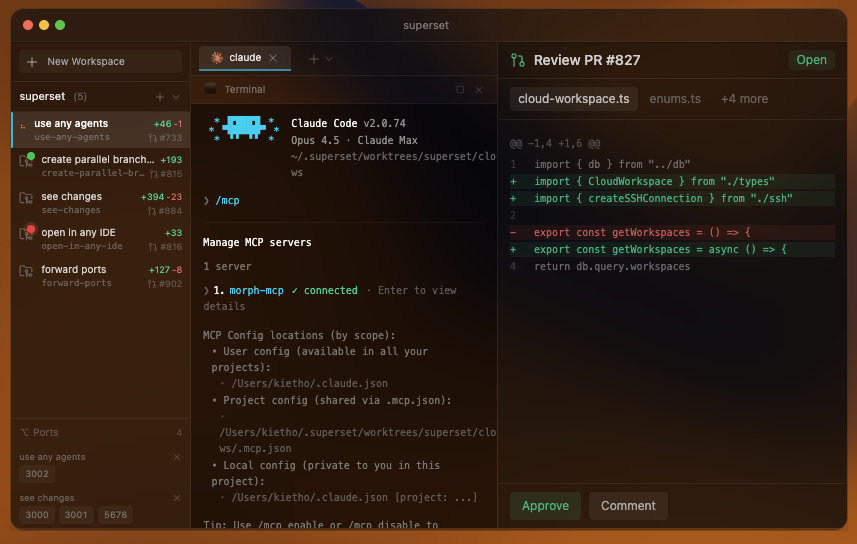
Right now at Superset, we're able to reliably manage 5-7 coding agents in parallel - whether that's Claude Code, Codex,
etc. - at a time. Our goal is to be able to manage 100 coding agents in parallel each by the end of 2026.
For us, the immediate limit is how much attention each agent needs.
What's stopping us is every agent needs a human to review its code, give feedback, and decide what to work on next.
Adding agents also adds review and coordination work.
# Mapping out the problem
You can imagine the agent loop as a pipeline, and the goal is to improve throughput:
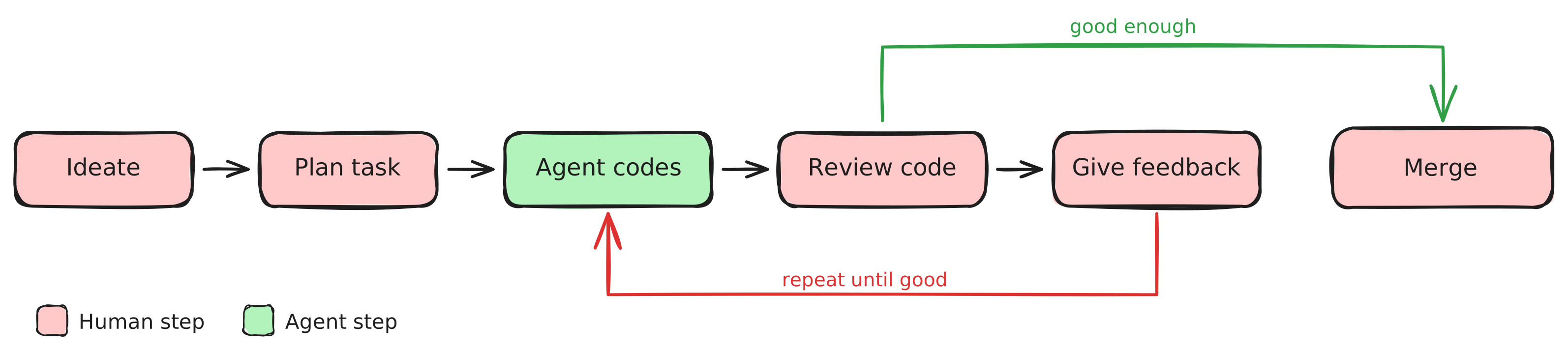
There's a clear bottleneck that emerges when you look at this. A human is involved in almost every step, and each of
these steps has a steep context-switching cost - you have to open that agent's code, spin up dev servers, click through
the UI to verify their work, give feedback and more. Right now, most of our agents spend more time waiting for us to
review their work than they spend doing it.
At 100 agents, this model completely breaks. You can't review 100 diffs a day. You can't context-switch between 100
streams of work.
Our plan is to automate checks that do not need human judgment and prepare the remaining decisions for review.
# How we'll improve it
## Have agents work harder before reaching out to you
If you've worked with a coding agent, you've had the experience: the agent comes back with something half-baked, you
spend 15 minutes catching up to what it did, spin up a dev server, click around, then feed it the same feedback you've
given a dozen agents before. Most of the time you spend reviewing isn't making decisions. It's catching problems that
should have been caught before the work reached you.
The fix is adding layers between the agent and you. The agent's work should be vetted thoroughly before it ever is
presented to you.
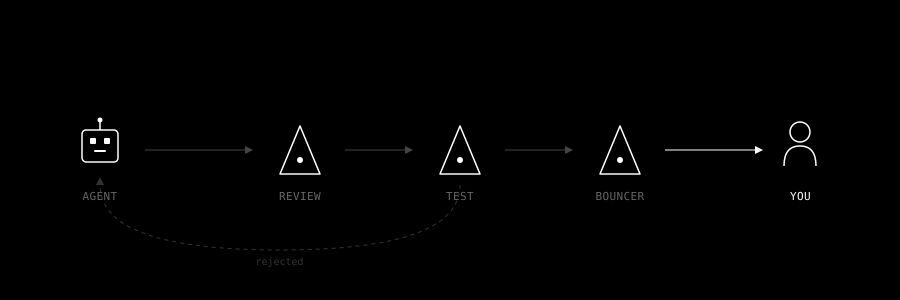
### Adversarial agents
[Block published a paper recently](https://block.xyz/documents/adversarial-cooperation-in-code-synthesis.pdf) that
highlights how useful having agents work together can be. The general idea is that they send two agents on tasks, one to
implement the task at hand, and the other to enforce the implementer to write tests, review their work, and do due
diligence before picking a solution.
A similar pattern can be used to reduce interruptions for you: you could have a dedicated bouncer agent that sits
between the coding agents and you, preventing agents from surfacing its work until it's sure the agent is either done
with its work or is sufficiently stuck. Your review becomes a final sign-off, not a first pass.
### Stacking review agents and automated testing
Several review agents could check different classes of issues, with one consolidating their findings. Those checks cost time and compute, so we need to measure which ones catch useful problems before adding more.
The same logic applies to testing. Giving agents access to the browser through tools like
[BrowserUse](https://browser-use.com/) or [Maestro](https://maestro.mobile.dev/) tests lets them verify their own work
visually, catching UI regressions, layout issues, and interaction bugs that are invisible in code review alone.
### Long-running agents
Most agent workflows today are one-shot: you give a task, the agent works, it comes back. But agents should be able to
run longer loops: trying an approach, checking the result, and adjusting until the task is complete or they need help. [Ralph loops](https://ghuntley.com/loop/) are a popular pattern for this: treat the agent's work as clay on a
wheel, refining iteratively, rather than laying bricks in a line.
The result is fewer interruptions and higher-quality output when the agent does surface. An agent that's been iterating
for an hour and is confident in its solution is far easier to review than one that gave up after its first attempt.
## Make it fast to review agents' work
Most developer tools today are human-driven: you open a diff, you spin up a dev server, you navigate to the right page.
Agents plug into these tools, but the human is still doing the legwork. We want agents to prepare the review: open the relevant page, explain the change, and show the checks they ran.
### Investing in agent-driven UIs
When you review an agent's work today, you're dropped into a diff with no context. You have to reconstruct what the
agent was trying to do, spin up an environment to test it, and navigate to the right pages to verify. That's the agent
dumping its work on your desk.
In an agent-driven UI, the agent prepares your review for you. It writes a summary of what changed and why, spins up a
preview environment, navigates you to the specific pages or flows it wants you to look at, and surfaces the test results
that matter. When you open a completed task, you should be looking at a prepared briefing, not raw output.
### Make existing tools better
PR reviews, CI dashboards, IDEs: these are all built for a world where humans drive the interactions. In an agent-first
world, the tools need to meet you differently. Agents should be annotating their own PRs before you open them, the way
[Devin's review](https://app.devin.ai/review) adds context to diffs ahead of time. CI results should be summarized and
triaged by an agent, not presented as a raw log for you to parse. The tools we use every day were designed for human
authors. Adapting them for human reviewers of agent work is a different design problem.
### Make common decisions easier
Every interaction between you and an agent should be as lightweight as possible. You should be able to click yes or no
for straightforward changes. Agents should prep multiple-choice questions ("I found three approaches to this, which do
you prefer?") so you're choosing instead of typing. When an agent does need written feedback, supporting agents can
prefill a draft response based on the context, so you're editing instead of writing from scratch. Quick actions like
"create PR" or "deploy to staging" should also be easy to reach.
We want routine reviews to be short enough to handle from your phone between meetings.
## Have agents be more proactive
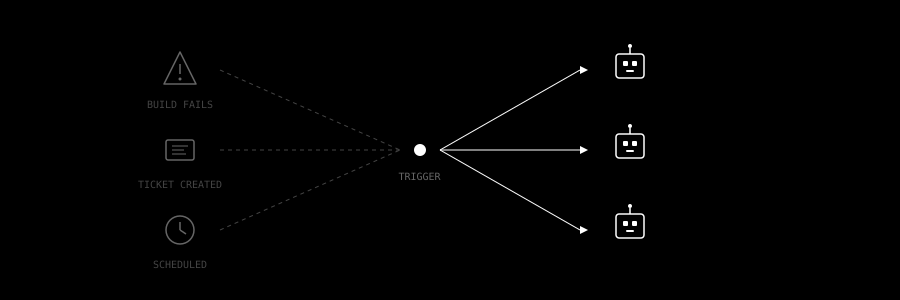
Everything above assumes you're the one deciding what agents work on. But at 100 agents, planning is itself a
bottleneck. You can't spec out 100 tasks a day. That requires understanding the codebase, the product priorities, and
the nuances of each task.
### Reusable workflows
The building blocks for this are already emerging. [OpenAI's Codex skills](https://developers.openai.com/codex/skills/)
let you package repeatable workflows (deploy procedures, migration steps, test patterns) as reusable bundles that
agents can invoke on their own when the situation matches. Instead of writing the same instructions every time, you
encode them once and the agent recognizes when to apply them.
### Event-driven triggers
[Devin's workflows](https://devin.ai/) take this further with event-driven triggers. A build fails, and a Devin instance
spins up to investigate. A Linear ticket is created, and an agent starts working on it automatically. Teams create
playbooks for recurring tasks (setting up changelogs, running code migrations, adding test coverage) that agents
execute on a schedule or in response to events without anyone initiating them.
### Beyond code
Even outside of code, this pattern is taking hold. [Circleback](https://circleback.ai/) listens to your meetings and
extracts action items from its notes, creates Linear tickets for feature requests mentioned in product
demos, and updates your CRM after sales calls. The meeting ends and the downstream work is already in motion.
We don't have all of this figured out yet. Some of it is live, some is on our roadmap, and some is still taking shape.
But the throughput framing gives us a clear test for every feature we build: does this reduce the time a human spends
per agent interaction?
If you're running agents at scale and hitting these limits, we'd like to compare notes. Reach us at team@superset.sh.
---
**Related:** [Best Agentic IDE in 2026](/compare/best-agentic-ide) · [How to Run Multiple OpenCode Agents in Parallel](/compare/multiple-opencode-agents-parallel)
## How to get hit (probably in the face but anywhere else works too)
URL: https://superset.sh/blog/how-to-get-hit
Date: 2026-01-28
Author: Kiet Ho
I like watching fights, training, competing, and watching breakdowns. One thing I've learned in sparring keeps coming up elsewhere in my life: how to react after getting hit.
### Learning how to get hit
When I try a new martial art, whether it’s BJJ (Brazilian jiujutsu) or Muay Thai, I start with defense. In jiujutsu, if you’re new, you’ll be working from your back a lot. In Muay Thai, you get punched in the face.
When getting punched in the face, the natural response is to close your eyes, flinch, crouch, or turn your back. These are all bad. Turning away makes it harder to see the next punch coming. It’s easier to punch someone when they can’t see you (source required).
Learning how to get hit is learning how to fight against these natural urges. Instead of closing your eyes, you should keep them open so you can see the next punches coming. Instead of crouching or turning away, you should face them, shell up, or step away while still looking at them. Learning not to panic gives me a chance to choose how to react.
### What to do after getting hit
After getting hit, my favorite response in sparring is to hit back. It interrupts the other person: now they have to defend too. It’s harder to hit someone when you’re also getting hit (source also required).
It’s also better to hit them back more than once. If your opponent lands one shot but receives multiple shots in return, they might want to think twice about throwing another shot.
### Outside the gym
I’m far from an expert in fighting, but I get to train with many experts who are much better than me. So I get punched in the face a lot. Practicing how to respond helps me stay calm when something goes wrong outside the gym too.
If starting a company is like getting punched in the face, at least now you know how to get punched in the face and how to do something about it.
## Git Worktrees: The Feature That Waited a Decade for Its Moment
URL: https://superset.sh/blog/git-worktrees-history-deep-dive
Date: 2026-01-27
Author: Avi Peltz
Git worktrees let you check out several branches of one repository in separate directories. Git added them in 2015; running coding agents in parallel gives developers another reason to use them.
An agent can edit its own checkout while you review a PR or work on another branch. To understand the benefits and limits of that setup, it helps to know what Git shares between worktrees.
Here is how worktrees developed, how they store files, and how to use them.
---
## Part I: The Problem Before Worktrees
### The Pain of Context Switching
Every developer knows this workflow:
```bash
# Working on feature-A
git stash
git checkout main
# fix urgent bug
git commit -m "hotfix"
git push
git checkout feature-A
git stash pop
# wait, where was I?
```
Switching also disrupts your environment. Your editor reloads files. Your language server re-indexes. Your node_modules might need reinstalling. Your brain has to context-switch twice.
For years, developers worked around this with various hacks:
**Multiple clones:** Clone the repo twice. Work in one, switch in the other. But now you have two copies of the entire history, two sets of remotes to configure, and changes in one don't appear in the other without pushing and pulling.
**`git stash` gymnastics:** Stash everything, switch, work, switch back, pop. Works until you have multiple stashes and forget which is which. Or until you realize you stashed something you actually wanted to commit.
**Just don't switch:** Finish what you're doing before touching anything else. Works until your coworker needs an urgent review or production is on fire.
### The git-new-workdir Script
Before official worktrees, git shipped a contributed script called `git-new-workdir`. It lived in `contrib/workdir/git-new-workdir` and did something clever but hacky: it created a new working directory and symlinked the `.git` internals.
```bash
# The old way (pre-2015)
git-new-workdir /path/to/repo /path/to/new-workdir branch-name
```
Under the hood, it would:
1. Create a new directory
2. Symlink `.git/objects`, `.git/refs`, `.git/config`, etc.
3. Create a separate `HEAD` and `index` for the new directory
It worked, mostly. But symlinks are fragile. The script wasn't officially supported. It didn't handle all edge cases. It was a hack, and everyone knew it.
The git community wanted something better.
---
## Part II: Worktrees Land in Git 2.5
### July 2015: The Feature Arrives
Git 2.5, released on July 29, 2015, introduced `git worktree` as a first-class feature. The primary author was Nguyễn Thái Ngọc Duy, who had been working on the concept for years.
The [GitHub announcement](https://github.blog/open-source/git/git-2-5-including-multiple-worktrees-and-triangular-workflows/) explained the key change: each linked working tree gets its own checkout while referring back to the main repository for shared history.
The feature shipped with an experimental label and warnings about submodules. Submodule support remains incomplete in the [Git worktree documentation](https://git-scm.com/docs/git-worktree); check those limits before using multiple checkouts of a superproject.
The initial commit message laid out the vision:
> "A git repository can support multiple working trees, allowing you to check out more than one branch at a time."
The idea: a git repository is really two things:
1. **The object store**: All your commits, trees, and blobs (the `.git/objects` directory)
2. **The working state**: What's currently checked out, staged, etc.
These don't have to live in the same place. Worktrees formalized this separation.
### The Implementation
When you create a worktree, git does the following:
```bash
git worktree add -b feature-branch ../feature-branch
```
1. **Creates a new directory** at the path you specified
2. **Creates a `.git` file** (not directory) in that location pointing back to the main repo
3. **Creates an entry** in `.git/worktrees//` in the main repo
4. **Checks out the branch** in the new working directory
The new directory's `.git` is just a file containing:
```
gitdir: /path/to/main/repo/.git/worktrees/feature-branch
```
And in the main repo, `.git/worktrees/feature-branch/` contains:
```
.git/worktrees/feature-branch/
├── HEAD # Points to refs/heads/feature-branch
├── commondir # Points to the main .git directory
├── gitdir # Path to the worktree's .git file
├── index # Separate staging area
└── logs/ # Separate reflog
```
This architecture means:
- **Shared objects**: Commits, trees, blobs exist once
- **Shared refs**: Branches and tags are visible from all worktrees
- **Separate working state**: Each worktree has its own HEAD, index, and working directory
### The One Branch Rule
Git enforces a constraint: **a branch can only be checked out in one worktree at a time**. Try to check out the same branch twice and you'll get:
```
fatal: 'main' is already checked out at '/path/to/other/worktree'
```
This prevents a class of confusing bugs. If two worktrees had the same branch and you committed in one, the other would have a dirty diff appear out of nowhere.
You can work around this with detached HEAD or by creating a new branch, but the protection is intentional.
---
## Part III: The Anatomy of a Worktree
### What Lives Where
Understanding the file layout helps demystify worktrees:
```
/home/user/projects/
├── my-repo/ # Main working tree
│ ├── .git/ # The actual git directory
│ │ ├── objects/ # Shared: all commits, trees, blobs
│ │ ├── refs/ # Shared: all branches, tags
│ │ ├── config # Shared: repository configuration
│ │ ├── HEAD # Main worktree's HEAD
│ │ ├── index # Main worktree's staging area
│ │ └── worktrees/ # Linked worktree metadata
│ │ └── feature-x/
│ │ ├── HEAD # feature-x worktree's HEAD
│ │ ├── index # feature-x worktree's staging area
│ │ ├── gitdir # Points to linked worktree
│ │ └── commondir # Points back to main .git
│ └── (working files)
│
└── my-repo-feature-x/ # Linked worktree
├── .git # File (not directory!) pointing to main
└── (working files) # Separate checkout
```
### What's Shared, What's Not
| Shared Across Worktrees | Separate Per Worktree |
|-------------------------|----------------------|
| Object store (commits, blobs) | Working directory files |
| Branch refs | HEAD (current branch) |
| Tag refs | Index (staging area) |
| Remote configuration | Untracked files |
| Hooks | Local modifications |
| Config (mostly) | MERGE_HEAD, REBASE_HEAD, etc. |
This means:
- Commits made in one worktree are immediately visible in others
- But the files on disk are completely independent
- You can have different uncommitted changes in each worktree
### Garbage Collection and Pruning
Git tracks which worktrees are valid. If you delete a worktree directory without using `git worktree remove`, git doesn't immediately know. The metadata in `.git/worktrees/` persists.
```bash
# Clean up stale worktree entries
git worktree prune
```
This checks each entry in `.git/worktrees/` and removes any whose `gitdir` points to a non-existent directory.
Git also runs this automatically during garbage collection, so orphaned metadata doesn't accumulate forever.
---
## Part IV: Why Worktrees Stayed Niche
For almost a decade, worktrees remained a power-user feature. Most developers had never heard of them. Why?
### 1. The Single-Branch Workflow Dominated
Most teams followed a simple pattern:
1. Create feature branch
2. Work until done
3. Open PR
4. Merge
5. Delete branch
This is linear. You finish one thing before starting another. Worktrees solve parallel work, but most people weren't working in parallel.
### 2. Git GUIs Didn't Support Them
Popular git interfaces (GitKraken, SourceTree, GitHub Desktop, VS Code's git panel) either didn't support worktrees or treated them as second-class. If your tool doesn't expose a feature, you don't use it.
### 3. The Commands Were Obscure
Compare:
```bash
git checkout -b feature # Everyone knows this
git worktree add ../feature -b feature # What?
```
The worktree command is longer, requires a path argument, and the mental model (multiple working directories) is unfamiliar. Without a forcing function, people stick with what they know.
### 4. Disk Space Concerns
Each worktree is a full checkout of the repository. For large repos, this adds up. In the age of spinning disks and smaller SSDs, this mattered more than it does now.
---
## Part V: Why Worktrees Are Having a Moment

Several shifts have made worktrees suddenly relevant:
### 1. Code Review Culture
Modern development is interrupt-driven. You're working on feature A when:
- Someone requests a review on feature B
- You need to verify a bug exists on main
- A hotfix needs immediate attention
Each interruption previously meant stash/switch/pop. With worktrees, you open a different directory. Your feature A context is untouched.
### 2. CI/CD and Local Testing
Worktrees let you build and test branches independently. To check whether two PRs work together, you still need to combine their changes on a test branch and run the relevant checks.
### 3. Monorepo Workflows
Large monorepos make cloning expensive. If your repo is 10GB, cloning it twice for parallel work wastes 10GB. Worktrees share the object store, but each checkout still needs its own working files and may need dependencies and build artifacts.
### 4. AI Coding Agents
This is the big one.
When an AI agent modifies code, it needs somewhere to work. If it works in your directory, you have a problem:
- Your files change while you're editing
- You can't easily diff agent changes vs your changes
- Agent experiments pollute your working tree
Give the agent a separate checkout:
```
~/project/ # You work here
~/project-agent/ # Agent works here (worktree)
```
The agent can:
- Make changes freely
- Commit to its own branch
- Run builds and tests
- Iterate without changing files in your checkout
When it's done, you review the diff and merge. It's the same workflow as reviewing a coworker's PR, but the coworker is an AI and works in a worktree instead of a fork.
The checkouts are separate, but running processes may still share ports, databases, and other services. Worktrees do not isolate those resources.
---
## Part VI: Worktrees Under the Hood
For those who want to understand the internals:
### How git Finds the Repository
When you run a git command, git needs to find the `.git` directory. The search algorithm is:
1. Look for `.git` in current directory
2. If `.git` is a **file**, read its contents for `gitdir:` path
3. Follow that path
4. If that path contains a `commondir` file, the common git dir is elsewhere
This indirection is how worktrees work. The linked worktree has a `.git` file, not directory, and git follows the chain.
### The `commondir` Mechanism
Each linked worktree's git directory (e.g., `.git/worktrees/feature/`) contains a `commondir` file pointing to the main `.git` directory.
When git needs something shared (objects, refs), it uses `commondir`. When it needs something worktree-specific (HEAD, index), it uses the worktree's directory.
The code that handles this is in `setup.c` and `path.c` in the git source. The function `get_common_dir()` resolves the path for shared resources.
### Lock Files and Concurrent Access
Multiple worktrees can run git commands simultaneously. Git uses lock files to prevent corruption:
- Each worktree's `index.lock`: Prevents concurrent changes to its staging area
- `.git/refs/heads/.lock`: Prevents concurrent ref updates
- `.git/worktrees//locked`: Marks a worktree as locked (won't be pruned)
The worktree-specific lock is useful when a worktree is on removable media or a network drive that might be temporarily unavailable.
```bash
# Prevent a worktree from being pruned
git worktree lock ../my-worktree --reason "on external drive"
# Later
git worktree unlock ../my-worktree
```
---
## Part VII: Getting the Most from Worktrees
If you're convinced worktrees are worth adopting, here's how to use them well:
### Organize Your Worktrees
Keep worktrees in a predictable location:
```bash
~/.worktrees/
├── project-a/
│ ├── main/
│ ├── feature-1/
│ └── feature-2/
└── project-b/
└── hotfix/
```
Or keep them adjacent to the main repo:
```bash
~/projects/
├── my-app/ # Main repo
├── my-app--feature/ # Worktree for feature branch
└── my-app--hotfix/ # Worktree for hotfix
```
Pick a convention and stick with it.
### Name Worktrees After Branches
Reduces confusion:
```bash
git worktree add ~/.worktrees/my-app/add-auth -b add-auth
```
Now the directory name matches the branch name.
### Create a Helper Function
Add to your shell config:
```bash
# Create a worktree for a new branch
wt() {
local branch="$1"
local repo_root repo_name
repo_root=$(git rev-parse --show-toplevel) || return
repo_name=$(basename "$repo_root")
local worktree_path="$HOME/.worktrees/$repo_name/$branch"
git worktree add -b "$branch" "$worktree_path" || return
cd "$worktree_path" || return
}
# List worktrees
alias wtl="git worktree list"
# Remove a worktree
wtr() {
git worktree remove "$1"
}
```
### Clean Up When Done
Worktrees are cheap to create and should be cheap to discard:
```bash
# Merge and clean up
git checkout main
git merge feature-branch
git worktree remove ~/.worktrees/my-app/feature-branch
git branch -d feature-branch
```
Don't let old worktrees accumulate.
### Remember the Limitations
- Can't checkout the same branch in multiple worktrees
- Keep worktrees outside one another so their files are easy to distinguish
- Submodule support is incomplete; consult Git's documented limitations
- Some IDE features might not understand worktrees
---
## Try a second checkout
The next time you need to review a PR while keeping unfinished work open, create a worktree for the review. Your current checkout stays in place, and both directories share the repository history. Remove the review worktree when you are done.
## Keeping Terminal Sessions Alive Across Electron App Restarts
URL: https://superset.sh/blog/terminal-daemon-deep-dive
Date: 2026-01-26
Author: Avi Peltz
Superset keeps terminal sessions running when the desktop app restarts. [Andreas Asprou](https://x.com/andyasprou) led the work. This post explains how we separated the terminals from the app process.
---
Our original terminal processes ended when the app closed. That made updates expensive: restarting Superset meant interrupting work across every open workspace. An app crash could do the same.
tmux showed that terminal sessions could outlive the interface attached to them.
## The Problem: Electron Terminals Are Fragile
In a usual Electron + node-pty setup, your terminal lifecycle looks like this:
```
App starts → spawn PTY → user runs commands → app closes → PTY dies
```
In this workflow, the PTY is spawned in the main Node process of the app. This process is killed when the app closes, killing its child process as well.
## The Tempting Solution: Just Use tmux
We tried tmux first. It's battle-tested, handles persistence natively, and has a relatively easy interface.
Our workflow with tmux became:
```bash
# Spawn session
tmux new-session -d -s "superset-pane-123"
# Attach from Electron
tmux attach-session -t "superset-pane-123"
# Session survives app restart ✓
```
We also used tmux with headless to make it feel native in xterm.
**Why we moved away from tmux**
1. An extra dependency. Users also had to install tmux.
2. Platform support. Native Windows support would need a different approach. We'd have to build another equivalent integration.
3. Competing terminal controls. tmux manages scrolling, selection, and shortcuts, which made the integration with xterm feel awkward.
We built a separate terminal process instead.
## Architecture: A detachable daemon
Our solution splits terminal management across three process layers:
```
┌─────────────────────────────────────────────────────────────────┐
│ ELECTRON MAIN PROCESS │
│ • tRPC router for renderer IPC │
│ • DaemonTerminalManager (client) │
│ • History persistence to disk │
│ • Workspace/worktree metadata │
└──────────────────────────┬──────────────────────────────────────┘
│ Unix Domain Socket
│ (NDJSON protocol)
┌──────────────────────────▼──────────────────────────────────────┐
│ TERMINAL HOST DAEMON │
│ • Long-running Node.js process │
│ • Owns all PTY sessions │
│ • Headless xterm emulator per session │
│ • Broadcasts data/exit events to clients │
└──────────────────────────┬──────────────────────────────────────┘
│ Binary framed protocol
│ (stdin/stdout pipes)
┌──────────────────────────▼──────────────────────────────────────┐
│ PTY SUBPROCESS (per session) │
│ • Isolated process per terminal │
│ • Owns the actual node-pty instance │
│ • Handles backpressure independently │
│ • 128KB batched output, 32ms flush interval │
└─────────────────────────────────────────────────────────────────┘
```
With this architecture, the Electron app becomes just a *client* of the terminal daemon. It can:
- Restart the app → Reconnect to running sessions
- Open multiple windows → All attach to the same daemon
- Crash and recover → Cold restore from disk history
### Spawning the Daemon
The daemon uses Electron’s bundled Node.js runtime:
```typescript
const daemon = spawn(process.execPath, [daemonScript], {
env: {
...process.env,
ELECTRON_RUN_AS_NODE: "1", // Run as plain Node.js
},
detached: true,
stdio: "ignore",
});
daemon.unref(); // Don't wait for daemon to exit
```
Setting `ELECTRON_RUN_AS_NODE=1` tells Electron to act as a regular Node.js runtime, perfect for a background service that doesn't need Chromium.
## The Protocol: NDJSON Over Unix Sockets
Communication between the main process and daemon uses newline-delimited JSON over Unix domain sockets:
```typescript
// Request from main process
{"id":"req-abc123","type":"createOrAttach","payload":{"sessionId":"pane-1","cols":80,"rows":24}}
// Response from daemon
{"id":"req-abc123","ok":true,"payload":{"isNew":true,"snapshot":{...},"pid":12345}}
// Event pushed to clients (stream socket)
{"type":"data","sessionId":"pane-1","data":"$ npm install\r\n"}
```
**Why Unix sockets?** They're fast (no TCP overhead), secure (file permissions), and support backpressure natively through kernel buffers.
### The Two-Socket Split
Our first protocol version used a single socket for everything. That caused **head-of-line blocking**.
When a terminal produces output faster than the socket can drain, the kernel buffer fills up. Data events and RPC responses shared the same output queue, so responses could be delayed behind terminal output. The result? A user opens a new terminal, but `createOrAttach` times out because the response is stuck behind megabytes of `cat bigfile.log` output.
Protocol v2 splits communication:
```
Main Process Daemon
│ │
│◄────── Control Socket ──────────►│ RPC only (low latency)
│ request/response │
│ │
│◄────── Stream Socket ───────────►│ Events only (can backpressure)
│ data, exit, errors │
```
Now the stream socket can back up independently while RPC stays responsive.
## Session Lifecycle: Create, Attach, Survive, Restore
A session goes through well-defined states:
```
CREATED ──► ALIVE ──► (clients attach/detach) ──► TERMINATING ──► EXIT
```
What surviving looks like in practice:
The attach request checks whether the session is still running:
```typescript
async createOrAttach(params: CreateSessionParams) {
// 1. Already in daemon? Just attach.
if (daemon.hasSession(params.sessionId)) {
return daemon.attach(params.sessionId);
}
// 2. Not in daemon, but history on disk? Cold restore.
const metadata = await historyReader.readMetadata(params.sessionId);
if (metadata && !metadata.endedAt) {
// Unclean shutdown detected!
return {
isColdRestore: true,
scrollback: await historyReader.readScrollback(),
previousCwd: metadata.cwd,
};
}
// 3. Truly new session
return daemon.createSession(params);
}
```
### Cold Restore: Recovering from Daemon crashes
When the daemon dies (machine reboot, crash, kill -9), sessions are lost. But we still have disk history:
```
~/.superset/terminal-sessions/
└── workspace-abc/
└── pane-123/
├── meta.json # {"startedAt": ..., "cwd": "/project"}
└── scrollback.txt # Full terminal output
```
On next app launch, we detect unclean shutdown (no `endedAt` in metadata) and offer cold restore:
```typescript
// Session restored - scrollback shown but read-only
// User sees: "Session Restored - Press Enter to start new shell"
// Old scrollback preserved, new shell spawns in same directory
```
Users can read the output from before the crash and start a new shell in the same directory. The old process is gone.
## Backpressure: The Hidden Challenge
Terminals can produce output *fast*. A simple `cat /dev/urandom | base64` will flood any buffer you throw at it. Without careful backpressure handling, you get:
- Memory exhaustion (unbounded queues)
- UI freezes (blocked event loops)
- Lost data (dropped writes)
We implement **multi-level backpressure** from PTY to UI:
```
PTY stdout
│
▼ (if daemon buffer full, pause subprocess reads)
PTY Subprocess internal buffer (8MB high watermark, 64MB hard limit)
│
▼ (if session buffer full, pause subprocess stdout)
Daemon session buffer
│
▼ (if client socket full, pause session output)
Main process stream socket
│
▼ (if renderer can't keep up, events queue in main)
Renderer xterm.js
```
The PTY subprocess batches output aggressively:
```typescript
// Collect output for up to 32ms or 128KB, whichever comes first
const FLUSH_INTERVAL_MS = 32;
const MAX_BATCH_SIZE = 128 * 1024;
let batch = "";
let flushTimeout: NodeJS.Timeout | null = null;
pty.onData((data) => {
batch += data;
if (batch.length >= MAX_BATCH_SIZE) {
flush();
} else if (!flushTimeout) {
flushTimeout = setTimeout(flush, FLUSH_INTERVAL_MS);
}
});
```
Batching reduces the number of messages sent to the UI.
## The Headless Emulator: State Without a Screen
Each daemon session runs a headless xterm.js emulator. This might seem redundant: why emulate if there's no screen?
The emulator gives us:
1. **Accurate snapshots**: When a new client attaches, we serialize the *current screen state*, not just raw scrollback. The user sees exactly what was on screen, cursor position included.
2. **Terminal mode tracking**: Application mode, bracketed paste, mouse tracking. All parsed and tracked so reconnecting clients get correct state.
3. **CWD detection**: By parsing OSC escape sequences, we know the shell's current directory even when the session was created hours ago.
```typescript
// On attach, serialize current state
const snapshot = {
snapshotAnsi: emulator.serialize(), // Screen content as ANSI
rehydrateSequences: emulator.getRehydrateSequences(), // Mode restore
cwd: emulator.getCwd(), // Parsed from OSC 7
modes: emulator.getModes(), // Cursor visible, etc.
cols: emulator.cols,
rows: emulator.rows,
};
```
## Lessons Learned
### 1. Protocol Versioning from Day One
When we introduced the two-socket split, existing daemons couldn't speak the new protocol. We handle this gracefully:
```typescript
// Client detects version mismatch
if (response.protocolVersion !== EXPECTED_VERSION) {
await shutdownStaleDaemon();
await startNewDaemon();
return retry();
}
```
Always include version negotiation in your protocols.
### 2. React StrictMode Double-Mounts Are Real
React 18's StrictMode double-mounts components in development. Our terminal component would:
1. Mount → `createOrAttach()` → receive cold restore
2. Unmount (StrictMode cleanup)
3. Mount again → `createOrAttach()` → ???
If we re-read from disk, the cold restore flag might be gone (we wrote `endedAt`). Solution: **sticky cache**:
```typescript
// Cache cold restore until explicitly acknowledged
private coldRestoreInfo = new Map();
createOrAttach(paneId) {
if (this.coldRestoreInfo.has(paneId)) {
return this.coldRestoreInfo.get(paneId); // Return cached
}
// ... actual logic
}
ackColdRestore(paneId) {
this.coldRestoreInfo.delete(paneId); // User acknowledged, clear cache
}
```
### 3. Don't Kill on Disconnect
When the Electron app closes, we *don't* kill daemon sessions:
```typescript
async cleanup() {
// Close history writers (marks clean shutdown)
for (const writer of this.historyWriters.values()) {
await writer.close();
}
// Disconnect from daemon, but DON'T send kill
this.disposeClient();
// Sessions keep running for next app launch
}
```
This is the whole point of the daemon architecture. The default should be persistence, not cleanup.
### 4. Concurrency Limits Prevent Spawn Storms
Opening a workspace with 10 terminal panes would previously spawn 10 sessions simultaneously, overwhelming the daemon. We added a semaphore with priority:
```typescript
// Max 3 concurrent createOrAttach operations
private limiter = new PrioritySemaphore(3);
// Focused pane gets priority 0, background panes get 1
const priority = isFocusedPane ? 0 : 1;
await this.limiter.acquire(priority);
```
Users see their active terminal first, background tabs hydrate gradually.
## The Future: Cloud Backends
The `TerminalRuntime` interface separates the renderer from the process that owns the terminal:
```typescript
interface TerminalRuntime {
capabilities: {
persistent: boolean;
coldRestore: boolean;
};
createOrAttach(params: CreateSessionParams): Promise;
write(sessionId: string, data: string): Promise;
// ...
}
```
Today, `LocalTerminalRuntime` wraps our daemon. Tomorrow, `CloudTerminalRuntime` could wrap SSH connections or remote tmux sessions: same interface, different backend. The renderer doesn't need to know where the terminal lives.
---
*Want to dive deeper? Check out the [Superset desktop source](https://github.com/superset-sh/superset) for the full implementation.*
---
# FAQ
## iSTFmf
cFQCJm
## QuljEc
oAIcCt
## -SDM6r
MTIv0U
## MQ2W9e
JJQkvL
## NCFyNz
yDwowG
## QENqEQ
lg6BaQ
## yL8GpS
SP2RNL
## diDBR6
rJ55sM
## MP_1mO
d-fz3Y