Superset Automations
Run agents on a schedule or when something happens.
Start an agent from a schedule, an event in your tools, or a webhook. Each run opens a workspace you can review.
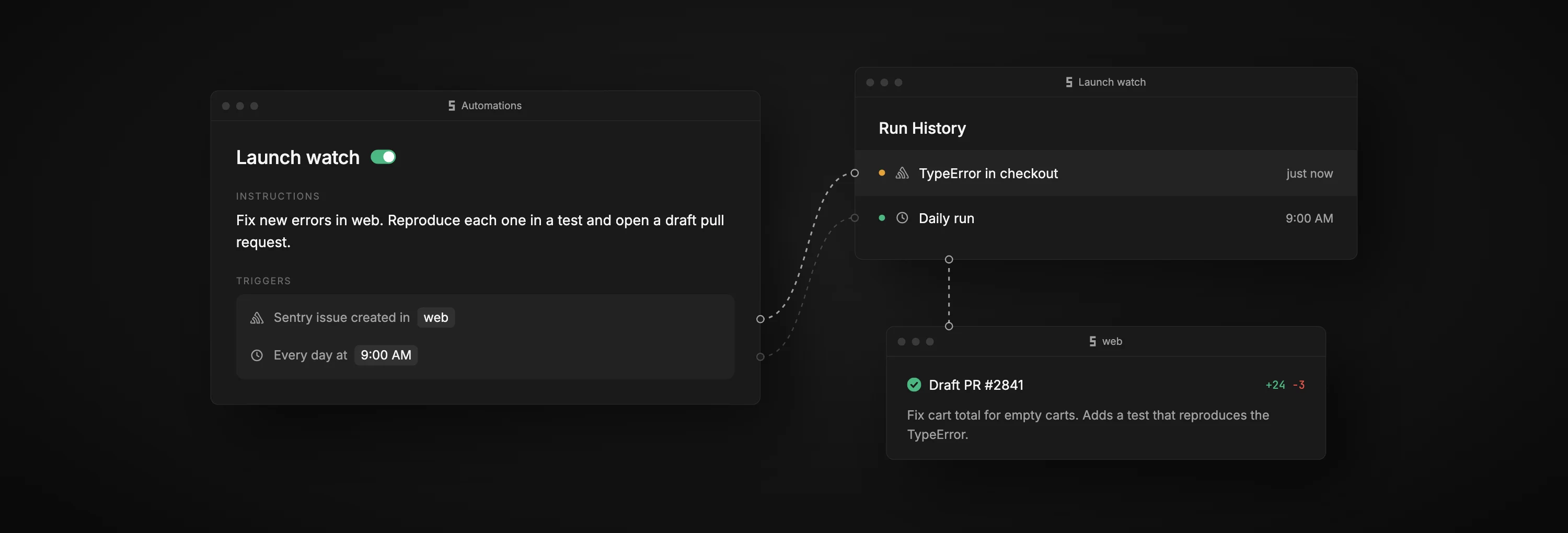
How it works
A prompt, some triggers, and a workspace for each run
When a trigger fires, the Mac you picked opens a new workspace and the agent starts on your prompt. Event runs include the event, so the agent knows what to look at. Reply to the run to keep going.
- GitHub
 Slack
Slack- Linear
- Sentry
- Notion
- Microsoft Teams
- Webhook
- Schedule
Use cases
What teams automate
- Launch watchFixes each new Sentry error, with a daily run for any it missed.Read the guide
- PR reviewRuns the tests and reviews each pull request you're asked to review.Read the guide
- Nightly auditApplies safe dependency updates every night and lists the rest.Read the guide
- Bug reportsTries a fix for each bug someone posts in #bugs.Read the guide
Questions
Which plans include automations?
Pro and Enterprise. Microsoft Teams triggers need Enterprise. If you downgrade, your automations stay but stop running.
What if my Mac is offline when a trigger fires?
That run is missed and isn't retried. Use Run now to start it later.
Which agents can run an automation?
Any agent you've set up in Superset, such as Claude Code or Codex.
How many triggers can one automation have?
Up to 25. A run starts when any one of them fires.
Can I create automations from a script?
Yes. Use superset automations in the CLI to create, run, and pause them.